What personal data does Mindstamp collect from viewers?
Short answer
Mindstamp records viewer and session identifiers, viewing progress and interactions such as clicks and answers. Supported IP address and approximate location fields are collected by default and can be disabled for an organisation on request. Names, email addresses and other submitted data depend on the video, links and features used.

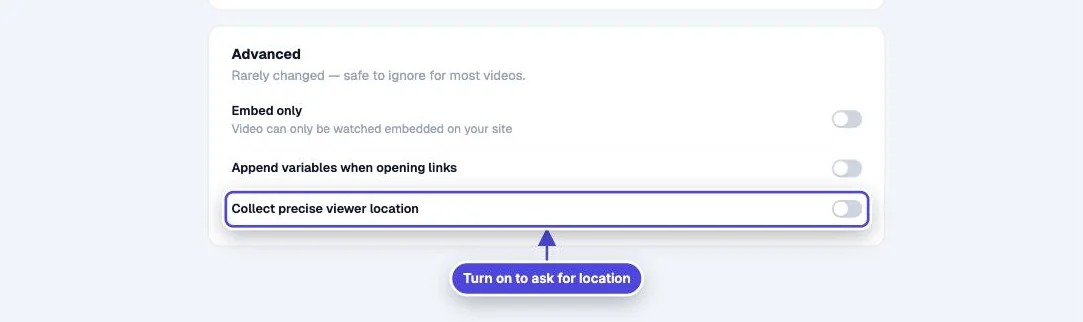
Viewer records and report controls
Copy link to Viewer records and report controls- Viewer and session identifiers, progress, clicks, answers and related activity.
- Browser and device information where supplied.
- Supported IP address and approximate location report fields, unless disabled for the organisation.
Organisation-wide IP and location controls
Copy link to Organisation-wide IP and location controlsEmail [email protected] to disable the supported fields across your organisation. This control does not erase earlier records or prevent infrastructure providers from handling connection information needed for delivery and security.
Data from configured features
Copy link to Data from configured features- Lead capture: names, email addresses, phone numbers, custom IDs and configured fields.
- Questions: submitted text, voice, video, drawing or image responses.
- Variables and personalised links: values supplied by the publisher or viewer.
- Precise location: coordinates from the enabled feature after browser permission.
- Genie AI: submitted questions and related interaction data.
- Viewer comments and configured forms.
Private variables
Copy link to Private variablesA supported private-variable setting can preserve a value for playback while recording [private] in reports. Contact the team to configure it.
Your responsibilities
Copy link to Your responsibilitiesProvide your own privacy information for viewer processing you control. Collect only the data you need and review what configured integrations send to other services.