Reporting
A report for every view.
See who watched, what they answered, where they branched, and what they did next. Reporting is per person, not per play.
Per viewer
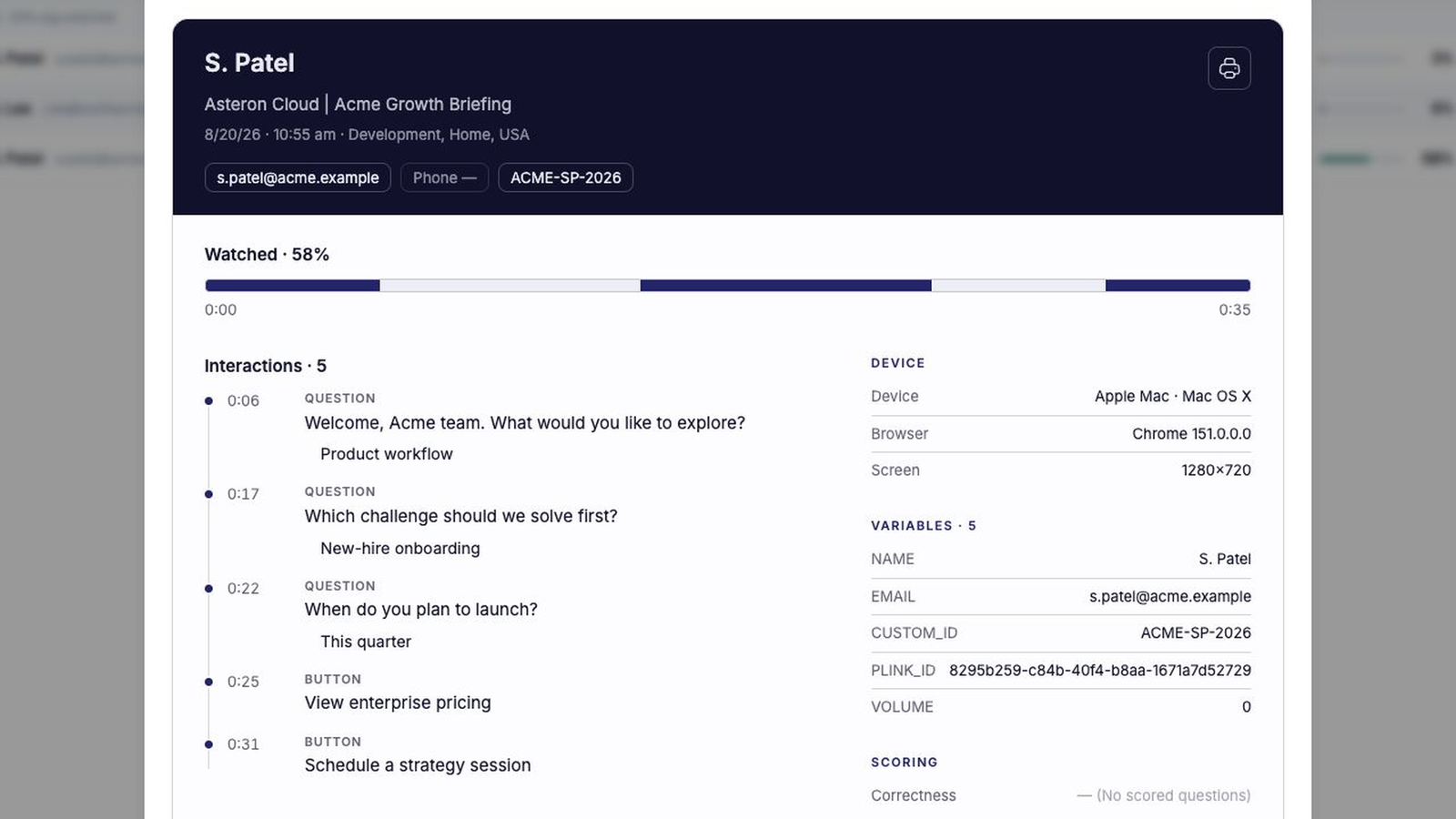
Review each viewing session
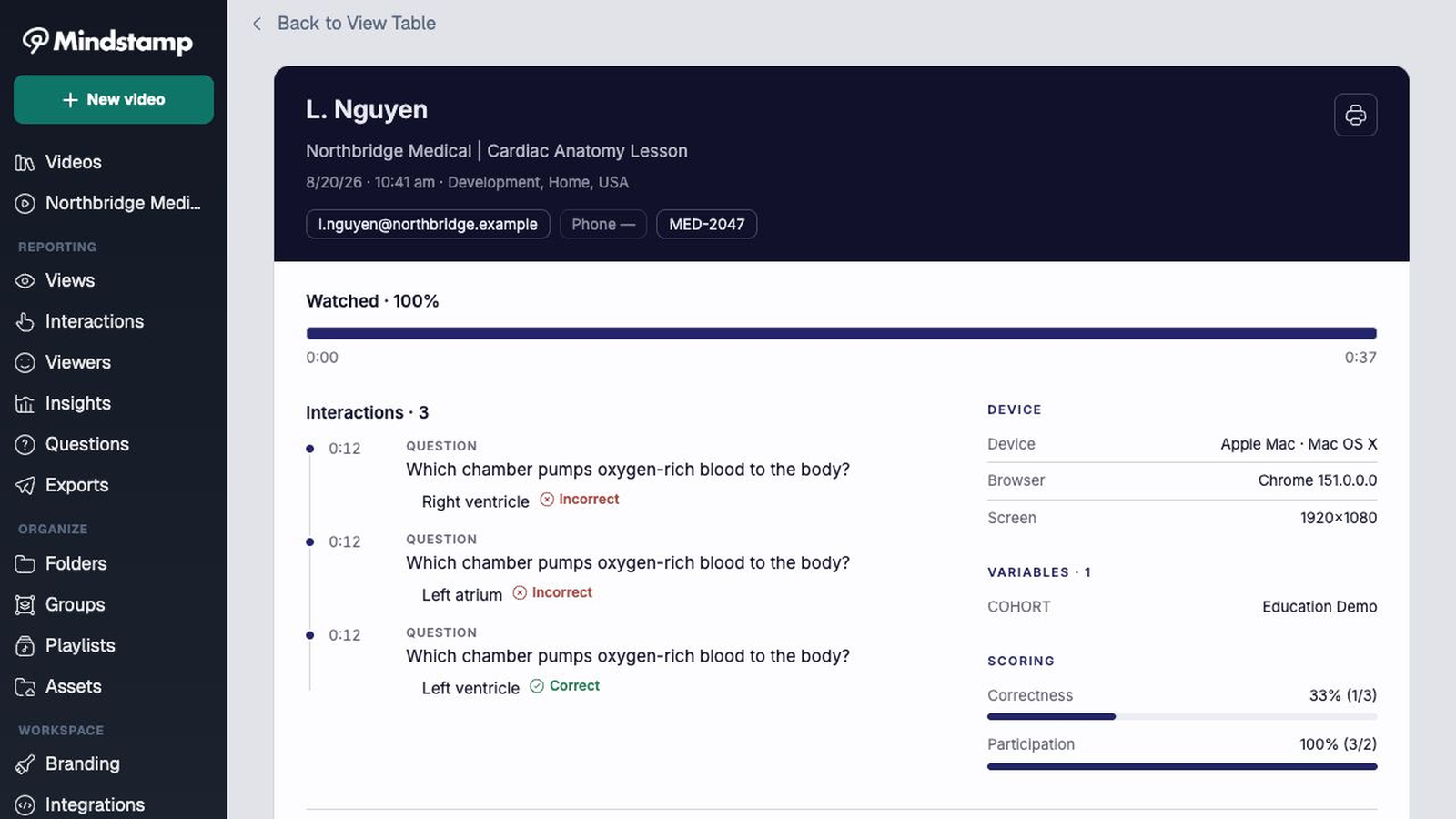
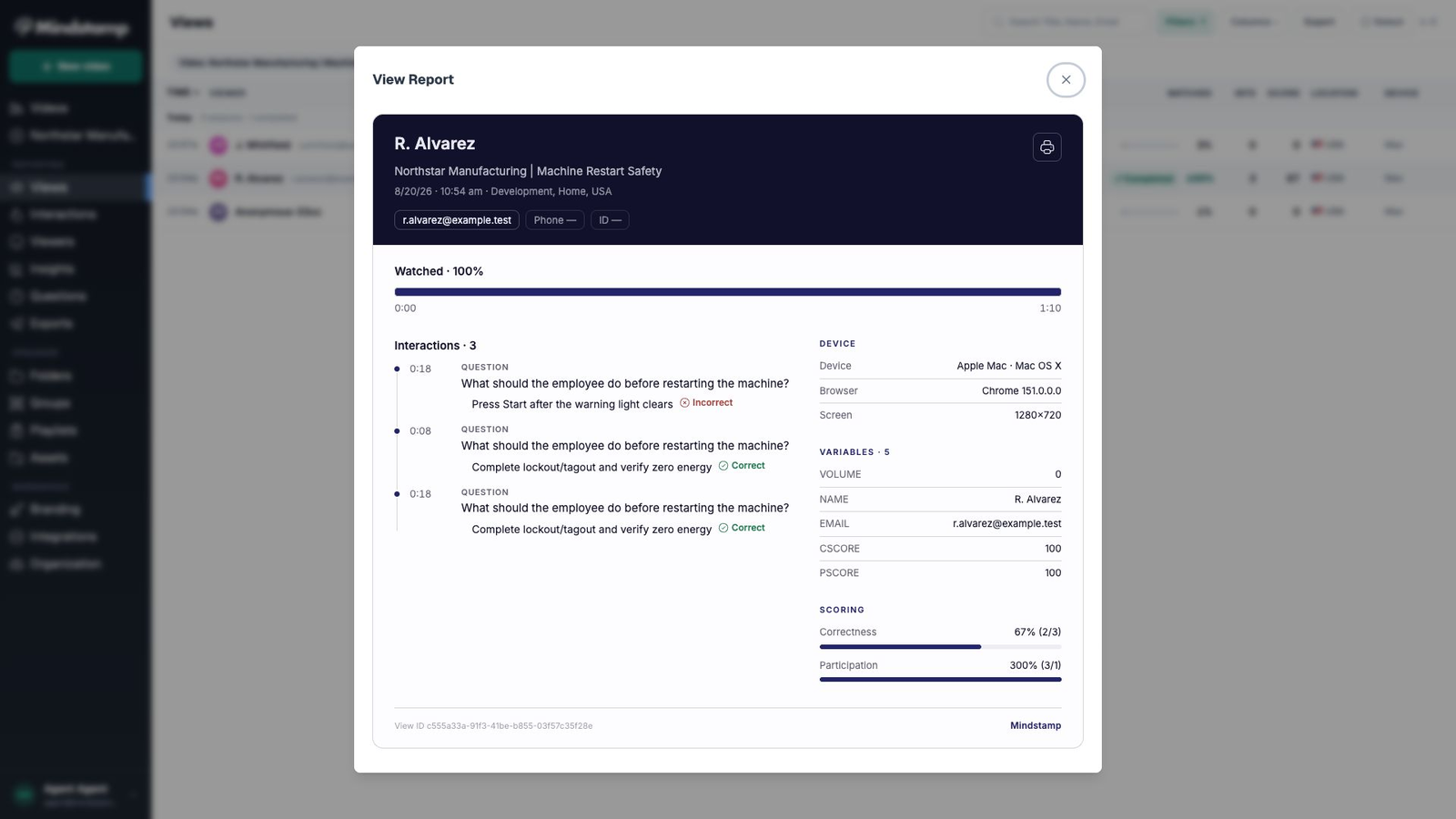
See who watched, how much they completed, what they answered, which path they took, and which interactions they used.
- Watch progress for each person
- Every answer and click, with its timecode
- Scores for graded questions
Across viewers
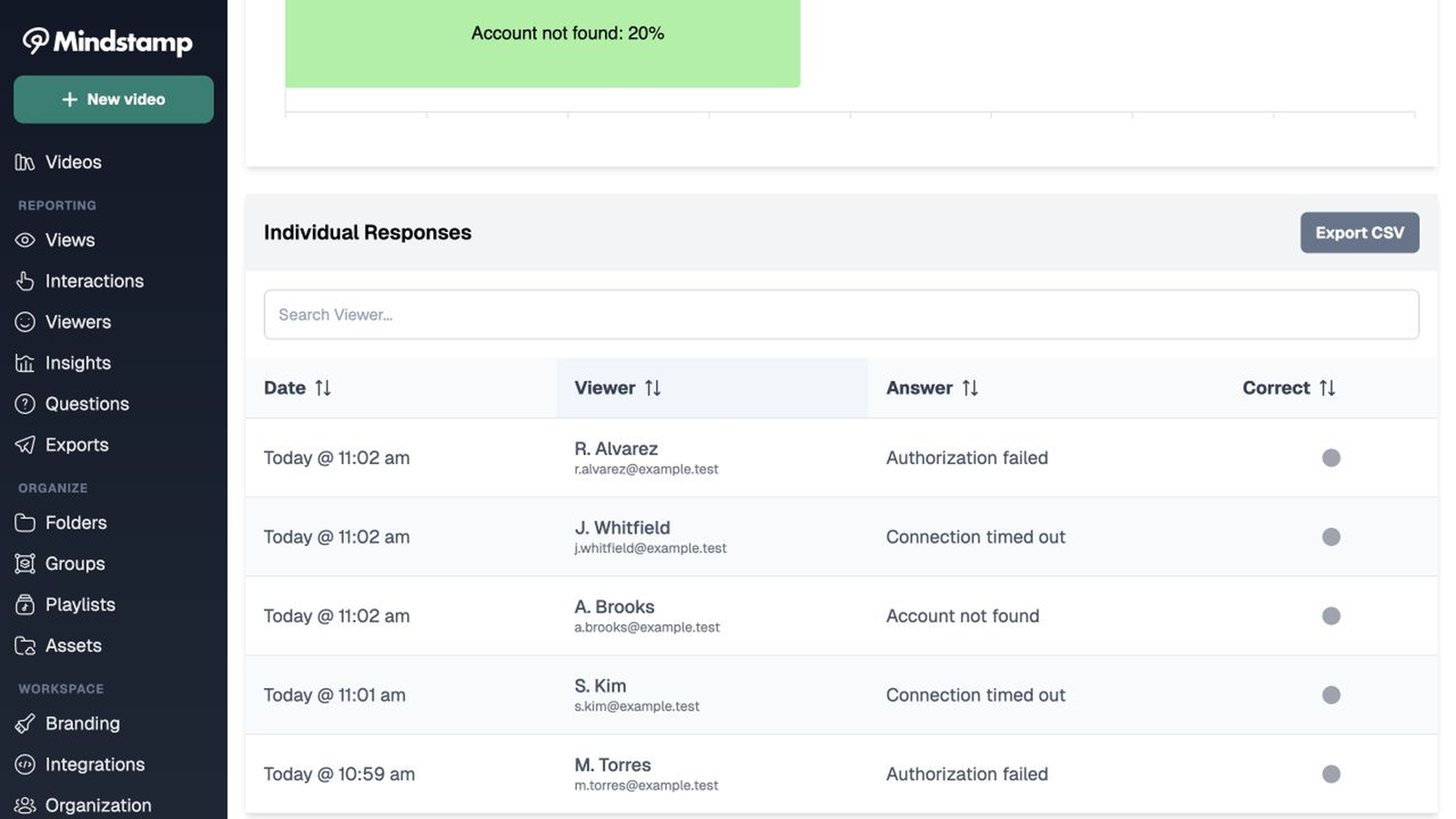
Find the point where behavior changes
Filter reports by video, group, date, completion, participation, and correctness. Use drop-off data to find sections that need a clearer explanation or a shorter route.
- Answer breakdown for each question
- Individual responses you can search
- Drop-off by section on Core and higher plans
Exports
Export the records you need
Download view, viewer, and interaction data. Reports can include contact details, answers, scores, clicks, view counts, and recent activity.
- CSV export of views, viewers, and interactions
- Scheduled exports on Pro and higher plans
- SCORM packages for an LMS
Integrations
Send data to other systems
Use HubSpot, Zapier, webhooks, scheduled exports, or the REST API to connect interactive video data to your current reporting and follow-up workflows.


Questions
What teams ask about reporting
What does Mindstamp report?
Mindstamp records watch activity, answers, clicks, branch paths, completion, and scores for each viewer. Teams can filter reports, export data, or send events to connected systems.
Where does the data go?
View data in each per-view report, export it as a CSV, use the REST API, or send it to your CRM and automation tools.
Can Mindstamp send results to an LMS?
Yes. Core and higher plans export SCORM packages in three versions: SCORM 1.2, SCORM 2004 3rd edition, and SCORM 2004 4th edition. The package sends completion and score to a compatible LMS.
How is the score calculated?
The score is the percent of scored questions answered correctly. A scored question has a correct answer set and is not hidden. Two video settings decide the rest. Questions in score: Answered questions only counts just the questions the viewer answered, and All questions counts every scored question that is not conditional, so an unanswered one counts as wrong. New videos use All questions, and older videos use Answered questions only. Answer that counts: the first answer or the most recent one. The same score appears in reports, on certificates, in SCORM packages, and in the {{cScore}} variable.
Do viewers count towards anything?
No. Each plan includes unlimited viewers with no per-viewer charge. Viewers can use a link or embed with no Mindstamp account. Admin seats apply to the people who build and edit.
Start here
See your first viewer report today
Add one question to a video you already have, share it, and open the report.