 Brett Lindenberg
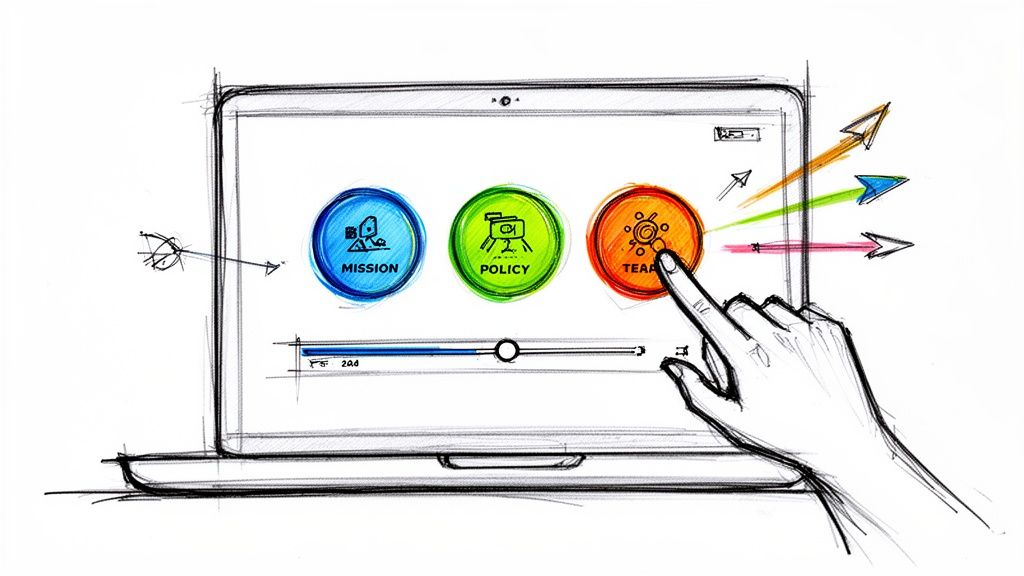
Customer engagement examples are programs that get customers to do something with a brand besides buy: earn status in a loyalty program, keep a daily streak, vote on a product idea, post their own footage, finish a course, or answer a question. The good ones give the customer something useful for each action and give the company a record of what each customer chose. This guide covers 11 programs from Starbucks, Duolingo, LEGO, Salesforce, and others, checked in October 2026, with what each one does and the part you can copy on a small budget. The short demo below shows the idea at small scale: a utility customer picks the update they need, and the video plays only that answer.
What counts as customer engagement
Customer engagement is any action a customer takes with your brand that they could skip. A purchase on its own is a transaction. Engagement is the back-and-forth around it, and you can see it in three places:
- What customers do: logins, feature use, replies, clicks, answers, and repeat orders.
- How they feel: Net Promoter Score, satisfaction ratings, and the words they use in reviews and support tickets.
- What they give back: referrals, reviews, posts, product ideas, and time spent helping other customers.
Digital customer engagement is the same thing on apps, email, chat, video, and online communities. It is easier to measure, because each action leaves a record you can tie to a customer.
11 customer engagement examples from real companies
We checked each program below on the company's own site in October 2026.
| Company | Program | Type | What the customer does |
|---|---|---|---|
| Starbucks | Starbucks Rewards | Loyalty program | Earns Stars on purchases and moves up status levels |
| Duolingo | Daily streak | Gamification | Finishes a lesson each day to keep a count going |
| Spotify | Wrapped | Personalized content | Opens and shares a recap of their own year of listening |
| LEGO | LEGO Ideas | Co-creation | Submits or supports fan designs for new sets |
| GoPro | GoPro Awards | User-generated content | Submits photos and clips for cash, gear, or a feature |
| Harley-Davidson | Harley Owners Group | Membership community | Joins chapters and rallies and logs ride miles |
| Sephora | Beauty Insider Community | Online community | Asked questions and shared looks (forum retired in 2026) |
| Salesforce and HubSpot | Trailhead and HubSpot Academy | Customer education | Takes free courses and earns badges or certifications |
| Intercom | Product tours and checklists | In-app onboarding | Follows guided setup steps inside a product |
| Disney | MagicBand+ | Connected experience | Uses one band for park entry, the hotel room, and purchases |
| HP Indonesia | Interactive product launch | Interactive video | Chooses a path through the launch and answers quiz questions |
1. Starbucks Rewards: progress the customer can see
Starbucks Rewards members earn Stars on purchases at participating stores and redeem them at set levels between 25 and 400 Stars. Members also move through Green, Gold, and Reserve status, and higher status adds benefits on top of perks such as a birthday treat (Starbucks Rewards, checked October 2026).
The program works because a member always knows how far the next reward is. You do not need an app to copy it. A points balance in a monthly email or a progress bar in your customer portal does the same job. Pick one reward your customers want, and show the distance to it each time you contact them. Our guide on how to build brand loyalty covers reward design in more depth.

2. Duolingo streaks: one small action every day
A Duolingo streak counts the days in a row a learner finishes a lesson, and a Streak Freeze lets the learner skip a day without losing the count. In a January 2022 post, Duolingo reported that learners who reach a 7-day streak are 3.6 times more likely to complete their course (Duolingo blog, 2022). That figure is an association Duolingo measured in its own data.
To copy it, find the smallest action that goes with customers staying, such as a weekly login or one lesson, and count it where the customer can see it. Copy the Streak Freeze as well, so one busy week does not reset someone to zero. For more on game mechanics, see gamification and sales.
3. Spotify Wrapped: the customer's own data, worth sharing
Each year Spotify turns every listener's history into a personal recap of the music and podcasts they played that year, built to be shared. The 2025 edition added group formats, including a Wrapped Party (Spotify newsroom, 2025 Wrapped).
A recap works for business customers too. Before a renewal, show an account what its team did with your product: reports built, courses finished, tickets resolved. Use only numbers you can defend, and make the recap easy to forward to the person who signs the renewal.
4. LEGO Ideas: customers propose, other customers vote
On LEGO Ideas, fans submit designs for new sets. A design needs 100 supporters within 60 days to stay live. Designs that reach 10,000 supporters go to a LEGO Review held three times a year, and if LEGO produces the set, the fan designer receives royalties (LEGO Ideas guidelines).
A public feature-request board with votes is the software version. Two parts make LEGO's version credible: a published threshold and a published answer. Say how many votes trigger a review, when reviews happen, and what you decided, including the ideas you turned down.
5. GoPro Awards: user-generated content with a brief and a reward
GoPro Awards asks customers to submit photos, raw clips, and edits into named challenges. Selected entries can win social media features, GoPro gear, or cash awards (GoPro Awards, checked October 2026).
Customers get recognition and a shot at a prize, and GoPro gets footage of the camera in real use. To run your own, start with one challenge: a clear brief such as "show us your setup," a deadline, and rules that say how you will use the entries. Ask each person for permission before you put their post in an ad.
6. Harley Owners Group: a community that meets in person
Harley Owners Group, now part of Harley-Davidson Membership, combines local chapters and rallies with member benefits such as a lifetime ride-mileage tracker, roadside assistance, and free entry to the Harley-Davidson Museum (Harley-Davidson, checked October 2026).
You do not need a motorcycle brand to do this. A user group in two or three cities, a customer dinner at a trade show, or a monthly online office hour gives customers a reason to meet each other, which a newsletter cannot.
7. Sephora Beauty Insider Community: what a community costs to run
For more than 15 years, Sephora's Beauty Insider Community gave shoppers a forum to ask about routines, join challenges, and share photos. In May 2026 Sephora told members it would retire the forum that August (Beauty Insider Community home page, May 2026 archive).
Even a large, long-running community can end. Plan for moderators, a posting plan, and a budget for as long as the community exists. Before you launch one, decide who answers posts every day and what you will do with what members tell you. If you cannot staff that, start with a quarterly customer call or a short survey.
8. Salesforce Trailhead and HubSpot Academy: free education that builds skilled customers
Trailhead is Salesforce's free learning site. Learners earn badges for short hands-on units and can prepare for more than 60 official Salesforce certifications (Trailhead). HubSpot Academy is free and online too, with self-paced courses, certifications, and onboarding programs for HubSpot customers (HubSpot Academy; both checked October 2026).
Customers who know your product use more of it, and a certificate gives them a career reason to keep learning. Start with the three tasks new customers ask support about most. Turn each into a short lesson with a knowledge check, and award a certificate at the end. See interactive customer education and our guide to educating the customer.
9. Intercom product tours: help inside the product
Intercom sells product tours, checklists, and tooltips that guide new users through setup inside an app, targeted by who the user is and how they use the product. On the same page, Intercom quotes its customer Webex Events, which reported an onboarding completion rate almost five times higher than with its previous tool (Intercom product tours, checked October 2026). That is a vendor-published customer result.
The idea to copy is placement. Find the step where most new customers stall, and put the help at that step instead of in a separate help center. This onboarding example asks for the customer's first goal and opens only the setup task for that goal. Our customer onboarding best practices cover the rest of the first 90 days.
10. Disney MagicBand+: one object that connects every channel
At Walt Disney World, a MagicBand connects to the plans a guest makes in the My Disney Experience app. Guests use it to enter the parks (with valid admission and a park reservation), unlock their Disney Resort hotel room, and make purchases. MagicBand+ adds light-up themes and haptic vibrations (Walt Disney World, checked October 2026).
This is omnichannel engagement in physical form: the guest never repeats information. The smaller version is a support desk where the chat agent sees the customer's last email and order, so the customer never explains the problem twice.
11. HP Indonesia: a product launch the audience steers
HP Indonesia launched its OMEN 16 and Victus by HP gaming laptops with an interactive video event built in Mindstamp. Guests scanned a QR code, used buttons to choose their path through the launch, and answered multiple-choice quiz questions about the products. The format also produced data on content performance and viewer activity (HP Indonesia case study).
Any launch video or webinar replay can do a small version of this. Ask viewers which product or use case they care about and open that section first. The answers tell your sales team who wanted what.
Customer engagement program ideas and activities
Most of these cost little to start. Each row names a first step and the number that tells you whether the idea works.
| Idea | Best for | First step | Metric to watch |
|---|---|---|---|
| Ask-first onboarding | New customers in their first 30 days | Ask for the customer's first goal and show only the setup for that goal | Share of new customers who finish the first setup task |
| Short customer course with knowledge checks | Products with a learning curve | Turn the three most common support questions into lessons | Course completions and support tickets on those topics |
| Product finder quiz | Stores with many similar products | Write three to five questions that map answers to products | Quiz completions and clicks on the recommended product |
| Idea board with votes | Products with active fans | Publish the board, a vote threshold, and a review date | Votes per idea and ideas answered on time |
| Customer challenge | Products people photograph or film | Run one themed challenge with a deadline and clear usage rights | Entries and reuse permissions granted |
| Personal recap | Subscriptions and software | Send each customer a summary of what they did this year | Opens, replies, and forwards |
| Streak or progress count | Learning, fitness, and habit products | Count one weekly action and show it to the customer | Customers active each week |
| Self-serve support video | Support teams with repeat tickets | Open with the question an agent asks first | Tickets on that topic and where viewers stop watching |
| Customer advisory board | B2B companies with key accounts | Invite a small group of customers to meet each quarter | Decisions made from the board's input |
| Personalized check-in for quiet accounts | Account managers and customer success teams | Send a short video that names the customer and asks one question | Replies and logins in the week after |
Customer engagement strategy template
A customer engagement strategy states which customers you want to engage, at which moments, with what, and how you will know it worked. Keep it to one page, with one row per moment.
| Field | What to write |
|---|---|
| Business goal | The one result this plan supports, such as fewer cancellations in the first year |
| Customer segment | Who this row is for, such as new self-serve accounts |
| Moment | When it happens, such as day 1, the first stalled week, or 60 days before renewal |
| Activity | What you ask the customer to do |
| Channel | Where it happens: email, in-app, video, community, phone |
| Value to the customer | What they get for doing it |
| What you learn | The answer or behavior you will record |
| Metric and target | The number you will check and the level you expect |
| Owner | The one person responsible |
| Review date | When you will look at the number and decide to keep, change, or stop |
Customer engagement strategy example: the first 90 days of a software customer
Here is the template filled in for an illustrative B2B software company. The metrics are what the team would track. They are not results.
| Moment | Activity | Channel | Metric |
|---|---|---|---|
| Day 1 | Welcome video asks the customer's first goal and opens that setup path | Email link to an interactive video | Share who finish the first setup step |
| Week 2 | Check-in for accounts with no second login | Personalized video from the account manager | Replies and logins within 7 days |
| Day 30 | Three-lesson course on the core feature, with knowledge checks | Customer academy | Completions and quiz scores |
| Day 60 | Satisfaction survey with one open question | In-app or email | CSAT and the themes in the comments |
| Day 90 | Recap of what the team did in the product | Email, then a call | Renewal or expansion conversation booked |
Client engagement plan for agencies and consultants
A client engagement plan is the service-business version. It sets how you and a client work together: scope and success measures, the meeting rhythm, the reporting format, who decides on each side, and when you ask for feedback. For ways to keep clients involved once the plan is signed, see our guide to improving client engagement.
Customer engagement commitment examples
A commitment statement turns the strategy into promises customers can check. Make each one specific enough to measure. Examples you can adapt:
- "We reply to every support request within one business day."
- "Every new customer has a named contact for their first 90 days."
- "We answer every idea on our feedback board within 30 days, even when the answer is no."
- "We give at least 30 days' notice before a price or plan change takes effect."
- "After each major release, we ask for your feedback and publish what we changed because of it."
Publish only the promises you track. Each one above maps to a number: response time, contact coverage, or days to answer an idea.
How to measure customer engagement
Measure engagement with a few signals from each of the three areas above: what customers do, how they feel, and what they give back. Match the metrics to the program, because a loyalty program and a support video need different numbers.
| Metric | What it tells you | How to calculate it |
|---|---|---|
| Active users (DAU/MAU) | How often customers come back | Daily active users divided by monthly active users |
| Engagement rate | Share of website or app sessions with real activity | Engaged sessions divided by all sessions. Google Analytics 4 counts a session as engaged when it lasts longer than 10 seconds, has a key event, or has 2 or more page or screen views (Google Analytics Help). |
| Feature adoption rate | Whether customers use what you built | Customers who used the feature divided by active customers |
| Retention rate | Whether customers stay | Customers at the end of the period, minus new customers, divided by customers at the start (see how to calculate retention) |
| Churn rate | Who leaves | Customers lost in the period divided by customers at the start |
| Net Promoter Score (NPS) | How likely customers are to recommend you | Percent of promoters (9 or 10 on a 0 to 10 scale) minus percent of detractors (0 to 6) (Bain & Company) |
| Customer satisfaction (CSAT) | Satisfaction with one interaction | Satisfied answers (for example, 4 or 5 on a five-point scale) divided by all answers |
| Customer effort score (CES) | How easy it was to get something done | Average answer to "How easy was it to ...?" after a task |
| Program participation | Whether the program itself works | Active members, course completions, entries, or posts divided by eligible customers |
| Video answers and clicks | What each viewer chose and understood | Answers, clicks, and branches per viewer, plus the percent of the video watched (see video engagement metrics) |
Pair a behavior metric with a feeling metric. A customer who logs in every day but rates you 3 out of 10 is a churn risk that a usage dashboard will not show. For product and app metrics in more detail, see user engagement metrics and what engagement rate means.
No single signal proves that a customer is engaged. The demo below shows three fictional accounts with different signals and explains what each signal supports and what it leaves unknown. The same demo is on its example page.
How to build a customer engagement score
- Pick three to five signals that went with renewal or repeat purchase in your own data, such as weekly logins, use of a core feature, and NPS.
- Put each signal on the same scale, such as 0 to 100.
- Weight each signal by how closely it tracks retention. Simple weights are fine to start: use of a core feature might count twice as much as a login.
- Add the weighted values into one score per customer.
- Check the score against what happened. If low-score customers did not churn more often, change the weights. Review them each quarter.
How to measure engagement without expensive tools
A small team can start with free or low-cost tools and a spreadsheet that joins them by customer email:
- Google Analytics for engaged sessions, engagement rate, and key events on your site or app.
- Google Forms or SurveySparrow for NPS and CSAT surveys. SurveySparrow lists a free plan (checked October 2026).
- Each social network's built-in analytics for comments, shares, and reach. This guide to social media performance metrics lists the ones worth tracking.
How often to review engagement metrics
Check fast behavior metrics, such as active users and program participation, every week. Review NPS, retention, and lifetime value each quarter. They move slowly, and a one-week change in them is usually noise.
How to count one customer across devices
Identify the customer, not the device. In Google Analytics 4, the User-ID feature connects one person's sessions across devices and platforms when you send your own ID for each signed-in user (Google Analytics Help). Video has the same problem. Mindstamp remembers a viewer in one browser, and a new device or private window starts a new viewer record unless you identify the viewer with lead capture, a personalized link, or URL parameters (viewer identity help).
What watch rate to expect from video
If video is part of your program, set expectations from real numbers. Across 8.07 million views of 18,315 Mindstamp videos (2018 to October 2026), the average view played 46.5% of the video. Videos where viewers took more than three actions per view averaged 51.8% watched, compared with 43.9% for videos where viewers took no action. Many factors differ between these videos, so treat this as a pattern, not proof. Most Mindstamp videos are training, marketing, and sales videos, so these figures are not a benchmark for all video.
How to improve customer engagement
When engagement drops, work through these six steps in order.
Join your customer data
Support tickets, orders, email clicks, and product use often sit in separate tools. Join them on one customer ID, such as an email address or account ID, before you personalize anything. A customer data platform does this at scale. A CRM export works for a small team.
Personalize from what the customer told you
Attentive's 2025 consumer trends survey of 3,300 consumers in the US, UK, and Australia found that 81% of consumers ignore irrelevant marketing messages and that three-quarters of consumers have abandoned a cart because they felt overwhelmed by options (Attentive, 2025). Brands are responding with behavior data: in a 2023 Wakefield Research survey for Braze of 1,500 marketing decision-makers at vice-president level and above in 14 markets, 45% of brands worldwide (48% in Europe, the Middle East, and Africa) said they use real-time signals such as browsing, clicks, and views to personalize interactions (Braze, 2023).
The cheapest signal is a direct answer. Ask one question about what the customer wants, then use that answer in every message after it. Our guide to video personalization shows how to carry an answer or a CRM field into a video.
Ask before you tell
Generic content makes every customer sit through the parts that do not apply to them. Open with a question and show only the matching answer, as the service update demo at the top of this page does. The same pattern works in a product tour, a support article, or an onboarding email.
Put help where the customer gets stuck
Find the step where customers stall from your support tickets and your product data, and put help at that step. A support video can start with the question an agent would ask first and branch by plan, platform, or error message (interactive support videos).
Close the loop on feedback
If customers never see a result from their feedback, they stop sending it. Tell them what you changed and why, as LEGO does with its review results, and tell them what you decided not to do.
Reward progress
Show customers how far they have come and how far the next reward is, as Starbucks and Duolingo do. The reward can be status, a certificate, early access, or a discount.
For a wider view of where the market is going, MoEngage's list of customer engagement trends (June 2025) puts ethical use of customer data next to personalization and AI. Braze's 2025 Global Customer Engagement Review surveyed 2,300 marketing leaders in 18 countries; the full report requires a form.
Where interactive video fits in an engagement program
Video is one channel among many. It earns a place when you want the customer to choose, answer, or act while they watch, and you want a record of it for each person. The uses we see work are the ones in the ideas table above: ask-first onboarding, support triage, customer courses with knowledge checks, personalized check-ins, and product finder quizzes like this skin care quiz example.
In Mindstamp you add these to a video you already have. Engagement programs mostly use four pieces:
- Questions that pause the video and record each answer.
- Branching that sends each viewer to the scene that matches their answer.
- Personalization that shows a viewer's name, company, or other fields from a link or your CRM.
- Reports of what each viewer watched, answered, and clicked.
To get answers into your other tools, Mindstamp connects to HubSpot and Zapier and can send webhooks: view webhooks on Core and higher plans, and interaction and lead webhooks on Pro and higher. Webhooks arrive after the viewing session ends, not during playback. Salesforce integration is quoted per account; confirm its scope with Mindstamp. For a playbook aimed at software companies, see using interactive video to drive SaaS customer engagement.
Customer engagement platforms: which tool does which job
"Customer engagement platform" covers several kinds of software. Messaging platforms send email, push, SMS, and in-app messages when a customer does something. Support platforms handle tickets, chat, and help centers. Customer data platforms collect events and pass them to the other tools. No single platform is best for both internal and external customers, so choose by the job you need done first. The table shows what each vendor says its product does and what its pricing page showed on October 5, 2026.
| Platform | Main job | Public pricing |
|---|---|---|
| Salesforce Marketing Cloud | Cross-channel marketing journeys on the Salesforce CRM | Growth Edition $1,500 per org per month, billed annually; add-ons priced separately |
| HubSpot Service Hub | Help desk, ticketing, knowledge base, and feedback surveys | Free plan; paid plans per seat, Professional from $100 per seat per month |
| Zendesk | Ticketing and support across email, chat, voice, and messaging | Support Team $19 and Suite Team $55 per agent per month, billed annually; 14-day trial |
| Intercom | Messenger, shared inbox and ticketing, help center, and the Fin AI agent | From $29 per seat per month (Essential, billed annually); Fin from $0.99 per outcome |
| Braze | Cross-channel messaging: email, app and web messages, SMS, and WhatsApp | No prices shown; four editions priced by monthly active users through sales |
| Iterable | Cross-channel campaigns from real-time customer data | No public pricing; demo request |
| Twilio Segment | Customer data platform that sends event data to other tools | Free plan with 1,000 visitors a month and 2 sources; Team plan from $120 a month |
| Freshdesk | Ticketing, knowledge base, and the Freddy AI agent | From $19 per agent per month (Growth, billed annually); 14-day trial |
| MoEngage | Cross-channel marketing and analytics | No public pricing; contact sales |
| Klaviyo | Email and SMS marketing | Free plan for up to 250 active profiles and 500 emails a month |
| Mindstamp | Interactive video with questions, branching, and reports for each viewer | See pricing; 14-day free trial with no card required |
Customer engagement platforms for small businesses and startups
Start with one job and a free or low-cost plan. HubSpot Service Hub, Klaviyo, and Twilio Segment list free plans, and Zendesk and Freshdesk list support plans from $19 per agent per month, billed annually. Add a messaging platform such as Braze or Iterable when you have the customer volume and data to need real-time triggers at scale; both sell through their sales teams.
Common questions
What is a good example of customer engagement?
A loyalty program with visible progress, such as Starbucks Rewards, is the most familiar one. For business customers, free product education such as Salesforce Trailhead is a strong example, because customers gain a skill and use more of the product.
What is the difference between a customer engagement strategy and a program?
The strategy decides which customers, which moments, and which metrics. A program is one activity inside it, such as a loyalty scheme, a community, or a course. One strategy usually runs several programs.
Can you measure buyer engagement before a sale?
Yes, once you know who the buyer is. Track actions tied to a known contact: email replies, pricing page visits, demo requests, and answers or clicks inside a sales video. In Mindstamp, lead capture or a personalized link ties each answer to a named viewer.
How long does a customer engagement program take to show results?
Participation shows quickly: you will know within the first few weeks whether customers join, answer, or click. Retention takes longer to show, because you need at least one renewal or repeat-purchase cycle to compare against.
Start with one moment
Pick the moment where you lose the most customers, such as the first week after signup or the month before renewal. Write one row of the template above for it, choose one program idea from the table, and set a review date. Then build the smallest version you can test. If video is part of it, you can try Mindstamp free for 14 days, no card required, and copy the service update example as a starting point.