 Brett Lindenberg
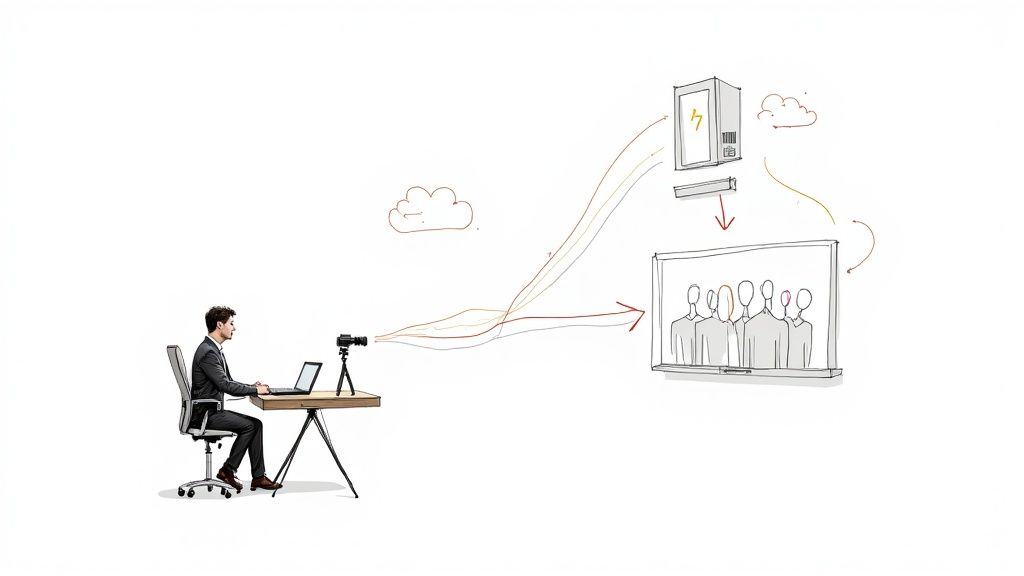
To embed a video means to play a video that is stored on another website inside your own web page. You copy a short piece of code, called an embed code, from the site that hosts the video, such as YouTube, Vimeo, or Mindstamp, and paste it into your page. The code is usually an iframe, a frame in your page that loads the host's video player. The video file stays on the host's servers. The host streams it to each visitor, and the visitor watches without leaving your page.
What does embed mean?
The Cambridge Dictionary defines "embed" as fixing something firmly into a substance, like a stone set in concrete. Its business English entry adds two computing senses. One is the sense people mean online: to include text, sound, images, or video in a computer file, an email, or a website. The other is to put a computer inside a product to control it, the sense behind the term "embedded system".
The web sense keeps the picture of the stone in concrete. An embedded video sits inside your page and looks like part of it, but it comes from somewhere else.
What does embed media mean?
Embedded media is any image, sound, video, map, or other outside resource that a page displays inside itself. HTML has a formal name for this. The HTML Living Standard defines embedded content as content that imports another resource into the document, and the category includes the img, audio, video, and iframe elements. A photo on a news page, a podcast player in a blog post, and a YouTube video on a course page are all embedded media.
What does embedding a video do?
When someone opens a page with an embedded video, this happens:
- The browser reads your page and finds the embed code.
- It asks the host's server for the video player at the address in the code.
- The player loads inside the frame on your page, usually with a thumbnail and a play button.
- When the visitor presses play, the host streams the video. A host that uses adaptive streaming picks a quality to match the visitor's connection.
- The host can record the play in its own analytics, while your website analytics record the page visit.
Because the host stores and streams the file, you pay nothing for its bandwidth. The host's rules travel with the video too. Its privacy settings and player design apply on your page, and if the owner deletes the video or turns off embedding, your page shows an error box where the video was.
Embedding a video is different from hosting it. Hosting means storing the file and streaming it to viewers. Embedding means showing a hosted video on another page. Teams with large libraries also need a system to manage the files themselves, such as a video content management system or a digital asset management (DAM) system. Kogifi's guide to video digital asset management describes how a DAM supplies videos to Sitecore and SharePoint pages.
What an embed code looks like
To get the code for a YouTube video, YouTube Help says to open the video on a computer, select Share, select Embed, and copy the HTML code. The code you copy follows this pattern:
<iframe width="560" height="315" src="https://www.youtube.com/embed/VIDEO_ID" title="Product overview" allow="autoplay; encrypted-media" allowfullscreen></iframe>Each part has one job:
srcis the address of the player and video on the host. This is the part that makes it an embed.widthandheightset the size of the frame in pixels.titlenames the frame for people who use a screen reader. MDN's iframe reference recommends a short title that describes the embedded content.allowlists the browser features the player may use, such as autoplay.allowfullscreenlets the viewer switch to full screen.
Paste the code into an HTML, code, or embed block in your site builder. In a normal text block, the page shows the code as text. Our guide on how to embed a video with HTML covers responsive sizing, player parameters, and the video tag, and the Vimeo embed code guide covers Vimeo's settings.
Embedding by pasting a link
Many site builders let you skip the code. In WordPress, you paste a YouTube or Vimeo address into an Embed block, and the editor shows the player (WordPress embeds documentation). Behind the scenes, WordPress asks the video site for the player through a standard called oEmbed, which lets a website display embedded content when someone posts a link to it. The page still gets an embedded player from the host.
Embed vs link vs upload
There are three ways to put a video in front of someone. They differ in where the viewer watches and who delivers the file.
| Method | Where the viewer watches | Where the file lives | Best for |
|---|---|---|---|
| Link | On the host's page, such as a YouTube watch page | The host | Email, chat, text messages, social posts |
| Embed | Inside your page, in the host's player | The host | Websites, help centers, LMS lessons, landing pages |
| Upload to your own site | Inside your page, in the browser's built-in player | Your web server or media library | Short silent background loops, or files a policy says must stay on your servers |
For most business websites, embedding is the right default, because the host converts the file for every device and carries the streaming load. Our comparison of uploading vs embedding a video works through bandwidth, page speed, and search, and our guide on how to share a video covers links for each channel.
What the video host still controls
An embedded video still belongs to its owner and plays under the host's rules. These rules from YouTube's help page on embedding and the WordPress documentation affect your page (checked October 2026):
- The owner can clear the "Allow embedding" checkbox in the video's details in YouTube Studio, and the video then stops playing on other sites.
- Only public and unlisted YouTube videos and playlists can be embedded, according to the WordPress documentation. A private video will not play on your page.
- The YouTube API Terms of Service and Developer Policies apply to every use of the embedded player.
- YouTube's terms require embedders to send an HTTP Referer, the address of the page the player sits on. A player that does not receive one shows error 153.
- In privacy-enhanced mode, YouTube does not use the view to personalize the viewer's YouTube experience or the ads shown to them outside your site. To turn it on, change the domain in the code from
www.youtube.comtowww.youtube-nocookie.com. - Embedded videos that autoplay do not increase the video's view count.
When the video is yours, you set these rules. Vimeo's Specific domains embed setting lists the sites allowed to show your player. In Mindstamp, you add your websites under allowed embed domains (Core plan and above), and the video then shows an error on any other site. The video's Embed only setting also turns off the share link, so the video plays only inside a page.
What changes when the embedded video is interactive
An interactive video player carries its interactions inside the frame, so they work on every page where you paste the code. With Mindstamp, the embedded player can:
- pause the video for questions and record each viewer's answer
- send viewers down different branches based on their choices
- show buttons and hotspots that open links, files, or other videos
- collect a name and email with a lead capture form inside the player
Each answer, click, and path appears in the viewer report against the person who watched. A plain video embed asks nothing, so its report stops at plays and watch time.
To embed a Mindstamp video, publish it, open Share, choose an embed type under Embed, and copy the code (help article). There are three types:
- Responsive fills the width of its container at a 16:9 shape and loads lazily, so the player waits until the viewer scrolls near it. Use it for most pages.
- Popout shows a thumbnail and loads the player only when the viewer selects it. It is the lightest option for page speed.
- Basic iframe is a plain iframe with no script, for platforms that remove scripts.
The embed options article explains what replaced the older dynamic and oEmbed codes. If you want to see the responsive behavior first, the responsive embed fit check example shows one player at phone, tablet, and desktop widths.
Keep two limits in mind. The interactions run in the Mindstamp player, so a downloaded video file carries no questions and sends no report data. Use the embed code to share it. In a learning management system, an embed records the view in Mindstamp but sends nothing to the LMS gradebook. To give the LMS a completion and a score, export a SCORM package instead. Our LMS compatibility article compares the embed, the link, and the SCORM package.
Other meanings of "embedding"
If you searched for "what does embed mean" in a technical context, you may have meant one of these:
- In machine learning, an embedding is a list of numbers that represents a word, image, or other item so a model can compare items by meaning. Google's Machine Learning Crash Course describes embeddings as lower-dimensional vector representations of data. It is a separate idea from embedding a video in a page.
- An embedded system is a computer built into a product, such as the controller in a washing machine or a car. This is the second computing sense in the dictionary entry above.
Common questions
What does embedding a video mean in simple terms?
It means showing a video from a site like YouTube or Vimeo on your own page, so people can watch it without leaving. The video stays on the original site, and your page only displays it.
Can I embed someone else's video?
You can embed a public or unlisted YouTube video if its owner has left embedding turned on, and the YouTube API Terms of Service apply to that use. Embedding does not give you the right to download, edit, or re-upload the file. For a video you plan to build a page or a course around, ask the owner or use your own.
Does an embedded video slow down my page?
It adds some weight, because the browser loads the host's player. Lazy loading reduces it: MDN explains that loading="lazy" on an iframe defers loading until the frame nears the visible part of the page. A click-to-load thumbnail, such as Mindstamp's Popout embed, defers the player until the viewer asks for it. Our article on making an embedded video load faster covers the options.
Can you embed a video in an email?
Most inboxes will not play it. The Can I email support table for the HTML video element (checked October 2026) marks Gmail as not supported, so the usual method is a thumbnail image that links to the video. Our guide on embedding video in email shows what each email app supports.
Does an embedded video count as a view?
A Mindstamp embed sends each view to your Mindstamp reports. On YouTube, the help page on embedding notes one exception: an embedded video that autoplays does not increase the view count.
Sources and further reading
- YouTube and its help page on embedding videos and playlists.
To see the difference an interactive embed makes, take one video that already sits on your site, add a single question at the point where viewers usually decide what to do next, and replace the old embed code with the new one. The next week of reports will show who answered and what they chose.