Camera Setup Spot Check
Choose the camera setup for a close hand procedure. The result shows what the learner can and cannot see.
Create a similar video with Mindstamp
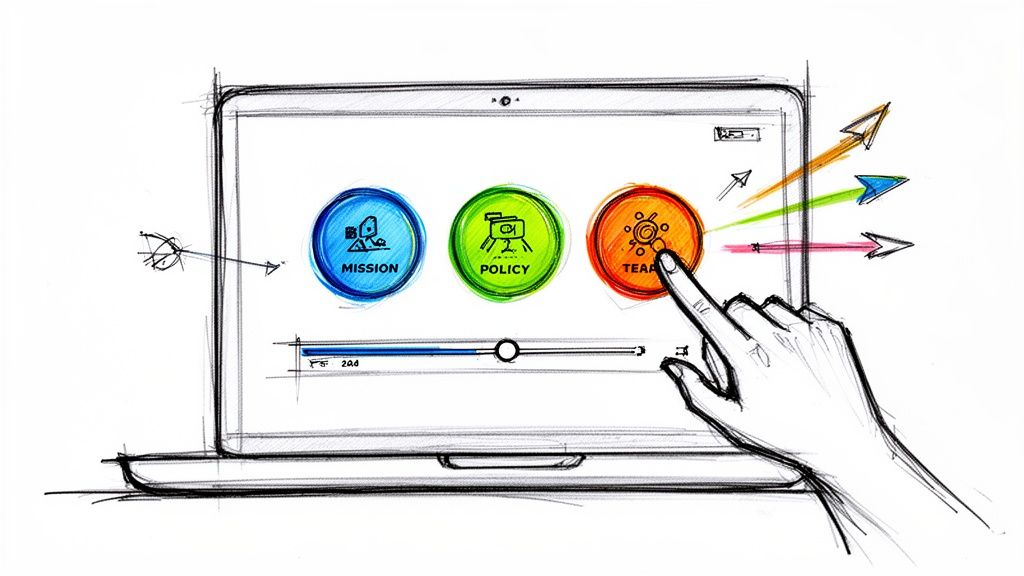
Use native interactions to save the viewer's choice, open the matching scene, and record the route for follow-up.
If you're looking to make a training video, it helps to first get a handle on why this format has become so vital for corporate learning and development. We're way past the era of static, one-way presentations. Modern corporate training videos are dynamic, interactive experiences built to close skill gaps, sharpen employee performance, and deliver results you can actually measure.
Why Video Is Reshaping Corporate Learning
Let's be honest, the days of handing an employee a dense manual or forcing them through a hundred-slide deck are over. Businesses today move too fast for that. Continuous learning isn't just a perk anymore; it's a core requirement to stay competitive, and video has quickly become the most powerful tool in the Learning and Development (L&D) toolbox.
This isn't just a passing trend. It’s a direct response to how modern employees learn best. We're wired to consume information through engaging, visual content, and that doesn't change when we clock in for work. A well-made training video can take a complex process and break it down into simple, digestible steps. It can demonstrate a subtle skill with perfect clarity and ensure every single employee gets the exact same quality training, whether they're at headquarters or working from home.
The Urgent Need to Upskill
In today's competitive job market, professional development is a massive factor in retaining top performers and attracting new talent. This has kicked the need for effective corporate training solutions into high gear.
The global eLearning market exploded to $399.3 billion in 2022 and is on track to smash $1 trillion by 2032. That growth is no accident. It’s driven by the fact that 61% of L&D pros say closing skill gaps is their number one priority. Meanwhile, 48% of American workers admit they’d jump ship for a job that offered better skills training. The numbers don't lie.
This is exactly where interactive video changes everything for corporate training. Instead of just pushing content at employees, platforms like Mindstamp pull them into a two-way conversation, transforming passive viewing into active learning.
By embedding questions, clickable hotspots, and personalized learning paths right into the video, you turn a passive viewing into an active, hands-on experience. This reinforces what employees are learning and gives them instant feedback, boosting knowledge retention.
From Engagement to Real, Measurable Outcomes
The real magic of today's training videos is their ability to deliver results you can see and track. Interactive elements are a goldmine of data, giving L&D teams a clear view of what’s landing and what’s not. You can finally see more than just who watched the video; you can track completion rates, pinpoint exact moments where learners get stuck, and accurately measure knowledge retention with in-video quizzes.
This data-driven approach means you can constantly tweak and improve your training programs, proving a clear return on investment. When companies truly understand the benefits of investing in interactive video for training, they can build a culture where effective, ongoing learning fuels real business growth. Making a training video is no longer just about sharing information—it's about creating a strategic asset that builds a smarter, more motivated, and more competitive workforce.
Building a Strategic Foundation for Your Video
Jumping straight into filming without a plan is a fast track to a confusing, ineffective training video that wastes everyone's time. Before you even think about hitting 'record,' the most crucial work has to be done behind the scenes.
Think of it this way: a solid strategic foundation ensures your final product is targeted, clear, and actually hits the learning objectives you set out to achieve. This pre-production phase is all about asking the right questions. It’s where you shift from a vague idea like "we need a training video" to a specific, actionable blueprint that guides every single decision, from the script to the final edit.
Pinpoint the Exact Learning Need
First things first: what business problem are you actually trying to solve? This is your needs analysis. You have to identify the precise gap between your team's current skills and where they need to be to drive business success.
Is a new software rollout causing chaos in a department? Are your sales reps stumbling when they try to explain a complex product feature? Maybe the onboarding process is missing a few critical compliance topics.
Defining this gap gives your video a clear purpose. Without it, you're just making content. With it, you're creating a targeted solution.
- Observe and Ask: The best insights come from the source. Talk to managers and the employees on the ground. What are their biggest headaches and roadblocks?
- Review Performance Data: Dig into the numbers. Look at performance reviews, customer support tickets, or sales metrics to spot recurring issues that training can solve.
- Define Clear Objectives: Get specific. State exactly what an employee should be able to do after watching the video. For instance, "The viewer will be able to correctly process a customer return in our new POS system."
This initial analysis is the bedrock of your entire project. It's a simple but powerful flow from identifying a need to fostering growth through targeted training.
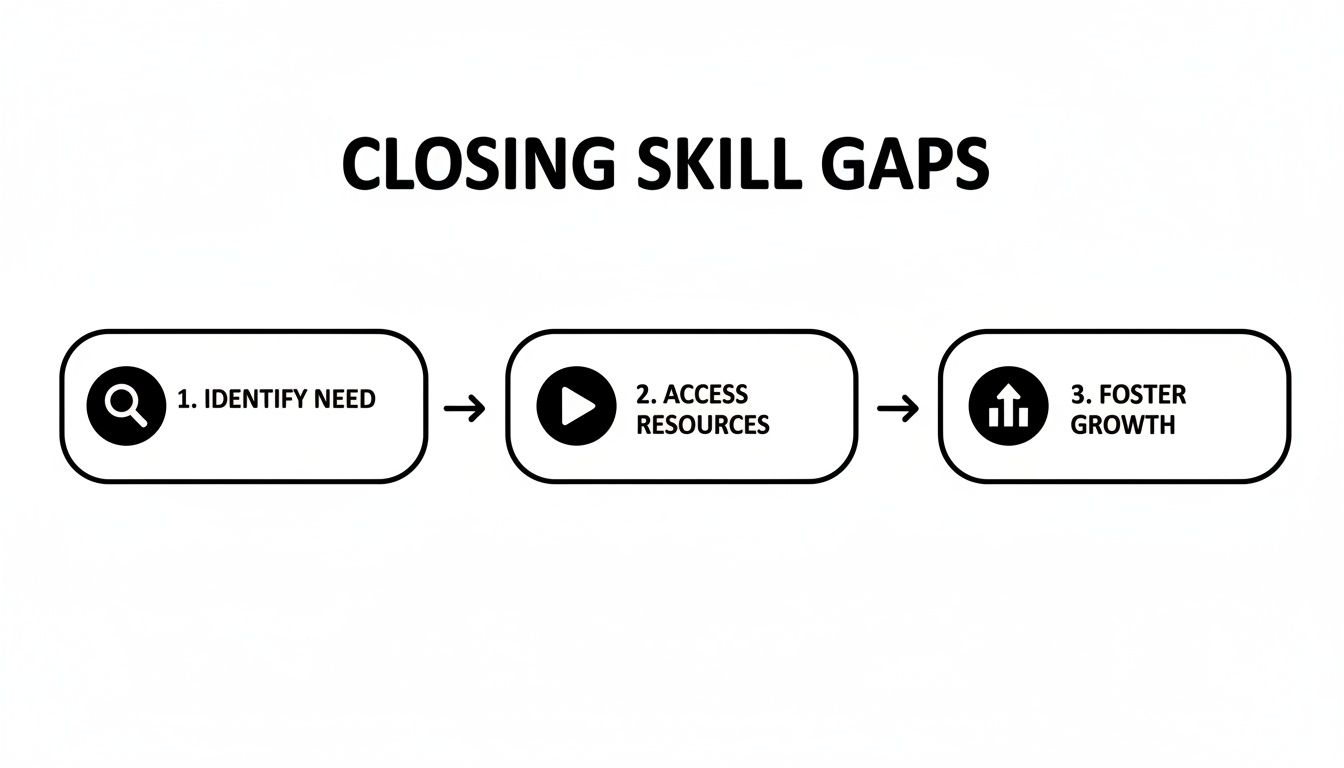
This process shows how a clear business need directly informs the kind of video you create, which in turn fuels measurable growth for both your employees and the organization.
Define Your Audience and Tailor the Message
Who exactly are you training? A video for new hires learning company policies is going to have a completely different look and feel from one aimed at senior leaders refining their management techniques. Understanding your audience—their existing knowledge, their role, their learning style—is everything.
A junior employee might need a detailed, step-by-step tutorial with lots of on-screen text and callouts. An experienced manager, on the other hand, might get more out of a scenario-based video that presents a challenge and explores different solutions. When you know your audience, you can tailor the tone, language, and complexity to meet them where they are. That's how you make sure the training actually resonates and sticks.
Your goal is not to create a one-size-fits-all video. It's to create a learning experience that feels like it was made specifically for the person watching it.
Scripting and Storyboarding for Clarity
Once you know your "why" and your "who," you can finally focus on the "what" and "how." This is where scripting and storyboarding become your best friends. A script isn't just about writing down what someone will say; it's about structuring your message for maximum clarity and retention.
Write your script in a natural, conversational tone—as if you're talking directly to a colleague. A great tip is to read it out loud to catch any clunky phrasing. Keep sentences short and to the point. When you're building out your training, think about how videos can document and teach key procedures.
A storyboard is the script's visual partner. It maps out what viewers will see, moment by moment. It doesn’t have to be a masterpiece; simple sketches or screenshots are all you need. This visual plan creates a logical flow and helps you figure out what graphics, text overlays, or camera angles you'll need ahead of time. This step forces you to think through every shot, preventing costly mistakes and painful reshoots down the road.
Essential Training Video Planning Checklist
To keep everything on track, L&D teams can rely on a simple checklist. It helps ensure the script and storyboard cover all the bases before the camera ever starts rolling. Use this to gut-check your own plan.
| Checklist Item | Key Consideration | Status |
|---|---|---|
| Clear Learning Objective | Is the primary goal defined in a single, measurable sentence? | |
| Audience Profiled | Do we know their role, skill level, and what motivates them? | |
| Core Message Identified | What is the single most important takeaway for the viewer? | |
| Conversational Script | Does the script sound natural when read aloud? Is it free of jargon? | |
| Visuals Planned | Does the storyboard map out key scenes, graphics, and on-screen text? | |
| Call to Action (CTA) | Is there a clear next step for the viewer after watching? | |
| Length Estimated | Is the video concise and focused on the key objective? |
Getting this foundation right is non-negotiable. It’s the difference between a video that gets watched and forgotten, and one that actually changes behavior and improves performance.
Capturing High-Quality Footage Without a Hollywood Budget
Alright, you've got your strategy locked in. Now comes the production phase, where you’ll capture all the raw footage that becomes your final, polished corporate training asset.
Many L&D teams get tripped up here. They imagine massive cameras, complicated lighting rigs, and a budget the size of a Hollywood blockbuster. The reality is, creating professional-looking training videos is more accessible today than it has ever been. It's not about the budget; it's about focusing on the fundamentals.
Great production isn’t about flashy special effects—it’s about clarity. If an employee is distracted by a shaky camera, weird shadows, or audio that sounds like it was recorded in a wind tunnel, they aren't learning. The goal is to make the technology completely invisible so your content can take center stage. With just a few key pieces of affordable gear, you can produce footage that looks and sounds fantastic.
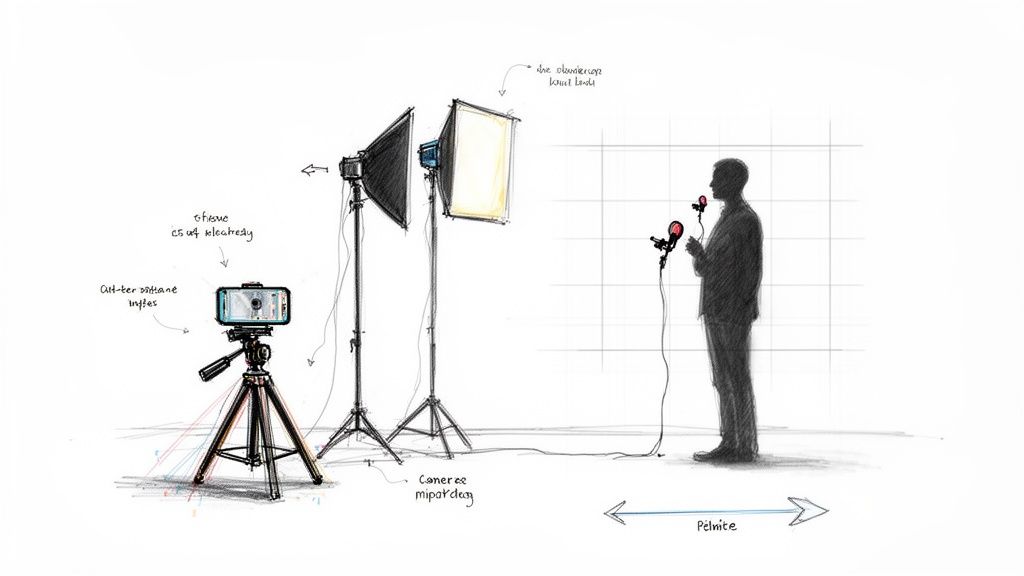
This simple setup shows just how easy it can be. A modern smartphone, some basic lighting, and a decent microphone are often all you need to start creating genuinely effective training videos.
Your Essential Gear Checklist
Before you hit record, let's talk gear. The good news? You probably already have the most important piece of equipment sitting in your pocket: a smartphone. The cameras on modern phones are incredibly powerful and more than capable of shooting crisp, high-def video for your corporate training.
The real game-changers, however, are lighting and audio. These are the two areas where a tiny investment pays off in a huge way.
- Audio is Non-Negotiable: This is the big one. If your audience can't hear you clearly, they're gone. The built-in mic on your laptop or phone just won't cut it. A simple USB microphone for voiceovers or a lavalier (lapel) mic for on-camera presenters is the single most important upgrade you can make.
- Good Lighting Creates Professionalism: You don’t need a complex three-point lighting system from a film set. A simple ring light or a couple of affordable softbox lights will work wonders, eliminating harsh shadows and creating a bright, clean look. Even just facing a window to take advantage of natural light can make a massive difference.
Remember, employees will forgive slightly imperfect video, but they will never forgive bad audio. Clear, crisp sound is the foundation of an effective training video.
Setting Up Your Recording Space
Forget needing a dedicated studio. A quiet corner in an office, a small conference room, or even a tidy home office can work perfectly. The trick is to control your environment to keep things consistent and cut down on distractions.
First, find a space with minimal background noise. That means turning off email notifications, silencing your phone, and shutting the door. If the room has soft surfaces—like carpets, curtains, or furniture—even better. Those will help absorb echo and give you cleaner audio.
Next, look at your background. It should be clean and uncluttered. A simple bookshelf, a wall with your company logo, or even just a plain, neutral-colored wall works great. Just try to avoid distracting backgrounds, like a busy hallway or a window with a lot of movement outside. The focus should always be on the instructor and their message.
Simple Filming Techniques for a Polished Look
With your gear and space ready, a few basic filming techniques will instantly elevate your footage from looking like a home movie to something professional.
- Stabilize Your Camera: Nobody likes shaky footage. It’s distracting and immediately screams "amateur." Always use a tripod for your camera or smartphone. It guarantees a steady shot and frees up your hands.
- Use the Rule of Thirds: This is a classic for a reason. Imagine your screen has a tic-tac-toe grid over it. Instead of sticking your subject right in the center square, place them along one of the vertical lines. It's a simple composition trick that makes the shot feel more balanced and visually interesting.
- Coach Your On-Screen Talent: If you have an instructor or subject matter expert on camera, your job is to help them feel comfortable and be themselves. Encourage them to speak clearly, look directly into the camera lens, and use natural hand gestures. Doing a quick practice run before you actually record can make a world of difference in calming nerves.
Getting these production basics down is a crucial step when you make a training video. For a deeper dive, check out our complete guide to video production for businesses. It’s packed with more tips for L&D teams looking to build their in-house skills.
Turning Raw Footage Into a Polished Training Tool
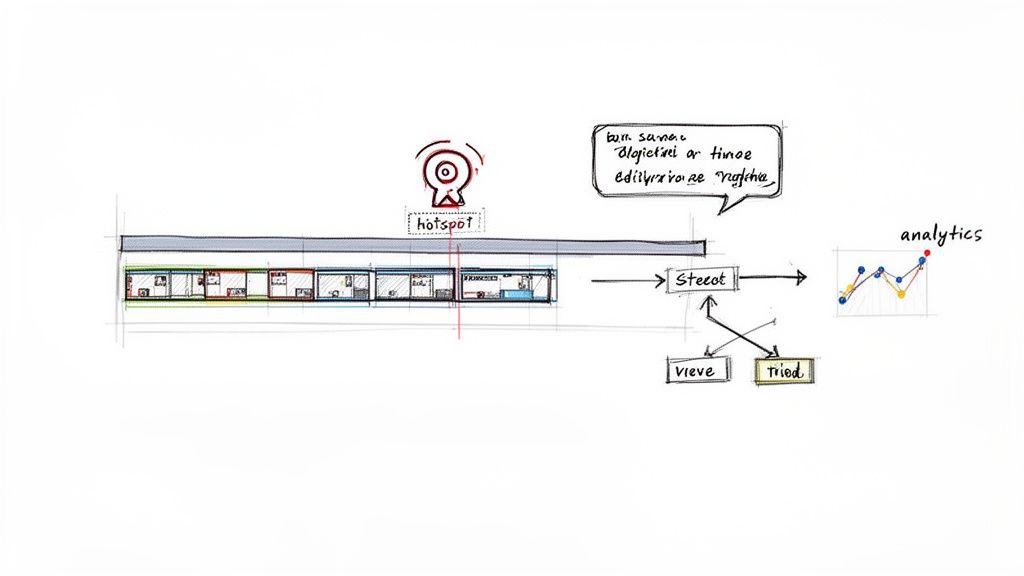
You’ve captured all your footage, and the raw material is in the can. Now, the real magic begins. Post-production is where you transform those individual clips into a polished, coherent, and genuinely effective corporate learning tool.
This is your chance to turn what could be a passive viewing experience into an active, engaging learning journey. It’s far more than just trimming the beginning and end of a clip. You’re weaving together different shots, adding professional touches, and—most importantly—embedding the interactive elements that make a training video truly powerful.
Assembling the Core Narrative
The very first thing you need to do in the edit is build the basic structure. This is the storytelling phase, where you arrange your clips in a logical sequence to create a clear and compelling narrative.
Start by pulling all your footage into your editing software to create a "rough cut." Think of this as a first draft that lays out the main story from start to finish. Don't get bogged down in perfection at this stage; just focus on the flow.
- Trim the Fat: Be ruthless. Cut out any mistakes, awkward pauses, or repetitive phrases. A concise video that respects the employee's time is always going to be more effective.
- Sequence Logically: Arrange your clips to follow the structure you mapped out in your storyboard. Make sure one idea flows naturally into the next.
- Add B-roll: Overlay supplementary footage (B-roll) to give your video visual context. For example, while an instructor talks about a software process, show a screen recording of that exact process in action.
Polishing with Graphics and Audio
With the core story in place, it’s time to add the layers of polish that make your video look and sound professional. These elements are fantastic for guiding the viewer's attention and reinforcing key learning points.
A subtle, unobtrusive music track can keep the pace engaging without being distracting. Also, make sure your audio levels are consistent throughout—nothing jars a viewer more than sudden changes in volume.
Visually, simple graphics can do wonders for comprehension. Use lower-thirds to introduce a speaker or text overlays to emphasize a critical definition or step in a process.
The key is to enhance, not distract. Every graphic, sound effect, or piece of music should serve a clear purpose: to clarify information and make the learning experience better.
Turning Passive Viewers into Active Learners
This is where you graduate from traditional video editing and start creating a genuinely interactive learning experience. Using a platform like Mindstamp, you can embed elements directly into your video that demand participation from your employees. You’re fundamentally changing the dynamic from a one-way lecture to a two-way conversation.
Interactive video isn't just about keeping employees engaged; it's about measurable learning. This is a huge deal as businesses lean more on video to get results. Video is projected to make up 82% of all internet traffic, and its business impact is undeniable: 90% of marketers see a positive ROI, and 87% report it directly boosts sales.
For corporate training, especially when over 75% of video views happen on mobile, these numbers highlight the need for content that works. Embedding interactive features is the best way to maximize your impact and tie training directly to business goals. You can dig into more video marketing statistics to see the full picture.
Practical Interactive Elements for Corporate Training
Let's look at a few powerful features you can add to your training videos right away:
- In-Video Questions: Pause the video at a key moment to pop in a multiple-choice or short-answer question. It's a perfect way to check for understanding on the spot and reinforce information before moving on.
- Clickable Hotspots: Make any object or area in your video clickable. A hotspot could link to a downloadable PDF, a detailed article on your company's intranet, or another relevant video. This lets employees dig deeper without derailing the main lesson.
- Personalized Branching: This is where you can create choose-your-own-path scenarios. In a sales training video, for example, you could present a common customer objection and let the employee choose one of three responses. Their choice dictates which clip plays next, showing the real-time consequence of their decision.
By building these elements into your post-production workflow, you create a data-rich training asset that not only teaches but also gives you deep insights into how your employees are engaging and what they're truly understanding.
Where Your Training Video Lives: Distribution and Measurement
You’ve created an engaging, interactive training video. That's a huge win, but the job isn't quite done. A brilliant video is only effective if it reaches the right employees and you can prove it actually worked. This last piece of the puzzle—distribution and measurement—is how you turn your content into a tangible business asset.
Getting the video in front of the right employees at the right time is what distribution is all about. Measurement, then, gives you the hard data to show your efforts are making a real impact. This is how you demonstrate ROI, make your content even better next time, and build the case for future learning initiatives.
Choosing the Right Distribution Channels
How you share your video is just as important as what's in it. The last thing you want is to frustrate employees by blasting their inboxes with massive video files. The key is to make access seamless and intuitive, ideally plugging into the systems your team already uses every day.
Here are the most common and effective ways to get your training out there:
- Learning Management System (LMS): If your company has an LMS, this is almost always your best bet. It keeps all training in one place, helps automate tracking, and lets you build video into more structured learning paths.
- Company Intranet or Portal: Hosting your video on a central hub like SharePoint or a company portal is a great move. It makes the content easy for anyone to find and reference later.
- Direct Link via Email or Slack: For a quick, targeted training—like a software update for the sales team—sharing a direct link can be the fastest way to get it done. Platforms like Mindstamp give you a unique, shareable URL for every video you create.
- Embedding on a Webpage: You can also embed the training video directly on a relevant internal page or in your knowledge base. This puts the information right where employees are already looking for answers.
Even for internal videos, presentation matters.
Moving Beyond Views to True Measurement
For years, the go-to metric for video was simply the view count. But in a training context, a "view" tells you almost nothing useful. Did they watch the whole thing? Did they actually get it? Were they just scrolling on their phone while it played in the background?
This is exactly where the analytics from an interactive video platform change the game.
Forget vanity metrics. You can now track data that directly reflects comprehension and engagement. This is especially critical as companies ramp up their investment in training tech. The eLearning market is projected to hit $325 billion by 2025, with U.S. companies already spending $102.8 billion. In fact, 43% of organizations are planning to buy new learning technology. Why? Because 42% of companies that use eLearning see an increase in revenue. These investments demand proof of performance, and modern video analytics deliver it.
The goal isn't just to see who started the video, but to understand what they did inside it. Interactive video analytics give you a granular look at the learning journey, turning a black box into a source of actionable insights.
Key Metrics That Actually Matter
When you build a video with interactivity from the start, you unlock a whole new level of analytics. These are the metrics that give you a crystal-clear picture of what’s clicking with your learners and where they’re getting stuck.
Instead of getting lost in the data, focus on tracking these critical points:
- Completion Rate: What percentage of employees watched the video all the way through? A low completion rate is a huge red flag. It might mean your video is too long, the topic isn't relevant, or a specific section is confusing.
- Viewer Drop-Off Points: An engagement heat map literally shows you the exact moments where you're losing people. If everyone is bailing at the 2-minute mark, you know precisely which part of the video needs a second look.
- Question and Quiz Responses: This is your most direct line to measuring understanding. By looking at the aggregate response data, you can instantly spot which concepts are landing and which ones need to be re-taught.
- Click-Throughs on Hotspots and Buttons: Tracking clicks on your interactive elements tells you what other resources employees find helpful. This helps you refine the supporting materials you provide.
By analyzing this data, you can continuously improve your content, identify knowledge gaps across different teams, and ultimately prove the value of your training programs. To really dig in and become a pro, check out our complete guide on how to measure training effectiveness for more advanced strategies.
Common Questions About Making Training Videos
Even with a rock-solid plan, jumping into video production for the first time can feel like you're staring at a blank page. If you're an L&D pro looking to make a training video, you're not alone in wondering where to start. We hear a few of the same questions all the time, so let's tackle them head-on.
How Long Should a Corporate Training Video Be?
There’s a simple golden rule here: as short as possible, but as long as necessary.
For most corporate training, that means thinking small. The sweet spot for a single, focused video module is somewhere between 3 to 7 minutes. This microlearning approach isn't just about catering to short attention spans; it respects your team's packed schedules and makes it far easier for them to actually remember what they learned.
But what if you're tackling a beast of a topic? Don't try to cram an hour of content into a single video file. No one will watch it. Instead, break it down into a logical series of shorter, bite-sized videos. Think of it as a playlist that learners can work through at their own pace. Using an interactive platform also lets you add chapters and navigation menus, which can make even longer content feel manageable and easy to jump back into.
What Is the Biggest Mistake to Avoid?
I can't stress this enough: the single most damaging mistake you can make is having poor audio quality. It will tank your video faster than anything else.
People are surprisingly forgiving of video that isn't perfect. A slightly shaky camera or lighting that isn't quite Hollywood-level can be overlooked if the content is solid. But if they can't clearly hear what you're saying, they're gone.
Background hum, distracting echo, or a muffled voice just creates a frustrating barrier between the learner and the information. It instantly makes your training feel amateurish. Seriously, investing in an affordable external microphone and finding a quiet room to record in are the two most critical technical steps you can take. It’s a tiny investment that pays off big time.
Your message is only as good as its delivery. If employees have to strain to hear what you're saying, you've already lost the battle for their attention and respect.
How Do I Make My Training Videos More Engaging?
Real engagement isn't just about flashy graphics. It boils down to two things: variety and interaction.
First, mix things up visually. Don't just stick to a single, static screen recording for ten minutes straight. Keep the experience fresh by switching between a talking head shot, your screen share, and maybe some full-screen text or graphics to emphasize key points.
More importantly, you have to give your viewers something to do. This is what turns them from passive observers into active participants.
- Ask Questions: Use a tool like Mindstamp to pause the video and pop in a question that checks for understanding before they move on.
- Add Clickable Hotspots: Let them explore. Link out to a helpful PDF, a relevant policy on your intranet, or a deeper-dive article right from the video player.
- Build Branching Scenarios: Let learners make choices that change the video's path. This is perfect for compliance or sales training where they can see the direct consequences of their decisions in a safe environment.
- Drop in a Quick Survey: Want to know if the training landed? Just ask. Pop a quick feedback survey in at the end.
These aren't just bells and whistles; they're what separate modern, effective training from old-school lectures. You're creating a two-way street for learning, and that's proven to make knowledge stick.
Do I Need a Professional Production Team?
Absolutely not. While a pro team can deliver a beautiful, cinematic product, today's tech puts the power to create effective training videos right in the hands of L&D departments. The barrier to entry has completely crumbled.
Honestly, a good smartphone, a simple lighting kit you can buy online, and a quality microphone are more than enough to get started. The focus should be on the fundamentals: a tight script, genuinely useful content, clear audio, and decent lighting.
In a corporate setting, authenticity often connects with employees far more than a slick, overly-produced video. Your goal is to be clear, helpful, and direct. You can always use interactive tools later to add that final layer of professional polish that drives engagement and lets you see what's actually sinking in.
Ready to move beyond passive video and create training that actively involves your learners? With Mindstamp, you can easily add questions, hotspots, branching, and more to any video. See how simple it is to build data-driven, engaging learning experiences by visiting https://mindstamp.com.