Brett Lindenberg
Storytelling in video means you build the video around a person who wants something, hits a problem, makes a choice, and ends up changed. The facts and features still appear, but the viewer meets them as the result of something they watched happen. A video story has five parts (a character, a goal, an obstacle, a choice, and a result) arranged in a known structure such as three acts, problem and solution, or And, But, Therefore. In an interactive video the viewer can make the choice. Try that in the 28-second example below: a rushed supervisor asks Mara to use a blocked warehouse aisle, and you decide what she does.
Why stories work on viewers
Psychologists call the feeling of being absorbed in a story "narrative transportation." In four experiments published in 2000, Melanie Green and Timothy Brock found that readers who were more absorbed in a story held more beliefs that matched it and rated its main character more favorably. Whether the story was labeled fact or fiction made little difference. A 2014 meta-analysis in the Journal of Consumer Research by Tom van Laer and colleagues pooled 132 effect sizes from 76 articles on transportation and mapped what draws people into a story and what the story then changes.
Stories are also easier to understand and remember. A 2021 meta-analysis by Raymond Mar and colleagues covered more than 75 samples and over 33,000 participants and found that people understood and recalled stories better than expository essays. Those studies used written text, not video. For a script, the practical lesson is the same: when viewers need to remember a point, show it happening to someone.
The five parts of a video story
Check a script against these five parts before you film. The last column shows each part in the Mara demo above.
| Part | Question it answers | What the viewer sees | In the Mara demo |
|---|---|---|---|
| Character | Whose story is this? | One specific person, on screen or in voice | Mara, a warehouse worker |
| Goal | What do they want? | A line or an action that shows the want | Get a delayed shipment moving |
| Obstacle and stakes | What is in the way, and what does failure cost? | A problem the camera can show | A blocked aisle and a supervisor who wants to save five minutes |
| Choice | What does the character decide? | The moment the character acts | Clear the aisle, or take the blocked route |
| Result | What changed because of the choice? | Visible proof: a reaction, a number, a before and after | A new worker's trust, or a clipped package and a longer delay |
The result is the easiest part to lose in the edit. The third button in the demo, "Cut away before she decides," shows what a story feels like without it: the conflict is set up and nothing resolves. In a marketing video, the result is the customer's situation after the change, told with one concrete detail, such as the weekly report that now takes ten minutes.
Six story structures and when to use each
A structure is the order in which the five parts appear. Choose it from the job the video has to do and the time you have.
| Structure | Beats | Use it for |
|---|---|---|
| Three acts | Setup (who and what they want), confrontation (the obstacle grows), resolution (the choice and its result) | Brand films, explainers, short ads |
| Problem, solution, result | The problem in the viewer's words, the product or method in use, the measured result | Product videos, sales videos, ecommerce |
| Customer as hero | A customer faces a challenge, gets help from a guide (your company), and comes back changed | Case studies, testimonials, brand stories |
| And, But, Therefore | Context, the complication, what happens next | 15- to 30-second openers, pitches, social cuts |
| Experiment and reveal | Set up a test, run it on camera, reveal the outcome | Brand campaigns, product proof |
| Branching | The viewer chooses at the turning point, and each choice plays its own result | Training, product tours, entertainment |
A 15-second ad can still have three acts if each act is one shot: the problem, the turn, the result. Longer videos give each act more room, but the order stays the same.
Customer as hero
Joseph Campbell described the hero's journey in The Hero with a Thousand Faces (1949). For business video, the useful part is the casting. The customer is the hero, and your company plays the mentor who helps. A case study that spends most of its runtime on product screens turns the product into the hero and the customer into a spectator. Our guide to video case studies covers interview formats and production steps for this structure.
And, But, Therefore
Randy Olson's ABT framework, set out in the 2020 book The Narrative Gym, compresses a story into three clauses. It also works as a test for any script: if you cannot fill in the "but," the story has no conflict yet. A sample for a support video: "Our team answers the same setup question 200 times a month, and each answer takes a ten-minute call. But most callers only need step three. Therefore we put a 90-second video with chapter buttons in the welcome email."
How to tell a story in video, step by step
1. Write down what the viewer should do or believe afterward
Use one sentence, for example "New managers ask about blockers before they judge a missed deadline." Every scene has to serve that sentence. If a scene does not, cut it.
2. Pick one real character
Build the story around one named person instead of a composite or a crowd. For a customer story, pick a customer with a clear before and after who agrees to say it on camera. For a training story, write a character whose job matches the viewer's.
3. Find the turning point in an interview
These five questions map onto the five parts of a story:
- What was happening before?
- What made it urgent?
- What did you try first, and why did it fail?
- What did you decide to do?
- What is different now, and how do you know?
Push for moments and numbers. "We stopped missing renewals" becomes a story when the customer remembers the renewal they almost lost and the day they found out.
4. Outline the beats in one structure
Write one line per beat before you write any dialogue, then run the And, But, Therefore test on the outline. If you need a starting point for the script itself, our guide on how to write a script covers formats and the free explainer video script generator drafts a scene-by-scene script from a product description.
5. Open on the problem
Start at the moment the obstacle appears and add background later, if at all. A logo animation or a speaker introducing themselves delays the story. In the Mara demo, the problem is on screen at once and the choice appears at 5.1 seconds.
6. Show the change on screen
Write the result as something a camera can record, such as a face reacting or a dashboard number before and after. Use close shots for faces at the turning point and wider shots to show where the story takes place. Let music and sound mark the turn, and cut any narration that repeats what the picture already shows.
7. Cut to the length the story needs
Our own data shows how much of each video people watch at different lengths. Across 8.07 million views of 18,315 Mindstamp videos (2018 to October 2026), videos of 1 minute or less averaged 59.4% watched, videos of 2 to 5 minutes averaged 39.2% watched, and videos of 10 to 20 minutes averaged 53.8% watched. These are mostly training, marketing, and sales videos made by Mindstamp customers, and many things differ between them besides length, so treat the numbers as a pattern, not a rule. If your story fits in a minute, keep it there. If it needs five minutes, give each section its own small question or turn.
Then cut a 15- to 30-second version for social feeds such as LinkedIn and point it to the full story. Plan those cuts as part of your social media content creation work, so each platform gets a version made for its feed.
8. Ask for the next step where the story resolves
Put the call to action right after the result, while the payoff is still on screen. In Mindstamp, add a button at that moment or a call to action at the end.
Storytelling techniques for sales videos
A sales story works when the buyer recognizes their own situation early. These techniques help:
- Tell a customer story from the buyer's industry. Use the customer's own words and one number they approved for publication.
- Make the prospect the character. Name their company and the problem they described on the discovery call. With personalization variables (on supported plans), one recording can show each viewer's name or company on screen.
- Let the buyer pick the story. Offer two or three paths at the start, by role or by use case, and use branching to play the matching section. The viewer report then shows which path each buyer chose, so the follow-up call starts from what they cared about.
More sales formats are in our interactive video for sales overview.
Brand, corporate, and ecommerce story videos
Corporate storytelling videos tell the company's own story, such as why it started or how people work there. Pick one employee or one customer as the character. A video about "our people" in general gives the viewer no one to follow.
Ecommerce brand stories work best as short stories of use: the problem, the product in someone's hands, the result. Viewers who want the product should be able to act without leaving the video. Mindstamp hotspots make an object in the frame clickable, and with the Shopify integration a click can add the product to the cart. See shoppable video for setups.
Interactive storytelling: let the viewer choose
Story-driven video games give players choices whose consequences they can see. Video can use the same rule. In an interactive story, the viewer makes the decision at the turning point and the video plays the result of that decision. These rules come from building demos like the one at the top of this page:
- Offer options a real person would pick. If one option is plainly right, viewers treat the choice as a quiz and click the right answer.
- Show the result on screen right after the choice. A choice with no visible result feels like a broken button.
- Bring the choice back later. The closing scene in the Mara demo prints the choice the viewer made, which ties the ending to their decision.
- Add a replay button so viewers can try the other routes.
How the Mara demo is built
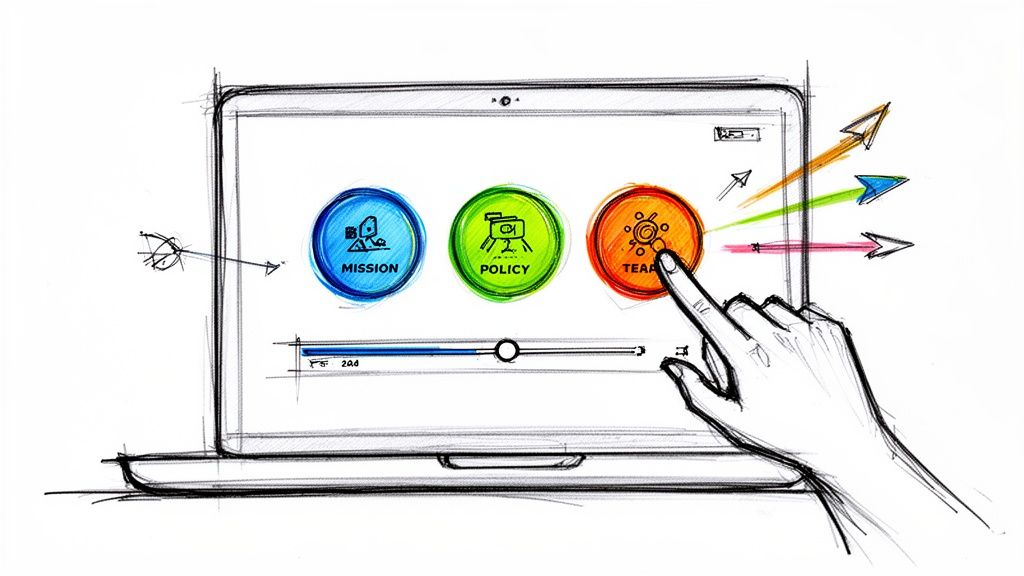
The demo is one 28-second video file. At 5.1 seconds, three buttons appear and the video pauses. Each button uses the Change Time click action to jump to its own result scene (at 6.2, 11.4, or 16.6 seconds) and saves its label in a variable called story_choice. Automatic jumps at 11.3 and 16.5 seconds skip the other result scenes, so every route lands on the closing scene at 21.8 seconds. There, a text interaction shows {{story_choice}}, and the report records which button each viewer clicked.
If each result is a separate video file, use Switch Video instead of Change Time. Our help article on how to use video branching explains when to use each, and this guide to variables shows how to save and display a choice. For a full project plan with story maps, read how to create a choose-your-own-adventure video.
Video storytelling examples
| Example | Structure | What to copy |
|---|---|---|
| Dove, Real Beauty Sketches | Experiment and reveal | A simple test the viewer can predict, then a result that surprises |
| HP Indonesia gaming launch | Branching | Viewers choose their path through a product launch |
| Choose the Consequence (Mara) | Branching with a shared ending | Three routes that rejoin, with the choice shown at the end |
| Coaching conversation | Branching for training | Each response leads to the reaction it would cause |
| Branching horror short | Branching for entertainment | The viewer decides what happens next in a genre story |
Dove, Real Beauty Sketches
Women described themselves to FBI-trained forensic artist Gil Zamora, who sat behind a curtain and drew each one from her own description. Strangers then described the same women, and the film shows the two portraits side by side. Dove reports that more than 50 million people watched the video within 12 days of its release and that it has been viewed almost 180 million times (checked October 2026). The structure needs no narrator to explain the point, because the reveal makes it.
HP Indonesia's interactive launch
HP Indonesia launched its OMEN 16 and Victus by HP gaming series with a "choose your own story" video built in Mindstamp. A virtual emcee welcomed guests, buttons let viewers pick their path through the product presentation, and multiple-choice quizzes taught product details and recorded the answers. The full story is in the HP Indonesia case study.
Choose the Consequence and the coaching conversation
The Mara demo at the top of this page is also published on its example page. Its training sibling puts a manager in a conversation about a missed deadline: asking what blocked the work opens the facts, and calling the excuse unacceptable makes the employee withdraw. You can play it in our guide to storytelling in corporate training.
A branching horror short
This choose-your-own-adventure horror film, made by an audience participation theater, lets the viewer decide what happens next. It uses the same branching tools as the training demos on this page.
How to tell whether your story works
Look at where viewers leave before you look at view counts. If many viewers leave during the setup, the story starts too late. If they leave after the payoff and before the call to action, move the call to action up. Our guide to video engagement metrics explains which numbers to track.
In Mindstamp reporting, each view shows how much the viewer watched, which path they took, and what they clicked or answered. Drop-off by section is on Core and higher plans. For an interactive story, the choice data tells you the most. If nearly everyone picks the same option, the other options probably are not believable. To compare call-to-action wording, placement, or timing, follow our A/B testing guide for video CTAs.
How to learn storytelling skills
- Retell one story a day in three sentences with And, But, Therefore.
- Rewrite a feature video as a story: give a user a problem and show the feature as their choice.
- Watch ads and short films with the sound off and write down the five parts of each one.
- Study how animators build stories in Pixar in a Box, a series of tutorials that Pixar made with Khan Academy.
- Take an improv class. Improvisers build a story live, one line at a time, and the audience shows them at once whether it is working.
Common questions
What is story-driven video content?
Story-driven video content carries its message through a character and a change instead of a list of claims. A product video that follows one customer from a problem to a result is story-driven. A video that lists ten features over stock footage is not.
How do top content marketing strategies use storytelling?
Build a series instead of a single story. Pick one audience problem, tell it through a different real customer or employee in each episode, and keep the format the same so viewers know what to expect. Then track which episodes hold attention and make more like them.
How do you keep an audience engaged in a storytime video?
Open at the most surprising moment, then go back to how it started. Keep one thread and cut side stories. Use specific details (names, times, the exact words someone said) and end on what changed for you.
Can a 15-second video tell a story?
Yes. Give each beat one shot: the setup, the turn, the result. An And, But, Therefore script fits in three short lines.
Where should I start?
Take one customer or employee story you already know, write it in three ABT sentences, and film it in under a minute. Then add one choice at the turning point and read the report to see which option your viewers pick. You can build it in a 14-day free trial with no payment card.