Ever feel like you're talking to an empty room? You spend weeks, even months, creating the perfect corporate training content, only to have a handful of people show up for the live webinar. It’s a common frustration, and the real challenge isn't the content—it's getting the right employees in their seats when you go live.
The Playbook for a Packed Virtual Training Room
Let's be honest, generic tips won't cut it. You need a solid, strategic playbook to turn those "maybe" registrants into active, engaged learners. It's a process that moves from nailing your audience targeting to creating promotions that busy professionals actually want to click on, and finally, converting that interest into a confirmed spot in your training session.
This isn't about one magic trick; it's about a clear, repeatable flow.
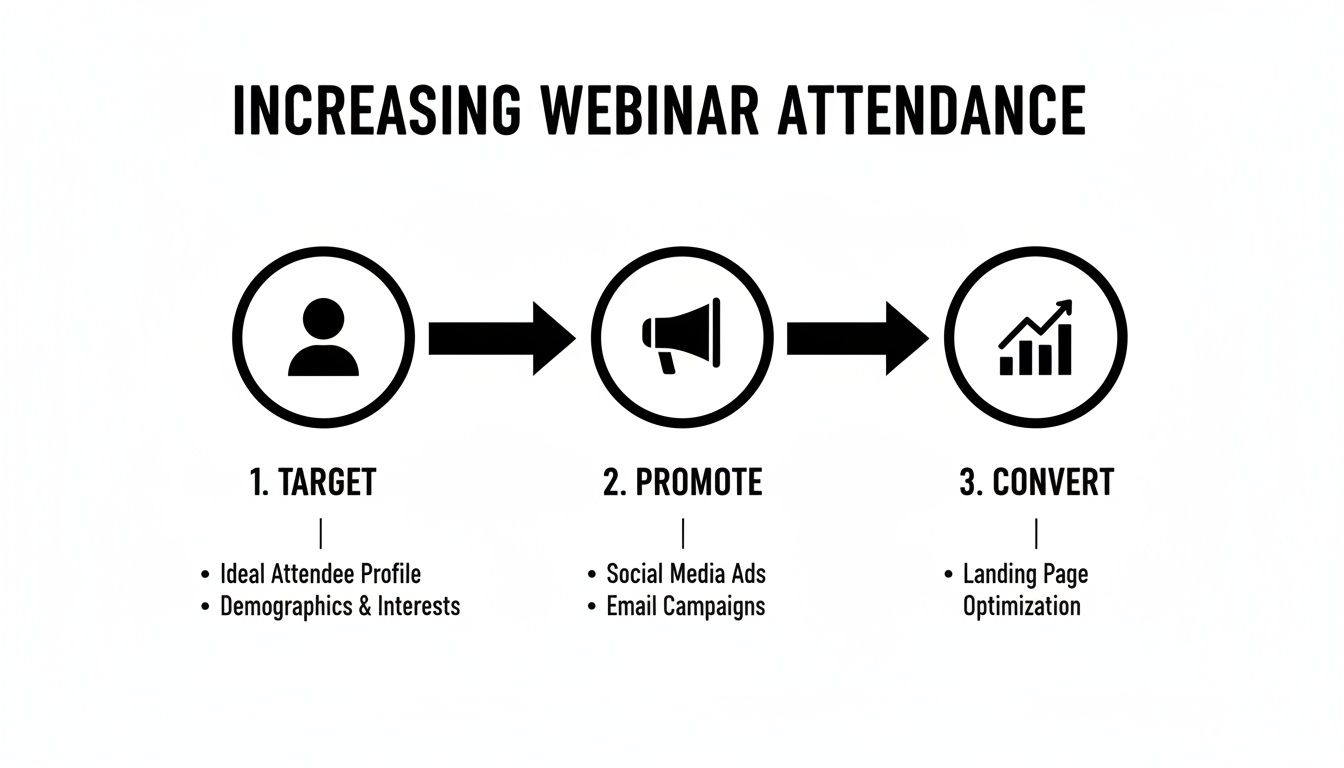
This simple framework keeps you focused on what truly matters. Building a packed virtual training room doesn’t happen by accident. It's the result of a deliberate, step-by-step process.
Why Timing and Strategy Matter
Even small tweaks can have a massive impact. Take timing, for instance. Just picking the right day of the week can dramatically change your turnout for internal or external training.
Goldcast's B2B Webinar Benchmark Report, which analyzed over 19,000 webinars, found that Thursdays consistently had the highest live attendance. We're talking a 41.5% average attendance rate. A simple calendar adjustment could be the difference between a handful of attendees and a full house.
But timing is just the beginning. The tools you use, the copy in your internal comms, the design of your registration page—it all has to work together. The goal is to build an engine that consistently delivers a packed room of eager learners. For a little help on the tech side, our guide on 8 tools for creating more effective webinars can point you to platforms that make this whole process smoother.
The core issue in corporate training isn't the quality of the content; it's the effectiveness of the promotion. Your webinar's success is determined long before the "Go Live" button is clicked. It's won in the planning, targeting, and communication that happens weeks in advance.
From here, we’ll get into the nitty-gritty: precision audience targeting, crafting irresistible registration pages, and leveraging powerful promotional channels. Master these fundamentals, and your next corporate training session will be remembered for its impact, not its empty seats.
We've put together a quick-reference table outlining some of the most effective strategies you can start using today. Think of this as your cheat sheet for boosting those attendance numbers for your next L&D initiative.
High-Impact Strategies for Better Training Turnout
| Strategy | Actionable Tip | Expected Impact |
|---|---|---|
| Optimize Scheduling | Host training webinars on a Thursday between 10 AM - 12 PM in your target employees' primary time zone. | Significant increase in live attendance, potentially boosting rates by 5-10%. |
| Segment Your Invite List | Instead of a company-wide blast, send tailored invitations based on department, job role, or identified skill gaps. | Higher open rates, click-through rates, and more relevant sign-ups for mandatory or optional training. |
| Create a "Teaser" Video | Use an interactive video clip from Mindstamp to preview a key skill and include a registration button directly in the video. | Captures attention immediately and makes it easy for employees to sign up for professional development. |
| Partner with a Department Head | Co-host with a respected internal leader to tap into their team's engagement and add credibility to the training. | Drastically expands your internal reach and can double or triple registration numbers. |
| Offer a Professional Development Incentive | Provide a valuable, exclusive resource (e.g., a certificate, a practical toolkit, a new template) only for live attendees. | Motivates registrants to show up live instead of waiting for the on-demand recording. |
Implementing even one or two of these tactics can make a noticeable difference. The key is to be intentional and track what works for your specific teams.
Building the Foundation for Maximum Registration
Packing your training webinar doesn't start with the promo emails. It starts way earlier, with a rock-solid foundation. Before you even think about hitting 'send' on that internal announcement, your success hinges on two things: truly understanding your learners and crafting a training offer they simply can't refuse.
Think of it like this: a generic webinar invite is like a company-wide memo—it's noise, and most employees will ignore it. But a targeted invitation for a specific skill gap? That feels like a personal recommendation from a manager who knows exactly what you need to grow. It lands differently.
Pinpoint Your Corporate Learners
The secret to a full training session is hyper-segmentation. Don't just target "employees"; get granular. Break down your potential audience into small, specific groups you can speak to directly.
I've seen the most success in L&D when we segment by:
- Job Role: A project manager's challenges are worlds away from a software developer's. A webinar on "Advanced Agile Methodologies" will hit home for the PM, while "Mastering Secure Coding Practices" is a no-brainer for the dev team.
- Identified Skill Gaps: What are people struggling with? Dig into performance reviews, consult with department heads, or look at team KPIs. If you see a company-wide weakness in data visualization, a webinar titled "Transforming Spreadsheets into Strategic Insights" becomes an instant must-attend.
- Professional Development Goals: Think about career paths. A junior marketing coordinator is the perfect person for "Your First Steps in SEO." Their team lead, on the other hand, would jump at the chance to join "Effective Leadership for Remote Teams."
This level of detail is what makes your topic feel essential, not just "nice to have." If you want to dive deeper into attracting the right people, a good email marketing and lead generation guide can give you some powerful outreach strategies.
Craft an Irresistible Webinar Title and Hook
Once you know exactly who you're talking to, you can write a title that stops them mid-scroll through their inbox. A great training webinar title doesn't just describe the topic; it promises a clear solution to a real, nagging workplace problem.
Look at the difference here:
| Generic Title | Targeted, High-Impact Title |
|---|---|
| "Sales Training Webinar" | "Close Bigger Deals Faster with Our Proven Discovery Call Framework" |
| "HR Compliance Update" | "Navigate the Top 3 HR Compliance Risks Facing Managers in 2024" |
| "Leadership Skills" | "From Peer to Leader: How to Gain Respect and Drive Results in Your First 90 Days" |
It's night and day, right? The titles on the right speak directly to a pain point and promise a tangible result. Registering becomes an easy "yes."
Design a High-Converting Registration Page
Your registration page is the final hurdle. Its only job is to turn interest into an actual sign-up, and every single element needs to work toward that goal. A cluttered or confusing page is the fastest way to kill your momentum.
A landing page that actually converts has a few key things going for it:
- Persuasive Copy: Don't just list features. Use bullet points to highlight the top 3-5 things they'll walk away with. What specific skill will they learn? How will this make their job easier or help them get promoted?
- Social Proof: Nothing builds trust faster. Add a few testimonials from past training attendees or a quote from a respected department head. It provides instant credibility.
- A Frictionless Form: This is critical. Ask only for what you absolutely need: name and work email. I've seen it time and again—every extra field you add can cause a 10-15% drop in conversions. Make it ridiculously easy to sign up.
Key Takeaway: Your registration page is not a data-harvesting tool; it's a conversion tool. The easier you make it for an employee to say "yes," the more packed your virtual training room will be. By focusing on learner needs and removing friction, you set the stage for maximum attendance.
Getting the Word Out: Your Multi-Channel Promotion Plan
If you build it, they will not come. That's the hard truth about corporate training webinars. Hoping employees will just stumble upon your registration page is a recipe for an empty virtual room. To really pack the house for your training, you need a smart, organized promotional plan that gets your webinar in front of the right teams, wherever they communicate.
Think of it less as a single "announcement" and more as a coordinated internal communications campaign. A steady drumbeat across multiple channels is what breaks through the noise and convinces busy professionals that your training is worth their time.
Hit the Inbox Hard with Strategic Email Marketing
When it comes to promoting a webinar—especially in a corporate setting—email is still the undisputed king. It’s your direct line to your segmented employee lists, and a well-thought-out email sequence is the most reliable way to drive registrations.
This isn't about sending a single email blast and hoping for the best. You're building anticipation. You're starting a conversation about professional growth.
Here's a simple, proven sequence that works wonders for corporate training events:
- The First Heads-Up (2 Weeks Out): This is your big reveal. Keep it punchy. Focus on the core problem your training solves and tease the key skills they'll learn. Your goal here is to pique their curiosity.
- The Official Invite (1 Week Out): Now you can get into the details. Lay out the agenda, formally introduce your trainer (internal or external) and their credentials, and add a quote from leadership to build credibility.
- The "Last Call" Nudge (24-48 Hours Out): Time to inject some friendly urgency. A simple "spots are filling up" or "this is your last chance to register for the live training" can work wonders.
Make LinkedIn Your Professional Bullhorn
For any kind of corporate training, LinkedIn is ground zero for your social media efforts, especially if you're training external clients or partners. This is the platform where managers, L&D pros, and team leads are actively scrolling for solutions to their biggest business headaches. Just dropping a link won't do the trick.
Your LinkedIn game needs to be sharp:
- Lead with Value, Not a Link: Instead of just posting "Register for our webinar!", share a compelling stat about the skill gap you're addressing, ask a thought-provoking question related to the topic, or post a short video clip of your trainer. Give them a reason to click.
- Tap into Niche Groups: Find LinkedIn Groups where your audience lives. Think "Project Management Professionals" or "Corporate Trainers Network." Share your webinar there, but frame it as a helpful resource for the community, not a blatant sales pitch.
- Get Your Team to Amplify: Ask your trainer and a few key department heads to share the event from their personal profiles. A post from a recognized expert or a trusted colleague will always carry more weight than one from a generic company page.
Pro Tip: Want to really stand out? Use a tool like Mindstamp to create a short, interactive video teaser for your training. You could embed a quick poll asking learners which topic they're most excited to learn about, then link them straight to the registration page. It turns passive scrolling into active engagement.
Borrow Someone Else's Audience with Partnerships
Why do all the heavy lifting yourself? Partner marketing is a game-changer for webinar attendance because it lets you tap into brand-new, highly relevant audiences. When you collaborate with a complementary brand or a respected influencer, you get an instant injection of trust and credibility.
First, brainstorm potential partners whose audience looks a lot like yours but who aren't direct competitors.
- Industry Influencers: Co-hosting with a known thought leader is a massive win. Their endorsement and promotion to their own followers can double or triple your registrations overnight.
- Complementary Companies: Find a company that serves the same professionals. For example, if your training is on project management software, team up with a company that makes time-tracking tools. You can run a joint promotion to both of your email lists.
- Professional Associations: Reach out to industry associations and offer your training as a free educational resource for their members. This positions you as an expert and provides incredible value to their community, making them look good in the process.
By combining a strong email game, targeted LinkedIn activity, and smart partnerships, you build a promotional engine that truly works. And if you're ready to dive even deeper, check out our complete guide on the art of marketing a webinar to make sure every seat is filled.
Turning Registrants into Engaged Attendees
Getting an employee to register is a great first step, but it’s far from the finish line. The real challenge—and where most attendance numbers drop off—is in the gap between that "register" click and the moment you go live. Even the most enthusiastic professional can get sidetracked by a flooded inbox or a last-minute meeting.
Your mission is to keep your training session top-of-mind without just adding to the noise. This calls for a smart, well-timed reminder sequence that builds anticipation and constantly reminds them why they signed up for this development opportunity.
Design a Powerful Reminder Sequence
A scattershot approach to reminders doesn't work; it just annoys people and leads to unsubscribes. Instead, you need to map out a clear communication timeline that gently nudges registrants toward the event. Think of yourself as a helpful guide, not a nagging pest.
A well-paced sequence can make all the difference:
- Instant Confirmation: The second someone registers, they need a confirmation email. This email must have a prominent, one-click option to add the event to their calendar (Google, Outlook, iCal). Seriously, this is non-negotiable. It’s the single most effective way to block out that time on their schedule.
- The 24-Hour Countdown: A day before you go live, send a reminder that's more than just a logistical update—it should rebuild excitement. Don't just say, "See you tomorrow." Remind them of the top three skills they'll learn or pose a compelling question the training will answer.
- The 1-Hour Nudge: This one should be short and scannable. A simple subject line like, "Training starts in 60 minutes!" is perfect. The body just needs a few lines and the direct join link.
- The "We're Live!" Alert: Send this right at the start time. It’s the final push for anyone who forgot or is running a few minutes behind.
Cut Through the Noise with Multi-Channel Nudges
Email is your foundation, but relying on it alone is a mistake. Bringing other internal channels like Slack or Teams into the mix can give your show-up rates a serious boost. Personalizing both email and instant message reminders is a proven powerhouse combo. In fact, our analysis shows that webinars using multi-channel reminders see a 12-20% higher turnout.
Why? The open rates tell the story. An instant message boasts a near-perfect open rate, while email often hovers around 20-30%. That direct line can be the key to turning sign-ups into actual, engaged learners. You can dig into more webinar statistics and trends to learn how to turn registrations into revenue via qualified leads.
A calendar invite is your best friend. An event on someone's calendar is a commitment; an email in their inbox is just another task to manage. Make adding it to their calendar the easiest and most prominent action in your confirmation email.
Reignite Interest with Smart Re-Engagement Tactics
So, what about the people who signed up weeks ago and have likely forgotten all about it? A standard reminder email probably won't be enough to grab their attention again. This is your chance to get creative and use content to remind them of the value they were seeking for their professional development.
Instead of just another "don't forget!" message, send them a value-packed preview.
- Share a Compelling Stat: Drop them a short email with an eye-opening statistic relevant to their role. Something like, "Did you know teams with consistent training improve productivity by 24%? We'll break down how in tomorrow's session."
- Use an Interactive Video Teaser: This is where a tool like Mindstamp really shines. Create a quick, 30-second video clip of your trainer previewing a key idea. You can even embed a button right inside the video that says, "Ready to learn more? Join us live tomorrow!" It’s way more engaging than plain text and acts as a powerful preview of the value to come.
- Pose a "What If" Scenario: Tap back into the problem your training solves. Start an email with something like, "What if you could cut project delivery times by 15% without adding headcount?" This reignites the original pain point that made them register in the first place.
When you treat the time between registration and the live event as its own mini-campaign, you stop hoping people show up and start ensuring they do. You transform passive registrants into active, enthusiastic attendees who are ready and eager to learn.
Use Interactive Video to Generate Pre-Webinar Buzz
Let's be honest, in a flood of promotional emails and bland social media posts, most webinar announcements are instantly forgettable. To actually cut through the noise and get people to sign up for your corporate training, you have to give them a real taste of the value you're offering.
This is where interactive video completely changes the game. Instead of just telling them what they'll learn, you can show them. You're shifting the experience from passive viewing to active participation, which instantly makes your training feel more valuable and makes registration an easy next step.
Go Way Beyond a Static Teaser
Imagine sending out a quick, 60-second video clip in your promotional email. But in that video, your expert trainer doesn't just talk at the viewer—they invite them to engage directly. It's a small shift, but it has a massive impact on whether someone tunes out or leans in to your learning content.
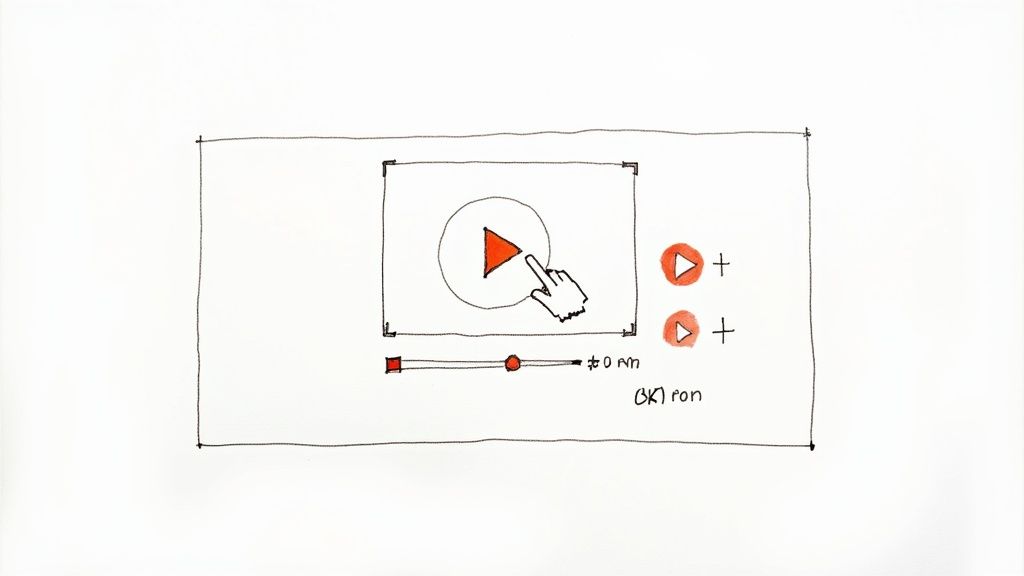
Here's a look at how Mindstamp layers interactive elements right on top of a video.
This screenshot nails the core idea: video is no longer a one-way street. It's a dynamic, two-way conversation that is perfect for learning and development.
Using a platform like Mindstamp, you can drop clickable elements directly into your promo video. That simple teaser suddenly becomes a powerful tool for gathering learner data and sparking genuine interest. This pre-training interaction helps you understand your audience's needs before they even show up.
How to Create Compelling Interactive Previews
Making these interactive teasers isn't rocket science, but it does require a bit of L&D strategy. The goal is to give a sneak peek of the training's value while encouraging clicks that make registration feel like the natural next step.
Here are a few practical ideas you could use for a corporate training webinar:
- "Choose Your Own Adventure" Agenda: In a promo for a leadership training webinar, you could show three potential topics. Add clickable hotspots over each one, letting viewers pick what they're most interested in—maybe "Managing Difficult Conversations," "Delegating Effectively," or "Motivating a Hybrid Team."
- A Quick Skill Poll: For a technical skills workshop, why not embed a simple multiple-choice question? Ask something like, "What's your current proficiency level with this software?" and give them "Beginner," "Intermediate," or "Advanced" options. This helps you tailor the content.
- In-Video Registration Button: This is the most direct route. At the most exciting moment in your video, pop up a button that says "Register Now for the Full Training." This removes all the friction and lets an employee sign up while their interest is at its peak.
This strategy does more than just boost engagement; the data you get back is pure gold. For instance, knowing that 70% of your registrants are beginners lets you tweak the live training to be perfectly relevant, ensuring you're hitting their exact needs.
To get into the nitty-gritty of adding these elements, check out our full guide on how to create interactive video from start to finish.
When we look at traditional promo assets versus interactive video for training, the difference in potential engagement is stark.
Interactive vs Static Promotion Content
| Feature | Static Content (e.g., Image, Plain Text) | Interactive Video (Mindstamp) |
|---|---|---|
| Engagement Level | Passive viewing, easily scrolled past. | Active participation, encourages clicks and choices. |
| Data Collection | Limited to views and clicks on an external link. | Rich data on learner preferences, knowledge gaps, and interests. |
| Lead Capture | Relies on a separate landing page form. | Can capture registration info directly within the video player. |
| Personalization | One-size-fits-all message. | Content can branch based on viewer responses. |
| Conversion Path | Disjointed; viewer must leave the content to act. | Seamless; registration can happen inside the video. |
The takeaway is clear: interactive content doesn't just inform, it involves the learner, making them a participant in the promotion itself. This creates a much stronger connection and a higher likelihood of conversion.
The most effective training promotions don't just announce an event; they start the learning process before the event even begins. Interactive video is the perfect vehicle for this, offering a sample of the value and making attendees feel invested from the very first click.
Ultimately, by turning a passive announcement into an engaging preview, you’re not just asking for an employee's time—you're proving your training is worth it. This proactive demonstration of value is one of the best ways to turn a "maybe" into a confirmed, excited attendee.
Don't Let the Conversation End When the Webinar Does
Just because the live training session is over doesn't mean the work is done. Far from it. A smart post-event strategy is where you capture a ton of extra value, make the key lessons stick, and start building excitement for your next L&D initiative.
This follow-up phase is your chance to really solidify your impact and give your learning content a much longer shelf life.
It all starts with a simple, segmented email approach. You've got two main groups of people to talk to: the employees who actually showed up, and those who registered but couldn't make it. Each group needs a slightly different conversation to keep them engaged.
Follow Up With a Clear Purpose
For your attendees, the goal is to reinforce what they just learned and nudge them toward the next step. Your follow-up email should be a thank you note and a resource hub all in one.
- Share the Recording: Give them a link to the on-demand version of the training. Simple.
- Provide the Slides: A link to a PDF of the presentation is perfect for quick reference.
- Include a Clear Call to Action: What's the one thing you want them to do next? Complete a follow-up module? Download a related toolkit? Sign up for part two? Tell them.
For the no-shows, the message is all about a second chance, not a scolding. Life happens. Offering them the recording is a killer way to re-engage. Frame it as, "Sorry we missed you, but you don't have to miss out on the training," and give them a direct link to the on-demand content.
Don't just send a link to a boring video player. Create an on-demand learning experience. Drop your webinar recording into an interactive Mindstamp player. You can add chapter markers so people can skip to specific skills, link out to resources right from the video, or even build an interactive quiz to test knowledge retention.
Slice and Dice Your Content for Weeks of Value
A single one-hour training webinar is a content goldmine. You can repurpose that session to fuel your internal communications for weeks, dramatically increasing the ROI on the time you already invested.
By breaking down the recording, you can spin it into all sorts of different assets for different channels and different ways people like to learn.
- Blog Posts: Turn each key learning objective from your webinar into its own detailed article on your internal knowledge base.
- Social Media Clips: Snip the most compelling 1-2 minute moments into short, punchy videos perfect for LinkedIn or internal channels like Slack.
- Interactive FAQ: Use Mindstamp to build a video where viewers can click on a specific question and jump right to the part of the recording where your trainer answers it.
This strategy makes sure your hard work doesn't just evaporate after the live event. It keeps working for you, educating your teams and cementing your L&D department's value long after you've signed off.
A Few Common Webinar Attendance Questions, Answered
Getting the details right on webinar promotion can feel like splitting hairs, but a few key answers usually clear up the biggest sticking points. Let's dig into the questions that come up most often when we talk with corporate training and development pros about packing their virtual events.
When Should I Send Webinar Invitations?
Timing your invites is a classic balancing act. Go too early, and you're forgotten. Too late, and calendars are already jammed.
For most corporate training, we've found the sweet spot is a two-week promotional window. Kick things off with a simple "heads-up" email about 10-14 days before the event. This just gets it on people's radar. Then, follow up with the more detailed, official invitation about one week out.
How Far in Advance Should I Promote the Event?
While the direct email push might start two weeks out, your overall promotion should fire up sooner. I always recommend starting to tease the event on professional networks like LinkedIn or internal channels about three weeks beforehand. This is how you build a nice, organic buzz before a single invitation hits an inbox.
This early-stage promotion isn't about hard-selling registration. It's about starting a conversation. Pose a compelling question related to your training topic or drop a surprising statistic that makes people stop scrolling and think.
By the time your official invitation lands, your audience should already be warmed up to the topic and see its value. It makes their decision to register a whole lot easier.
What Is the Best Way to Reduce No-Show Rates?
Cutting down on no-shows comes down to one thing: keeping people engaged between the moment they register and the minute you go live.
Honestly, the single most effective tactic is making it dead simple for registrants to get the event on their work calendar. Your confirmation email absolutely must have big, obvious, one-click links for Google Calendar, Outlook, and iCal.
After that, a well-timed reminder sequence is non-negotiable. We see the best results with reminders sent 24 hours before, one hour before, and right at the go-live moment. A pro tip? Use interactive video snippets from a platform like Mindstamp in those reminders. Giving them a valuable sneak peek of the actual learning content can reignite that initial excitement and make them eager to show up.
Ready to turn your static training videos into dynamic experiences that actually boost attendance and let you measure what people are learning? With Mindstamp, you can drop questions, polls, and clickable buttons right into your video content. See for yourself how interactive video can make your next corporate training the one they remember. Explore Mindstamp today.