Brett Lindenberg
A video marketing strategy is a plan that gives every video a job: one business goal, one audience at one stage of buying, a channel where that audience already watches, one next step, and a metric that shows whether the video worked. You build it in seven steps: set goals, collect the audience's questions, match video types to each stage, choose channels, plan production, publish, and measure. In the demo below, one product tour serves three kinds of buyers: choose what you need from a scheduling tool, and the video opens the proof that matches.
How to build a video marketing strategy in 7 steps
Work through the steps in order the first time. After that, you will revisit steps 4 to 7 every month as results come in.
Step 1: Set a goal and a metric for each video
Start from a business goal, such as more demo requests or fewer onboarding support tickets, and give each video one job that serves it. A video with one job is easier to script and easier to judge.
| Goal | What the video does | Metric to watch |
|---|---|---|
| Awareness | Introduces your brand, or the problem you solve, to people who don't know you | Views from your target audience, average percentage watched, new followers |
| Consideration | Answers the questions buyers ask while they compare options | Percentage watched, clicks to product or pricing pages, return visits |
| Conversion | Gives a ready buyer the proof and the next step | Call-to-action click-through, form completions, demos booked, sales influenced |
| Customer success | Helps customers get value after they buy | Completion, feature adoption, support tickets on the topic |
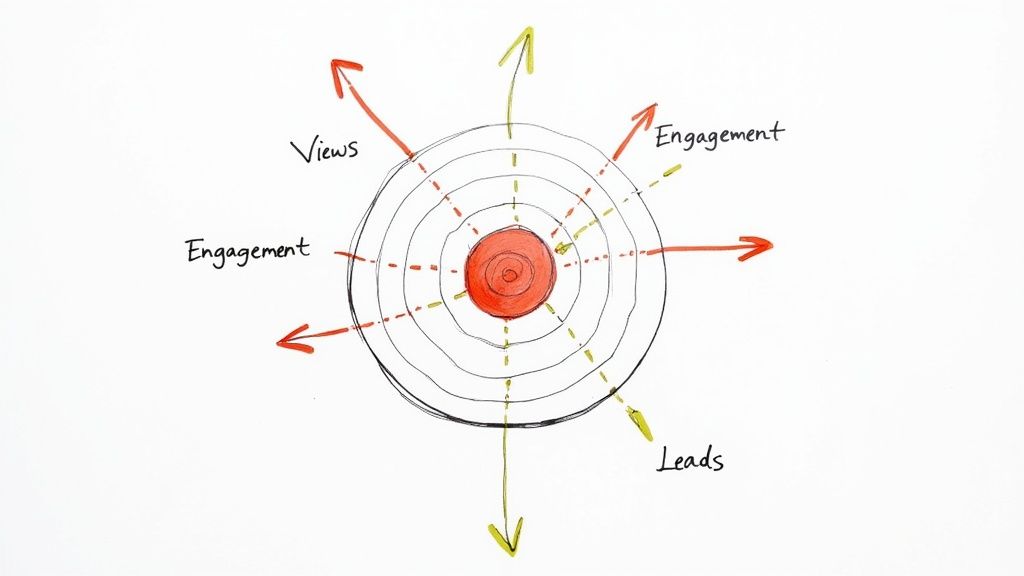
Pick the metric before you write the script. In Wyzowl's 2026 survey of video marketers, 67% of respondents measured video ROI through views and 63% through likes, shares, and reposts. Only 52% used leads or clicks, and 32% used sales (Wyzowl video marketing statistics 2026). Views tell you whether a video reached people. Add at least one metric that sits closer to revenue, and give it a number, for example "40 demo requests from the pricing page video this quarter."
Step 2: Write down your audience's questions
A marketing video works best when it answers a question the viewer already has. Collect those questions where buyers ask them in their own words:
- Sales calls: the objections and "does it work with..." questions that come up every week.
- Support tickets and onboarding calls: the tasks customers get stuck on.
- Search data: the queries that bring people to your site in Google Search Console, and the phrases YouTube suggests as you type in its search box.
- Comments and replies on your social posts and existing videos.
Write each question the way the viewer would say it, then tag it with a buying stage. "Will this work with our payroll system?" is a consideration video. "How do I set up approvals?" is an onboarding video. For each audience, also note where they watch video and how much time they give it there, because that decides the channel and the length.
Step 3: Match video types to each stage
Each stage needs a different kind of proof. Use this table to fill the gaps in your plan.
| Stage | Video types | Example |
|---|---|---|
| Awareness | Short social videos, brand stories, explainers of the problem | A 30-second clip that shows the mistake your product prevents |
| Consideration | Product demos and tours, how-to videos, webinars, comparisons | A 3-minute tour of the three features buyers ask about most |
| Decision | Customer testimonials and case studies, personalized sales videos, pricing walkthroughs | A customer who explains, in their own words, the result they got |
| Customer | Onboarding videos, feature tutorials, support answers | A 90-second answer to your most common support ticket |
Most teams start at the top of this table. In the Wyzowl 2026 survey, the most common types were social media videos (69% of video marketers), explainer videos (68%), and testimonial videos (57%). Product demos (39%) and sales videos (37%) were less common, yet they serve the buyers closest to a decision. If every video in your plan is for awareness, add one for the stage where buyers stall. For ideas, see these marketing video examples, our guide to video case studies, and how to increase brand awareness.
Long formats belong in the plan too. Webinars and video podcasts give buyers depth, and each recording gives you material for many short clips.
Step 4: Choose channels where your audience already watches
Pick one main social channel where your buyers already spend time, plus the channels you own. A B2B software company might start with LinkedIn and YouTube. A consumer brand might start with Instagram and TikTok. Add a channel only when you can publish there on a regular schedule.
| Channel | Video marketers who use it | Who rate it effective | Good for |
|---|---|---|---|
| YouTube | 82% | 69% | Search, tutorials, and long demos, plus Shorts (vertical or square, up to 3 minutes) |
| 70% | 50% | B2B buyers and thought leadership; posts up to 15 minutes | |
| 69% | 56% | Reels and stories for consumer brands | |
| 66% | 55% | Community groups and paid reach | |
| Webinars | 56% | 42% | Depth for buyers who are comparing options |
| TikTok | 40% | 29% | Short vertical video built on trends and sounds |
The platform limits come from YouTube Help and LinkedIn Help. Instagram raised the reel limit to 3 minutes in January 2025, according to its creator blog. Instagram Help now lists reels of up to 20 minutes, though Instagram does not recommend reels over 3 minutes to new audiences. Short vertical video now carries much of the viewing on these platforms: YouTube CEO Neal Mohan said in June 2025 that Shorts average over 200 billion daily views.
Your own channels reach people who have already shown interest, and you control the page, the call to action, and the data. Put videos on product and landing pages (see video landing pages), link them from email (see video email marketing), and give your sales team short videos for follow-up (see video for sales). For channel plans aimed at business buyers, read our B2B video marketing guide.
Step 5: Plan production, budget, and cadence
Decide who makes the videos. In the Wyzowl 2026 survey, 59% of video marketers made their videos in house, 10% used only outside vendors, and 32% used a mix. Most (63%) had used AI video tools to create or edit marketing videos, up from 51% the year before.
Write a script for every video, even a short one. Narration runs at about 150 words per minute at a natural pace, so a 60-second video holds about 150 words. Paste a draft into our free video script timer to check the runtime before you record, and see how to write a script for structure.
Batch the work. Write several scripts at once, film them in one session, and cut each long recording into short clips for other channels. Give every video an owner and a publish date in a shared calendar; our content creation workflow guide includes a template.
Track what each video costs. Wyzowl found that 17% of video marketers did not know how much they spent on video, which makes ROI impossible to judge. Record production cost, paid promotion, and team hours against each video. For typical costs and when to hire help, see our guide to the video production process and costs. If you hire a production company, agree on the goal and the metric before anyone films.
Step 6: Publish so people find the video and act
On YouTube, write the title and the first lines of the description around the phrase your viewer searches for, and add chapters to longer videos. YouTube's Test & compare feature tests up to three titles, thumbnails, or pairs of both, and it picks the winner by watch time rather than clicks. It runs in YouTube Studio on a computer and does not work on Shorts.
On your own site, follow Google's video SEO best practices (updated December 2025):
- Give each important video a watch page whose main purpose is that video.
- Add VideoObject structured data with a unique name, description, and thumbnail for each video.
- List your videos in a video sitemap.
- Add Clip markup if you want Google to show key moments with timestamps.
Add captions to every video. They help viewers who are deaf or hard of hearing and viewers who watch with the sound off, and captions for prerecorded video are a Level A requirement of WCAG 2.2 success criterion 1.2.2. In Mindstamp, you can upload a VTT or SRT file, or create a transcript and get an English caption track from it (how to add captions).
Tag every link you share with UTM parameters, so Google Analytics can tell which channel and which video sent each visit. Google's UTM guidance says to always set utm_source, utm_medium, and utm_campaign. Use utm_content to tell two versions of a video apart.
Step 7: Measure, then change one thing at a time
Read the metrics in the order a viewer meets them: first the click, then the opening, then the middle, then the ask.
| Metric | What it tells you | What to change when it is low |
|---|---|---|
| Views from your target audience | Whether the title, thumbnail, and channel reach the right people | Test a new title or thumbnail, or move effort to another channel |
| Intro retention | Whether the opening delivers what the title promised | Cut the setup and show the problem or result sooner |
| Average percentage watched and drop-off points | Where interest falls | Shorten or rework the section right before the drop |
| Call-to-action click-through | Whether viewers want the next step you offered | Move the ask earlier, reword it, or offer a smaller step |
| Conversions | Whether the video moved the business goal | Check the page or form after the click, then the offer itself |
| Cost per result | Whether the video is worth repeating | Compare it with your other channels before you make more |
YouTube's audience retention report shows the intro (the share of viewers still watching after the first 30 seconds), spikes where viewers rewatched, and dips where they skipped or left. It also compares each video with your 10 latest videos of similar length. For definitions of the rest, see video engagement metrics.
Review your videos once a month. Change one thing per test (the title, the opening, the call to action, or the length) so you know what caused the difference. If your videos run on Mindstamp, the viewer report lists each answer and click with its timecode, and it shows click-through for each call to action, so you can move a button and compare. The Google Analytics integration sends progress events to your GA4 property when a viewer reaches 10, 25, 50, 75, 90, 95, and 100% of a video. To practice test design, play the video test example, and see video A/B testing for what you can compare.
A one-page video marketing plan
Copy this into a spreadsheet and fill in one column per video, or use it as the brief for a single campaign. The example is fictional: a scheduling software company that wants more demo requests.
| Field | What to write | Example |
|---|---|---|
| Business goal | The result the company needs | More demo requests from the website this quarter |
| Audience | Who the video is for and what they care about | Operations managers at clinics with 10 to 50 staff who lose hours to scheduling conflicts |
| Question and stage | The question the video answers, and the buying stage | "Can it handle staff permissions?" (consideration) |
| Video | Type, length, and format | 2-minute product tour, 16:9, captions |
| Channel | Where the video lives and how people reach it | Pricing page, plus a 45-second LinkedIn cut that links to it |
| Call to action | The one next step, and when it appears | "Book a 20-minute demo," shown right after the permissions walkthrough |
| Metric and target | How you will judge it | Demo requests from the page, with a target of 30 per month |
| Budget and owner | Cost and the person responsible | Recorded in house; owned by the product marketing manager |
| Dates | Publish date and review date | Publish in week 1; review after 30 days |
Video marketing best practices for every video
Once the plan says which videos to make, these habits help each one hold attention and get a response.
Open with the viewer's problem
Viewers decide fast whether a video is for them. Open with the problem, the result, or the question the title promised, and save the logo and introductions for later. YouTube measures this directly: the intro figure in its retention report is the share of viewers still watching after 30 seconds. For important videos, write two or three openings and test them. In the demo below, the viewer picks the problem the opening should address, and the video plays the matching version.
Make it work with the sound off
Put the main point on screen as text, and show the product doing the thing rather than describing it. Add captions to social cuts as well as to the full video. Then watch the video once on mute: if the story still makes sense, it is ready for a feed.
Cut a version for each channel
A 16:9 video in a vertical feed fills only a band across the middle of the phone screen. Use 16:9 for YouTube and your website, 9:16 for Shorts, Reels, and TikTok, and square or vertical for feeds. LinkedIn accepts aspect ratios from 1:2.4 to 2.4:1. Frame your shots with room to crop to vertical, so one shoot produces every version. Mindstamp plays 9:16 video, but social platforms play only flat video files, so interactive versions live on your site or a share link (vertical video in Mindstamp).
Ask for one next step at the right moment
Give each video one call to action that fits its stage: another video for awareness, a product page or guide for consideration, a demo or purchase for a decision. Place it right after the video gives the viewer a reason to act. Many viewers leave before the end screen: across 8.07 million views of 18,315 Mindstamp videos (2018 to October 2026), the average view played 46.5% of the video. For placement options, see video CTAs and where to place them and how to add call-to-action buttons to your videos. In the demo below, you fix a campaign video's call to action by choosing the overlay that adds detail without breaking the product test on screen.
Tell a story the viewer can see themselves in
Make the customer the main character and your product the tool. A simple structure works for most marketing videos: the problem the customer faced, what they tried, what changed, and the result in their words. Keep the brand in the background until the result. Our guide to storytelling in video covers more structures.
Fix the audio before the picture
Viewers notice weak production: in the Wyzowl 2026 survey, 89% of consumers said video quality affects their trust in a brand. Start with the sound. Use an external microphone instead of the one in your camera or phone, record in a room with soft furnishings, wear headphones while you record, and even out the levels in the edit.
Use customers and creators
Customer testimonials and user-generated videos carry proof that your own videos can't. Ask for permission in writing before you reuse a customer's video, and credit them. If you pay creators, write a brief with the deliverables, the usage rights, and the payment terms.
Where interactive video fits in your strategy
Interactive video belongs on the channels you control: product and landing pages, email links, sales follow-up, and customer onboarding. There, a video can ask a question, let the viewer choose a path, or collect a lead without sending anyone to another page. The tour at the top of this guide is one example. Three common uses:
- Product tours where buyers pick the features they care about and skip the rest.
- A landing page video that asks the qualifying question and routes each visitor to the matching offer.
- Lead capture after the video proves its value, at a chosen moment or after a specific click.
It is still a minority tactic. In the Wyzowl 2026 survey, 31% of video marketers used interactive video and 20% rated it effective. Mindstamp's platform data shows how viewers respond when it is used: across 8.07 million views of 18,315 Mindstamp videos, 85% of views happened on videos where viewers took at least one action. Videos where viewers took more than three actions per view averaged 51.8% watched, compared with 43.9% for videos where viewers took no action. Many factors differ between these videos, so treat this as a pattern, not proof.
For how it works and which interactions to use, see interactive video marketing. For full campaign plans by goal, see our interactive video marketing strategy guide.
How long should marketing videos be?
As long as the job needs, and with the main message early. In the Wyzowl 2026 survey, 71% of video marketers said videos of 30 seconds to 2 minutes are the most effective, and 63% of consumers said a short video is how they would most like to learn about a product or service. Platform limits have grown at the same time: YouTube Shorts now run up to 3 minutes, and Instagram reels up to 20 minutes.
| Video length | Videos | Views | Average watched |
|---|---|---|---|
| 1 minute or less | 4,952 | 1,630,285 | 59.4% |
| 1 to 2 minutes | 3,013 | 1,032,707 | 41.5% |
| 2 to 5 minutes | 3,901 | 2,246,687 | 39.2% |
| 5 to 10 minutes | 1,554 | 1,130,665 | 45.8% |
| 10 to 20 minutes | 1,287 | 904,975 | 53.8% |
| More than 20 minutes | 3,608 | 1,125,238 | 41.7% |
Videos of 1 minute or less kept the highest share, at 59.4% watched. Past 2 minutes, the share did not keep falling with length: videos of 10 to 20 minutes averaged 53.8%. These are Mindstamp videos, mostly training, marketing, and sales videos made by our customers, and the groups differ in purpose and audience. Use the table as a pattern, not as a benchmark for all video. The practical rule is to make the first minute carry the message and the ask. In a 3-minute video, an average view at 39.2% covers about 71 seconds.
Common questions
How much does a video marketing strategy cost?
The plan itself costs your team's time. The spending comes from production and promotion. In the Wyzowl 2026 survey, 46% of video marketers put a third or less of their budget into video, and 41% had spent money on video ads, up from 36% the year before. Start with videos your team can record in house, and pay to promote only the videos that already perform with your own audience. Our guides to video marketing for small business and the video production process cover budgets in more detail.
How often should you publish marketing videos?
Often enough that your audience sees you regularly on your main channel, and no faster than your team can keep the quality. One video every two weeks is a realistic start for a small team, and it gives you enough results each month to see a pattern. Keep a few finished videos in reserve for busy weeks, and publish more often once that reserve holds.
How do you measure the ROI of video marketing?
Compare what a video cost with the result it drove. Count results with UTM-tagged links and a conversion event in Google Analytics, or with a field in your CRM that records which video a lead watched. In the Wyzowl 2026 survey, 82% of marketers said video gave them a good ROI, down from 93% the year before, but only 32% measured it through sales. See measuring content marketing ROI for the formula and a worked example.
What are the most common video marketing mistakes?
- Making videos without a written goal or audience.
- Judging success by views alone.
- Posting the same file on every channel.
- Publishing without captions.
- Placing the only call to action after most viewers have left.
- Never following up with the viewers who took action.
Is video marketing still worth it?
For most businesses, yes. In the Wyzowl 2026 survey, 91% of businesses used video as a marketing tool, 84% of consumers said they want to see more video from brands, and 85% of consumers said a video had convinced them to buy a product or service. Wyzowl is a video production company and surveyed 266 respondents, so read its figures as a direction, not a precise measure. For more numbers in one place, Teleprompter keeps a roundup of video marketing statistics (updated March 2026).
Check your strategy in three minutes
Answer yes or no for your current plan. Each yes is one point.
- Every video has one written goal.
- Each goal has a metric closer to revenue than views.
- You can name the audience and the question each video answers.
- The plan has at least one video for each stage where buyers decide.
- Each video has one call to action that appears before most viewers leave.
- You cut a version for each channel.
- Every video has captions.
- Your links are tagged, so you know which video sent each visit.
- You review the numbers monthly and change one thing at a time.
- You know what each video cost.
With 8 points or more, keep testing. With 5 to 7, fix the gaps in order, starting with goals and metrics. Below 5, start small: pick the stage where buyers stall most, fill in the one-page plan above for a single video, publish it on your site and one social channel, and review the results after 30 days.