Brett Lindenberg
Student engagement in online learning is the attention, effort, and participation a learner puts into a course delivered on a screen. Research on online and distance courses points to a short list of drivers. Learners stay engaged when they interact with the content, the instructor, and other learners, when each idea asks them to do something (answer, decide, or explain), when feedback arrives quickly, and when they can see how the course serves their own goals. Enterprise training adds two conditions: the course has to connect to the learner's job or career, and managers have to make time for it. The short demo below shows one driver at work: a spreadsheet lesson stops, asks you to diagnose an error, and opens the explanation that matches your answer.
What engagement means in an online course
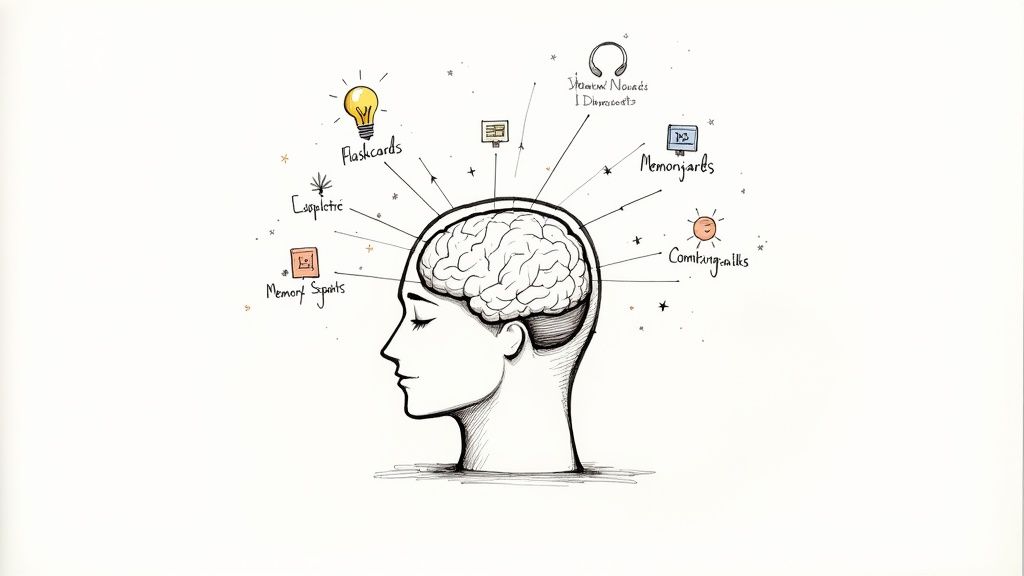
Most researchers split engagement into three parts, following a 2004 review by Jennifer Fredricks, Phyllis Blumenfeld, and Alison Paris in the Review of Educational Research. Behavioral engagement is what learners do. Emotional engagement is how they feel about the course. Cognitive engagement is the thinking they put in. The three can come apart. A learner can open every module and meet the completion rule while thinking about something else, so a completion rate on its own tells you little about engagement. Our guide on how to measure student engagement covers indicators and surveys for each part.
For course design, a second framework helps more, because it tells you what to build. In a 1989 editorial in the American Journal of Distance Education, Michael Moore named three types of interaction: learner with content, learner with instructor, and learner with learner. A 2009 meta-analysis by Robert Bernard and colleagues compared 74 distance education studies. Courses designed with stronger interaction of any of the three types produced higher achievement, with an average effect of 0.38 standard deviations after adjustment for study quality. The link was strongest in asynchronous courses. A self-paced online course is asynchronous, so you have to build the interaction into the material itself.
What drives student engagement in online learning
Six drivers have consistent support in the research. Each one translates into something you can put in a course.
Learners do something with each idea
Michelene Chi and Ruth Wylie's ICAP framework (Educational Psychologist, 2014) sorts learning activities into four modes: passive, active, constructive, and interactive. It predicts that learning increases as learners move from passive toward interactive. Watching a video with no task is passive. Pausing and replaying a step is active. Explaining an idea in your own words or choosing a diagnosis is constructive. A discussion where learners build on each other's answers is interactive.
Classroom studies back this up at scale. A 2014 meta-analysis of 225 studies in PNAS by Scott Freeman and colleagues found that average exam scores in undergraduate science, engineering, and math courses rose by about 6% with active learning, and students in lecture-only sections were 1.5 times more likely to fail. Those were in-person courses, so treat the size of the effect as a rough guide for online ones.
Questions inside the lesson
Long recorded lectures invite mind wandering, and short tests between segments reduce it. In a 2013 PNAS study, Karl Szpunar, Novall Khan, and Daniel Schacter split a 21-minute recorded lecture into four segments. In their second experiment, students who answered short memory tests after each segment reported mind wandering at 19% of attention checks, compared with 41% for students who had no tests. The tested students added notes on 24% of slides, against 7% for the untested group. Across both experiments, tested students scored 90% on the final cumulative test, and untested students scored 68%.
Mindstamp platform data points the same way. Across 8.07 million views of 18,315 Mindstamp videos (2018 to October 2026), videos where viewers took more than three actions per view averaged 51.8% of each video watched, compared with 43.9% for videos where viewers took no action. Many factors differ between those videos, so treat this as a pattern, not proof that interactions cause longer viewing.
In a video lesson, put a question at the end of each concept, where the learner has to use what they just saw. In Mindstamp, a question pauses the video, and you can require an answer before playback continues. The Repeat Until Correct option lets a learner try again without seeing the answer, and the report records every attempt (see how scores and retries work).
Short segments
In a 2014 study of 6.9 million video sessions in four edX courses, Philip Guo, Juho Kim, and Rob Rubin found that median engagement time was at most 6 minutes, whatever the length of the video. They recommended cutting lessons into chunks shorter than 6 minutes. A short segment also gives you a natural place for a question. Our guide to microlearning strategies covers how to plan a course in short pieces.
Feedback on the specific answer
John Hattie and Helen Timperley's 2007 review of feedback research concluded that feedback is among the major influences on learning, and that its type and delivery decide whether it helps. A bare "Incorrect" leaves the learner guessing, while an explanation of their specific mistake tells them what to change. In the demo above, each wrong diagnosis opens its own explanation: the blank-cell answer shows that B2 holds 12, and the range answer shows that the formula already uses B2:B4. In Mindstamp, video branching sends each answer to its own scene, and the Microlearning Help Route example page lays out how this demo is built.
Contact with an instructor and with other learners
Florence Martin and Doris Bolliger surveyed 155 online students about 38 engagement strategies for a 2018 study in Online Learning. Students valued learner-to-instructor strategies most, and regular announcements or email reminders, along with grading rubrics for every assignment, ranked highest in that group. Among peer strategies, icebreaker discussions and collaborative work with online tools rated highest. For content, students rated real-world projects and discussions with structured or guiding questions highest.
A self-paced course has no instructor or classmates unless you design them in. Cheap ways to add both: a named course owner who sends reminders and answers questions, a structured discussion prompt after each module, and a live session for the hardest topic. If part of your program runs as live video meetings, MuteDeck's Meeting Master's Playbook covers preparation, facilitation, and follow-up for online meetings.
Autonomy, competence, and connection
Self-determination theory, summarized by Richard Ryan and Edward Deci in a 2000 article in American Psychologist, holds that people are more self-motivated when three needs are met: competence, autonomy, and relatedness. A pretest question that lets an experienced learner skip the basics supports autonomy. Tasks that a learner can solve with effort, followed by feedback, build competence. Reminders from a real person and a discussion with peers support relatedness. Our guide to personalized learning paths covers how to route learners by what they already know.
What drives engagement in enterprise online training platforms?
The research above applies to employees as much as to students. Workplace learners add conditions that a platform's feature list does not cover. LinkedIn's 2025 Workplace Learning Report, based on surveys of 937 L&D and HR professionals and 679 learners, names career progress as the top motivation to learn. In the same survey, 84% of employees agreed that learning adds purpose to their work, but only 15% said their manager had helped them build a career plan in the past six months. Organizations that the report classes as career development champions were more likely to see learning engagement rise.
A platform helps engagement only as far as it supports the drivers in this article. Use this table when you compare platforms or test one during a trial.
| Driver | What the platform needs | How to test it in a trial |
|---|---|---|
| Relevance to the job and career | Paths by role, and a way for experienced learners to skip what they know | Build a pretest question that sends a correct answer past the basics |
| Practice with feedback | Questions and decisions inside the lesson, with feedback tied to each answer | Answer a question wrong on purpose and look at what the learner gets next |
| Short segments | Chapters, short modules, or playlists that keep each learner's progress | Split a long recording and check that progress carries across the parts |
| People | Reminders, discussion, and reports that a manager can read | Ask a manager to find one learner's answers, in addition to their completion |
| Low friction | Launch from the LMS or a link, mobile playback, and no extra account | Count the clicks from the invitation email to the first frame of video |
| Accessibility | Captions, transcripts, keyboard operation, and screen reader labels | Complete one lesson with only a keyboard |
| Data you can act on | Answers and paths for each learner, export, and a score sent to the LMS | Check whether your LMS receives a score as well as a completion status |
Check the completion rule first. If a learner can complete a module by letting the video play in a background tab, the course rewards the wrong behavior. In Mindstamp, the "Prevent passing required interactions" setting stops a learner from seeking forward past an unanswered question, and turning off "Allow seeking" blocks forward scrubbing (see how to prevent skipping ahead). A SCORM package then sends completion and score to a compatible LMS in SCORM 1.2, SCORM 2004 3rd edition, or SCORM 2004 4th edition. Answers, clicks, and paths stay in Mindstamp reports.
Where AI fits
AI tools can now draft quiz questions from a transcript and answer learner questions about a lesson. Both save time, and both need a person to review them: a generated question can test a detail that does not matter, and an assistant only knows the material you give it. In Mindstamp, AI question generation drafts multiple-choice questions from a video's transcript (see how to turn a video into a quiz with AI), and Genie AI answers viewer questions from the video and the material you train it on. Published statistics about AI in education change quickly. Engageli keeps a list of AI in education statistics (updated June 2026) that names a source for each figure, so you can check the original before you quote one.
Accessibility and learner differences
A learner who cannot use the player cannot engage with the lesson. Captions, transcripts, keyboard access, and questions read aloud help learners with disabilities, and they also help learners in a noisy room or a second language. Mindstamp supports caption files, keyboard-operable buttons and hotspots, and a Speak Question option that reads questions and answers aloud. Mindstamp does not publish a WCAG conformance level or a VPAT, so test with a keyboard and a screen reader before you launch (see accessibility features).
Signs of low engagement and what to change
Engagement problems show up in course data before anyone complains. Match the signal to its likely cause before you change the course.
| What you see | Likely cause | What to change |
|---|---|---|
| Most learners miss the question on one concept | The explanation before it is unclear, too fast, or lacks a worked example | Re-record that segment, and send wrong answers to a short explanation of the mistake |
| Learners seek past the same section | They already know it, or it does not apply to their role | Add a pretest question that lets them skip, or split the section by role |
| Many learners stop at the same minute | A long stretch with nothing to do | Cut the video at the next concept boundary and add a question there |
| High completion, low scores | Learners click through to meet the completion rule | Require answers on the key questions, and report scores next to completion |
| Free-response answers are short and generic | The question asks only for recall | Ask learners to apply the idea to a case from their own work |
| Few posts in the course discussion | No clear prompt or reason to reply | Post a structured prompt with one specific question and a due date |
Mindstamp reports show each viewer's watch progress, every answer and click with its timecode, and the path each person took through a branched video. Together they point to the segment behind most of the signals in the table.
How to build an engaging online lesson, step by step
- Write one objective per segment, phrased as something the learner can do afterward. The learning objective generator can help you draft them.
- Cut the recording at concept boundaries. Aim for segments of a few minutes, since Guo and colleagues saw median engagement stop at 6 minutes.
- Add one question at the end of each segment that asks the learner to use the idea: diagnose a problem or choose an action.
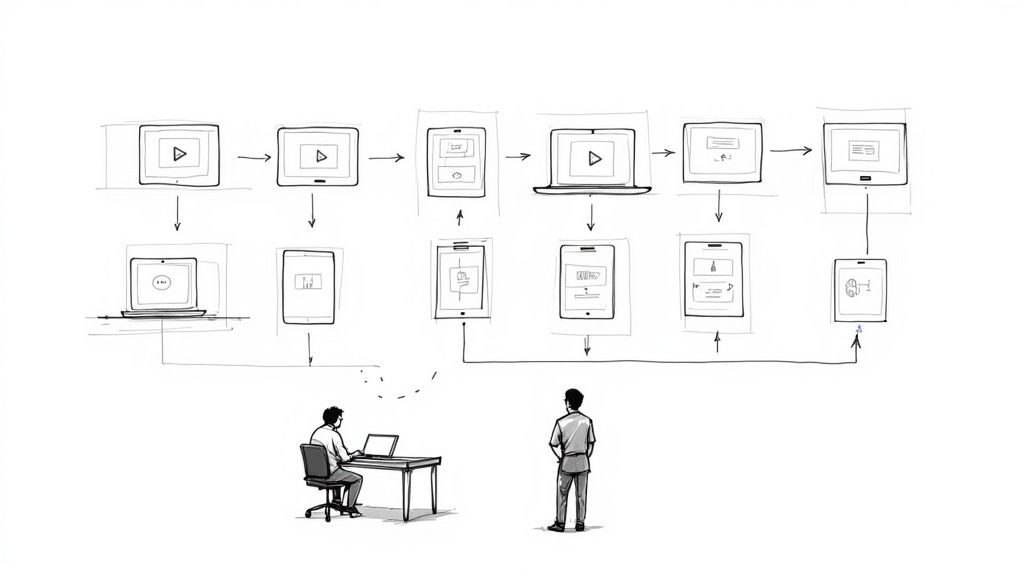
- Send each wrong answer to a short explanation of that specific mistake, as the demo at the top does, and then return the learner to the main lesson.
- Open with a pretest question and let a correct answer skip the basics.
- Add one free-response question that asks how the learner will use the idea at work, and read the answers.
- Deliver the lesson where learners already work: inside your LMS through a SCORM package, or as a link or embed. Viewers do not need a Mindstamp account.
- After the first group finishes, open the report, find the question most learners missed, and fix the segment before it.
Common questions
How do you measure student engagement in online learning?
Collect evidence for all three kinds of engagement: what learners do (logins, completion, submissions), how they feel (short surveys), and how they think (answers to questions that ask them to explain or apply an idea). Compare each learner with their own baseline. Our student engagement measurement guide includes a weekly tracker and survey items.
Does gamification increase engagement in online courses?
The effects are positive and small. A meta-analysis that Michael Sailer and Lisa Homner published in Educational Psychology Review in 2020 found effects of g = 0.49 on cognitive learning outcomes, g = 0.36 on motivational outcomes, and g = 0.25 on behavioral outcomes. The cognitive effect held up in the more rigorous studies, while the motivational and behavioral effects were less stable. Game fiction, and competition combined with collaboration, helped behavioral outcomes most. Our article on gamification in corporate training has examples.
Does this apply to K-12 and university courses?
Yes. Most of the studies in this article come from schools, universities, and open online courses. The workplace conditions have classroom versions: a clear link between the course and the student's grades or goals, and a teacher who checks in.
Is engagement different when the learners are customers?
Customers have no requirement to finish your course, so relevance matters even more. A lesson has to solve a problem they have that week. Our guide to educating the customer covers how to find those problems in your support and product data and build lessons around them.
Where to start
Pick the online module with the lowest scores or the most complaints. Cut it into segments at its concept boundaries, add one question to the end of each segment, and write a short explanation for the most common wrong answer. Send it to one group, read their answers within a week, and fix the segment that most of them missed before the next group starts.