Brett Lindenberg
The online learning best practices with the strongest research support are these: give each lesson one objective, keep video segments short, ask questions inside the lesson instead of only at the end, explain each answer right away, and space review over days and weeks. Build for phones and for accessibility from the start, mix self-paced work with some live or peer contact, and measure what learners can do afterward as well as who finished. The same rules hold for corporate online training and for college courses. In the short lesson below, your first choice picks a starting route, and each route checks the idea with its own follow-up question.
Online learning best practices at a glance
| Practice | Evidence | First step |
|---|---|---|
| 1. One objective per lesson | Course design standards check that objectives, assessments, and activities line up | Write the objective as an action the learner can show |
| 2. Start from what learners know | Placement lets each learner start at the right level | Add one routing question at the start |
| 3. Short video segments | Median engagement was at most 6 minutes in 6.9 million edX video sessions | Split long videos where the topic changes |
| 4. Questions inside the lesson | Quizzes between segments cut reported mind wandering from 41% to 19% of checks | Add one question after each segment |
| 5. Spaced review | Reviews rate spaced practice and practice testing as high-utility techniques | Schedule short recall rounds after the course |
| 6. Words with visuals, no learning styles | No adequate evidence supports matching lessons to a learning style | Narrate visuals instead of reading slides aloud |
| 7. Mobile-first design | WCAG 2.2 sets a 24 by 24 CSS pixel minimum for touch targets | Test every lesson on a real phone |
| 8. Accessibility from the start | Captions for recorded video are WCAG Level A | Caption every video before launch |
| 9. Blend self-paced and live work | Blended courses outperformed face-to-face courses in a 45-study meta-analysis | Assign the video before the live session |
| 10. Measure what learners can do | Question-level results show which idea failed | Review the most-missed question each month |
1. Give each lesson one objective
Write the objective as something the learner will do, such as "verify a caller's identity before changing an account email." Then check that the questions, materials, and activities all serve that objective. The Quality Matters Higher Ed Course Design Rubric (Seventh Edition) calls this alignment. It reviews online and hybrid courses against eight general standards and 44 specific review standards, and its alignment standards tie learning objectives to assessment, instructional materials, learning activities, and course technology (Quality Matters).
If a lesson has two objectives, split it into two lessons. Our learning objective generator drafts measurable objectives from a topic, and our guide to instructional design best practices covers course structure in more depth.
2. Start from what learners already know
A short placement step lets experienced learners skip review and sends newer learners to the basics. Many language courses do this with a level test that places each learner on the CEFR scale before the first lesson.
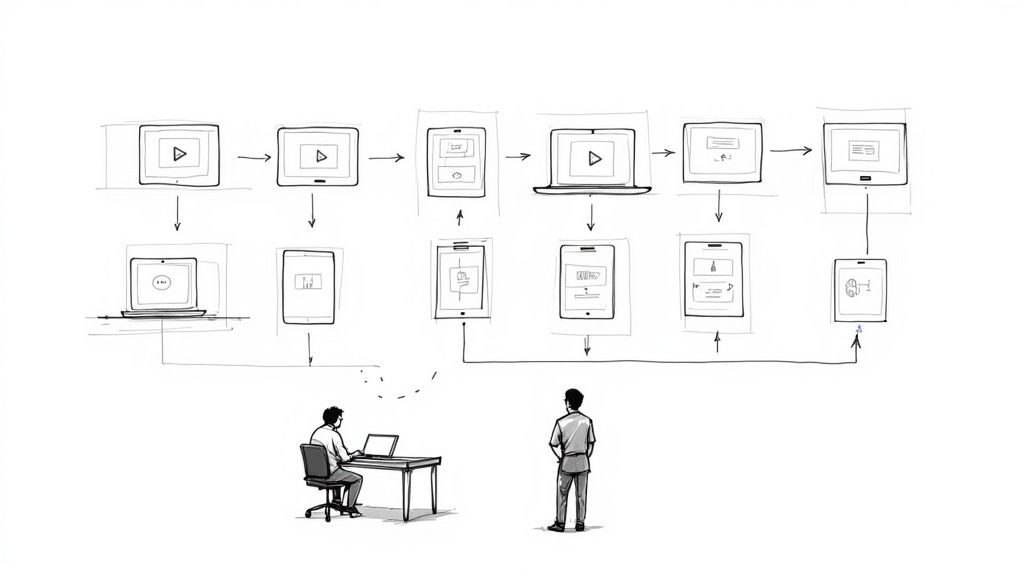
In a workplace course, one routing question at the start is often enough, as in the lesson at the top of this page. Ask what the learner needs, send each answer to its own section, and check the idea again inside each route. A self-chosen route reflects what learners say they need. When the stakes are higher, use a short diagnostic quiz instead. Our guide to personalized learning pathways covers larger branching designs.
3. Keep video segments short
Philip Guo, Juho Kim, and Rob Rubin studied 6.9 million video sessions across four edX courses. Median engagement time was at most 6 minutes regardless of how long the video was, and they recommended splitting lessons into chunks shorter than 6 minutes (Guo, Kim, and Rubin, 2014). Split at topic changes, give each segment one job, and add chapters so learners can return to a section later.
Our platform data shows the same edge for very short videos, plus a second high point for videos of 10 to 20 minutes. Across 8.07 million views of 18,315 Mindstamp videos (2018 to October 2026), the average view played 46.5% of the video.
| Video length | Videos | Average watched | Viewer actions per view |
|---|---|---|---|
| 1 minute or less | 4,952 | 59.4% | 0.58 |
| 1 to 2 minutes | 3,013 | 41.5% | 0.70 |
| 2 to 5 minutes | 3,901 | 39.2% | 1.16 |
| 5 to 10 minutes | 1,554 | 45.8% | 3.20 |
| 10 to 20 minutes | 1,287 | 53.8% | 6.70 |
| More than 20 minutes | 3,608 | 41.7% | 2.94 |
Videos of one minute or less had the highest average share watched, at 59.4%. Videos of 10 to 20 minutes came second at 53.8%, and they also had the most viewer actions, at 6.70 per view (answers, clicks, and similar actions). These are Mindstamp videos, mostly training, marketing, and sales, and many factors differ between them, so treat this as a pattern, not proof. In practice, keep segments short by default, and when a lesson has to run longer, give learners something to answer or choose every few minutes. Our guides to microlearning strategies and multimedia learning principles cover segmenting in more detail.
4. Ask questions inside the lesson, and explain each answer
Questions during a lesson do more than check understanding. In a Harvard study, students learned a 21-minute statistics lecture split into four segments of about 5.5 minutes. Students who took a short quiz after each segment reported mind wandering on 19% of attention checks, compared with 39% for students who restudied the material and 41% for students who were not tested until the end. The quizzed students took notes on 24% of slides, compared with 9% and 7%. On the final cumulative test across both experiments, they scored 90%, compared with 76% and 68% (Szpunar, Khan, and Schacter, PNAS 2013).
Larger reviews agree. A 2017 meta-analysis found that practice tests beat restudying and every other comparison condition (Adesope, Trevisan, and Sundararajan), and Dunlosky and colleagues rated practice testing as one of two high-utility learning techniques (Dunlosky et al., 2013).
To apply it:
- Put one question right after each segment, on the idea that segment taught.
- Ask learners to apply the idea to a case. A question that only asks for a term tests reading.
- Write a short explanation for the right answer and for each wrong one.
- Send a wrong answer back to the part of the lesson that explains it, then ask again.
In Mindstamp, a question pauses the video until the learner answers. Repeat Until Correct shows Try Again after a wrong answer, and an answer action can jump the learner back to the explanation. See video quizzes and passing scores and retries. Our guides to active learning strategies and formative assessment techniques have more question formats.
5. Space review over days and weeks
Nicholas Cepeda and colleagues analyzed 839 assessments of spaced practice from 317 experiments and found that the best gap between study sessions grows with how long people need to remember the material (Cepeda et al., 2006). Dunlosky's review rated distributed practice as the other high-utility technique, and it rated rereading and highlighting as low utility.
After the course, send short recall rounds on the ideas learners missed most. For knowledge people need for a year, such as an annual compliance topic, spread the rounds further apart than for knowledge they need next week. Our guides on how to retain information better and knowledge retention strategies include sample schedules.
6. Pair words with visuals, and drop learning styles
Many older eLearning guides say to design for visual, auditory, and kinesthetic learners. A review by Harold Pashler and colleagues in Psychological Science in the Public Interest found virtually no evidence that matching instruction to a person's preferred style improves results, and concluded there is no adequate evidence base for using learning-style assessments in general practice (Pashler et al., 2008).
Use more than one format where it helps every learner understand. Narrate a diagram instead of putting the same words on screen and in the audio. Cut interesting but irrelevant extras, such as decorative footage and side stories: a 2020 meta-analysis found that these "seductive details" can hinder learning (Sundararajan and Adesope). Offer a transcript so learners can search and review. Mindstamp transcripts sit next to the player, and selecting a line jumps to that moment.
7. Design for mobile learners
If your learners fit lessons into gaps in the day, the phone version is the main version. Short segments and the option to resume where you stopped matter more on a phone than on a laptop.
How do online learning platforms optimize content for mobile users?
- The player resizes to the screen and keeps its shape, with no sideways scrolling. WCAG 2.2 sets this as the Reflow criterion: content must work at a width of 320 CSS pixels without scrolling in two directions.
- Buttons and answer choices are large enough to tap. WCAG 2.2 success criterion 2.5.8 sets a minimum target size of 24 by 24 CSS pixels (W3C).
- Video uses adaptive streaming, which starts at a quality the connection can handle and sharpens as it can.
- Captions are available for learners who watch with the sound off.
- Returning learners can pick up where they stopped.
- Some course apps let learners download lessons for places with weak connections.
For Mindstamp videos, use the responsive embed, and test on a real phone in both orientations. Each interaction has a device setting, so check that nothing you need is set to Desktop Only. A vertical 9:16 video needs one change to the embed code's aspect ratio. Our help pages on testing a video on a phone, adaptive streaming, and vertical videos walk through each check. Mindstamp's offline package runs in Chrome or Edge on a Windows or Mac computer and does not support phone browsers, so for phone learners on weak connections, keep segments short.
8. Build accessibility in from the start
WCAG 2.2, the current W3C Recommendation, makes captions for prerecorded video a Level A requirement (success criterion 1.2.2) and asks that learners can turn off, adjust, or extend time limits (2.2.1). Timed quiz questions need a plan for learners who need more time.
In the United States, the Department of Justice's 2024 rule under Title II of the ADA requires state and local governments, including public schools, community colleges, and public universities, to meet WCAG 2.1 Level AA for web content and mobile apps. An interim final rule published on April 20, 2026 moved the compliance dates to April 26, 2027 for public entities with a total population of 50,000 or more, and to April 26, 2028 for smaller entities and special district governments (ADA.gov).
A short checklist for each lesson:
- Captions on every video, and a transcript for audio.
- Alt text on images and on clickable areas.
- Every control usable with a keyboard alone.
- Strong contrast, and no answer feedback shown by color alone.
- A way to pause, and no time limit without a way to extend it.
The Mindstamp player supports captions from SRT or VTT files, keyboard operation, and screen reader labels. Questions can also be read aloud in a generated voice. Mindstamp does not publish a WCAG conformance level or a VPAT, so test each video against your own requirements. Our accessibility help page lists the settings, and the free caption validator checks a caption file before you upload it.
9. Blend self-paced lessons with live and peer contact
A meta-analysis of 50 effects from 45 studies by Barbara Means and colleagues found that, on average, students in online conditions did modestly better than students in face-to-face classes. The advantage was significant for blended learning and not significant for fully online courses, and the blended conditions often included extra learning time and materials (Teachers College Record, 2013).
Use self-paced time for explanations and practice that each learner can do alone. Use live time for what needs other people: questions, case discussion, and feedback on work. Assign the video before the session, and open the session with the question most learners missed. For peer work, give discussion prompts that ask learners to apply the idea to their own job, and give a short rubric for peer feedback. For delivering the live part, see our virtual training best practices.
10. Measure what learners can do, then fix the lesson
Completion shows who reached the end. Question-level results show which idea failed and where. Each month, look at the most-missed question, the point where most learners stop, and the questions with the most retries. Fix the segment that comes just before each problem, then check the same numbers with the next group of learners.
Check that completion means what you think. If learners can drag the seek bar to the end, a SCORM completion checkpoint can record completion without the video being watched. In Mindstamp, turn off seeking and require the questions (stop learners skipping ahead), identify each learner, and track the course across videos. Our guide on how to measure training effectiveness covers the evaluation levels beyond the course itself.
Course completion strategies for online learning platforms
Open online courses show how low completion can go. Justin Reich and José Ruipérez-Valiente analyzed HarvardX and MITx courses on edX through May 2018: 52% of registrants never entered the courseware, and in the 2017 to 2018 cohort 3.13% of participants completed their course. Among learners who said they intended to finish, 15.42% did. Among learners who paid for the verified certificate track, 46.02% did (Reich and Ruipérez-Valiente, Science 2019).
Short behavioral exercises did less at scale than earlier studies suggested. René Kizilcec and colleagues tested established interventions with about 250,000 students in 247 Harvard, MIT, and Stanford online courses over 2.5 years. The effects were much smaller than in earlier, smaller studies, and exercises that helped students plan and monitor their study raised engagement in the first weeks without raising completion (Kizilcec et al., PNAS 2020).
Learners who paid differ from other learners in many ways, but the size of the gap suggests that commitment matters. In corporate training, you can build commitment into the course:
- Tie the course to something learners care about, such as a role change, a certificate, or a conversation with their manager.
- Set a due date, and send reminders that name it.
- Make the first lesson short and useful on the job that week.
- Show progress and what is left. Mindstamp playlists can show each learner which videos are completed, in progress, or not started.
- Identify learners on every video, so your reports join each person's views across videos and devices.
Game elements such as progress bars and team goals can help some groups and backfire in others. Our guide to gamification in corporate training covers what the research shows and how to pilot it.
Online learning best practices for students and busy adults
The same research applies when you are the learner:
- Put study sessions on your calendar at a fixed time and length you can keep.
- Quiz yourself before you reread. Answer the lesson's questions from memory, then check.
- Spread sessions over several days instead of one long session before a deadline.
- Watch one segment at a time with notifications off, and write one question per lesson to ask in the forum or live session.
- Use the transcript to find and review a section instead of rewatching the whole video.
- If time is short, review on your phone and save practice tasks for a computer.
Common questions
What is an online learning strategy?
It is the plan for a course or program: who it is for, what learners must be able to do afterward, how they will practice, how much is self-paced or live, and how you will measure results. The ten practices above are the design rules inside that plan.
What should an online course design checklist include?
The eight Quality Matters general standards make a good outline: course overview and introduction, learning objectives, assessment and measurement, instructional materials, learning activities and learner interaction, course technology, learner support, and accessibility and usability. Use our course outline generator to draft the structure.
How is online training different from virtual training?
Online training usually means self-paced lessons that learners take on their own schedule. Virtual training usually means live, instructor-led sessions held over video. Many programs use both, which is practice 9 above.
To put this to work, pick one course and make three changes this month: split the longest video where the topic changes, add a question after each segment, and caption everything. Then compare the most-missed questions before and after. If your lessons are videos, Mindstamp adds questions and branching to the video you already have, and the trial is 14 days with no payment card. See how it works for training teams and for educators.