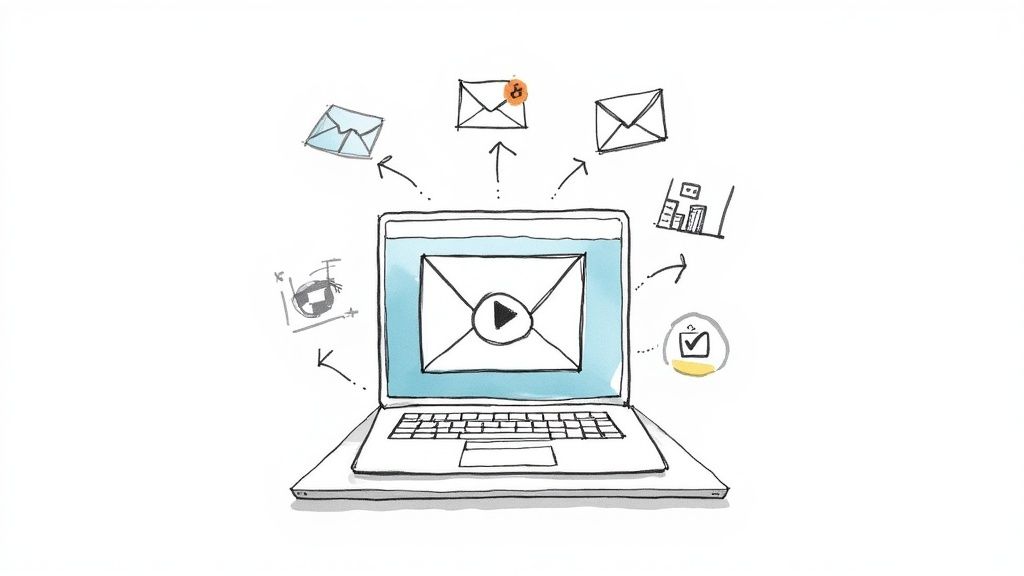
It’s tough getting busy employees to actually open, let alone engage with, yet another training email. We've all been there. This is where video in email can completely change the game, turning those standard, easy-to-ignore communications into interactive learning tools that drive engagement. This isn't just about making training look better; it's a strategic shift that directly boosts knowledge retention and the ROI of your corporate training and development efforts.
Why Video in Email Is a Game Changer for Corporate Training
In the world of corporate training and development, you're constantly fighting for your employees' attention. Let's be honest, those text-heavy emails about mandatory compliance courses or new software rollouts? They often get a quick skim at best, or worse, are completely ignored. This is precisely why embedding a video in an email is no longer just a "nice-to-have" — it's a necessity for creating engaging learning content.
Video is inherently more engaging. It pulls people in with both visuals and sound, making even complex information easier to digest and, crucially, remember. Instead of trying to describe a new process in a dense paragraph, a quick, 60-second explainer video can show it in a way that's crystal clear.
Drive Engagement and Completion Rates
Think about one of the most common L&D goals: increasing course completion rates. A simple text reminder is easy to dismiss and archive. But what if you sent an email with a short video teaser of your training content? You could include quick testimonials from employees who found the training valuable or a dynamic preview of the interactive elements. Suddenly, you're building anticipation and showing the value, making employees much more likely to click through and start learning.
This isn't just a hunch; the data backs it up. In the wider email marketing space, using video has been shown to deliver an incredible 300% higher ROI than campaigns without it. On top of that, over 55% of marketers who use video see significantly higher click-through rates. These impressive results translate directly to your internal training initiatives, helping you create more effective learning and development programs.
Reinforce Learning and Boost Retention
The real power of video in email goes way beyond just launching a course. Imagine you've just wrapped up a live training session. Instead of a generic "thank you" email, you could send an interactive recap video built with a platform like Mindstamp. This video could highlight the key takeaways and even include embedded questions to test what your team remembers on the spot. It's this kind of active reinforcement that helps solidify learning in a way a static PDF never could.
By transforming passive announcements into active learning moments, video in email fosters a more vibrant and effective learning culture. It meets modern employees where they are, delivering valuable training content in a format they prefer.
And if you really want to take it to the next level, see how video personalization software can boost engagement and make every message feel like it was created just for that employee. To learn more about the strategic benefits, check out our detailed guide on using video within your email marketing. This simple change in your delivery method doesn't just improve metrics; it shows a real commitment to providing high-quality, accessible, and impactful training for your whole team.
Alright, let's move from theory to action. Getting video into your training emails isn't a one-size-fits-all deal. You've got a few solid methods to choose from, and the right one really depends on your goal, your audience, and what your company's tech stack can handle. Picking the right approach is the difference between a training module that sings and one that falls flat.
To start, you have to decide if video is even the right path. This little guide makes that first decision pretty clear.
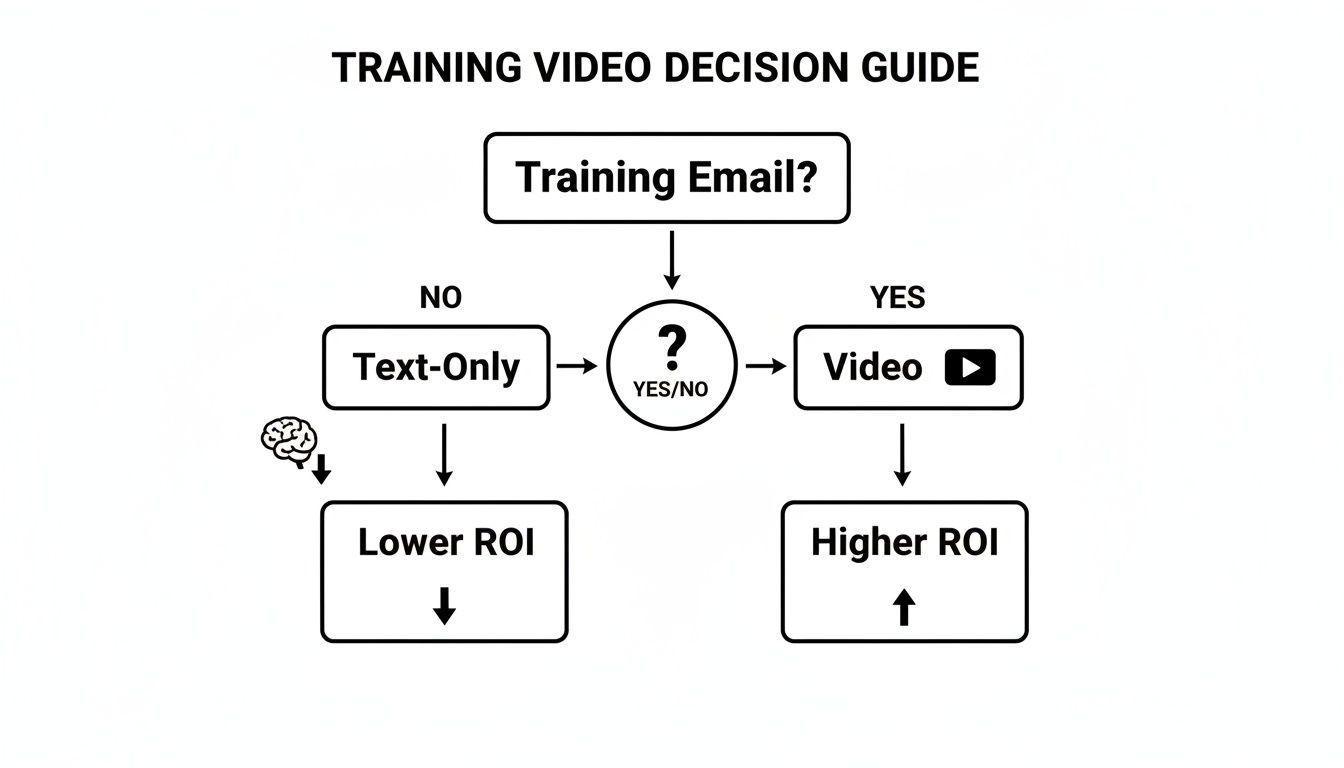
As you can see, it’s a fork in the road. Text-only emails just don't pack the same punch—or deliver the same ROI—as those that leverage the power of video engagement.
Hyperlinked Thumbnails: The Reliable Standard
This is the old faithful, the most common and universally supported way to get video in front of your team. You just grab a compelling still image from your video, slap a play button icon over it so people know what to do, and link that whole image to where the training video lives online.
It’s the safest bet out there, especially for critical stuff like mandatory compliance training or big company-wide policy updates. Why? Because it just works. Everywhere. Every single email client can display an image, which guarantees every employee gets the same experience without you having to field a dozen "this isn't working" messages.
Just adding a video thumbnail can give you a 22% average increase in clicks. But if you can embed the video directly, the numbers get even better. One analysis saw a massive 65% jump in click-through rates for embedded content, blowing past the 41% engagement lift from thumbnails alone.
Animated GIFs: The Attention-Grabber
Got a short learning point or a new software feature to showcase? An animated GIF is your best friend. Think of it as a silent, looping mini-video that starts playing the second someone opens the email. No clicks required. This makes it perfect for grabbing attention and quickly showing a simple concept.
I've seen these work wonders for "Tip of the Week" emails demonstrating a new software feature or for highlighting a key moment from a recent workshop. The movement naturally draws the eye and can showcase a quick process in seconds. Just like a thumbnail, you'll want to link the GIF to the full video, but it serves as a much more dynamic and engaging preview of your training content.
A quick heads-up: GIFs can have larger file sizes, which can sometimes cause deliverability issues. Always optimize your GIF to keep it as lightweight as possible without sacrificing too much quality.
Direct Embedding with HTML5 Video: The Seamless Experience
If you're dealing with a more tech-savvy team or sending internal emails where you know what email clients are being used, you can try embedding the video directly with HTML5. The <video> tag lets you drop the player right into the body of the email. For some people, this means they can watch the whole thing without ever leaving their inbox.
This method delivers the absolute best viewing experience, but there's a catch: support is spotty. It works great in places like Apple Mail and Outlook on a Mac, but many others (including big players like Gmail) won't play ball. This means a solid fallback plan isn't just nice to have—it's essential. Without one, a big chunk of your audience will just see a big, empty space. Our guide on how to embed a video into an email walks you through the technical side of getting this right.
To help you decide, here’s a quick breakdown of your main options.
Comparison of Video in Email Embedding Methods
This table lays out the core methods for getting video into your emails, comparing how well they work across different platforms and where each one truly shines for corporate training.
| Method | Email Client Compatibility | Best For | Key Advantage |
|---|---|---|---|
| Hyperlinked Thumbnail | Universal | Critical communications, mandatory training, large & diverse audiences. | Guaranteed deliverability and functionality for every single user. |
| Animated GIF | Very High (most clients) | Quick tips, software demos, grabbing attention for short-form content. | Auto-plays to instantly engage and provides a dynamic preview. |
HTML5 <video> Tag | Limited (Apple Mail, etc.) | Tech-forward internal teams where email clients are known and consistent. | The most seamless user experience, allowing playback inside the inbox. |
| Link to Interactive Video | Universal (links work everywhere) | In-depth training, skill assessments, personalized learning paths. | Drives deep engagement with quizzes, branching, and clickable content. |
Ultimately, your choice depends on balancing the ideal user experience with the practical reality of email client support.
Interactive Video: The Ultimate Engagement Tool
Let's be real: the goal of training isn't just for people to watch something; it's for them to learn something. That’s where interactive video platforms like Mindstamp completely change the game for learning and development. While true in-email interactivity is still a bit of a wild west, you can use a thumbnail or GIF to link learners straight to a rich, interactive experience.
Once they click through, they're not just viewers anymore. They're participants. Inside a Mindstamp video, you can add things like:
- Questions and Quizzes: Check for understanding and reinforce key concepts right in the middle of the video.
- Branching Logic: Let learners choose their own adventure, tailoring the training to their specific role or knowledge gaps.
- Clickable Hotspots: Link out to extra resources, downloadable guides, or other relevant training modules.
This approach gives you the universal compatibility of a simple linked thumbnail combined with the deep, meaningful engagement of interactive content. It's really the best of both worlds for modern corporate training.
Making Sure Your Video Emails Actually Land in the Inbox
You’ve created the perfect training video, but that’s only half the job. If your email gets flagged as spam or the video is a glitchy mess, all that effort goes right down the drain. To really make video in email work for your team, you have to nail the technical side of things to ensure your message gets delivered and gives your learners a great experience.
Think of this as your pre-flight checklist before hitting "send."
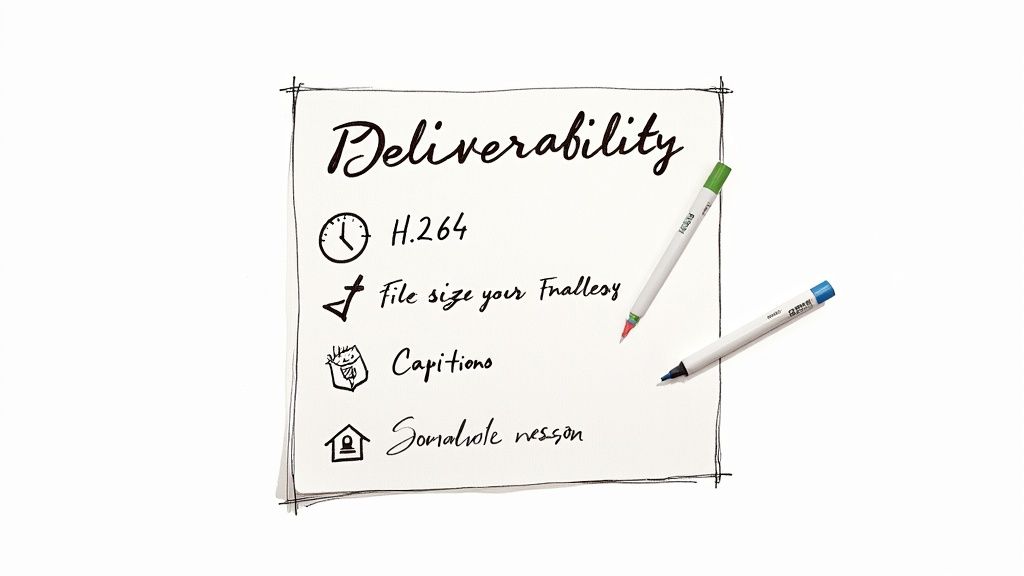
Before anyone even sees your video, they have to open the email. But once they’re in, it's all about the technical execution.
Encoding and Sizing: Your Keys to Peak Performance
Video encoding is just a fancy way of saying you’re packaging your video file to travel smoothly across the internet. You wouldn't attach a massive, uncompressed photo to an email, and the same logic applies here. Your go-to format should absolutely be H.264 (AVC). It’s the industry standard for a reason, offering a great balance between high video quality and a manageable file size.
And speaking of file size, this is probably the biggest factor affecting your deliverability. Spam filters despise large emails. A good rule of thumb is to keep your entire email under 1MB—the smaller, the better. This is why trying to embed a full video directly is a bad idea. A much safer and smarter approach is to use a GIF or a high-quality thumbnail that links out to the video. This keeps the email itself lean and fast while still giving that compelling visual hook.
Why You Absolutely Need a Fallback Strategy
Here's the hard truth: not all email clients play nicely with video. Modern clients like Apple Mail might play an HTML5 video right inside the email, but many of the big ones—like Gmail and most versions of Outlook—simply won't. If you don’t have a plan B, your learners on those clients will just see a big, empty space where your video should be.
This is where a solid fallback strategy is non-negotiable. Your fallback is just what the email client shows if it can’t handle the video.
Your fallback plan should always have these three things:
- A Static Thumbnail Image: Grab a compelling still from your video and overlay a play icon.
- A Clear Link: Make sure the entire image links directly to a landing page where the video can be watched without any issues.
- Descriptive Alt Text: For accessibility and broken images, your alt text should describe the link, like "Play button for the New Employee Onboarding video."
This multi-layered approach guarantees that every single employee can access your training content, no matter what device or email client they're using. It turns a potential dead end into a seamless detour.
Designing a Smooth Learner Experience
Okay, so your email landed in the inbox and the link works. Now, what's the experience like? The design needs to be clean, mobile-friendly, and put the video front and center. Use plenty of white space and a headline that tells the learner exactly what they're about to watch and why it's worth their time.
And don't forget mobile. It’s a safe bet that a huge chunk of your team will open training emails on their phones. Your email template must be responsive, and the play button on your thumbnail needs to be big and obvious enough to tap easily on a small screen.
Finally, accessibility can't be an afterthought. Providing closed captions or a transcript is essential for team members who are deaf or hard of hearing. It also helps anyone watching in a loud office or who just prefers to read along. Platforms like Mindstamp make adding and editing captions incredibly simple, helping you ensure your training is inclusive for everyone.
Get these technical and design details right, and your video email strategy will not only work—it'll be something your team actually looks forward to.
Measuring What Matters for Training ROI
So, you sent out a training video. Great start. But how do you know if it's actually doing its job? To figure that out, you have to look past the usual suspects like email open rates and click-throughs. Those are vanity metrics. To really prove your training's worth, you need to dig into what truly matters: learner engagement and how much they actually retained.
Let's be honest, standard email analytics just don't cut it. They tell you someone clicked the link, but then the trail goes cold. You're left wondering if they hit play and walked away to grab a coffee or if they were genuinely locked in and learning. You can't see completion rates, comprehension, or the real impact on your company's training and development goals.
Beyond the Click: Tracking True Engagement
To get the real story, you need to see how learners are interacting with the video content itself. This is where a platform like Mindstamp becomes essential, giving you insights you simply can't get otherwise. It lets you go way beyond the click to see detailed, user-specific data.
Imagine you just sent out a mandatory cybersecurity training video. With the right tools, you can see everything:
- Viewer Timelines: Know exactly which employees watched the video and—just as crucial—who didn't. This lets you send targeted reminders instead of spamming the entire company again.
- Completion Rates: See precisely what percentage of the video each person watched. Did they bail after the first 30 seconds, or did they stick it out to the end?
- Re-watch Data: Pinpoint the sections that were re-watched the most. This is gold. It often highlights parts of the training that are either really important or maybe a bit confusing.
- In-Video Interactions: If you embedded questions or polls, you can track individual responses. This is a direct line into their comprehension, not just a measure of consumption.
This kind of detailed engagement data is the key to calculating a much more accurate and meaningful return on investment. For a deeper dive, check out our guide on calculating the ROI on training, which walks through connecting these learning metrics to real business outcomes.
Connecting Viewer Data with Your LMS
Now, this granular data gets really powerful when you pipe it back into your Learning Management System (LMS). By integrating your interactive video platform with your LMS, you get a complete, unified picture of every employee's learning journey. This sync can automatically update training records, track course completions, and manage certifications without anyone having to do manual data entry.
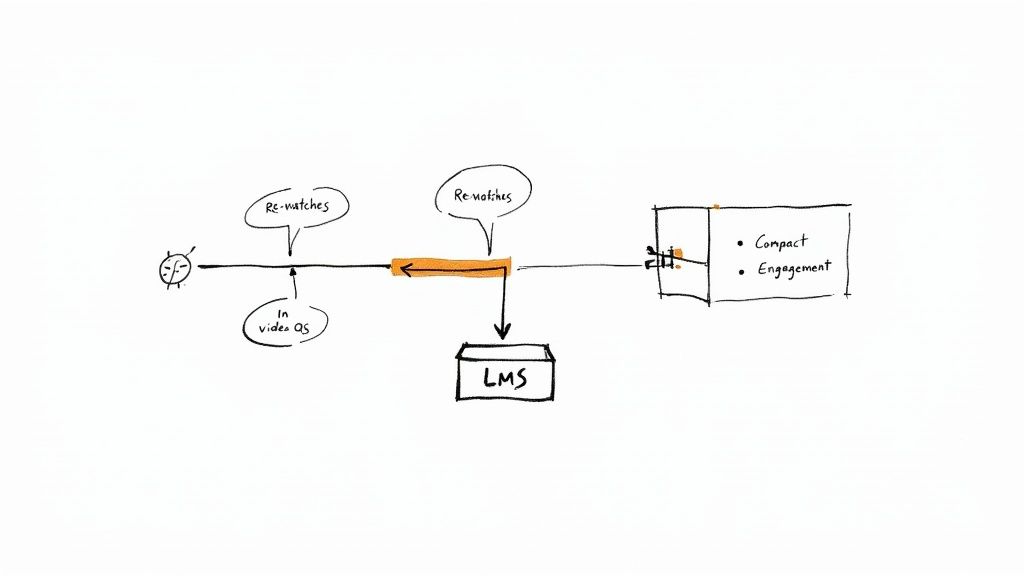
Think of it as a central command center for your training assets. From here, you can push all that rich engagement data directly into employee profiles within your LMS, building a detailed history of their progress.
It creates a closed-loop system that turns your training videos from one-off content into a fully integrated piece of your L&D ecosystem. You can finally see how engagement with one specific video email impacts overall course performance and skill development across the board.
Making a Data-Backed Case for L&D
Ultimately, tracking all these metrics is about one thing: proving the value of what you do. When you can walk into a meeting with hard data showing how many employees finished a critical training and actually understood the key concepts, the entire conversation changes. You're no longer just talking about training activities; you're demonstrating business impact.
We already know this works wonders in the marketing world. One study found that 74% of marketers say video in email improves their campaign performance, with some reporting an ROI boost as high as 300%. That's the power of video to drive action and understanding.
By applying these same principles to internal training, you can build a powerful case for future L&D investments. You can pinpoint knowledge gaps across departments, identify your most engaged learners, and refine your content based on what the data tells you is working.
This approach transforms L&D from a cost center into a strategic business partner. When you measure what matters, you can clearly show how your training programs are building a more skilled, compliant, and effective workforce.
Real-World Examples of Video in Training Emails
Theory is great, but seeing video in email in action is what really brings the strategy to life. Let's walk through a few practical examples and templates you can steal for your own corporate training programs. I've tailored each scenario to a common L&D challenge to show you how the right mix of email copy, video, and delivery can make a massive difference.
These aren't just your standard announcements. They turn routine communications into genuine opportunities for engagement and learning.
Welcoming a New Hire to the Team
First impressions are everything. That first week is a make-or-break moment for a new hire, and a wall of text in a welcome email just doesn't cut it anymore. A personal video message, on the other hand, can make a new team member feel seen and valued from the moment they log in. It’s a simple touch that builds an instant connection to your company culture.
- Email Subject Line: A Warm Welcome to the Team, [New Hire Name]!
- Email Copy Idea: "Welcome, [New Hire Name]! We are so excited to have you join us. Our CEO, [CEO's Name], recorded a quick message to personally welcome you to the team. Click below to watch, and then head over to your onboarding portal to get started."
- Video Content: A short, authentic (30-60 second) video from the CEO. This shouldn't feel like a polished corporate production. A simple, direct-to-camera message expressing genuine excitement and touching on the company’s mission is far more powerful.
- Recommended Method: Go with a hyperlinked thumbnail. A friendly, smiling screenshot of the CEO with a play button overlay is the perfect, universally compatible way to deliver this message. It’s inviting and foolproof.
Driving Engagement for a Compliance Refresher
Let's be honest: mandatory compliance training usually gets a collective groan. It’s often seen as dry, boring, and something to just get through. You can completely flip that perception with a short, animated explainer video. It breaks down complex rules into easily digestible, visual content that actually respects your employees' time.
- Email Subject Line: Quick Update Needed: Your Annual Data Security Refresher
- Email Copy Idea: "Hi Team, it's time for our annual data security refresher. We've put together a quick two-minute video that covers the most important updates you need to know. Please watch it and complete the short quiz by Friday."
- Video Content: A fast-paced, 2-3 minute animated explainer. Use graphics and on-screen text to highlight key policy changes, show examples of common phishing scams, and reinforce best practices. To really make it count, use a platform like Mindstamp to embed a required question at the end to confirm they actually understood the material.
- Recommended Method: An animated GIF. Dropping a GIF that previews a snippet of the animation right into the email is a surefire way to grab attention. The movement in the inbox instantly signals that this isn't the same old, boring compliance email.
Kicking Off a New Leadership Program
When you're launching a new leadership development program, you need to build momentum and clearly communicate its value. A dynamic video can set the perfect tone, generate some real buzz, and motivate participants to dive in headfirst. This is your chance to show, not just tell, them what they're about to experience.
- Email Subject Line: You're In! Your Leadership Journey Starts Now
- Email Copy Idea: "Congratulations on being selected for our new Leadership Development Program! This is a huge opportunity, and we've created a short video to give you a sneak peek at what’s in store. Watch it now to meet your facilitators and learn about the exciting challenges ahead."
- Video Content: A high-energy, 60-90 second sizzle reel. Think quick cuts of program facilitators, short testimonials from past leadership program alumni, and dynamic text overlays that flash key program modules and outcomes.
- Recommended Method: A hyperlinked thumbnail is your best bet here. A powerful image from a past session or a group shot of the facilitators provides a professional, polished entry point to the program overview while ensuring maximum deliverability.
The Training Video Email Checklist
No matter the scenario, every training video email I've seen succeed has these core elements nailed down:
- A Compelling Subject Line: Be clear and concise, but don't be afraid to create a little urgency or curiosity.
- Personalized Greeting: Always use the employee's name. It makes the communication feel direct and personal.
- Brief, Scannable Copy: Get straight to the point. Tell them what the video is about and why they should watch it.
- An Engaging Visual: A high-quality thumbnail or an eye-catching GIF with a clear play icon is non-negotiable.
- A Clear Call-to-Action (CTA): Use an explicit button or link. "Watch the Training Now" or "Start Your Onboarding" leaves no room for confusion.
- A Link to a Dedicated Landing Page: Don't just link to a raw video file. Send them somewhere clean and distraction-free where the video can play flawlessly.
Common Questions About Using Video in Email for Training
As Learning and Development pros start dipping their toes into using video in email, a few questions always seem to surface. Getting straight answers is the key to moving forward with confidence and dodging those pesky roadblocks.
Let's unpack the most common ones I hear. They usually revolve around practical things like how long the video should be, whether it’ll get flagged as spam, and how to actually make it interactive.
What Is the Ideal Length for a Training Video in an Email?
When you’re sending training content through email, short and sweet is the name of the game. Your goal isn't to cram an entire learning module into one video. It’s to grab their attention and land a single, punchy message.
The sweet spot? Keep it between one and three minutes.
This micro-learning approach shows you respect your team's packed schedules. Think of this short video as a compelling hook or a quick recap. Its real job is to drive learners to the more in-depth training materials on a dedicated platform like Mindstamp, where they can really dig into the topic without fighting for inbox space.
Think of the in-email video as the movie trailer, not the feature film. It's there to build curiosity and get the learner to the main event, so they show up engaged and ready to learn.
Will Sending Videos in Emails Hurt My Deliverability?
This is a totally valid concern, but the short answer is: no, not if you do it right. It’s almost never the video content itself that trips up spam filters. The real troublemaker is almost always a massive file size that makes email servers nervous.
You can easily sidestep this by not directly embedding large video files. The best practice is to use a linked thumbnail image or an optimized GIF instead. This keeps your email lightweight and fast-loading, which helps you maintain excellent deliverability while still getting all the engagement benefits of video. The key is to keep the email itself small and host the video somewhere else.
How Do I Make My Training Videos Interactive from an Email?
Honestly, true in-the-inbox interactivity is still a bit of a wild west. Support across major email clients is patchy at best, making it a risky and complicated choice for most corporate training.
A much more reliable—and effective—method is to use your email as the launchpad for an interactive experience.
Create a sharp-looking thumbnail or a short, looping GIF that makes the learner want to click. That link should take them directly to an interactive video hosted on a platform built for exactly this. The second they click, they’re in a focused learning environment where you can layer in powerful interactive elements like:
- Embedded questions to check for understanding as they watch.
- Branching logic to create personalized learning paths based on their answers.
- Clickable hotspots that link out to extra resources or documents.
This approach guarantees a smooth experience for every employee and gives you the detailed analytics you need to track real comprehension and engagement.
Ready to transform your training communications? With Mindstamp, you can easily create and share interactive videos that capture attention, measure comprehension, and prove your training ROI. See how it works at https://mindstamp.com.