 Brett Lindenberg
An online assessment tool lets you build a quiz or test that students take on a device, scores the answers it can, and shows you who understood what. For quick graded quizzes, Google Forms and Microsoft Forms cost nothing extra in schools that already use Google Workspace or Microsoft 365. Kahoot!, Wayground (formerly Quizizz), and Socrative run live review games. Nearpod and Formative put checks inside a lesson, Pear Assessment and Canvas New Quizzes handle standards-based tests, Edpuzzle and Mindstamp ask questions inside a video, and ZipGrade scores paper answer sheets with a phone camera. The short video below is an in-video assessment: answer its one question and see the feedback for your choice.
What an online assessment system does
An online assessment system, also called an e-assessment tool or digital assessment platform, does four jobs. You write or import questions, students answer on a device, the software scores what it can, and a report shows results by student and by question. Products differ in what they add on top: live game play, test security, standards tags, grade sync with your LMS, or questions placed inside a lesson or video.
Most classroom tools serve formative assessment, the low-stakes checks you use to decide what to teach next. Fewer are built for summative tests that count toward a grade. Decide which of the two you need first, because many tools on this list are built for only one of them. Our guide to learning assessment strategies covers how to design both kinds.
Types of online assessment tools
| Type | What it does well | Tools in this guide | Watch for |
|---|---|---|---|
| Quiz and form builders | Fast graded quizzes, exit tickets, and surveys | Google Forms, Microsoft Forms | Basic question types and few exam controls |
| Live game-based quizzes | Whole-class review with instant results on a shared screen | Kahoot!, Wayground, Socrative | Speed-based scoring can reward quick guesses |
| Interactive lesson platforms | Checks between slides or video segments, live or self-paced | Nearpod, Formative | Free plans can cap the number of students per session |
| Standards-based assessment platforms | Tech-enhanced items, item banks, and reports by standard | Pear Assessment, Formative | Full features usually need a paid teacher or school plan |
| LMS quiz engines | Scores go straight to the course gradebook | Canvas New Quizzes | Only available inside that LMS |
| Video assessment tools | Questions at the moment a concept is taught in a video | Edpuzzle, Mindstamp | Only as good as the video; not a full test suite |
| Paper-to-digital grading | Scores printed answer sheets and keeps the data | ZipGrade | Selected-response and numeric answers only |
12 online assessment tools compared
| Tool | Type | Free option | Paid plans | Best fit |
|---|---|---|---|---|
| Google Forms | Quiz builder | Included in Google Workspace for Education Fundamentals, free for qualifying schools | Paid Workspace editions | Self-grading quizzes in Google schools |
| Microsoft Forms | Quiz builder | Microsoft offers Office 365 A1 free to eligible schools | Microsoft 365 plans | Timed quizzes in Microsoft 365 schools |
| Kahoot! | Live game | Kahoot! Go, up to 40 players per game | $36 to $228 a year for 50 to 800 players | Live review |
| Wayground | Game and assessment | Free teacher sign-up | School and district quotes | One question set used as a game, homework, or test |
| Socrative | Live response | 1 room, 5 quizzes, 50 students per activity | Essentials $120 per seat a year; Pro and Organization plans | Quick checks and exit tickets |
| Nearpod | Interactive lessons | Silver, 40 student joins per lesson | Gold $159 a year; Platinum $397 a year; school quotes | Checks inside slides and video |
| Formative | Lessons and assessments | Free account | Classroom plan $249 per teacher a year; school and district plans | Watching answers live, show-your-work responses |
| Pear Assessment | Standards-based tests | Teacher Free | Teacher Premium $125 a year; school quotes | Tech-enhanced items and standards reports |
| Canvas New Quizzes | LMS quiz engine | None; part of your school's Canvas | Your institution's Canvas license | Graded quizzes in Canvas courses |
| Edpuzzle | Video lessons | Basic, 20 interactive activities | Pro Teacher $13.75 a month, billed annually; school quotes | Video assignments for classes |
| Mindstamp (our product) | Interactive video | 14-day free trial, no payment card | See Mindstamp pricing | Video questions with voice, video, and drawing answers |
| ZipGrade | Paper scanning | 100 papers a month | Unlimited grading $6.99 a year | Paper multiple-choice tests |
Quiz and form builders
Google Forms
Turn on "Make this a quiz" in a form's settings and Google Forms becomes a self-grading test. Six question types can carry an answer key and points: short answer, multiple choice, checkboxes, dropdown, multiple choice grid, and checkbox grid. You can attach a written or YouTube video explanation to an answer, and you choose whether students see their grade right after they submit or after you review the responses (Google Docs Editors Help). Section logic can send a student to different questions based on an answer, and responses export to Google Sheets.
Forms is part of Google Workspace for Education Fundamentals, which Google offers at no cost to qualifying institutions. Paragraph answers are not auto-graded, so essay-style questions still need you to score them by hand.
Microsoft Forms
In Microsoft Forms, each quiz question gets a point value, one or more correct answers, and an optional feedback message for each answer choice. Choice questions have a math option for formulas, and Copilot can draft a quiz from a prompt if your school has it (Microsoft Support). The settings matter for tests: you can shuffle question order, set a time limit that submits answers when the timer ends, open and close the quiz on set dates, allow one response per person, and limit responses to people in your school. Practice mode does the opposite and shows the correct answer for each question before a student submits (Microsoft Forms settings). Results export to Excel.
Microsoft gives eligible schools Office 365 A1 at no cost. Ask your IT team which apps your school's plan includes before you build a unit around Forms or Copilot.
Live game-based quiz tools
Kahoot!
Kahoot! shows questions on a shared screen while students answer on their own devices. In a standard live game, points depend on speed: a correct answer loses up to half its points the longer a player takes. Accuracy mode scores correctness only, and assigned, self-paced kahoots can run with the timer off (Kahoot! Help Center). The free Kahoot! Go plan hosts up to 40 players per game with basic reports. Kahoot!+ plans for teachers run from $36 a year for 50 players to $228 a year for 800 players, and reports that track learning over time start with the Gold plan at $144 a year (checked October 2026). Use the timed game for review and warm-ups, and switch to accuracy mode or an untimed assignment when the score should reflect what students know.
Wayground (formerly Quizizz)
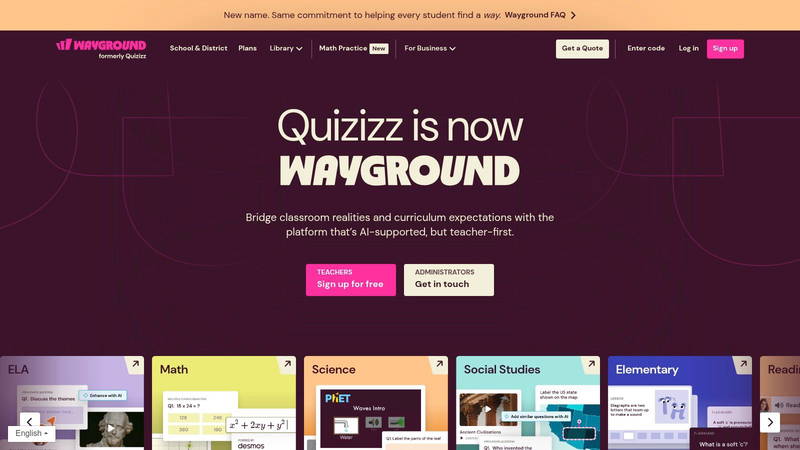
Quizizz is now Wayground, and quizizz.com redirects to the new name. The same set of questions can run as a live game, as auto-graded homework with instant feedback, or as a more formal assessment, and Wayground includes question types modeled on state tests. More than 25 built-in accommodations, such as text-to-speech, translation, leveled text, and a focus mode, help students who need support. AI tools generate activities from a topic, a document, or a standard. Teachers sign up free, and schools and districts request a quote.
Socrative
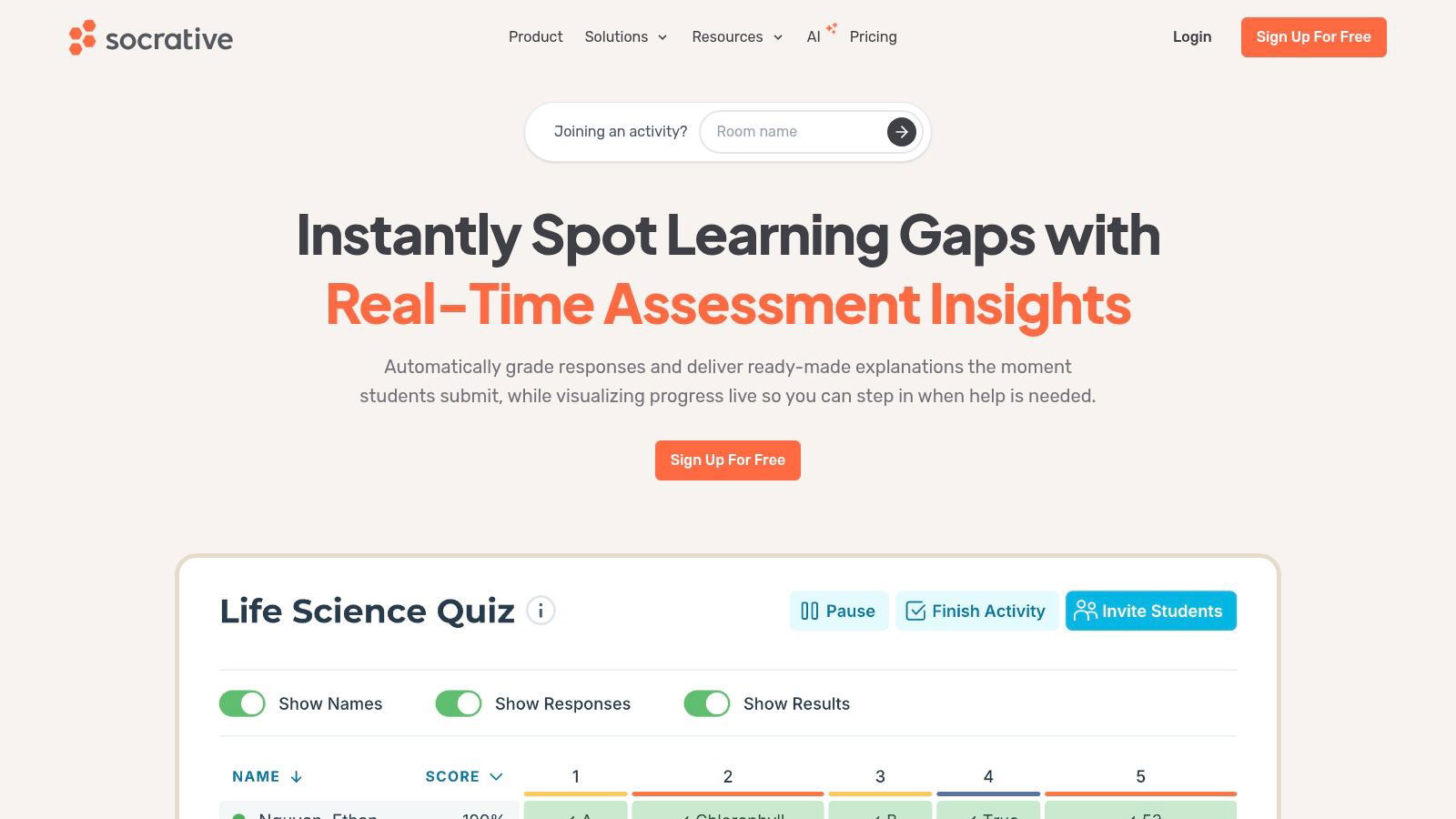
Socrative, a Showbie product, is built for quick checks: live polls, quizzes, exit tickets, and Space Race, a team quiz game. Students join a teacher's room by name and never pay. The free plan allows 1 room, 5 quizzes, and 50 students per activity. Essentials costs $120 per seat a year for 5 rooms and unlimited quizzes, and Pro raises the limits to 30 rooms and 300 students per activity (checked October 2026). Results tables export as class summaries or individual student printouts.
Interactive lesson platforms
Nearpod
Nearpod, owned by Renaissance, turns slides, PDFs, and videos into lessons with more than 20 formative activity types between the content. You can run a lesson live with the whole class or assign it student-paced. You can also upload a video or search YouTube inside Nearpod and add multiple-choice or open-ended questions to it. Responses appear in real time, and a report follows each session.
The free Silver plan allows 40 student joins per lesson and 300 MB of storage. Gold costs $159 a year for 75 students and Platinum $397 a year for 90 (Nearpod pricing, checked October 2026). A school or district license raises the limit to 250 students per session and adds LMS and LTI integrations and admin reports.
Formative
Formative shows student responses live while students work, so you can step in during class instead of after grading. Students can draw to show their work, record their voice, or answer more than 20 tech-enhanced item types, and you can upload a PDF worksheet and add questions on top of it. The Classroom plan costs $249 per teacher a year and includes auto-grading, rubrics, the Luna AI assistant, and anti-cheating tools. District plans add a premium item bank and Respondus LockDown Browser (Formative plans, checked October 2026). Formative connects with Google Classroom, Clever, and ClassLink for rostering.
Standards-based assessment platforms
Pear Assessment (formerly Edulastic)
Pear Assessment is the K-12 testing tool in the Pear Deck Learning suite from GoGuardian. You write questions in more than 50 tech-enhanced formats, such as drag and drop, hotspot, sequence, and graphing, or pull items from its standards-aligned library. Each item can carry a standard, a depth of knowledge level, and a difficulty tag, and most item types score automatically.
Teacher Free covers building tests and automatic grading. Teacher Premium costs $125 a year and adds advanced test security (shuffled questions and answer choices, lockdown browser settings), more accessibility tools such as text-to-speech, rubric scoring, and standards-based reports. School and district plans add common assessments, district reporting, and grade passback to Google Classroom, Schoology, and Canvas (Pear Deck Learning pricing, checked October 2026).
LMS quiz engines
Canvas New Quizzes
If your school runs Canvas, New Quizzes is already in your courses and scores flow into the Canvas gradebook. Besides multiple choice, matching, essay, formula, and numeric questions, it adds ordering, categorization, and hot spot questions, plus stimulus items, where several questions share one passage, image, or video. Item banks replace the older question banks, and the Moderate tab lets you give individual students extra time (University of Florida e-Learning guide). Canvas also still has the older Classic Quizzes engine, and schools move to New Quizzes on their own schedules, so ask your Canvas admin which one your courses use.
Video assessment tools
Edpuzzle
Edpuzzle adds questions, notes, and audio to YouTube videos or your own uploads and assigns them to classes. It now also builds quizzes, slides, and reading documents. Students can listen to questions and record spoken answers, slow the video down, and turn on captions. You can allow multiple attempts, run a lesson in Live Mode, and use AI to write questions and grade responses. The free Basic plan includes 20 interactive activities and 10 supported assignments, Edpuzzle's term for assignments with learning-gap reports and anti-cheating tools. Pro Teacher costs $13.75 a month billed annually and includes 120 supported assignments a year (checked October 2026).
Mindstamp (our product)
Mindstamp adds questions to video you already host or upload, at the second a concept is taught. The video pauses until the student answers, and you can turn off seeking so no one skips past a required question (how to prevent skipping). Answers go beyond multiple choice:
- typed, number, date, and dropdown answers that can be scored
- voice and video responses recorded in the browser
- drawing on the video frame, for example to circle a structure on a diagram
- rating and Likert questions for self-checks
With Repeat Until Correct on, a student who misses a question answers again without seeing the correct answer. Every attempt counts, so a wrong answer followed by a right one scores 50% for that question (passing scores and retries). A missed answer can also send the student back to the explanation before the video moves on. The report shows each student's answers, retries, and completion, and on supported plans a SCORM package sends completion and score to a compatible LMS. Students need no account. Our course assessments page shows the setup, and the demo at the top of this page also has its own in-video assessment example page.
Mindstamp does not manage classes or rosters, and it has no lockdown browser. If class assignments and student progress are the center of your workflow, Edpuzzle fits better, and our Mindstamp and Edpuzzle comparison covers the trade-offs. We do not publish a WCAG conformance level or a VPAT; the player shows captions you upload and can read questions aloud (accessibility features). YouTube links work for testing but not for published courses. The free trial lasts 14 days and needs no payment card.
Paper-to-digital grading
ZipGrade
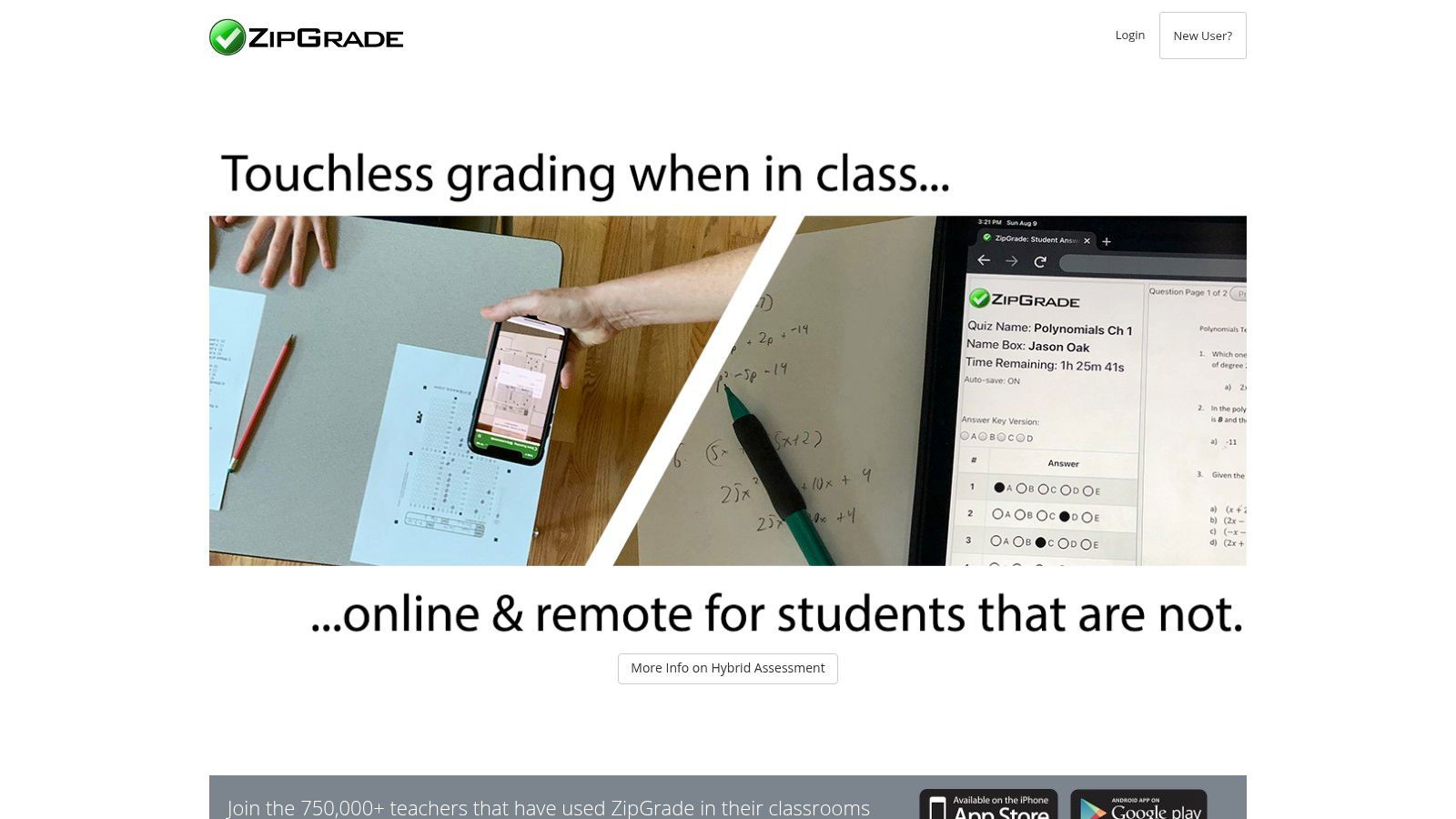
ZipGrade turns an iPhone, iPad, or Android device into a scanner for printed answer sheets. Standard sheets hold 20, 50, or 100 questions, and custom forms add true/false, matching, and gridded numeric answers. Scanning works without an internet connection. Results come with item analysis, including a discrimination factor for each question, and reports by standard if you tag your questions. A student portal lets absent or remote students take the same quiz online, and all data exports to CSV. You can grade 100 papers a month free, and unlimited grading costs $6.99 for one year (checked October 2026).
How to choose an online assessment tool
- Name the decision the results will drive. A check that shapes tomorrow's lesson needs speed and a clear class view. A unit test that counts toward a grade needs time limits, shuffling, and a record you can defend.
- Match the response type to the skill. Multiple choice can check recall and many applications. Explaining a process, solving a multi-step problem, or speaking a language needs open response, drawing, voice, or show-your-work answers.
- Decide where scores must end up. If grades belong in Canvas, Schoology, or Google Classroom, confirm grade passback on the plan you will actually buy. Several tools, including Nearpod and Pear Assessment, keep LMS integration for school licenses.
- Compare free-plan limits with your largest class. Kahoot! Go allows 40 players, Nearpod Silver 40 student joins, and Socrative Free 50 students per activity.
- Check accessibility before you buy: extended time, read-aloud, captions, and keyboard access. Ask the vendor for an accessibility statement or VPAT if your district requires one.
- Check student data privacy. US schools must protect education records under FERPA, and apps that collect data from children under 13 fall under the FTC's COPPA Rule. Use tools on your district's approved list, or ask for a data privacy agreement.
- Pilot with one class for one unit. Look at the reports you get and decide whether they change what you teach.
Online exam tools: security for tests that count
No browser-based tool can stop a student from looking at a second device. Settings can make answers harder to share, and question design can make them harder to look up. For a digital exam, look for these controls:
- shuffled question order or answer choices (Microsoft Forms, Canvas New Quizzes, Pear Assessment Teacher Premium)
- a time limit that submits automatically, with open and close dates (Microsoft Forms)
- one response per student, limited to accounts in your school (Microsoft Forms)
- a lockdown browser (Pear Assessment Teacher Premium settings, and Respondus LockDown Browser on Formative district plans)
- per-student time accommodations (Canvas New Quizzes)
Questions that ask students to apply a concept to a new case, or to show each step, take longer to look up than recall questions and tell you more when a student gets them wrong. For high-stakes or certification exams, look at your LMS with a lockdown browser or at a dedicated exam platform. The classroom tools in this guide are built for everyday checks and unit tests.
Online assessment tools for distance learning
When students learn at home, most checks are asynchronous, so feedback has to arrive without you. Pick modes that run self-paced: Nearpod student-paced lessons, Wayground homework, Edpuzzle and Mindstamp video questions, and Google Forms quizzes with answer explanations. Set open and close dates that fit students in different time zones and schedules.
Test on the devices students actually have. A phone on a weak connection can handle a short form, but a long video lesson may stall. Students who cannot join live can still take the same quiz later, as with ZipGrade's online version of a paper test. For more on reading participation data from remote classes, see how to measure student engagement.
Common questions
What is the best online assessment tool for teachers?
No single tool wins every job. Google Forms or Microsoft Forms covers most self-graded quizzes at no extra cost. Formative and Pear Assessment suit standards-based tests and live monitoring. Kahoot!, Wayground, and Socrative are best for review. Edpuzzle and Mindstamp fit lessons taught by video, and ZipGrade fits paper tests. Our roundup of formative assessment tools goes deeper on low-stakes checks.
What is the best free online assessment tool?
If your school already uses Google Workspace for Education or Microsoft 365, start with Forms in that suite. Students already have school accounts, so there is nothing new to roll out. The free tiers of Socrative, Kahoot!, and Nearpod work for a class of up to 40 or 50 students, depending on the tool.
What is an e-assessment tool?
E-assessment means any assessment delivered and scored on a computer or phone. The term covers everything in this guide, from a self-grading form to a full testing platform with item banks and lockdown browsers.
Can these tools evaluate corporate training?
They can measure what employees learned, which is one part of an evaluation. Judging whether a training program changed behavior or business results needs more evidence than a quiz score. Our guide to training evaluation methods covers the models, and our list of video assessment tools compares options for training teams.
Pick one unit you teach this month and one tool from the table that fits its job. Run your next check in it, then read the report question by question before you plan the following lesson. If that unit is taught by video, you can try Mindstamp free for 14 days with no payment card.