Brett Lindenberg
Multimedia learning principles are 15 research-based rules for combining words and pictures so that people learn more from a lesson. Educational psychologist Richard Mayer and colleagues built them from more than 200 experiments. The base rule, the multimedia principle, says people learn better from words and pictures together than from words alone. The other 14 say how to combine them: cut what distracts, help learners handle complex material, and get learners to work at making sense of it. In B2B training, such as product onboarding, customer education, partner certification, and sales enablement, the principles tell you what to cut from a screen recording and where to pause it for the learner. Try the first rule, coherence, in the short lesson below: choose what should stay in a tutorial about an Export menu.
What are multimedia learning principles?
Mayer defines a multimedia instructional message as words, printed or spoken, plus graphics, such as illustrations, photos, animation, video, or virtual reality, meant to build knowledge or skill. A narrated software walkthrough, a recorded slide deck, and a product demo video all qualify. The principles come from Mayer's cognitive theory of multimedia learning. In a 2024 review in Educational Psychology Review, Mayer summarizes its three core ideas:
- Dual channels: people process spoken words and pictures in separate channels.
- Limited capacity: each channel can handle only a few pieces of information at a time.
- Active processing: people learn when they select the relevant material, organize it, and connect it with what they already know.
Because capacity is limited, a lesson competes for it in three ways. Extraneous processing is effort spent on poor design, such as a banner that has nothing to do with the task. Essential processing is the effort to hold the content itself in mind, and it rises with complexity. Generative processing is the effort to make sense of the content, and it depends on the learner's motivation. The principles follow from those three demands.
Several of the best-known experiments used short lessons on how something works, such as how lightning forms or how car brakes work, followed by retention and transfer tests. Mayer describes the theory as an account of how people learn academic material. The principles describe tendencies with limits, which Mayer calls boundary conditions, so test your own training with real learners before you treat any rule as settled.
Mayer's 15 principles at a glance
| Principle | People learn better when | Effect size | Tests |
|---|---|---|---|
| Coherence | Extraneous material is left out | 0.86 | 19 |
| Signaling | Cues highlight how the essential material is organized | 0.69 | 16 |
| Redundancy | Narration plays with graphics, without printed text repeating it, in a fast-paced lesson | 0.10 | 12 |
| Spatial contiguity | Words sit near the parts of the picture they describe | 0.82 | 9 |
| Temporal contiguity | Words and the matching pictures appear at the same time | 1.31 | 8 |
| Segmenting | The lesson comes in learner-paced segments | 0.67 | 7 |
| Pre-training | They already know the names and characteristics of the main concepts | 0.78 | 10 |
| Modality | Graphics come with narration rather than on-screen text | 1.00 | 19 |
| Multimedia | Words come with pictures, not alone | 1.35 | 13 |
| Personalization | The words are conversational rather than formal | 1.00 | 15 |
| Voice | The narrator has a friendly human voice rather than a machine voice | 0.74 | 7 |
| Image | Not necessarily better when the speaker's image is added to the screen | 0.20 | 7 |
| Embodiment | An on-screen instructor shows high embodiment, such as gaze that guides attention | 0.58 | 17 |
| Immersion | Not necessarily better in 3D virtual reality than on a 2D desktop screen | -0.10 | 9 |
| Generative activity | They are guided to do learning activities during the lesson | 0.71 | 44 |
Mayer reports effect sizes as d, the gap between the two groups' average test scores measured in standard deviations (Mayer, 2017). The numbers come from comparisons by Mayer and colleagues, and some changed as new tests came in. In Mayer's 2017 review, redundancy had an effect size of 0.87; the 2021 count puts it at 0.10. Use the size as a rough guide to how much a rule matters, and the limits below to decide whether it applies to your learners. In the 2017 review, Mayer also notes that some principles are stronger for learners with low prior knowledge than for experts.
The multimedia principle: words and pictures together
People learn better from words and pictures than from words alone. With an effect size of 1.35 across 13 tests, it is the largest effect of the 15. Mayer traces it to research in the late 1980s and 1990s on adding illustrations to text. The pictures have to carry meaning, such as a labeled screenshot of the screen the learner will use or a diagram of how two systems connect. A narrator speaking over a title slide or a stock photo for minutes at a time gets no help from this principle. Our guide to visual learning strategies covers how to choose the picture.
Principles that cut what distracts
Coherence principle
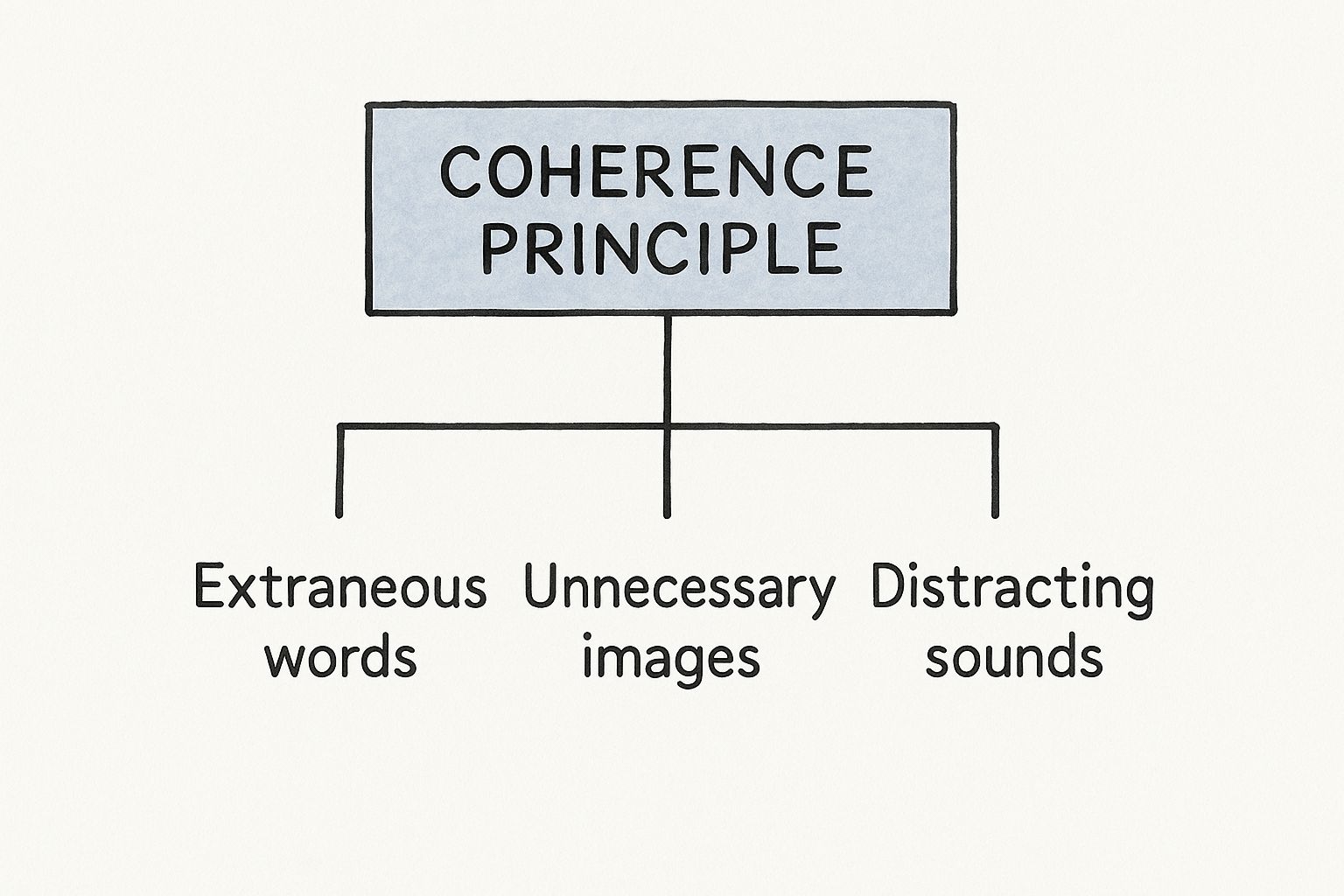
People learn better when extraneous material is left out. In training video, the usual extras are background music under narration, decorative stock footage, long intro animations, and tangents in the script. Before you publish, play the module and ask of each element whether a learner needs it to do the task. If not, cut it. Researchers call interesting but irrelevant content seductive details, and our visual learning guide covers the evidence that it lowers recall. The demo at the top of this page applies the rule, and you can open it on its own as the Remove the Competing Signal example. For a harder version, try the overloaded scene example.
Signaling principle
People learn better when cues highlight how the essential material is organized: an outline at the start, a heading for each section, and arrows or highlights on the part that matters. In a software walkthrough, circle the field the narrator is talking about and name the step on screen ("Step 2: Set the discount"). In Mindstamp, drawings add arrows, shapes, and highlights timed to the second, and chapters show learners the structure of a long video before they start. Cue more for new users than for experienced ones.
Redundancy principle
People do not learn better when printed text that repeats the narration is added to graphics and narration, at least in a fast-paced lesson. The current effect size is small (0.10 across 12 tests), so read this as a narrow rule: do not put the full script on screen beside an animation the learner has to watch. Keep on-screen words to short labels. Closed captions are a separate question. WCAG 2.2 success criterion 1.2.2 (Level A) requires captions for prerecorded audio in video, so provide them and let each learner choose to turn them on.
Spatial contiguity principle
People learn better when words sit next to the part of the picture they describe. Put a label on the part, not in a legend under the diagram, and put feedback next to the question it explains. A 2018 meta-analysis by Noah Schroeder and Ada Cenkci of 58 comparisons with 2,426 participants found an average effect of 0.63 (Hedges' g) for designs that keep related words and pictures together (Educational Psychology Review).
Temporal contiguity principle
People learn better when narration and the matching picture appear at the same time, rather than one after the other. Its effect size, 1.31 across 8 tests, is the second largest of the 15. In practice, narrate a demo while you perform it. Do not explain the whole workflow first and then show it in silence, or show the screen first and explain it afterward.
Principles that help with complex material
Segmenting principle
People learn better when a lesson comes in learner-paced segments rather than as one continuous unit (0.67 across 7 tests). In experiments by Mayer and Paul Chandler with a narrated animation of how lightning forms, students who controlled the pace did better on transfer tests, though not on retention tests (Journal of Educational Psychology, 2001). The key is control as much as length: a learner who can stop after each step and continue when ready has a segmented lesson, even inside one video. In Mindstamp, a Pause can hold the video until the viewer resumes, every question pauses the video while it is open, and chapters let learners go back to a step. Our post on microlearning strategies covers splitting a course into separate short modules.
Pre-training principle
The pre-training principle says people learn better from a lesson when they already know the names and characteristics of its main concepts (0.78 across 10 tests). In experiments by Mayer, Amanda Mathias, and Karen Wetzell, students who first learned the parts of a car's braking system, or of a bicycle tire pump, and the states each part can be in, did better on transfer tests after a narrated animation than students who got no pre-training (Journal of Experimental Psychology: Applied, 2002). Learners who already know the parts can spend their attention on how the system works.
In B2B training, make a short clip that names the objects learners will see before the walkthrough starts. For CRM training, that means what a lead and an opportunity are, and the stages an opportunity moves through. Put the clip first in a playlist, or open the main video with a quick check and send only learners who miss it to the clip.
Modality principle
People learn better from graphics with narration than from graphics with on-screen text (1.00 across 19 tests). In their 1998 experiments with animations of lightning and car brakes, Mayer and Roxana Moreno found that students who heard the words outperformed students who read the same words on screen on retention, matching, and transfer tests (Journal of Educational Psychology). The rule has clear limits:
- Paul Ginns's 2005 meta-analysis of 43 effects found the strongest benefit when the lesson was system-paced and the material complex (Learning and Instruction).
- In two field experiments in Dutch secondary schools, Egbert Harskamp, Mayer, and Cor Suhre found a narration benefit in the first, and in the second only for students who learned quickly, not for students who needed more time (Learning and Instruction, 2007).
- A 2015 Iowa State University master's thesis by Amy Oberfoell partly replicated an early modality study with 79 college students in their own classroom and found the reverse: students who saw on-screen text without narration did better on retention and transfer (Understanding the role of the modality principle in multimedia learning environments).
For a screen recording or a product demo that plays at its own speed, narrate. For dense reference material that learners read at their own pace, such as a policy clause or a value they must copy into a form, on-screen text can be the better choice.
Principles that get learners thinking
Personalization principle
People learn better when the words are conversational rather than formal (1.00 across 15 tests). In three experiments by Mayer, Sherry Fennell, Lindsay Farmer, and Julie Campbell, changing "the" to "your" in 12 places in a narration about the respiratory system raised transfer test scores, though not retention scores (Journal of Educational Psychology, 2004). In a training script, write "you" and "your," and speak the way a colleague would explain the task. This principle is about wording. Inserting a learner's name with a variable is a different technique, and these experiments did not test it.
Voice principle
People learn better from a friendly human voice than from a machine voice (0.74 across 7 tests). Synthetic voices have improved since many of those tests. In a 2020 online study by Erin Chiou, Noah Schroeder, and Scotty Craig, voice quality did not significantly change what learners learned from a virtual human, but it did change how much they trusted it (Computers & Education). If you use an AI voice for a customer or partner course, pick a natural one and ask a few learners how it sounds before you publish.
Image principle
People do not necessarily learn better when the speaker's image is added to the screen (0.20 across 7 tests). A talking head in the corner of a software demo adds little for learning and covers part of the screen the learner needs to see. When the budget is tight, spend it on a clean screen recording and clear narration first.
Embodiment principle
When an instructor is on screen, people learn more deeply if the instructor shows high embodiment, such as eye contact with the learner and gaze that guides attention to the material (0.58 across 17 tests). In a study by Stull and Mayer with 133 college students, learners scored higher when the instructor used a conventional whiteboard rather than a transparent one, and the advantage was largest when the instructor's gaze moved between the learners and the board (Journal of Educational Psychology, 2021). If you record a presenter for sales or leadership training, have them look into the camera when they speak to the learner and look at the slide when they explain it, so their gaze shows learners where to look.
Immersion principle
People do not necessarily learn better in immersive 3D virtual reality than from the same lesson on a 2D desktop screen (-0.10 across 9 tests). Before you buy headsets for a knowledge course, build the desktop version and compare results.
Generative activity principle
People learn better when they are guided to do generative learning activities during the lesson (0.71 across 44 tests, the largest research base of the 15). Logan Fiorella and Mayer describe eight such activities: summarizing, mapping, drawing, imagining, self-testing, self-explaining, teaching, and enacting (Educational Psychology Review, 2016). In a 2024 review, Mayer gives the example of writing a summary or self-testing during pauses in a lesson. Interactive video can put several of these activities inside the lesson:
- Self-testing: a multiple-choice question after each segment, with an explanation for each wrong answer.
- Summarizing and self-explaining: a free-response question that asks the learner to explain a step in their own words.
- Drawing: a drawing question where the learner marks the right field or part on the frame.
- Teaching: a voice question in which the learner explains the step aloud, as if to a new colleague.
In Mindstamp, each of these question types pauses the video and saves the answer against the learner. Drawing and voice answers are not scored automatically, so decide who will review them. A free-response answer counts as correct only when it matches one of the correct answers you enter (capital letters are ignored unless you turn on Match case). A step explained in the learner's own words rarely matches word for word, so review those answers too.
Multimedia learning in B2B training
B2B training differs from the lab lessons in two ways that change how you apply the principles. Learners range from new hires to expert administrators, and the same content often goes to employees, customers, and partners. The table shows which principles to apply first in common assets.
| Asset | Apply first | What to do |
|---|---|---|
| Software walkthrough | Temporal contiguity, signaling, segmenting | Narrate while you click, highlight each field, and pause after each step |
| Product demo for customers | Coherence, pre-training | Cut the company introduction, name the key objects first, and let viewers choose the use case that fits them |
| Partner or customer certification | Generative activity, segmenting | Add a scored question after each section and a scenario question before the end |
| Compliance or policy update | Coherence, modality limits | Cut the story around the change, and keep the exact policy wording on screen for learners to read |
| Sales enablement | Personalization, embodiment, generative activity | Write the talk track in plain second person, and ask reps to record their own answer |
| Webinar recording reused as training | Coherence, signaling, segmenting | Cut the dead time, add chapters, and put questions at topic changes |
Plan for differences in expertise. A pre-training clip and heavy cues help a new user and slow down an expert. Open with a short check and let learners who pass skip ahead. On supported plans, Mindstamp conditional logic can show or hide content based on an answer, and branching can send each audience down its own path, for example administrators to setup and end users to daily tasks.
B2B products also change often, so build modules that are cheap to update. Record one task per segment so you can re-record a single step, and use a voice clip to correct a detail without reshooting the video. Our pages on customer education and sales enablement training show interactive versions of these assets.
How to create an interactive training presentation with multimedia
If your employee training starts as a slide deck, these steps turn it into an interactive video that follows the principles:
- Give each slide one point, written as a full-sentence headline, and one visual that shows it. Cut decorative images (multimedia and coherence principles).
- Open with a slide that names and defines the key terms (pre-training).
- Record narration over the slides, keep on-screen text to labels, and speak to the learner as "you" (modality, redundancy, and personalization).
- Add the recording to Mindstamp from your video host or as an upload, and add a chapter for each section (segmenting and signaling).
- End each section with a question that asks learners to apply the point (generative activity).
- Put optional detail behind a click, so the main path stays short. A video clip can play inside the main video and return the learner to the same place, an image can open full size, and an HTML embed can show a form or tool in the frame.
- Watch the finished video as a learner, then read the answers from the first group and fix the section behind the most-missed question.
Our guide on how to make a presentation interactive covers live presentations and PowerPoint, and how to create an interactive video walks through the editor. If the deck will be taught live, see virtual training best practices.
Common questions
What is multimedia training?
Multimedia training is training that combines words, spoken or written, with pictures such as images, diagrams, animation, or video. Most eLearning courses, training videos, and recorded webinars count. The principles on this page describe how to combine the words and pictures so learners understand more and can apply what they learned.
Do multimedia learning principles work for experienced employees?
Some of them work less well. Mayer's 2017 review notes that some principles are stronger for learners with low prior knowledge, and the modality studies above show the narration benefit can disappear for some groups. Coherence is a good place to start with any audience, because cutting content that does not serve the goal costs the learner nothing. For experts, cut pre-training and heavy cues, and let them skip what they know.
Do captions break the redundancy principle?
Not in a way that should stop you from providing them. The redundancy principle is about building printed text into a fast-paced lesson for every learner, and its current effect is small. Closed captions are an accessibility requirement under WCAG 2.2, and each learner chooses whether to turn them on. Keep captions available, and avoid adding a second, permanent copy of the script on screen.
How do multimedia learning principles relate to cognitive load theory?
They overlap. Mayer's 2024 review lists John Sweller's cognitive load theory among the competing theories that shaped Mayer's own, and both rest on the idea that working memory is limited. Our guide to instructional design principles places both in the wider set of design rules.
To start, pick your most-watched training video and apply the coherence principle first: remove the music, the decorative footage, and the tangents. Then add a question at the end of each section, and after the first group of learners, read the answers to find the section that needs a better explanation.
Sources and further reading
- Mayer, R. E. (2024). The past, present, and future of the cognitive theory of multimedia learning. Educational Psychology Review, 36, article 8. Open access.
- Mayer, R. E. (2021). Multimedia learning (3rd ed.). Cambridge University Press.
- Mayer, R. E., and Fiorella, L. (Eds.). (2022). The Cambridge handbook of multimedia learning (3rd ed.). Cambridge University Press.