Brett Lindenberg
Internal communications video is video an organization makes for its own employees: a leadership update, a change announcement, a town hall, an onboarding welcome, or a short how-to. Use it when seeing the speaker or watching the task will carry the message better than text. Keep each video to one message, caption it, post it inside the email or chat channel employees already read, and put a written summary next to it. Then ask one question in the video, so you learn who watched and what they took from it. The demo below shows that last step on a policy update.
What is internal video communication?
Video communication works in two modes. Real-time video is a call, a meeting, or a live town hall where everyone takes part at the same moment. Asynchronous video is recorded once and watched when each person has time, such as a leader's update, a screen recording, or an onboarding series. Internal video communication is either mode aimed at people inside the company.
The live side alone is a large market. Future Market Insights estimates the video conferencing market at USD 33.3 billion in 2025 and forecasts USD 86.3 billion by 2035. You will likely need both: live sessions for dialogue, and recordings for people who missed the session or need the message again later.
| Format | Live or recorded | Use it for | Keep in mind |
|---|---|---|---|
| Town hall or all-hands | Live, then recorded | Strategy, results, open Q&A | Publish the recording and a written recap for people who missed it |
| Leader update | Recorded | Monthly priorities, the reason behind a decision | A phone or webcam is enough; plain speech matters more than polish |
| Announcement | Recorded | Reorganizations, policy changes, new tools, benefits | Put the decision and the action in the first 30 seconds |
| Manager briefing | Recorded, for managers only | Preparing managers before a change reaches their teams | Send talking points and an FAQ with it |
| How-to or screen recording | Recorded | Software steps, processes, knowledge transfer | One task per video, titled with the task name |
| Onboarding series | Recorded | Welcome, values, tools, first-week tasks | Split by topic so new hires can return to one part |
| Employee spotlight | Recorded | Recognition, team introductions, culture | Ask the people on camera before you share it widely |
| Animated explainer | Recorded | Abstract processes, benefits, data flows | Keep facts that change out of the animation |
| Interactive video | Recorded, with questions or choices | Policy checks, role-specific changes, pulse questions | The report shows who answered and how |
When video works better than email or chat
Email is still the main internal channel. ContactMonkey's Global State of Internal Communications survey of more than 450 communicators (summary updated March 2026) found that 74% of organizations are using email more frequently, and that 80% of organizations work under hybrid, flexible, or remote arrangements. So put video inside the email or chat post that people already open.
Choose video when:
- The tone matters as much as the facts, as with a reorganization, a leadership change, job cuts, or results that missed the plan.
- People need to see a task done, such as a new expense workflow or a safety check.
- Employees have not met the speaker yet, for example a new executive or a new manager for a remote team.
- Part of your audience works away from a desk and reads on a phone between shifts.
Choose text when the reader must look things up later: dates, amounts, exact policy wording, links, and step lists. Urgent operational alerts also belong in text, because a reader can scan a sentence faster than they can start a video. Every announcement video needs a written summary next to it. Some people will not play the video, and many will need the details again later.
Managers are the other channel to plan for. Gallup's State of the Global Workplace 2026 found that manager engagement fell from 27% of managers in 2024 to 22% in 2025. If you expect managers to repeat a message to their teams, do not leave them to rebuild it from a slide deck. Record a short manager briefing that covers the decision and the answers to the questions their teams will ask, and send it before the all-company announcement.
How do you use video for internal company announcements?
- Write the one sentence employees must remember, plus the action they need to take and the deadline. If you cannot write that sentence yet, the video is not ready.
- Pick the speaker who owns the decision. A benefits change comes from the HR lead. A change in strategy comes from the CEO.
- Brief managers first with their own video and an FAQ.
- Script it so the decision and the action come in the first 30 seconds. Then give the reason, what changes for whom, and where to ask questions.
- Record with a phone or webcam, a clip-on microphone, and light from a window in front of the speaker. Add captions.
- Publish the video with the written summary in the email, intranet post, or Teams or Slack channel where the announcement lives.
- Ask for a response. One question, such as "Which part of this change affects your work?", tells you what to explain next.
- Answer the most common questions a few days later in a second short video or an updated FAQ.
For a live all-hands, check your platform's limits before the day. Microsoft's Teams events documentation (checked October 2026) says Teams Enterprise events can reach up to 10,000 attendees in a view-only experience with Q&A. In events optimized for large audiences, attendees watch at a slight delay and can pause and rewind the live video. Recording starts automatically for those events, and published recordings expire after 30 days by default (organizers can extend that to 60 days). If people will need the town hall later, download the recording and post it somewhere permanent.
What are the most effective ways to use video for internal knowledge transfer?
Knowledge transfer video works when someone can find the exact step they need, watch it, and apply it on the spot.
Record one task per video
A screen recording of one task, titled with that task, is easier to use than a 40-minute walkthrough of everything. Name videos the way people search, such as "Run the monthly pipeline report in Salesforce" or "Set up a project template in Asana". For a large software rollout, pair these short videos with formal training. F1 Group, a UK IT and Microsoft training provider, explains why it recommends structured Microsoft training for staff.
Interview experts before the knowledge leaves
When a long-tenured employee changes roles or retires, record a structured interview. Ask about the calls they make every week and the mistakes they see new people make. Then add chapters so viewers can jump to one topic. In Mindstamp, chapters sit on top of the existing file with no re-encoding, and viewers can search chapter titles.
Make recordings searchable
A transcript turns a recording into something people can scan. Mindstamp creates an editable transcript that viewers can read, search, and click to jump to the moment a phrase was said. If you turn on Genie AI, viewers can ask a question in their own words and get an answer drawn from the video and the material you give it.
Check the step people get wrong
Put a question right after the step that causes the most errors. Questions pause the video and record each answer by viewer. If someone answers wrong, send them back to that step with a change-time action. After a few weeks, check the answer breakdown to see which step needs a better explanation.
Give every video an owner and a review date
An out-of-date how-to video teaches the wrong step to everyone who finds it. When a link, a form, or a question changes, you can update the interaction on top of the video without editing and exporting the video again. For more on short, single-topic videos, see our guides to microlearning strategies and knowledge retention strategies.
How to build an internal communications video strategy
An internal video strategy can fit on one page. It answers six questions.
| Decision | What to settle | Example |
|---|---|---|
| Audiences | Who you need to reach and where each group reads | Office staff in Teams, drivers on their phones, managers by email |
| Formats and cadence | Which video types you make and how often | A monthly CEO update, a quarterly town hall, announcements as needed, an onboarding library |
| Owners | Who scripts, records, reviews, and publishes | HR and Legal review every policy video before it goes out |
| Standards | Rules every video meets | Captions, a written summary, one message per video |
| Access | Who may watch and how they get in | An internal link for routine updates, an access list when you need to know who watched |
| Measurement | What success means for each video type | Share of the target audience who watched, and answers to the check question |
Plan for employees who do not sit at a computer. Links must open on a phone without creating a new account. Add captions, because a warehouse floor or a busy store is often too loud to play sound, and print the link as a QR code on a break-room notice. Mindstamp viewers never need an account to watch. For the wider program around these videos, see our guide to employee engagement best practices.
Internal communications video production
Equipment you need to start
A recent phone or a good webcam, a tripod, a clip-on (lavalier) microphone, and a window in front of the speaker cover most internal video. Spend on sound first. People will watch plain-looking video, but they give up on audio they cannot hear clearly.
Script and record
- Write for the ear: short sentences and everyday words. Read the script aloud with a timer before you record.
- Keep to one idea per video, and split a broad topic into a short series.
- Mark in the script where you need a screen recording, a chart, or a shot of the task.
- Record a few seconds of silence and a spare take of the key line, so the edit has options.
Our guide to writing video scripts goes further, and our training video script generator gives you a first draft to edit.
Edit, caption, and translate
Trim mistakes and long pauses, add a simple title and logo, and add captions. WCAG 2.2 success criterion 1.2.2 makes captions for prerecorded audio in video a Level A requirement, and captions also help anyone watching with the sound off. Add a transcript for people who prefer to read.
For a multilingual workforce, Mindstamp can translate captions, transcripts, and interactions, and it can create a dubbed audio track in 57 languages. The dub is timed to the video but not lip-synced. It carries only the new voice, so the original music and sound effects are lost. Our guide on how to translate an interactive video walks through the steps.
When to use animation
Animation suits topics you cannot film: a data flow, a benefits calculation, a process that spans several systems, or a sensitive scenario you would not stage with real employees. It also avoids a reshoot when the person on camera leaves the company. Changing an animated scene usually means going back to whoever made it, so keep facts that change, such as dates, amounts, and names, out of the animation. Show them as on-screen text or in the written summary.
In-house team or a video production firm?
| Video type | In-house | Production firm |
|---|---|---|
| Leader updates and announcements | Usually best, because speed and a personal tone count for more than production value | Rarely needed |
| How-to and knowledge transfer | Usually best, because subject experts can record their own screens | For a large standard library |
| Benefits and open enrollment | Possible with templates | Often worth it, because the video runs for a full plan year and reaches every employee |
| Large live event | Possible in Teams or Zoom | When you need several cameras, a stage, or a stream to many sites |
| Brand or culture film | Hard to match | Usually best |
If requests for video outgrow the team, more headcount is one answer. A production system is another: a self-record kit for leaders and managers, templates for titles and captions, a review checklist, and one library where finished videos live. To make the case for it, track four numbers for a quarter: video requests received, days from request to publish, hours spent per video, and the share of each target audience that watched.
Make internal videos interactive where it helps
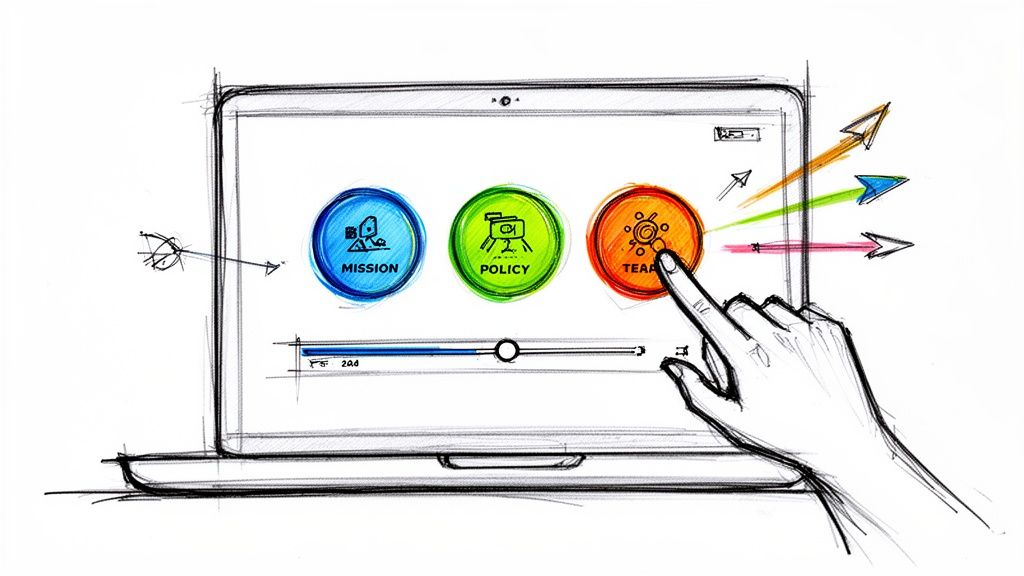
Most internal video is one-way: you send it and hope it landed. An interactive video adds points where the viewer answers, chooses, or clicks, and it records what each person did. We build Mindstamp for this. It adds an interactive layer to video you upload or already host, and viewers do not need a Mindstamp account. These interactions fit internal communication best:
- A question after the key point. Each answer is recorded by viewer, and Likert scale questions work as a quick pulse check.
- A button or hotspot that opens the policy document, the FAQ, or a form.
- Branching, so each role or region sees the section that applies to it.
- Personalization that shows the viewer's name or team from the link, on supported plans.
- A per-viewer report of who watched, how much, what they answered, and which path they took, with CSV export.
The demo below applies a fictional travel policy by role. Choose people manager, individual contributor, or operations administrator, and the video gives you a case from that job. Your choice decides the next scene, and the recap shows your role and the action you picked.
Our platform data shows a pattern between interaction and watch time, though not proof that one causes the other. Across 8.07 million views of 18,315 Mindstamp videos (2018 to October 2026), videos where viewers took more than three actions per view averaged 51.8% of each video watched. Videos where viewers took no action averaged 43.9%. Many factors differ between these videos, and most are training, marketing, and sales videos.
When an internal video has to count as training, such as a policy acknowledgment, you can export a SCORM 1.2 or 2004 package so a compatible LMS records completion and score. You can also export a CSV of views with each person's name, email, watched percentage, and correctness. To build one yourself, follow our step-by-step guide on how to create an interactive video.
Tools for internal video communications
You probably already have tools for live and short video. The table shows what each common one is for.
| Tool | Use it for | Worth knowing |
|---|---|---|
| Microsoft Teams | Meetings, town halls, and video posted in channels | Published recordings of large-audience events expire after 30 days by default, so keep a copy |
| Zoom | Meetings and webinars | Check your plan's attendee limit and where cloud recordings are stored |
| Slack | Short updates in channels | Clips run up to five minutes, and video clips get closed captions on all plans |
| Intranet or video host | A permanent library | Check that links open on phones and that search covers titles and transcripts |
| Mindstamp | Questions, choices, and per-viewer reports on recorded video | Works on video you upload or already host, with no re-encoding |
How to measure internal video communications
Measurement is where most internal comms teams struggle. In the same ContactMonkey survey, 54% of communicators named measurement as their biggest challenge, and 70% said they struggle to prove ROI. Start with a denominator. Tryane's review of internal communication measurement recommends reporting reach as a share of a defined target audience, and pairing it with read completion, return rate, and short pulse questions. For video, that gives you this set of measures:
| Measure | What it tells you | Where to get it |
|---|---|---|
| Reach | Share of the target audience who opened the video | Identified viewers divided by audience size |
| Average watched | How much of the video a typical view played | Your video host or interactive video report |
| Completion | Who reached the end or the key point | A per-viewer report |
| Check-question results | Whether the main point landed | The question breakdown |
| Follow-up actions | Who opened the policy, the form, or the FAQ | Button and hotspot clicks |
| Outcome | Whether behavior changed | Business data, such as help-desk tickets about the change or acknowledgments by the deadline |
For context, across 8.07 million views of 18,315 Mindstamp videos (2018 to October 2026), the average view played 46.5% of the video. These are mostly training, marketing, and sales videos made by Mindstamp customers. Use the figure as a reference point for your own reports. It is not an industry benchmark. Our guide to video engagement metrics explains each measure, and measuring the ROI on training shows how to turn results into a business case.
Common questions
How long should an internal communications video be?
Short enough that the main point arrives in the first minute. Across the same 8.07 million views, Mindstamp videos of one minute or less averaged 59.4% of each video watched, and videos of 2 to 5 minutes averaged 39.2%. Many factors differ between these groups, so treat this as a pattern. Put the decision and the action first, and split anything longer than a few minutes into chapters or a short series.
How do you get employees to watch internal videos?
- Put the video where the announcement already lives: the email, the newsletter, or the Teams or Slack post.
- Write a title and first line that say what changed and who it affects.
- Have the person who owns the decision present it.
- Give viewers a reason to respond, such as one question or a choice of sections.
- Check where people stop watching, and fix that part in the next video.
Should internal videos be private?
Match access to the content. A culture video can sit on an internal page with a plain link. For sensitive updates, add a password or an access list. Mindstamp records each view through an access list with the person's email and name. In Mindstamp you can also turn on embed-only playback, which stops the share link so the video plays only where it is embedded. On supported plans, you can then limit embedding to your own sites, such as the intranet.
Where should you start?
Pick one announcement due this month. Write its one-sentence message, record a short video with a written summary, and add a single question that asks which part affects each viewer's work. After a week, compare the share of the target audience who watched with the read rate of your last text-only announcement, and use the answers to decide what to explain next. To try the question step first, use the policy update pulse example, and see more in our training use cases.