Brett Lindenberg
Interactive video advertising is paid video that viewers can act on while it plays. A viewer presses OK on a TV remote, votes on a sticker in a social feed, picks the next scene, or clicks a product, and the ad responds and records the action. In October 2026 you can run interactive video ads in four places: streaming TV through Amazon and Roku; YouTube and social feeds through each platform's own add-ons; programmatic video through the IAB Tech Lab's SIMID standard; and your own website, where an interactive player waits behind the ad click. The 28-second demo below shows the basic pattern: a fictional camera-bag ad asks where the bag needs to work, then plays the scene for that answer.
How interactive video ads work
An interactive video ad has two parts: the video file and an interactive layer that the player draws on top of it. The layer holds the buttons, stickers, or hotspots, and it tells the player what to do when a viewer uses one, such as open a link, add a product to a cart, send a text message, or jump to another scene. Most decisions about an interactive campaign depend on who controls the player.
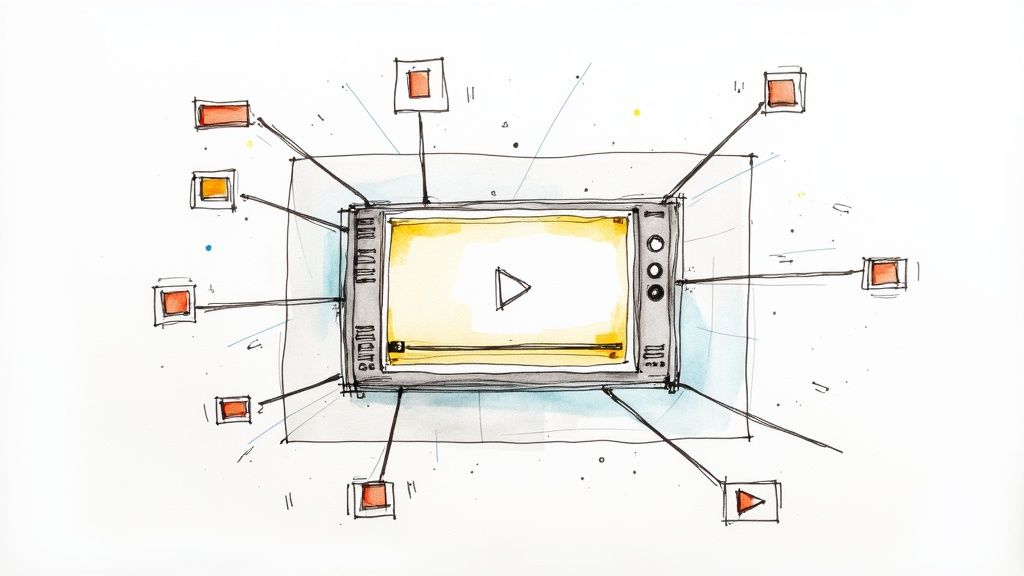
On YouTube, TikTok, Meta, Amazon, and Roku, the platform owns the player and builds the layer. You upload a normal video and choose from the add-ons in its ad manager. In open programmatic video, you supply the layer as code that travels with the ad, and it runs only if the publisher's player supports it. On your own website you control the player, so you can use any interaction it offers.
| Route | Who builds the interaction | Where it runs | What data you get back |
|---|---|---|---|
| Platform add-ons | You pick options in the platform's ad manager | YouTube, TikTok, Meta, Amazon, Roku | The platform's own metrics, inside its reporting |
| Programmatic interactive unit | A developer or creative vendor writes it in HTML5 to the SIMID standard | Publishers and devices whose players run SIMID | Events your ad server or vendor collects |
| Interactive player behind the ad | You add interactions to your own video, for example in Mindstamp | Your landing page, share link, or email | Every click and answer, by viewer |
The standards behind programmatic interactive video
Programmatic video ads are delivered with VAST, the IAB Tech Lab's XML template for serving ads to video players. The current version, VAST 4.3, dates from December 2022. VAST 4 keeps the video file and the interactive code in separate elements. If a player cannot run the interactive file, it reports an error and can play the plain video instead.
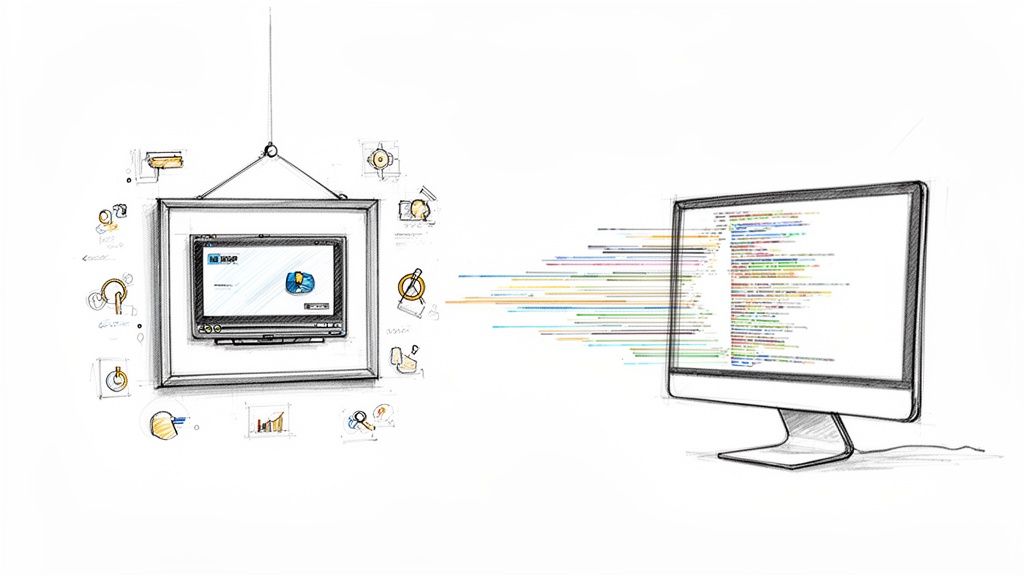
The interactive code follows SIMID, the Secure Interactive Media Interface Definition. SIMID 1.2, last updated in January 2024, runs the ad's interactive layer in an isolated container that can request player actions when the viewer interacts, while the player keeps control of the stream. IAB Tech Lab designed it to work with server-side ad insertion and on mobile and streaming devices. SIMID replaces VPAID, the older format that ran the whole ad as code, and IAB Tech Lab began deprecating VPAID in VAST 4.1.
Support still varies by device. Google's Interactive Media Ads (IMA) SDK, which video players use to request and play ads, supports SIMID 1.0 on the web, iOS, and Android but not on Apple TV (tvOS), and supports VPAID 2 only on the web, according to Google's IMA compatibility table (updated September 29, 2026). VAST 4.1 also added interactive templates, where the ad sends only images and instructions and the publisher's own code draws the unit. The VAST specification gives the reason: many publishers may never allow outside code to run.
For streaming TV, IAB Tech Lab finalized its CTV Ad Portfolio on July 22, 2026. It defines pause, screensaver, menu, in-scene insertion, overlay, and squeeze-back ads, and it notes that overlay ads may let viewers interact with the remote control or scan a QR code in the creative.
Where interactive video ads run
Each placement limits what a viewer can do. A TV remote allows a single press, while a web page can hold a full form or a cart. Choose the placement where the viewer can finish the action you want.
| Placement | What the viewer can do |
|---|---|
| Amazon streaming TV ads (Prime Video, Twitch, Fire TV channels) | Add the product to an Amazon cart, or send themselves a link by email or push notification |
| Roku Action Ads | Press OK to get a text message with a link; buy from Shopify merchants with stored payment details |
| YouTube | Click a call-to-action button, a companion banner on computers, or a product from a feed |
| TikTok | Vote between two options, choose the next video, or tap a card or sticker |
| Instagram and Facebook | Tap a call-to-action button, which can open a full-screen Instant Experience |
| Programmatic video | Whatever the SIMID unit offers, where the player supports it |
| Your own site, after the ad click | Click hotspots, answer questions, choose a path, fill in a form, add to a Shopify cart |
Streaming TV (CTV)
US connected TV ad spend grew 16% in 2024 to $23.6 billion, driven by sports, live streaming events, and programmatic tools, according to the IAB's 2025 Digital Video Ad Spend & Strategy Report. On a TV the remote is the only input, so these formats ask for one press and finish the action later, on the viewer's phone or in their Amazon cart.
Amazon Ads adds a remote-clickable overlay to streaming TV ads on Prime Video, Twitch, and Fire TV channels, and on third-party apps such as A&E, Lifetime, and Crackle. Its interactive video guide says interactivity is now on by default across its streaming TV inventory, and it describes three groups of formats:
- Shoppable formats, for brands that sell on Amazon, add the featured product to the viewer's Amazon cart.
- Discovery formats, for brands that don't sell on Amazon, use headlines such as "want more info?" or "book an appointment" and send the viewer an email or push notification with a link to the brand's page.
- Location-based formats change the offer, the nearest store, and the landing page for each market.
Roku Action Ads work in a similar way. The viewer presses OK, confirms a phone number, gets a one-time text message with a link, and goes back to the show. Shopify merchants can also offer direct purchase with stored payment details, according to Roku's March 2026 guide. At Brandcast in May 2025, YouTube announced Shoppable CTV, which lets viewers browse and engage with products from the TV screen.
YouTube
Every YouTube video ad is a video uploaded to YouTube, and its interactive parts come from Google: a call-to-action button, a headline, and companion banners, which appear on computers only, according to Google Ads Help. Demand Gen campaigns, which run on YouTube (including Shorts), Discover, Gmail, and the Google Display Network, can show products from a product feed.
Google is testing two conversational options. In August 2026 it said it is testing ways for viewers to start a conversation with a brand on a messaging app from a Demand Gen ad. In September 2026 it opened sign-ups for Business Agent for YouTube Ads, which lets viewers ask an AI questions about the products in a video ad with a product feed.
You cannot add your own questions, branches, or forms to a YouTube ad. If you need them, point the call-to-action button at a page where your interactive video plays. Our guide to interactive YouTube videos covers what YouTube's organic tools, such as cards and end screens, can do.
TikTok, Instagram, Facebook, and LinkedIn
TikTok offers the most interaction inside the ad itself. Its interactive add-ons (help page updated July 2025) come in two groups:
- Standard add-ons, aimed at clicks and conversions: Display Card, Download Card, Voting Sticker, Gift Code Sticker, and Countdown Sticker.
- Premium add-ons, aimed at awareness and community: Pop-out Showcase, Gesture, Super Like, Shake Surprise (TopView only), and Story Selection.
Two of these behave like interactive video. The Voting Sticker asks a question with two options, stays on screen for the whole ad, and allows one vote per viewer. Story Selection lets viewers of an in-feed ad choose between two options for the next video they watch, which is branching inside a feed.
Meta keeps interaction simpler. Instagram Reels ads are 9:16 videos that people can like, comment on, save, share, or skip, and Stories video ads carry a call-to-action button such as Shop now or Sign up. A tap can open an Instant Experience, a full-screen page that loads inside the app. LinkedIn video ads offer ten call-to-action buttons, including Request Demo and Register, according to its video ad specs.
For interactive mobile video, shoot for a vertical 9:16 frame, which Reels and Stories ads use and TikTok recommends for in-feed ads. Put the interactive moment in the middle of the frame, away from the platform's own buttons at the edges.
Programmatic video
In a programmatic buy, the interactive unit is a SIMID creative referenced in a VAST tag and hosted by your ad server. Before you buy, ask the seller which players and devices in the plan support SIMID and who will record the interaction events. Make sure the plain video works on its own, because some share of impressions will play without the layer.
Your own website, email, and sales follow-up
The ad platforms above play the video file you upload and add only their own features. For questions, branching, or a lead form, run the ad to a landing page or share link where an interactive player holds the video. This is the route Mindstamp supports. You add interactions to video you already have:
- Hotspots over the product, which can follow a moving object with motion tracking
- Buttons and branching that open the scene for each choice, as in the camera-bag demo above
- Questions that pause the video and save each answer
- Lead capture before the video starts, at a set time, or after a click
- A Shopify Add to Cart action that builds a cart inside the player
Mindstamp records each click and answer against the viewer in the viewer report, so you can see which choice each visitor from the ad made. Social platforms play only flat video files, so put the landing page or share link in the ad, as our help article on vertical 9:16 videos explains. For interactive video beyond paid traffic, see our guide to interactive video marketing.
How to measure interactive video ads
Start with exposure and interaction, then judge the ad by the outcome the interaction was meant to drive. Each platform counts these differently, so compare like with like.
How engagement differs across ad platforms
| Platform or standard | What it counts | What it means for interactive ads |
|---|---|---|
| IAB viewability standard | A video ad is viewable when 50% of its pixels are on screen for 2 continuous seconds | A viewable impression is the base for every interaction rate |
| YouTube skippable in-stream | A view is 30 seconds watched (or the whole ad if shorter), or a click on a call to action, card, banner, thumbnail, or logo | A click counts as a view, so an early button can raise views without more watching |
| YouTube Shorts | A view is 10 seconds watched (or the whole ad), or a call-to-action click | Short ads reach a view sooner, so compare view rates within one format |
| Amazon streaming TV | Reports add-to-carts and orders for ads with and without interactivity | Shopping actions are tracked inside Amazon |
| Roku Action Ads | The viewer presses OK, and the action finishes on the phone | Count presses and the later visits from the text link |
| Your own interactive player | Each click, answer, and path, with its timecode, by viewer | You can tie each choice to a person and a campaign |
Sources: the IAB definition as stated in Google Ad Manager Help; YouTube view rules from About YouTube ads and view metrics. Google Ads also counts an engagement on video ads over 10 seconds when a viewer watches more than 10 seconds or clicks.
The metrics to track
| Metric | How to calculate it | What it tells you |
|---|---|---|
| Interaction rate | Viewers who acted at least once ÷ viewable impressions (in the ad) or viewers (on your page) | Whether people notice the prompt and want to use it |
| Choice split | Share of viewers who picked each option | What this audience cares about, which is useful for the next ad |
| Action rate | Carts, leads, texts, or bookings ÷ viewers | Whether the interaction produced the outcome you bought it for |
| Cost per action | Media and build cost ÷ actions | Whether the interactive version pays for its extra work |
| Lift | Outcome for people who saw the ad minus the outcome for a control group | Whether the ad caused the change |
Prove lift with a control group
People who interact are already interested, so they will look better on every metric. Only a control group shows whether the ad changed anything. Google's Brand Lift surveys people who saw your YouTube ads and a group who did not, then reports the difference in ad recall, awareness, and consideration. It needs a Google account representative and enough spend within 10 days to complete the study. On your own channels, split the ad traffic: send half to a page with the interactive video and half to the same page with the plain video, then compare action rates. Our video A/B testing page shows how to compare versions.
Read vendor results with the same care. Amazon reports that brands using streaming TV ads with interactivity saw 4.1 times more add-to-carts and 1.7 times more orders than streaming TV ads without it. Its footnote shows the method: US data from October 2024 to April 2025, comparing 4,355 interactive creatives with 13,235 non-interactive ones from brands that sell on Amazon and buy through the Amazon DSP. The audiences were not split at random, so brands that chose interactivity may differ from the others in ways that also affect sales. Amazon also cites a March 2024 Kantar lab study that found a 28% uplift in purchase intent against non-interactive control groups.
Connect the ad click to the video data
When the ad sends people to your page, carry the campaign details into the player so each choice is tied to the ad that produced it. In Mindstamp:
- Pass the ad's UTM parameters into the embed. The player turns each extra URL parameter, such as utm_source or utm_campaign, into a variable that appears with the view in reports and exports and travels with the view to webhooks, Zapier, and HubSpot. Our help article on passing URL parameters into an embed includes the script.
- Fire your ad platform's conversion tag from the page. The embedded player sends a viewer_interaction event to the page for each click and answer, so your page code can record a conversion when a viewer picks a path or fills in the form. See the JavaScript events guide (on supported plans).
- Use Google Analytics for watch progress. Mindstamp sends progress events to GA4 at 10, 25, 50, 75, 90, 95, and 100 percent of the video, while answers and clicks stay in Mindstamp reports, as described in our Google Analytics help article.
- Send leads on to your customer relationship management (CRM) system through HubSpot, Zapier, or webhooks. Mindstamp sends these after the viewing session ends, so allow for a short delay.
What interactive video ads cost to make
An interactive video ad has two costs: the media you buy and the interactive build. Platform add-ons add little to the build, because they are settings on a normal video. Amazon says interactivity is now on by default across its streaming TV inventory, and TikTok's add-ons are chosen in TikTok Ads Manager. On YouTube, watch how interactions affect spend: with cost-per-view bidding, Google charges when a viewer watches 30 seconds of a skippable ad or interacts with it, whichever comes first, and clicks on call-to-action overlays, cards, and companion banners count as interactions (Google Ads Help).
| Format | Build work | Main cost driver |
|---|---|---|
| Platform overlay or add-on (Amazon, Roku, TikTok, a YouTube call to action) | Choose the format in the ad manager and add a headline, product image, or link | The base video; the add-on is a setting |
| Two-path story (TikTok Story Selection, or branching on your page) | Shoot or edit one extra video for each option | Extra footage and editing for every path |
| Custom programmatic unit (SIMID) | HTML5 development, ad-server setup, and testing on each target device | Developer time and device testing |
| Interactive landing video | Add hotspots, questions, buttons, and a form to footage you already have | Planning time, any new branch footage, and the software subscription |
Branching is the main reason costs rise, because each path needs its own footage. You can keep it small: shoot the choice moment with a few seconds of steady footage, leave room in the frame for the buttons, and record each path as a short segment that ends at the same next step. You can add hotspots and a form to an existing product video without a reshoot.
Mindstamp plans bill by videos, admin seats, and streaming minutes, with unlimited viewers; see pricing for current plans. For a paid campaign, streaming minutes are the number to plan for, because ad traffic adds watch time. For example, 10,000 visitors who each watch 1.5 minutes use 15,000 streaming minutes. If you want the video built for you, our services team scopes production and interaction design per project.
How to plan an interactive video ad campaign
- Pick one action and the place it can finish. A TV ad can send a text or add to an Amazon cart. A social ad can collect a vote or a click. Your own page can hold a form, a cart, or a booking calendar.
- Write the ad so it works with no interaction. Many viewers will only watch, and a SIMID unit falls back to the plain video on players that can't run it.
- Put the interaction early. Viewers can skip a YouTube skippable in-stream ad after 5 seconds, according to Google's video ad formats page, and TikTok's Voting Sticker stays on screen for the whole ad, so the question can come first.
- Keep the landing video short. Across 8.07 million views of 18,315 Mindstamp videos (2018 to October 2026), videos of 1 minute or less averaged 59.4% of each video watched, compared with 39.2% for videos of 2 to 5 minutes. These are mostly training, marketing, and sales videos rather than ads, so treat the gap as a pattern to check against your own numbers.
- Tag every ad with UTM parameters and pass them into the landing video, so the report shows which ad brought each choice.
- Hold out a control group, then read the choice split after the first week and change one thing, such as the question wording or the moment it appears.
Common questions
What is an interactive video ad?
It is a video ad that viewers can click, tap, vote on, or steer, and that responds inside the ad or player. A link under a video that only opens a landing page does not make the ad interactive. For 10 formats with sourced campaigns, see our examples of interactive advertising. For standard formats such as bumpers and pre-roll, see our video ad examples.
Are interactive video ads better than standard video ads?
Most published evidence comes from platforms measuring their own formats, such as the Amazon figures above. Treat those as a reason to test. Run the interactive and plain versions to matched audiences with the same budget, and compare cost per action.
Can interactive video help reduce bounce rates and increase website conversions?
It can when the video answers the question that brought the visitor, such as which product fits or what the setup involves, and puts the next step inside the player. A visitor who picks a path is still on your page and has told you what they want. To check the effect on your own site, run the page with the interactive video against the same page with the plain video and compare bounce rate and conversion rate. Our guide to video landing pages covers page layout.
How do you increase video ad engagement and reach in 2026?
Use each platform's own interactive format instead of forcing one creative everywhere: a Voting Sticker or Story Selection on TikTok, an Amazon or Roku overlay on streaming TV, and a call-to-action button on YouTube and Meta. Cut vertical 9:16 versions for social feeds, add captions for viewers who watch with the sound off, and show the product and the choice in the first seconds. Then send the people who click to an interactive video that continues the same choice.
Can I run a Mindstamp video as a YouTube, TikTok, or streaming TV ad?
No. Those platforms play the video file you upload and add only their own interactive features. Run the platform ad with its own add-on, and point its button or link to a landing page or share link where the Mindstamp video plays.
How big is the digital video advertising market?
The IAB's 2026 Digital Video Ad Spend & Strategy Report (July 2026) says US digital video ad spend passes $80 billion in 2026. The IAB's 2025 report put US digital video ad spend at $64 billion in 2024 and connected TV ad spend at $23.6 billion. For worldwide and country-level forecasts, Statista publishes a digital video advertising market outlook for its subscribers.
To start, take one product video you already have, add one choice at the moment interest peaks, and run a small paid test that sends half the clicks to the interactive version and half to the original. Our landing page video page shows where the video and the choice sit on the page.
Sources and further reading
- Insivia: video marketing statistics, a 2025 roundup of third-party video marketing figures