Brett Lindenberg
Interactive video guides customers through the sales funnel by asking them to choose at each stage, then using that choice twice: to show the next piece of content, and to tell your team where the buyer stands. An awareness video asks which problem the viewer has. In the middle of the funnel, an interactive demo lets the prospect pick the features they care about, which nurtures the lead without a sales call and records what they explored. A decision-stage video asks about timing and fit, and the last video puts the next step, such as a booking calendar or a trial, inside the player. Mindstamp saves each answer and click against the viewer, so your follow-up starts from what the buyer told you instead of a play count.
What interactive video does at each stage of the sales funnel
Most teams describe the funnel in four stages: awareness, interest, decision, and action. Some call them the top, middle, and bottom of the funnel. The labels matter less than the question the buyer is trying to answer at each stage, because that question tells you what the video should ask.
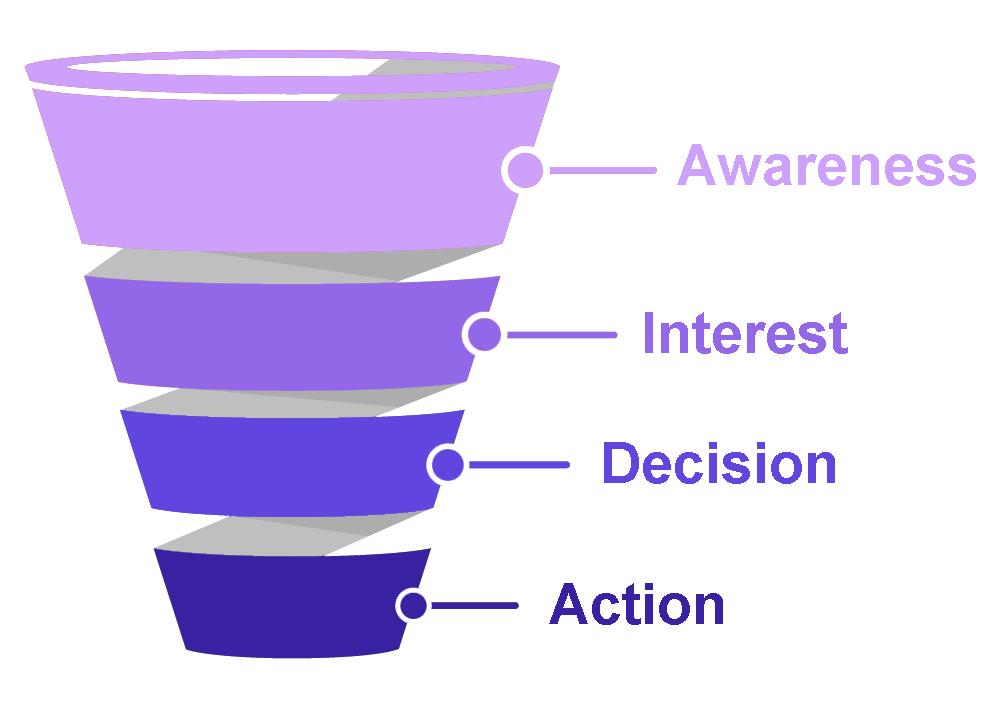
| Stage | The buyer's question | Video | Interaction to add | What you learn | Next step |
|---|---|---|---|---|---|
| Awareness | Is this problem worth solving? | Short explainer or social clip | Two or three answer buttons, such as "Which of these sounds like you?" | The problem the viewer picked | A guide or next video about that problem |
| Interest | Could this work for someone like me? | Product tour or webinar clip in chapters | Buttons or hotspots that open the feature or use case the viewer picks | Which paths the viewer watched | A nurture email about the chosen path |
| Decision | Is it better than what I have, and what will it cost? | Interactive demo, customer story, or pricing walkthrough | A discovery question about timing, team size, or current tool | Fit and urgency | A rep for near-term buyers, self-serve content for the rest |
| Action | How do I start? | Personalized video or proposal walkthrough | Booking calendar, trial, or checkout button | Who clicked, and when | A meeting, a trial, or a purchase |
Buyers do not always move in order. A prospect may watch a decision-stage demo first and a customer story a week later. Because each video stores the answer, you can choose the next message from what the buyer said, whatever order they arrive in.
Awareness: ask one easy question
At the top of the funnel the viewer does not know you yet, so keep the video short and the ask small. Name the problem in the first few seconds, then pause on one choice with two or three answers. Each answer jumps to a 10 to 20 second scene about that problem and ends with a link to the matching guide or next video. Skip the email request at this stage; the answer to the choice is the signal you need.
Keep awareness videos short and put the choice early. Across 8.07 million views of 18,315 Mindstamp videos (2018 to October 2026), videos of one minute or less averaged 59.4% of the video watched per view, compared with 39.2% for videos of 2 to 5 minutes. These are mostly training, marketing, and sales videos made by our customers, and short and long videos differ in many ways besides length, so treat this as a pattern, not proof.
In Mindstamp, add buttons or hotspots over the frame, set each one to jump to its scene, and store the answer in a variable such as "problem" on supported plans. If you are planning your first marketing videos, HubSpot's video marketing guide (updated March 2025) covers strategy and production. Statistics roundups such as Oberlo's video marketing statistics repeat figures from other publishers' surveys, so check the original source before you put a number in your funnel plan.
Interest: let the viewer choose the path
A prospect in the interest stage wants to know whether the product fits their situation. A linear tour makes everyone sit through every feature. An interactive tour opens with a choice, sends each viewer to the part that matches their job, and offers the next choice at the end of that part.
- Split the tour into chapters by use case or role, and add a choice at the start and after each chapter.
- Use branching when each path is a separate recording, or buttons that change the time when the paths are sections of one video.
- Ask for contact details after the first useful scene. Lead capture can appear at the start, at a set time, on the viewer's first click, or when they click one interaction you choose, such as "Send me the setup checklist." Let viewers skip the form at this stage.
- Offer a way to keep learning, such as a newsletter or an email course. Our guide to growing a mailing list with interactive video covers the opt-in and the sync to your email tool.
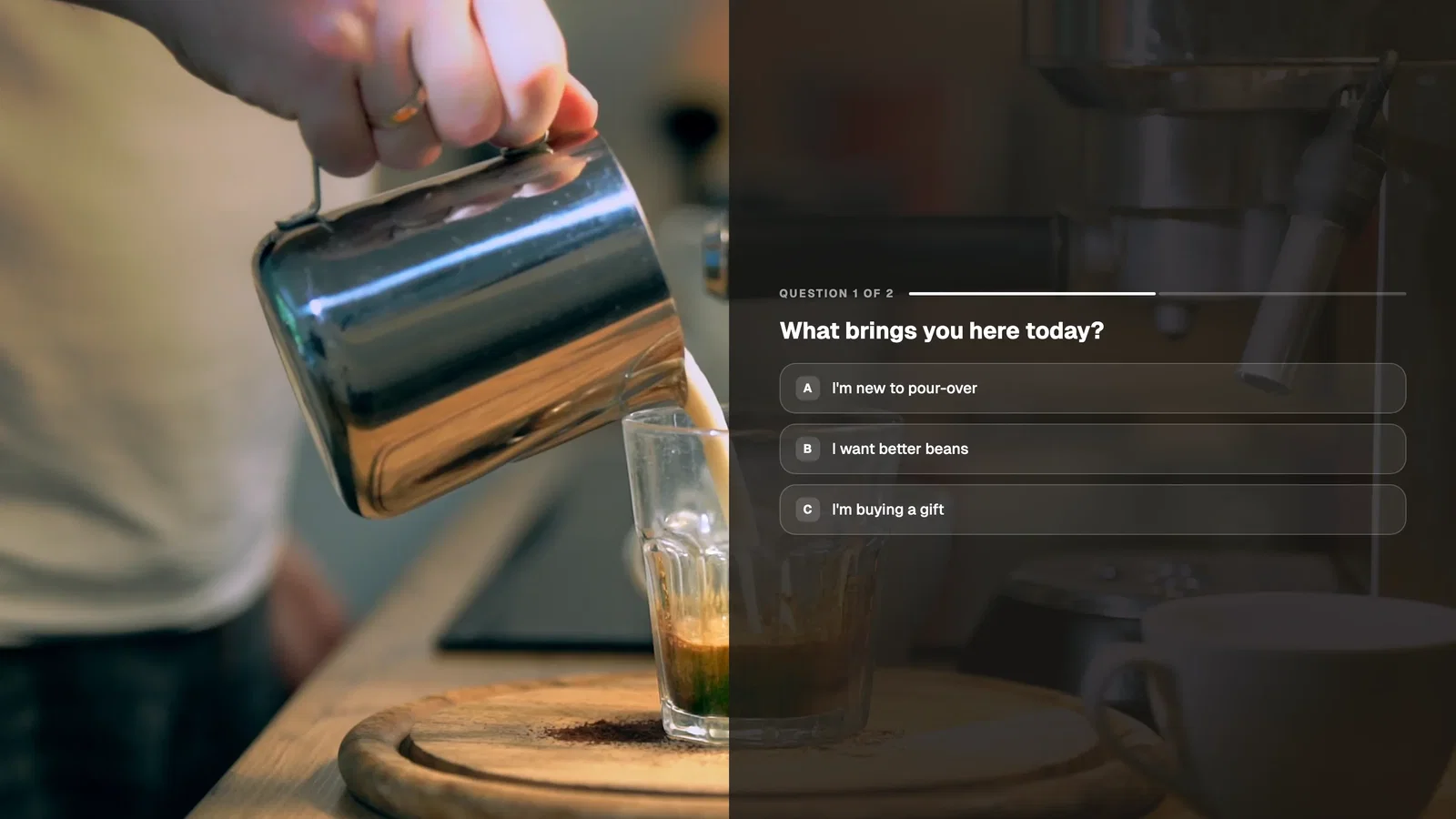
The buyer-stage product tour example shows the pattern: the viewer says what they need from a fictional scheduling tool (the problem it solves, permissions, or setup), and the tour opens the matching proof. For where to place a form so viewers still see it, read our guide to video for lead generation.
What role do interactive demos play in nurturing leads?
An interactive demo lets a prospect evaluate the product on their own schedule and tells you what they evaluated, and nurturing needs both. Buyers want to do more of the early work alone: in a 2026 Gartner survey of 646 B2B buyers, 67% said they prefer a buying experience without a sales rep, and 45% said they used AI during a recent purchase. A demo that answers product questions on demand fits that preference, and the record of each viewer's choices tells sales when to step in.
In the middle of the funnel, an interactive demo helps in four ways:
- Prospects see the workflow they care about at any hour, without waiting for a call.
- You see which path each known viewer chose, how far they watched, and what they clicked.
- One question, such as "When do you plan to choose a tool?", separates people who are researching from people who are buying.
- A champion can forward the link to colleagues, and each identified viewer gets their own record.
Use those signals to write the nurture sequence. A prospect who chose the permissions path gets the admin guide first and a customer story about access control next. A prospect who answered "this quarter" gets a short note from a rep with a booking link. With the HubSpot integration on supported plans, Mindstamp can write an answer to a contact property and add the contact to the lists you pick for that video, so a HubSpot workflow can send the matching email. Zapier and webhooks carry the same answers to other tools. Mindstamp sends this data after the viewing session ends, so build a short delay into the first automated email. For the editor steps, see how to create an interactive product demo.
Decision: qualify, then answer objections
In the decision stage the buyer compares you with other options and builds the internal case. The video should answer the objections that stall deals and show you who is ready to talk.
- Ask one or two discovery questions in the demo, such as when they plan to decide or which tool they use today. Questions pause the video until the viewer responds.
- Show the booking step only to near-term buyers. With conditional logic on supported plans, a "this quarter" answer can show a calendar button while other answers lead to a self-serve path.
- Put proof where the objection comes up. A hotspot on the pricing screen can open your pricing page, and a button after the security section can open your security documentation.
- Make the video easy to forward. Decision-stage videos often reach finance and IT, and each identified viewer's path shows what each person in the buying group cares about.
Personalization pays off most here, because you often know who is watching. Pyxl's article on personalization automation (first published in 2021) describes changing the call to action by where a contact is in the buyer's journey, and the same idea works inside a video. Our guide to lead qualification covers how to decide which answers mean a lead is ready for sales.
Action: put the next step inside the video
When the buyer is ready, each extra click between "yes" and a booked meeting loses some of them, so put the next step in the player.
- A booking calendar from Calendly or HubSpot opens over the video when the viewer clicks the button.
- A trial, checkout, or contract link opens from a button at the end of the proposal walkthrough.
- For known prospects, a personalized video shows their name and company in the frame. Write each placeholder with a fallback, such as {{FIRST_NAME|there}}, so the line still reads well when a field is blank.
Send known prospects a personalized link from your CRM. The link identifies the viewer, so lead capture does not ask again for details the link already holds, and Mindstamp reports the view under their name. Our guide to the personalized video sales letter covers scripts and offers for this stage, and video for sales covers the videos reps send during a deal. The funnel ends at the sale; for onboarding and renewal videos, see interactive video at each stage of the customer lifecycle.
How to build an interactive funnel with video
An interactive funnel is a set of videos, or one branching video, in which the viewer's answers decide what they see next and which follow-up they receive. You can build one from videos you already have.
- For each stage, write the buyer's question and the decision the answer should drive. If two answers lead to the same next step, merge them.
- Pick one existing video per stage. Mindstamp adds interactions on top of the file, so you upload it or connect it from a host such as Vimeo or Wistia, and you do not re-edit the video.
- Add one main interaction per stage: a problem choice, path buttons, a discovery question, or a booking button.
- Store each answer in a variable named for what it means, such as "problem", "path", or "timing".
- Decide how viewers become known: lead capture in the interest stage, or personalized links for contacts already in your CRM. Until then a viewer is anonymous, but you still see what they watched, answered, and clicked.
- Connect the data. HubSpot can write answers to contact properties and update lists, and Zapier and webhooks send views, answers, and leads to other tools, on supported plans. Salesforce integration is quoted per account; confirm its scope with Mindstamp.
- Write the follow-up rule for each answer in your CRM or email tool.
- Test the whole path in a private browser window as an identified test viewer. The editor preview does not send data to integrations.
Treat the end of each video as the start of the next. The last button in the awareness video opens the interest-stage tour, and the tour's last choice leads to the demo or the booking step. The interactive sales video page and the lead pre-qualification example show these pieces working together.
How to measure an interactive sales funnel
Judge each video by how many viewers it moves to the next stage. View counts tell you about reach, and the metrics below tell you where the funnel leaks.
| Metric | How to calculate it | What it tells you |
|---|---|---|
| Choice rate | Viewers who answered the first choice ÷ views | Whether the opening question is easy and relevant |
| Path share | Views of each path ÷ viewers who chose | Which problems and features draw the most interest |
| Identification rate | Viewers who submitted the form ÷ views that reached it | Whether the offer is worth the contact details |
| Stage conversion | Contacts who reached the next stage ÷ contacts in this stage | Where buyers stall |
| Meetings from video | Bookings that started from a video click | Sales impact |
| Time to meeting | Days from first view to booked meeting | Whether the videos shorten the cycle |
Mindstamp reporting shows each viewer's watch progress, answers, and clicks, and Reporting > Questions shows how all viewers answered. Add the campaign to the link, for example ?source=webinar, and you can compare answers and clicks by source. The help article on using video data to shape your next message explains the method. Published funnel statistics are often old or undated, so set your own baseline and compare against it.
Common questions
What is an interactive sales video?
An interactive sales video is a sales or demo video with questions, buttons, or branches that the viewer uses while it plays. Common types are a demo where the prospect picks features, a discovery video that asks about needs, a personalized video for one account, and a proposal walkthrough that ends with a booking or approval step. Each one records what the viewer chose, so the rep follows up with context.
How can account executives turn a PowerPoint deck into an interactive video?
Export the deck as a video, then add the interactions. In PowerPoint for Windows, Microsoft's export guide uses File > Export > Create a Video and saves an MP4 or WMV file. Upload the file, add a button at the start of each section so prospects can skip to what they care about, ask one discovery question, and end with a booking button. Our guide to turning a slide presentation into an interactive video has the steps for PowerPoint, Keynote, and Google Slides.
Can one interactive video cover the whole funnel?
Yes, with an opening choice that sends new viewers to the overview and returning viewers to the demo or the booking step. Separate videos per stage are usually easier to place and to measure, because each one sits where buyers at that stage find it: social posts, product pages, nurture emails, or a rep's follow-up. One branching video suits a single entry point, such as a webinar replay link.
Where should I start?
Start with the stage where most of your leads stall. Take the video you already use there, add one choice or question and one next step, and compare stage conversion for a month against the month before. Mindstamp has a 14-day free trial that needs no payment card, and plans are on the pricing page. For capturing and qualifying the leads that the funnel produces, read our lead generation best practices.