Brett Lindenberg
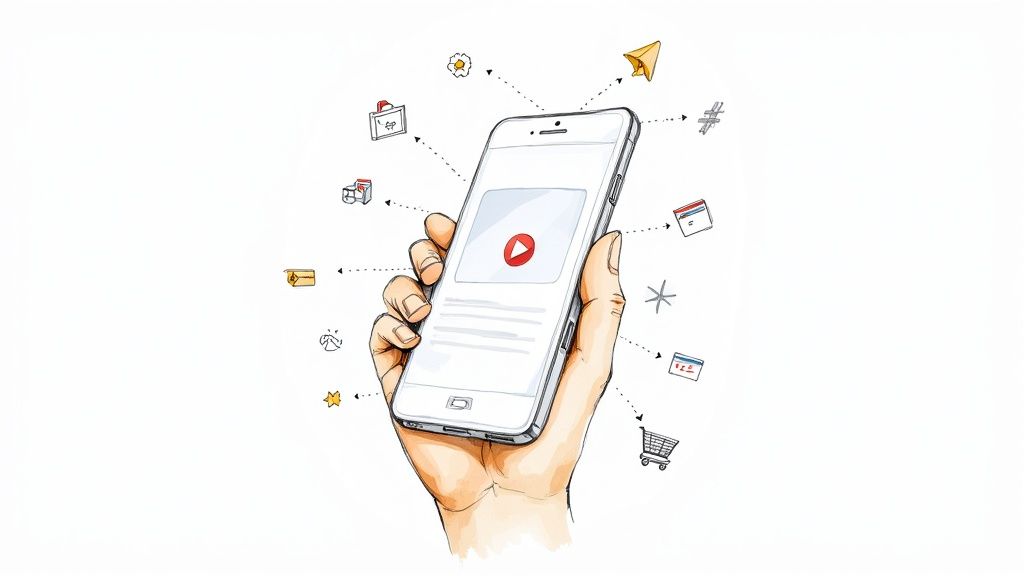
Shoppable video is video that lets a viewer act on a product while it plays: select it, see its details, add it to a cart, or go to checkout. Interactive shoppable video goes beyond a single buy button. The viewer clicks the product in the frame, picks a size or color, chooses which product to see next, and keeps watching while the cart fills. Inside TikTok and YouTube, you use each app's own product tags. On your website, in email, and on landing pages, an interactive video player adds the same actions on top of a video you already have. The demo below shows the idea on a recipe video.
What makes a shoppable video interactive?
Shoppable video comes in four levels. Each level takes the viewer fewer steps from interest to cart and gives you more to measure.
| Level | What the viewer does | Example |
|---|---|---|
| Link outside the video | Reads the description or an end card and opens a product page | A product link under a YouTube video |
| Product tag | Taps a shopping button or sticker and picks from a list of tagged products | YouTube Shopping, TikTok Shop |
| Clickable product | Clicks the product in the frame to see details or add it to a cart | A hotspot over a pan in a recipe video |
| Guided choice | Answers a question, and the video shows the product that fits the answer | A skin care quiz that ends on one moisturizer |
Interactive shoppable video means the last two levels. The viewer stays in the video and clicks the product itself, and each click tells you what that viewer wanted. Our guide to hotspots in ecommerce product videos covers the clickable-product level in detail.
Where shoppable video runs, and who owns the checkout
Choose the channel before you build anything. It decides whose checkout the viewer sees and which data you keep.
| Channel | How viewers shop | Where checkout happens | Good for |
|---|---|---|---|
| TikTok Shop | Tagged products in in-feed videos and LIVE streams | Inside TikTok | Brands and creators who sell to a TikTok audience |
| YouTube Shopping | A Shopping button on long videos or a product sticker on Shorts opens the tagged products | The retailer's website | Channels that meet YouTube's shopping requirements |
| Interactive player on your own pages | Hotspots, buttons, and product cards on the video, with a cart in the player | Your store's checkout | Product pages, campaign landing pages, email, and sales pages |
TikTok launched TikTok Shop in the US on September 12, 2023. Its launch announcement lists shopping from tagged products in videos and LIVE streams, a Shop tab, and Shop Ads, with checkout handled in the app through third-party payment platforms. Sellers sign up through regional seller centers, such as the TikTok Shop seller sign-up for Indonesia, which also covers Tokopedia.
On YouTube, eligible channels tag products in their videos. Viewers select the Shopping button or the Shorts product sticker to see the tagged products, and the sticker sends them to the retailer's website. YouTube's tagging guidelines ask that tagged products be easy to identify and be mentioned in the video, title, or description. You cannot tag products in a video set as made for kids, and the feature is visible only in some countries.
An embedded shoppable video is the third row: an interactive video placed on your own page with an embed code. You keep the click data, and buyers pay in the checkout your customers already use.
Can you take social video to checkout?
Yes, with one limit. If you upload a video file to a social network, it plays there as a flat video, with no Mindstamp interactions and no Mindstamp data. On social apps, use the app's own product tags, or post a link to the interactive video. Social and chat apps usually open links in their built-in browser, and the interactive video works there.
Do interactive product videos reduce purchase uncertainty?
Research points that way. Product uncertainty is a shopper's difficulty in judging a product and predicting how it will perform, and three studies connect richer product views with better judgments:
- Dimoka, Hong, and Pavlou defined the term in a 2012 MIS Quarterly study of used-car sales on eBay Motors. Product uncertainty affected the price premiums buyers paid more strongly than uncertainty about the seller, and diagnostic product descriptions reduced it.
- In a 2004 lab experiment by Jiang and Benbasat, shoppers who could turn and zoom a product image (visual control) or try its functions on screen (functional control) rated the shopping experience as more helpful for judging the product.
- In a 2007 follow-up, product videos and virtual product experiences both scored higher than static pictures on perceived diagnosticity. On moderately complex tasks they also produced more actual product knowledge than static pictures. On highly complex tasks, all four formats in the study performed the same.
These studies measured how well shoppers understood products, not sales, and they come from before today's shoppable players. For a product video, the lesson is to show the details a shopper would check in a store and let each shopper choose which detail to check. A hotspot on the zipper, a size button, or a card with the dimensions answers one question at the moment the shopper has it.
How in-video checkout works
"In-video checkout" means three different setups. Know which one you are buying before you compare tools.
Checkout inside the app
TikTok Shop keeps the whole purchase inside TikTok. The viewer pays without visiting your website.
Cart in the player, checkout on your store
This is how the Mindstamp Shopify integration works. A button, hotspot, image, or text interaction gets the Add to Cart click action and a product from your store. You either fix the variant or let the viewer choose it. Then you pick one of two behaviors (setup steps):
- Add to cart: the video pauses and a cart opens with the product. The viewer can change quantities, keep watching, or go to checkout.
- Buy now: your Shopify checkout opens in a new window with that one product.
Payment happens on your Shopify checkout. The cart link is also saved in a {{checkout_url}} variable, so you can put a checkout button on the end screen.
A link that loads the cart
Shopify and BigCommerce both accept links that add a product to the cart. Shopify calls them cart permalinks: a link such as /cart/VARIANT_ID:1 on your store's address takes the shopper to checkout with that item already in the cart. BigCommerce has its own format. Put one of these links on a hotspot and any player can send shoppers to a filled cart. Our hotspot guide has a table of add-to-cart link formats for each store.
How to build an interactive shoppable video
The steps below use Mindstamp, but the decisions apply to any interactive player.
Choose the video and the products
Product demos, how-to and recipe videos, unboxings, and lookbooks work best, because the product is on screen and someone talks about it. You can use a video you already have, since interactions sit on top of the file and do not need a new edit. Write down each product, the seconds when it is clearly visible, and the question a shopper might have at that moment, such as "Will this fit?" or "How big is it?"
Connect your store
In Mindstamp, open Integrations, select Shopify, enter your store address that ends in myshopify.com, and approve the app in Shopify. Then select the store in the video's Shopify settings. Shopify is on every Mindstamp plan, and more than one store per account is quoted. For other store platforms, use add-to-cart links.
Make the products clickable
Place a hotspot over each product and give it one job:
- Add to Cart, for products the viewer can buy on impulse.
- Show Card, to open a product card with an image, text, a price, and action buttons, one of which can add the item to the cart.
- Open Link, to send the viewer to the product page in a new tab.
Use buttons for choices with nothing to point at, such as sizes or colors. To show a price on screen that you can change later without exporting the video again, see our guide to video overlays and price overlays.
Time each product
Show the hotspot from the first frame where the product is clearly visible, and hide it when the product leaves. If the product moves, turn on motion tracking so the hotspot follows it. Let shopping hotspots stay optional. A video that stops until the viewer clicks a product feels like a sales gate, so save required clicks for a step where the viewer must choose a path.
Add a guided path for undecided viewers
Some viewers do not know which product they need. Ask them a question, then use video branching to show the product that fits the answer. Our skin care product quiz asks a few questions and uses a score variable with conditional logic to recommend one product.
Publish, embed, and test on a phone
Copy the responsive embed code from the video's Share page and paste it into your product page or landing page. Then open the page on a real phone in a private browser window. Add a product, open the cart, and start checkout. Check that your test view shows in Reporting. The mobile test checklist lists what to check. For a full walkthrough of interactive video, read how to create an interactive video.
What to measure in a shoppable video
Play counts do not tell you what anyone wanted to buy. Track the clicks and orders that come from each product moment.
| Metric | How to calculate it | Where to find it |
|---|---|---|
| Product click rate | Viewers who clicked a product's hotspot divided by viewers who reached that moment | Reporting, Interactions, plus drop-off by section on supported plans |
| Add-to-cart clicks | Count of Add to Cart clicks for each product | Reporting, Interactions |
| Orders started in the video | Shopify orders that carry the Mindstamp Video attribute | The order in Shopify |
| Revenue per view | Revenue from those orders divided by views of the video | Shopify orders and Mindstamp views |
| Watch progress | Share of viewers who pass 25%, 50%, 75%, and 100% of the video | Mindstamp reports, or Google Analytics progress events |
Carts created in Mindstamp carry three attributes: Mindstamp Video, Mindstamp Play ID, and Mindstamp Interaction ID. In Shopify you can see which video and which interaction started each order. Each click in Mindstamp's per-viewer reports is stored with its interaction and timecode, so you can compare two placements of the same product. If your team reports in Google Analytics, the Google Analytics integration sends a progress event when a viewer reaches 10, 25, 50, 75, 90, 95, and 100 percent of the video.
How much does shoppable video cost?
The cost has four parts:
- The video. Existing product videos often work, so the cost can be zero. New footage costs whatever your production does today.
- The software. Interactive video players and video commerce platforms usually charge a subscription. Mindstamp's plans are on the pricing page, and the free trial lasts 14 days with no payment card.
- Platform selling fees. Social shops set their own seller fees and commission terms, so check the current rates in each seller center.
- Setup time. Someone has to place, time, and test each product, and update links when products change.
A simple shoppable video ROI calculation
Use gross profit, not revenue: ROI equals gross profit from orders started in the video, minus the cost of the video and software, divided by that cost. Here is a hypothetical example. A video starts 40 orders in a month with $30 of gross profit each, for $1,200 of gross profit. If the video and software cost $400 that month, ROI is ($1,200 minus $400) divided by $400, or 200%. Count only orders that carry the video's cart attributes. Some viewers buy later from your site without them, so treat the result as a floor.
What to look for in a shoppable video platform
Check these points before you choose a tool:
- Products and variants come from your store catalog, so you do not type prices by hand.
- The cart holds items while the video plays and then opens your normal checkout.
- The video works on your site, from email links, and in the browsers that social apps open, on phones as well as desktops.
- You can put hotspots over products and add product cards, buttons, questions, and branching.
- You get per-viewer reports and CSV exports, and can send events to your analytics or read data through an API.
- Viewers can reach each product with the keyboard, and screen readers announce its name.
Enterprise teams should also ask about several stores per account, API access, and contract terms. Mindstamp's Enterprise plan covers procurement.
What core features should a video API offer for shoppable overlays, polls, and live chat?
Ask three questions. Does the player send events to your page, so your site can react to a click? Can you read interaction data through an API? Do live features exist at all? Mindstamp's embedded player sends play, progress, end, and interaction events to your page with postMessage on supported plans (event guide). Its REST API is on Pro and higher plans, and display polls are one of its question types. Mindstamp does not offer live streaming or live chat with your staff. Its AI assistant, Genie, answers viewer questions from the video on supported plans. If you need live shopping, look at video commerce platforms. Our hotspot guide compares the main tool types.
Shoppable video ideas by industry
The product should become clickable when the story gives it a reason to matter. These are the moments that work in each category.
| Industry | The moment a product earns a click | Interaction | Example |
|---|---|---|---|
| Food and beverage | The recipe step that uses the pan or the ingredient | Hotspot that opens a product card or adds to cart | Recipe cookware |
| Apparel and outdoor gear | A close-up of the hood, pocket, or fabric | Hotspot per feature, then a size choice | Packable jacket |
| Beauty and skin care | "Which product suits my skin?" | Questions that lead to one recommendation | Skin care quiz |
| Home and kitchen appliances | The part a shopper wants to inspect | Hotspot per part that opens a detail scene | Espresso station |
| Bags and accessories | "Where will you use it?" | Buttons that open the matching scene | Camera bag ad |
Recipe videos suit food and beverage brands well. The cooking steps give each pan, tool, or ingredient a natural moment on screen, and a viewer who is about to cook has a reason to buy now.
Common questions about shoppable video
What is a shoppable video ad?
A shoppable video ad is a paid video placement with a product link or shopping button attached. TikTok Shop Ads, for example, let sellers promote their TikTok Shop so viewers can buy in the app. An interactive video on your own landing page can play the same role for traffic from any ad network.
What is the difference between shoppable video and live shopping?
Live shopping is a live stream in which a host sells products and viewers buy during the broadcast, as in TikTok LIVE Shopping. Shoppable video is recorded. You place the product actions on its timeline once, and they work for every viewer at any time.
Should I put a video on my checkout page?
We suggest placing shoppable video earlier: on product pages, collection pages, and landing pages, where the shopper is still deciding. By checkout, the shopper has decided, and a video there competes with the payment form.
Does shoppable video work with stores other than Shopify?
Yes, when the store accepts add-to-cart links. BigCommerce does, so a hotspot or button can send the viewer to a filled cart or straight to checkout. The hotspot guide shows the link format for each store.
Can I sell access to the video itself?
Yes, with a paywall. See how interactive paywall videos charge viewers before they watch or continue.
To start, take one product video you already have. Add a hotspot over each product at the moment it is clear on screen, connect each hotspot to your cart, and check which products drew clicks before you build the next one.
Sources and further reading
- Dash, video marketing statistics: a roundup of video marketing figures, including a section on shoppable video ads. An earlier version of this article quoted two figures from it that we could not trace to a primary study, so we removed them.
- Firework, shoppable video trends and statistics: a vendor's list of video commerce trends. Many of its figures do not name a primary source, so we do not quote them.
- Checkout Links, shoppable content: cited in an earlier version of this article. The address now opens the LinkShop blog index for Shopify stores.