Brett Lindenberg
Interactive advertising is any paid ad that asks people to act inside the ad, by tapping, choosing, playing, rotating, or answering, and then changes in response. A standard ad plays the same way for everyone, while an interactive ad reacts to each viewer. Well-documented examples include Honda's 2014 film "Heist," which switched between two parallel stories each time viewers pressed the R key, Gucci's 2020 Snapchat lenses that put virtual sneakers on a shopper's feet, and Amazon's Prime Video ads that let viewers add a product to their cart with the TV remote. Below are 10 interactive ad formats, each with a sourced example, followed by how to pick a format and measure it. Start with the short demo below, a fictional trail-shoe ad that shows a different product scene for each route you pick.
What is interactive advertising?
Interactive advertising covers ad formats that accept input from the viewer and react to it. The input can be a tap on a product, a swipe through a carousel, a choice between two scenes, a short game, a poll answer, or a press of the OK button on a TV remote. The reaction is what makes the ad interactive: it opens new content, changes the story, records the answer, or completes an action such as adding an item to a cart.
Almost every digital ad accepts a click that sends you to a landing page. That click alone does not make an ad interactive. The useful test is whether the experience continues inside the ad or the player after the viewer acts.
What is an interactive ad compared with a standard ad?
| Question | Standard ad | Interactive ad |
|---|---|---|
| What does the viewer do? | Watches or scrolls past; may click out | Taps, chooses, plays, rotates, or answers inside the ad |
| What does the ad do in return? | Nothing; it plays the same for everyone | Shows new content, changes the path, or completes an action |
| What can you measure? | Impressions, views, clicks | The same, plus each choice, answer, and in-ad action |
| What does it take to build? | One finished asset | A plan for every path, plus testing on each device |
How interactive ads work behind the scenes
Most interactive formats rely on shared technical standards, so one creative can run across many publishers. In mobile apps, rich media ads use MRAID, the IAB Tech Lab interface that lets an ad expand, resize, or use device features; the current version, MRAID 3.0, dates from June 2018. In video players, IAB Tech Lab's SIMID standard carries the interactive layer of a video or audio ad and is part of the effort to replace the older VPAID; version 1.2 was last updated in January 2024. Display ads on the open web are usually HTML5 files. Large platforms such as Meta, Snapchat, Amazon, and Roku build their own interactive formats, which you set up inside their ad managers.
Examples of interactive advertising by format
The table lists one example for each format. The sections after it explain what each ad did, where the facts come from, and what you can reuse. We checked every source in October 2026.
| Format | What the viewer does | Example | Where it runs |
|---|---|---|---|
| Branching video | Switches between two parallel stories | Honda, "Heist" (2014) | YouTube |
| Shoppable streaming TV ad | Browses products and adds one to an Amazon cart with the remote | Amazon shoppable carousel and interactive pause ads (announced 2024) | Prime Video |
| Remote-click TV ad | Presses OK to get a text link or buy | Roku Action Ads | Roku devices |
| Augmented reality try-on | Points the phone camera at their feet to see the shoes | Gucci sneaker lenses (2020) | Snapchat |
| 3D display ad | Rotates and zooms a 3D product | Guerlain on Google's Swirl format (2019) | Mobile web display |
| Playable ad | Plays a short version of a game | Playtika, House of Fun (2017) | Google App campaigns |
| Full-screen mobile ad | Swipes, tilts, and taps through a full-screen page | Meta Instant Experience, formerly Canvas | Facebook and Instagram |
| Conversational ad | Picks replies in a message thread | LinkedIn Conversation ads | LinkedIn Messaging |
| Location-triggered ad | Opens the app near a rival's store to unlock a deal | Burger King, "Whopper Detour" (2018) | Burger King app |
| Interactive video | Clicks hotspots, answers questions, picks a path | Mindstamp scooter demo (below) | Your website, email, and sales follow-up |
1. Branching video: Honda's "Heist"
Honda launched this film on YouTube on October 30, 2014, as part of its "The Other Side" campaign for the new Civic Type R, created with Wieden+Kennedy London. Two versions of one story played in sync. By day, a father picks up his daughter from school in a white Civic and drives her to a surprise party. By night, the same man is an undercover cop driving a crew of art thieves to a police sting in a red Type R. Pressing the R key switched between the stories at any moment, according to Honda's announcement.
The interaction carries the product message. The R key stands for Type R, and the switch shows the car's two personalities faster than a voiceover could. To reuse the idea, give viewers one control that reveals a contrast you want them to notice, such as the standard plan against the premium plan.
2. Shoppable streaming TV ads: Amazon Prime Video
In May 2024, Amazon Ads announced three remote-controlled formats for Prime Video. Shoppable carousel ads show a row of related products that viewers browse and add to their Amazon cart, and the ad pauses while they browse. Interactive pause ads appear when a viewer pauses a show and offer "Add to Cart" and "Learn More" buttons. Brand trivia ads mix brand facts with shopping, information requests, and rewards.
Amazon reported that advertisers who ran both interactive and non-interactive video ads for their Amazon product listings got 10 times more product page views and conversions from the interactive formats. That figure comes from Amazon's own US data for September 2023, so read it as Amazon's own comparison rather than an independent benchmark. The format fits products sold on Amazon, because the cart button only works there.
3. Remote-click TV ads: Roku Action Ads
Roku Action Ads add an on-screen prompt to a streaming TV ad, and the viewer presses OK on the remote to act. Roku's March 2026 guide lists OK-to-text, which sends the viewer a text message with a link, and direct purchase for Shopify merchants with stored payment details. Use this format when the next step needs a phone or a checkout and your audience is watching on a TV.
4. Augmented reality try-on: Gucci on Snapchat
In June 2020, Gucci sponsored what Snap called its first global branded AR shoe try-on lenses. Through the phone camera, the lenses placed a digital version of four Gucci sneaker styles on the user's feet and showed a "shop now" button, Marketing Dive reported. The lenses ran in eight countries, including the U.S., the U.K., and Japan.
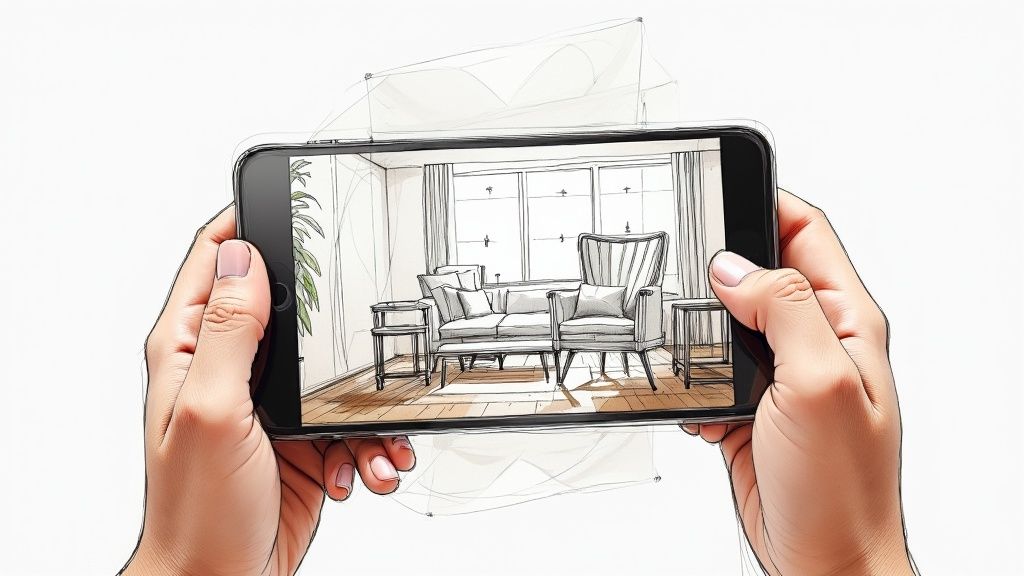
AR try-on answers a question a product photo cannot: how will this look on me, or in my room? It suits products where fit or color stops the sale. It also needs an accurate 3D model of each product and testing on many phones, so plan for that work before you commit.
5. 3D display ads: Guerlain on Google's Swirl
Google announced Swirl in June 2019 as a display format that lets people rotate a 3D product and zoom in. Google's announcement named Guerlain, which used Swirl so people could handle a perfume bottle inside the ad. The current Display & Video 360 help page describes Swirl as a mobile web format in three sizes (300 x 250, 300 x 600, and 336 x 280 pixels), built in Google Web Designer, with optional hotspots or a color picker.
Swirl is a good picture of interactive display advertising: a banner-sized ad that does something when touched. It works best for products with a shape or detail worth inspecting, such as a watch face or a car interior.
6. Playable ads: Playtika's House of Fun
Playable ads let people try a small piece of a game or app inside the ad before they install it. When Google added playables to its app campaigns in December 2017, it described Playtika's results for House of Fun, a slots game whose ad let players spin a wheel. After testing several playable designs, Playtika saw a 1.8x increase in return on ad spend. Google Ads' help page accepts HTML5 playable assets as ZIP files of up to 5 MB, with no more than 512 files in each ZIP.
Playables work when the first minute of your product is fun on its own. Pick one action, make it obvious in the first second, and end on the install button.
7. Full-screen mobile ads: Meta Instant Experience
On Facebook and Instagram, an ad in the feed can open an Instant Experience, a full-screen page that loads inside the app. Meta's developer documentation lists carousels, videos, product sets, buttons, and store locators among its building blocks, and notes that Canvas was the format's earlier name. Tilt-to-pan works in Facebook carousels, but Instagram renders those carousels at fit-to-width. Use this format when the product story needs more room than one image and you want people to stay inside the app.
8. Conversational ads: LinkedIn Conversation ads
LinkedIn Conversation ads arrive in LinkedIn Messaging and let the reader pick from reply buttons. Each button leads to the next message, a landing page, or a Lead Gen Form. An ad can use up to five call-to-action buttons per message, and LinkedIn adds a required "Not interested" button to the first one. The format works like a branching script for B2B offers: ask what the reader needs, then send the matching asset.
9. Location-triggered mobile ads: Burger King's "Whopper Detour"
In December 2018, Burger King offered a one-cent Whopper that its app unlocked only when the user was within about 600 feet of a McDonald's. After the order, the app directed the user to the nearest Burger King to collect it. The campaign, by FCB New York, won two Grand Prix awards and the Titanium Grand Prix at Cannes Lions 2019. Here the interaction was the viewer's own location, which turned a rival's restaurants into the place where the ad worked.
10. Interactive video ads on your own channels
Interactive video adds clickable layers to a video you already have: product hotspots, questions, buttons, branching between scenes, and forms. The scooter demo below shows the pattern. Viewers click the battery, the brake, or the folding latch, and each hotspot opens a close-up of that part.
Ad platforms run their own formats, so a third-party interactive player does not run inside a YouTube pre-roll or a TikTok feed. Teams use paid ads to bring people to an interactive video on a landing page, in an email, or in a sales follow-up, where the video can capture the lead and record each choice. In Mindstamp, the main building blocks are:
- Hotspots anchored to a product in the frame
- Branching that sends each viewer to the scene they chose
- Questions and polls that pause the video and save each answer
- Lead capture at the start, at a set time, or after a click
Mindstamp records every click and answer against the viewer in the viewer report. For a product catalog, the shoppable video setup adds Shopify links to product hotspots. For a full campaign plan, read our guide to interactive video advertising.
Advantages of interactive advertising
The main advantage is that information moves in both directions. The viewer gets the detail they care about, and you learn what that detail was.
- Each choice is data the viewer gives you on purpose. A poll answer or a chosen product path shows what a person wants without a separate survey.
- Engagement becomes an action you can count. A tap or an answer is a firmer signal than an impression or a three-second view.
- One ad can serve several audiences. Hotspots and paths let a 30-second spot hold details for different buyers without making everyone watch all of them.
- The next step can happen in the ad. A cart button or a lead form removes a step between interest and action.
Costs and limits to plan for
- Each platform has its own format and specs, so one interactive build rarely runs everywhere.
- AR and playable ads need specialist skills and a range of test devices.
- Many viewers never interact. The ad still has to make sense to someone who only watches.
- Every control must work with a keyboard or remote, and spoken content needs captions.
- Vendor-reported lifts, such as Amazon's 10x figure, come from the vendor's own data. Run your own comparison before you scale spend.
How to choose an interactive ad format
Start from the goal, then pick the format that makes the viewer's action match it. The build-effort column is our estimate from building interactive video, not a platform figure.
| Goal | Format to try | Where it runs | Build effort |
|---|---|---|---|
| App installs | Playable ad | App ad networks such as Google App campaigns | High |
| Remove doubt about fit or look | AR try-on or 3D display | Snapchat lenses, mobile web display | High |
| Sell while people watch TV | Shoppable or remote-click TV ad | Prime Video, Roku | Medium, using platform templates |
| Qualify B2B leads | Conversation ad, or interactive video with questions | LinkedIn, landing pages | Low to medium |
| Explain a product with many features | Interactive video with hotspots or branching | Website, email, sales follow-up | Low to medium |
| Learn what your audience prefers | Poll or quiz | Social stories, interactive video | Low |
Build your first interactive ad in five steps
- Choose one decision you want the viewer to make, such as which use case fits them or which product to inspect. One clear choice beats five small ones.
- Write the passive version first. The ad must still work for the viewer who never taps.
- Place the interaction where interest peaks, usually right after you show the problem or the product. Keep the prompt on screen long enough to read and act.
- Build it in the platform's own tool, or in an interactive video editor for your own channels, and test every path on a phone before launch.
- Run it against a non-interactive version with the same audience and budget. Our A/B testing guide shows how to set up a fair comparison.
How to measure an interactive ad
Track four numbers. The interaction rate is the share of viewers who acted at least once. The choice split shows which option each group picked. Completion after interaction tells you whether the interaction held attention or ended the view. The conversion rate of viewers who interacted, compared with viewers who did not, tells you whether the interaction did any work.
Expect interacting viewers to look better on every metric, partly because interested people are the ones who interact. Across 8.07 million views of 18,315 Mindstamp videos (2018 to October 2026), videos where viewers took more than three actions per view averaged 51.8% of each video watched, compared with 43.9% for videos where viewers took no action. Many factors differ between those videos, so treat this as a pattern, not proof that the interactions caused the extra watch time. The A/B test in step 5 is how you prove cause.
Common questions about interactive ads
What is interactive digital advertising?
It means interactive advertising in digital channels, such as websites, mobile apps, social feeds, and streaming TV. Interactive media advertising is a wider term that can also include digital billboards and in-store screens that react to people nearby.
What is interactive display advertising?
Interactive display ads are banner-sized ads that respond to a tap or swipe, for example by expanding, rotating a 3D product, or starting a mini-game. On the web they are usually HTML5 files, and in mobile apps they usually rely on the MRAID standard described above.
Which ad platforms offer interactive formats, and what is a canvas ad?
Canvas was Facebook's name for the full-screen mobile format that Meta now calls Instant Experience. As of October 2026, the formats in this guide include Instant Experience on Facebook and Instagram, AR lenses on Snapchat, Conversation ads on LinkedIn, playables in Google App campaigns, Swirl in Display & Video 360, and remote-controlled ads on Prime Video and Roku. YouTube video ads use YouTube's own add-ons, such as call-to-action buttons, and do not host a custom interactive layer. No single platform is best for every brand. Choose the one where your audience already spends time, then check its current specs in the ad manager, because formats change often.
Do you need an interactive ad agency?
You need specialist help for AR lenses, 3D models, and playable games, because those require 3D, animation, or game development skills. Platform templates cover TV formats such as Amazon's and Roku's. Interactive video is the format a marketing team can usually build in-house, because you add hotspots and branches to footage you already have.
How big is the interactive advertising market?
No standard measure separates interactive ads from other digital ads, so market-size estimates for "interactive advertising" vary widely. The most reliable baseline is total digital spend. The IAB/PwC Internet Advertising Revenue Report (April 2026) puts US digital ad revenue for the full year 2025 at nearly $300 billion, up 13.9% from 2024. IAB's 2026 video ad spend report (July 2026) expects US digital video ad spend to pass $80 billion in 2026.
How are interactive ads different from regular video ads?
A regular video ad delivers one message in a fixed order. An interactive ad lets the viewer steer it. For non-interactive formats such as bumpers, pre-roll, and in-feed spots, see our video ad examples.
To try the format yourself, take a product video you already have, add one choice where interest peaks, and compare its results with the original. Our interactive video examples show more patterns you can copy.
Sources and further reading
- SuperX: How to increase social media engagement, for organic social tactics that sit alongside paid interactive ads
- VideoQi: How to create interactive videos, a planning guide for interactive video projects
- Vidico: video marketing statistics, a roundup of third-party video marketing figures
- Insivia: video marketing statistics, a 2025 roundup of video marketing figures