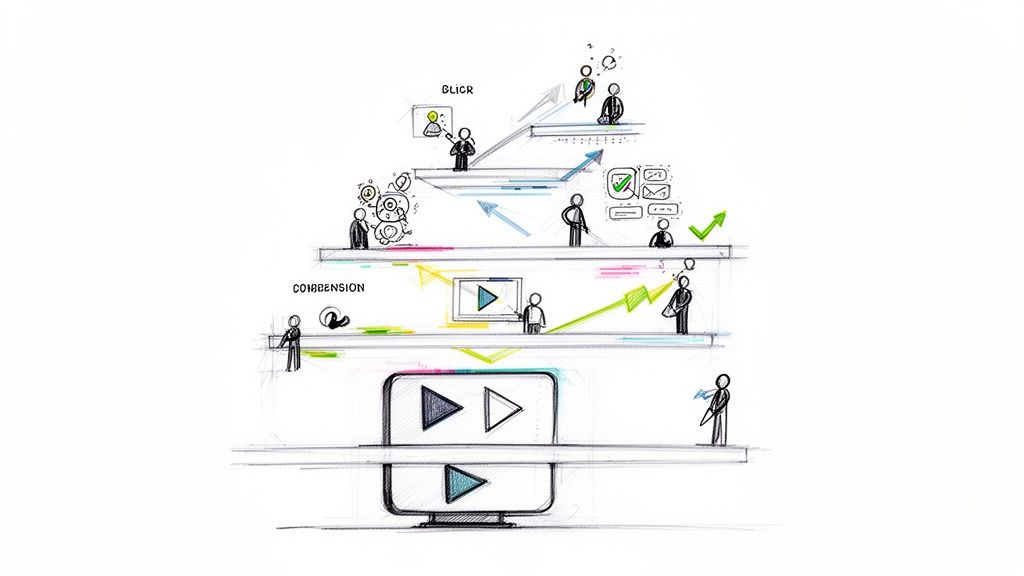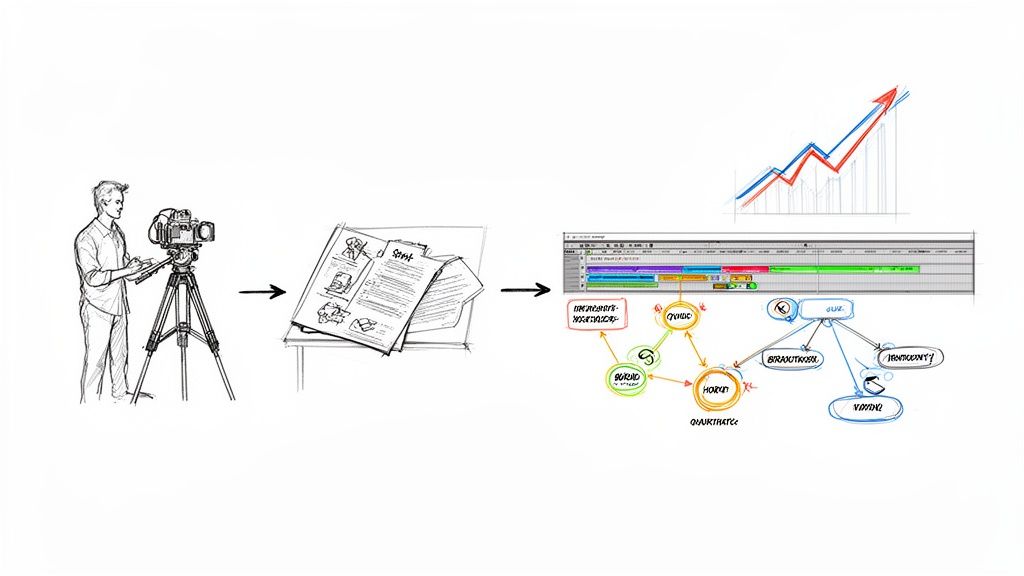
The first 90 days are critical for customer retention, especially in corporate training where rapid value realization is key. Traditional, passive onboarding methods often lead to disengagement, low adoption, and eventual churn. This failure to effectively integrate new clients is a primary reason why many businesses lose money after the sale, as initial excitement gives way to confusion and abandonment. The challenge isn't just showing customers how your platform works, but empowering them to build effective training programs quickly and confidently.
This article cuts through the noise to deliver 10 proven customer onboarding strategies specifically tailored for training and development platforms. We'll explore how to move beyond static guides and create dynamic, interactive experiences that drive immediate success, measure comprehension, and turn new clients into lifelong advocates. Get ready to transform your onboarding from a simple checklist into a strategic advantage.
You will find actionable tips for implementing each strategy, with a special focus on leveraging interactive video platforms like Mindstamp to measure learner engagement and ensure your new customers achieve their goals from day one. Let's dive into the tactics that will help you build a more effective, data-driven onboarding process.
1. Interactive Product Walkthroughs
An interactive product walkthrough is a guided, in-app tour that helps new users understand your platform's core features immediately after signing up. Instead of passive video tutorials, this strategy uses tooltips, pop-ups, and interactive prompts directly within the user interface, encouraging learning content creators to learn by doing. This hands-on approach is one of the most effective customer onboarding strategies for accelerating a user’s time-to-value.
For instance, a learning management system (LMS) might guide a new training manager to create their first course, while a content authoring tool uses interactive overlays to introduce key editing features. These walkthroughs transform the initial, often overwhelming, user experience into a structured and rewarding learning journey for your new clients.
Implementation Best Practices
To make your walkthrough effective, especially in a corporate training context where comprehension is key, follow these guidelines:
- Segment by Role: Customize walkthroughs for different user types. A training administrator needs a different onboarding path than a content creator or a learner.
- Keep it Brief: Aim for a completion time of under five minutes to maintain engagement and avoid user fatigue.
- Make it Skippable: Always provide an option to exit or skip the tour. Forcing users through a tutorial can lead to frustration.
- Iterate with Feedback: Test your walkthrough with real users to identify confusing steps and gather feedback for improvement before a full launch.
Key Insight: The goal isn't to showcase every feature, but to guide users to their first "aha!" moment as quickly as possible. This initial success builds confidence and encourages deeper product exploration.
This method is ideal for complex training platforms where users need to understand key workflows to become proficient. Integrating interactive elements, such as those found in video, can also significantly boost engagement. You can learn how to create an interactive product demo video to complement your in-app guides, offering a powerful, multi-channel training experience for your new customers.
2. Personalized Onboarding Paths
Personalized onboarding paths are customized journeys tailored to different user roles, departments, or learning objectives. Instead of a one-size-fits-all introduction, this strategy delivers relevant content and features based on who the user is and what they want to achieve with your training platform. This approach is one of the most powerful customer onboarding strategies because it makes the experience immediately relevant, reducing friction and accelerating user proficiency.
For example, an HR training platform could ask if a user's goal is compliance training, leadership development, or sales enablement during signup. Based on their answer, it would then tailor the initial dashboard and tutorials to that specific function. This personalization makes new clients feel understood and valued from their very first interaction.
Implementation Best Practices
To effectively create personalized paths, especially for corporate training where different departments have unique learning needs, consider these steps:
- Start with a Questionnaire: Use a brief setup survey to ask new clients about their role, team size, and primary training goals.
- Segment Key Personas: Begin by defining 3-5 core user personas (e.g., L&D Manager, IT Admin, Sales Trainer). Don't try to personalize for everyone at once.
- Use Behavioral Triggers: Refine user paths over time using in-app behavioral data to automatically adjust their onboarding experience.
- Test Each Pathway: Thoroughly test each onboarding journey to ensure it is logical, helpful, and free of dead ends.
Key Insight: Personalization isn't just about using a person's name. It's about delivering a unique pathway that directly addresses their specific pain points and objectives, making your solution feel indispensable from day one.
This strategy is crucial for platforms serving diverse audiences. By creating unique learning experiences, you can drastically improve comprehension and retention. You can discover how to build personalized learning pathways using interactive video to make your training even more targeted and effective for each employee or customer.
3. Onboarding Checklists and Progress Tracking
An onboarding checklist is a structured set of tasks presented to new clients, guiding them through essential setup actions and key milestones. By breaking down the initial platform setup into manageable steps, checklists reduce overwhelm and provide a clear path to value. This approach gamifies the initial experience with visual progress indicators, making it one of the most effective customer onboarding strategies for motivating users to complete critical actions.
For example, a new user of a training platform might see a checklist prompting them to "Create your first interactive video," "Invite 3 team members," and "Assign a learning module." These guided lists ensure users activate the core functionalities needed to see the platform's benefits, transforming a complex setup process into a simple, step-by-step journey.
Implementation Best Practices
To create a checklist that drives completion, especially in a corporate training environment where structured learning is paramount, follow these guidelines:
- Prioritize Critical Steps: Limit the checklist to 5-7 essential tasks that deliver the most immediate value, like creating and sharing the first piece of training content.
- Show Progress Visually: Use a progress bar or percentage completion to create a sense of accomplishment and momentum.
- Allow Flexibility: Let users skip non-critical items or complete them in a different order where possible.
- Embed Help Resources: Link each checklist item to a relevant help article or a short interactive video tutorial for on-demand support.
Key Insight: The goal is to provide a clear, structured roadmap that builds user confidence. Each checked-off item reinforces the user's progress and demonstrates the product's value incrementally.
This method is ideal for training platforms with a multi-step setup process or for onboarding programs that require administrators to complete specific configuration modules. By embedding interactive videos within the checklist, you can confirm comprehension with in-video questions, ensuring learners have mastered a concept before moving to the next task.
4. Human-Assisted Onboarding (White Glove Service)
Human-assisted onboarding, often called a "white glove" service, involves direct support from dedicated specialists who guide high-value customers through setup and implementation of your training platform. Unlike automated tutorials, this high-touch approach uses personalized guidance from account managers or customer success teams to build strong relationships and ensure successful, deep product adoption. It is one of the most resource-intensive but effective customer onboarding strategies for complex, enterprise-level training solutions.
For example, enterprise learning platforms often assign dedicated success managers to new accounts to navigate complex data migrations and team-wide training. These specialists might provide tailored strategy sessions to help a company integrate the platform into their specific L&D workflows, ensuring they derive maximum value from day one.
Implementation Best Practices
To deliver a premium white glove experience, especially when training corporate teams with diverse learning needs, follow these guidelines:
- Reserve for High-Value Customers: Due to the high cost, focus this service on enterprise clients or accounts with significant growth potential.
- Develop Standard Playbooks: Create a consistent yet flexible onboarding plan that outlines key milestones, communication touchpoints, and success metrics.
- Create Role-Specific Training: Develop tailored materials for different user roles, such as L&D administrators versus end-users, to make training more relevant.
- Schedule Follow-ups Proactively: Don't wait for customers to report issues. Schedule check-ins at 30, 60, and 90 days to address challenges and reinforce value.
Key Insight: The goal of human-assisted onboarding is not just to teach features but to become a trusted strategic partner. This deep relationship-building effort significantly reduces churn and increases lifetime value.
This strategy is essential for complex training products where successful implementation requires deep domain expertise and change management. To scale this personalized support, specialists can use interactive training videos to cover foundational concepts, freeing up live sessions for strategic, high-impact conversations.
5. Contextual In-App Messaging and Tooltips
Contextual in-app messaging delivers timely, location-specific hints and instructions directly within the product interface. Unlike a full walkthrough, these messages appear precisely when a user interacts with a new feature or enters a specific part of your training application. This just-in-time guidance provides immediate support without disrupting their workflow, making it one of the most efficient customer onboarding strategies for reinforcing learning.
For example, when a training manager first navigates to the reporting dashboard, a small tooltip can appear explaining how to filter learner analytics. Similarly, a content creation platform might use subtle pop-ups to highlight a new interactive feature, like adding a quiz to a video. These nudges prevent confusion and help users discover value organically as they explore the platform.
Implementation Best Practices
To effectively integrate contextual messages, particularly for corporate training where clarity is essential, adhere to these guidelines:
- Trigger Based on Behavior: Show messages based on user actions, such as hovering over an icon or visiting a page for the first time.
- Keep it Concise: Use clear, brief language. The goal is to provide a quick hint, not a lengthy explanation.
- Ensure it's Dismissible: Always include a "Got it" or "X" button so users can easily close the message and continue their task.
- Track Performance: Monitor metrics like dismissal rates and feature adoption to understand which messages are helpful and which are ignored.
Key Insight: The power of contextual messaging lies in its relevance. By delivering the right information at the right moment, you reduce cognitive load and empower users to learn and master the product at their own pace.
This strategy is perfect for progressively revealing features and reinforcing initial training. For a more dynamic approach, you can embed short, interactive training videos directly into these tooltips. A user could click a help icon and launch a Mindstamp video that demonstrates a specific function, turning a simple hint into an interactive micro-learning moment.
6. Self-Service Knowledge Base and Documentation
A self-service knowledge base is a centralized, online library of information that empowers users to find answers and learn about your training platform independently. It contains resources like help articles, FAQs, video tutorials, and technical guides, allowing customers to learn at their own pace. This is a highly scalable approach in the suite of customer onboarding strategies, as it provides 24/7 support without direct intervention.
For example, a comprehensive knowledge base for an interactive video platform might include articles on "How to Add Branching Logic" or "Best Practices for Engaging Learners." These resources not only reduce the burden on support teams but also cater to users who prefer self-directed learning, a common preference in corporate training environments.
Implementation Best Practices
To build a knowledge base that effectively supports corporate learners and standard users alike, consider these tips:
- Organize by User Journey: Structure content logically, from beginner guides for content creators to advanced analytics for administrators, mirroring the typical user's learning path.
- Integrate Powerful Search: A robust search function is critical. Ensure users can quickly find relevant articles using keywords and natural language.
- Keep Content Current: Regularly update documentation to reflect new features, UI changes, and best practices. Outdated information erodes trust.
- Incorporate Video Tutorials: Supplement text-heavy articles with short, interactive video guides to explain complex processes visually and improve comprehension.
Key Insight: A great knowledge base doesn't just answer questions; it proactively educates users, turning them into power users who can leverage your product to its fullest potential without needing constant support.
This strategy is ideal for training platforms with a broad user base or a high degree of complexity, where a one-size-fits-all onboarding tour is insufficient. It allows for deep, on-demand learning, which is crucial for professional development and skill mastery.
7. Goal-Based Onboarding and Quick Wins
Goal-based onboarding is a framework that prioritizes helping new customers achieve their primary training objectives as quickly as possible. Instead of a generic feature tour, this approach focuses on delivering immediate value by guiding users toward a specific, meaningful "quick win." This method is one of the most powerful customer onboarding strategies because it directly links platform usage to tangible training outcomes, cementing value from day one.
For example, an interactive video platform should focus the entire initial experience on creating and sharing a user's first interactive video, demonstrating its core value in minutes. This shifts the focus from learning the software to solving the user’s problem—like creating more engaging training content—with the software.
Implementation Best practices
To effectively implement goal-based onboarding, especially for corporate training where a new tool must prove its value quickly, consider these steps:
- Ask About Goals Early: Use the initial signup or welcome screen to ask users what they want to accomplish (e.g., "Improve employee compliance," "Onboard new hires faster").
- Map Goals to Capabilities: Connect each user goal to a specific product workflow or feature set, creating a clear path to success.
- Celebrate Quick Wins: Trigger a congratulatory message when a user achieves their first key milestone, like getting their first 10 video views or a 90% quiz completion rate.
- Measure Success by Goal Achievement: Track onboarding completion not by features used, but by the percentage of users who achieve their stated primary training goal.
Key Insight: This strategy isn't about teaching customers everything your product can do. It's about proving it can solve their most important problem right now, which builds immense trust and momentum.
This approach is perfect for SaaS platforms where user retention depends on rapid value realization. You can use interactive video to ask about goals and then dynamically serve a training module that guides them to that specific outcome, creating a highly personalized and efficient learning experience.
8. Mobile-First and Progressive Onboarding
Mobile-first onboarding prioritizes a streamlined experience on smaller screens, while progressive onboarding introduces features gradually over time. This dual approach avoids overwhelming new users by delivering information in manageable, context-specific stages, which is crucial for employees accessing training materials on the go. This strategy is one of the most effective customer onboarding strategies for maintaining engagement in a world dominated by mobile access.
For example, a corporate training app might introduce foundational compliance modules first, before revealing more advanced, role-specific content. This prevents cognitive overload and makes the learning process feel more achievable for busy employees accessing content on their phones.
Implementation Best Practices
To effectively implement mobile-first and progressive onboarding, especially for corporate learners who need flexibility, consider these guidelines:
- Design for Thumbs: Ensure all navigation, buttons, and interactive elements are easily reachable with one hand.
- Prioritize Core Actions: The initial mobile experience should focus only on the most critical tasks a new employee needs to complete, like watching a welcome video or completing a required module.
- Optimize for Slow Connections: Compress images and content to ensure the onboarding process is fast and accessible, even on weak Wi-Fi or cellular data.
- Use Progressive Disclosure: Reveal advanced features or training modules based on user progress or specific triggers, not all at once.
Key Insight: The goal is to make learning feel effortless and integrated into the user's natural workflow. By breaking down complex information into smaller, mobile-friendly pieces, you increase completion rates and long-term knowledge retention.
This method is ideal for organizations with a distributed or remote workforce that relies on mobile devices for training and daily tasks. You can enhance this strategy by embedding interactive videos within your mobile training modules, allowing employees to engage with short, focused content clips directly on their phones. This provides a dynamic and effective way to deliver critical information without requiring a desktop.
9. Community and Peer Learning
Community and peer learning leverages user groups, forums, and collaborative environments to let customers help each other onboard and share best practices. This strategy transforms onboarding from a one-way communication channel into a dynamic, user-driven ecosystem. By encouraging your training professional clients to connect and learn from one another, you reduce dependency on support teams and foster a strong sense of brand loyalty. This is one of the most scalable customer onboarding strategies for long-term user success.
For example, a community for an interactive video platform could feature threads where users share successful training templates or creative ways to use quizzes for engagement. These platforms create a powerful network effect where every new member adds value, turning your user base into a self-sustaining support and training resource.
Implementation Best Practices
To cultivate a thriving community for corporate learning and support, focus on structure and engagement:
- Create Clear Guidelines: Establish and enforce moderation policies to ensure conversations remain productive and respectful.
- Feature User Contributions: Regularly highlight helpful members, best-answered questions, and innovative use cases to incentivize participation.
- Host Community Events: Organize webinars with L&D experts or virtual meetups to strengthen connections and facilitate knowledge sharing.
- Encourage Peer Mentorship: Create a program where experienced users can volunteer to guide newcomers, formalizing the peer-to-peer learning process.
Key Insight: A successful community isn't just a support forum; it's a living library of user-generated knowledge that accelerates product adoption and builds lasting brand advocates.
This approach is highly effective for training platforms with a diverse user base or complex functionalities where real-world applications are best taught by those who use them daily. It empowers users to solve unique challenges and discover new value, reinforcing their decision to choose your solution.
10. Data-Driven Onboarding Optimization
Data-driven onboarding optimization is a strategy that treats your onboarding process as a continuous experiment, using analytics and behavioral data to measure, test, and refine the new user experience. Rather than relying on assumptions, this approach uses quantitative insights to identify friction points and opportunities for improvement. This is one of the most powerful customer onboarding strategies because it ensures your process evolves based on actual user behavior, not guesswork.
For example, an L&D platform might analyze data to discover that clients who create an interactive quiz in their first session are 50% more likely to remain customers. This key insight would then shape the entire onboarding flow to encourage that specific action. This data-driven approach focuses on behaviors that correlate with long-term success.
Implementation Best Practices
To effectively use data in a corporate training context, where learner progress is paramount, apply these best practices:
- Define Success Metrics: Before you begin, establish clear KPIs. This could be the completion rate of an introductory training module, time-to-first-value, or feature adoption rates.
- Track Completion by Segment: Monitor how different user roles or departments progress through onboarding. This helps identify if specific groups need more targeted support. For a data-driven perspective on optimizing your strategies, you might find valuable insights in the latest SaaS Onboarding Report 2025.
- Test One Variable at a Time: When making changes, such as altering a tooltip's copy or the flow of a tutorial, test only one element at a time to accurately measure its impact.
- Create Feedback Loops: Use in-app surveys or quizzes within your training videos to gather direct feedback at key moments in the onboarding journey.
Key Insight: Onboarding is not a "set it and forget it" project. By consistently analyzing data, you can transform it from a static checklist into a dynamic system that actively reduces churn and improves user proficiency.
This method is crucial for any organization looking to maximize user activation and long-term retention. To get started, you can learn more about data-driven decision-making and apply these principles to build a more effective, user-centric onboarding process.
Customer Onboarding: 10-Point Strategy Comparison
| Approach | Implementation Complexity | Resource Requirements | Expected Outcomes | Ideal Use Cases | Key Advantages |
|---|---|---|---|---|---|
| Interactive Product Walkthroughs | Medium — front-end overlays, content upkeep | Medium — UX/design + instrumentation | Higher feature discovery and measurable engagement | Complex training UIs; multi-feature platforms; new admin activation | Improves adoption; reduces learning curve |
| Personalized Onboarding Paths | High — dynamic flows and segmentation | High — research, engineering, many content variants | Greater relevance, faster time-to-first-value | Diverse personas (L&D, sales, HR); customizable platforms | Very targeted; increases retention |
| Onboarding Checklists & Progress Tracking | Low — simple UI components | Low — minimal dev and content | Clear expectations; improved completion rates | Setup-heavy training platforms; initial content creation flows | Easy to implement; motivates completion |
| Human-Assisted Onboarding (White Glove) | Medium–High — process and coordination | Very High — dedicated CSMs, training, time | Fastest time-to-value; high satisfaction | Enterprise L&D accounts; complex implementations | Strong relationships; reduces implementation risk |
| Contextual In-App Messaging & Tooltips | Medium — triggers, timing, segmentation | Medium — messaging platform + content | Timely guidance; improved feature adoption | Context-sensitive help; new feature announcements for trainers | Non‑intrusive when targeted; easy to iterate |
| Self-Service Knowledge Base & Documentation | Medium — content architecture and search | Medium — writers, videos, maintenance | Scalable support; 24/7 availability; lower support load | Broad user base; global training teams; technical integrations | Highly scalable; improves discoverability |
| Goal-Based Onboarding & Quick Wins | Medium — discovery + mapping to product | Medium — customization, success metrics | Rapid perceived value; improved retention/NPS | L&D SaaS focused on business outcomes (e.g., compliance) | Aligns onboarding to outcomes; boosts early retention |
| Mobile-First & Progressive Onboarding | Medium — mobile UX + staged flows | Medium — mobile dev, testing across devices | Higher mobile completion; reduced cognitive load | Platforms for frontline/deskless workers; micro-learning apps | Optimized for mobile; lowers churn on small screens |
| Community & Peer Learning | Medium — platform + moderation | Low–Medium — community managers, events | Scalable engagement; authentic peer support | Platforms with an active base of training professionals | Builds loyalty; reduces direct support burden |
| Data-Driven Onboarding Optimization | High — tracking, experiments, analysis | Medium–High — analytics tools + analyst time | Evidence-based improvements; reduced drop-offs | High-volume training platforms; teams focused on iteration | Quantifies impact; enables continuous optimization |
Building Your Onboarding Flywheel
Effective customer onboarding isn't a one-time, linear path; it's a dynamic, continuous cycle of engagement, value delivery, and strategic optimization. The customer onboarding strategies detailed in this article, from interactive product walkthroughs to data-driven optimization, are not isolated tactics. They are interconnected components of a powerful system designed to accelerate user competency and build lasting loyalty, particularly within a corporate training and development context.
Think of it as a flywheel. A personalized onboarding path for a training manager is made more effective with contextual in-app messaging that highlights analytics features. A self-service knowledge base reduces the burden on human-assisted, white-glove services, allowing your team to focus on high-value strategic guidance. The quick wins from goal-based onboarding fuel the momentum that keeps users engaged, while community learning provides social proof and peer support. Each strategy feeds the next, creating a self-reinforcing loop that drives user adoption and reduces churn.
From Strategy to System: Your Actionable Next Steps
The key to transforming these ideas into results is to avoid trying to implement everything at once. Start by identifying the single biggest point of friction in your current onboarding process. Is it the initial setup for training admins? The first time a client creates and assigns content? Understanding learner analytics?
Once you've pinpointed the primary challenge, select one or two strategies from this list that directly address it.
- For low initial engagement: Implement an interactive product walkthrough to create an active, hands-on first experience for new training creators.
- For high support ticket volume: Bolster your self-service knowledge base with interactive video tutorials and clear documentation.
- For diverse user roles: Develop personalized onboarding paths that cater to the specific needs of L&D managers versus individual learners.
By focusing your efforts, you can make a measurable impact quickly. Define your Key Performance Indicators (KPIs) upfront, such as time-to-first-value or course completion rates, and track them relentlessly. This data is the fuel for your flywheel, providing the insights needed to refine your approach, layer in new strategies, and continuously improve the customer experience.
Mastering these customer onboarding strategies is no longer optional; it's a critical driver of business growth. A strong onboarding process transforms new clients into proficient advocates for your training platform. It directly impacts retention, expansion revenue, and brand reputation by ensuring customers achieve their desired outcomes quickly and consistently. By investing in a deliberate, well-crafted onboarding system, you are investing in the long-term success of your customers and, by extension, your own.
Ready to transform your static training videos into powerful, interactive onboarding experiences? See how Mindstamp can help you implement these customer onboarding strategies with engaging, data-rich video that accelerates learning and drives user success. Explore the possibilities at Mindstamp today.