Brett Lindenberg
Employee training videos are short videos that teach staff a task or a policy, such as how to use a new system, follow a safety procedure, or calm an upset customer. The ones that work share four traits. Each video teaches one action the learner must be able to do, most run under about six minutes, the sound is clear, and the learner has to answer or choose something at the moment the video teaches it, so you can see who understood. Start with the scenario below: a container leaks in a warehouse aisle, and you choose the first response.
What makes employee training videos work
Research on video learning points to four practices.
- Short segments hold attention. A 2014 study by Guo, Kim, and Rubin of 6.9 million video sessions in four edX courses found that median engagement time was at most six minutes, whatever the video's length. Learners often stopped before the halfway point of videos longer than nine minutes.
- Questions during the video keep learners on task. In a 2013 study by Szpunar, Khan, and Schacter, learners who answered short quizzes after each of four segments of a 21-minute recorded lecture reported mind wandering on 19% of checks, compared with 41% for learners who were not quizzed. They also scored 90% on the final test, compared with 68%.
- Recall makes learning last. In Roediger and Karpicke's 2006 experiments, students who practiced recalling a passage remembered more of it 2 days and 1 week later than students who reread it, even though rereading made students feel more confident.
- Video works best as an addition. A 2021 systematic review by Noetel and colleagues of 105 randomized trials with 7,776 college students found small learning gains when video replaced existing teaching and strong gains when video was added to it. The trials involved college students, so apply the finding to workplace training with care.
For an employee training program, that adds up to five rules: one objective per video, segments under about six minutes, a question or choice where the video teaches the key point, video used alongside practice and coaching, and a record of who answered what so you can fix weak spots.
Types of employee training videos
Match the format to the job the video must do. The table lists the types most companies need and the interaction that fits each one.
| Type | Use it for | Format that works | Interaction to add |
|---|---|---|---|
| Onboarding and welcome | Culture, first-week setup, who to ask for help | A manager or leader on camera, a short site tour | A role choice that sends each new hire to their own path; a policy acknowledgement |
| Software and systems | New tools, system changes, rollouts | Screen recording with narration | A question after each key step; a hotspot on the control to click |
| Procedures and equipment | Machine setup, quality checks, physical tasks | Close-up footage of the real equipment | A hotspot question: find the part or spot the problem |
| Safety | Hazard recognition, emergency response | Footage from the real site, short scenarios | A branching choice that shows the consequence; required questions |
| Compliance and policy | Data privacy, conduct, security | A short scenario built around one realistic decision | A choice with feedback; a recorded acknowledgement |
| Soft skills | Customer service, sales, management conversations | Role-play scenario | A branching role-play with a different outcome for each reply |
| Refreshers | A reminder just before a task | A clip of one to three minutes | One recall question |
| Leadership and employee development | Strategy, change, career paths | Talking head or interview | A free-response reflection question or a poll |
Onboarding videos can start before day one. Konnect Koncepts, a New Zealand HR firm, recommends that employers contact new hires before they start and keep first-day paperwork light. A two-minute welcome from the new hire's manager, sent after the offer is accepted, fits that approach. See how teams build interactive onboarding videos that record each new hire's answers and acknowledgements.
For judgment skills, such as handling a complaint or a safety decision, a scenario teaches more than a list of rules. Our collection of 20 workplace training scenarios gives you ready-made situations, and the guides to customer service training videos and sales training best practices cover role-play for those teams. If you have an abstract process to explain, look at these explainer video examples. Industry pages cover safety and OSHA training and cybersecurity training.
How to plan an employee training video
Planning settles three things before anyone records: what the video must change, who will watch it, and what the learner will do during it.
Start with a problem you can see at work
Look for evidence of a gap: repeated help desk tickets, errors in audits, safety near-misses, or the questions managers answer every week. Talk to two or three managers and a few employees who do the job. AIDAR Solutions' guide to training staff starts the same way, with a needs analysis before any content is built.
Then check that video is the right tool. A video teaches a process well, and a checklist supports it on the job. If people do a task daily and only forget one step, a one-page job aid plus a short video of the hard step may be all you need.
Write one objective as an action
Write what the learner must be able to do after watching, in words a manager could check. "Understand the new CRM" is a topic. "Create a client record in the CRM with the required fields" is an objective. If the objective needs the word "and," plan two videos. Our free learning objective generator turns a topic into measurable objectives with a suggested way to assess each one.
Know who is watching, and where
A new hire needs context and reassurance. A ten-year employee needs only what changed. A warehouse picker may watch on a phone with the sound off, while an analyst watches at a desk. Write down the audience, the device, and whether learners can listen, because each one changes the script, the captions, and the length.
Plan the interactions before you film
Decide where each question and choice goes while you still have the storyboard on paper. A branching scenario needs footage for every path: a frame that holds on the decision, plus a consequence scene for each choice. If you film only the correct path, you will have nothing to show the learner who chooses wrong. Try the planning exercise below, which asks what footage a forklift-lane branch needs.
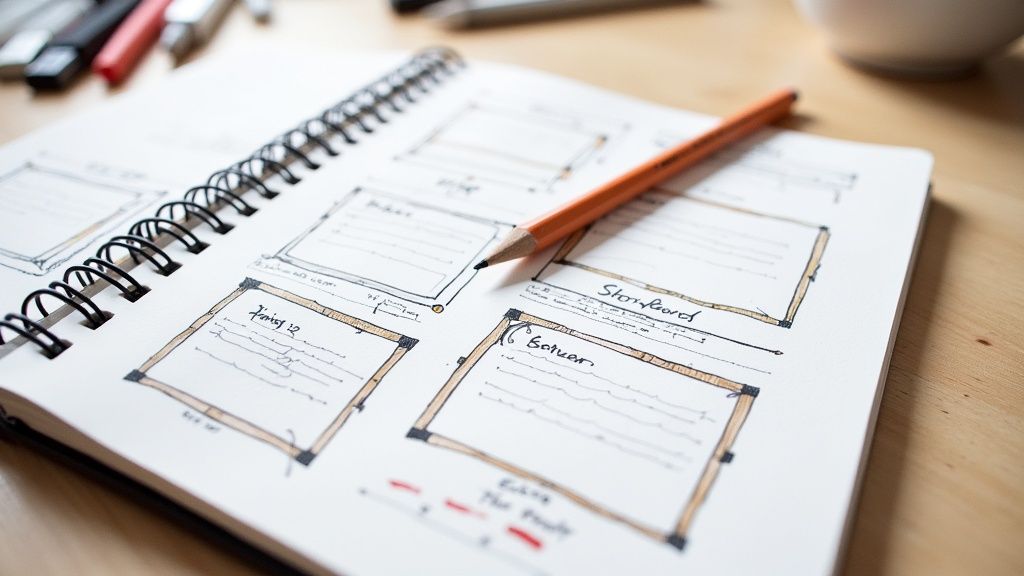
A storyboard can be rough sketches. For each scene, note the shot (close-up, wide, or screen), any on-screen text, and where a question or choice appears. Have the subject matter expert approve the script and storyboard together, because a change on paper costs minutes and a change after the shoot costs a reshoot.
Choose the format
Use the types table above: screen recordings for software, close-up footage for equipment, scenarios for judgment, and a talking head for a leader's message. In the Guo study, videos that combined an instructor on camera with slides held attention better than slides alone, so put a person on screen for at least part of any slide-based video.
How to script a training video
A training script has four parts. Keep each one short.
- The problem, in the first 15 to 20 seconds: why this matters to the learner today. "Returns processed the old way now fail at the register. This video shows the new steps."
- The steps: show each step in order, in plain words, with the screen or the hands visible while you describe them.
- The check: a question at the step people get wrong most often.
- The recap and next step: one sentence on what to do now, and where to find the job aid.
Write for the ear. Read the script aloud and rewrite any sentence you stumble over. Cynthia Brame's 2016 review of educational video research recommends a conversational voice that says "you" and "your," two or three key words on screen to signal the main point, and cutting music and busy backgrounds that do not serve the objective.
Time the script before you record. People speak more slowly than they read, so a script that looks short on the page can run long. Our video script timer estimates runtime at three speaking paces, and the training video script generator drafts scene-by-scene narration, visuals, on-screen text, and question points. For the full writing process, see our guide to writing training video scripts.
How to produce training videos on a small budget
You do not need a studio. In the Guo study, an instructor filmed informally at a desk held attention better than one filmed in a professional TV studio. Spend on the things learners notice.
- Buy a lavalier or USB microphone before anything else, record in a quiet room with soft surfaces, and make a 20-second test recording before every session. In our experience, learners tolerate plain visuals but give up on sound they cannot hear.
- Face a window or use one LED panel for light, and keep bright windows out of the background.
- Put a current phone on a tripod. That is enough camera for most internal training.
- For screen recordings, set the screen to the resolution you will publish, enlarge the cursor, close notifications, and use a test account with realistic data. Loom, an Atlassian screen recorder with a free plan, captures your screen, camera, and voice together.
- For hands-on tasks, put the camera close enough that the learner can see the action. If the frame hides the hands, a question about that step tests guesswork.
- When a subject matter expert presents, do a dry run, film in short sections, and remind them to look at the lens.
The demo below shows why framing matters: choose a camera setup for a close hand procedure and see what the learner can and cannot see.
Edit, caption, and add chapters
Cut long intros and logo animations, trim pauses and retakes, and add the on-screen key words from your storyboard. Add captions to every video. Under the Web Content Accessibility Guidelines (WCAG) 2.2, captions for prerecorded video are a Level A requirement, the most basic level. Captions also help anyone who watches on a noisy floor or with the sound off. OneNine's overview of WCAG captioning standards for video covers caption accuracy and timing. In Mindstamp you can upload SRT or VTT captions, show a searchable transcript next to the player, and add chapters so learners can jump back to a step.
For production costs, and for when to use an in-house team, a production company, or AI avatar tools, see our guide to corporate training video production.
How to make training videos more engaging
Give learners something to do at the moment the video teaches each key point. With Mindstamp you add these interactions on top of the training videos you already have, with no re-recording:
- Questions that pause the video until the learner answers. Use multiple choice for facts, free response for reflection, and drawing responses when learners must point at something on screen.
- Feedback after a wrong answer. Turn on Repeat Until Correct, or send the learner back to the explanation with a change-time action.
- Hotspots over a machine part, a control, or a hazard, so the learner has to find it in the frame.
- Branching that plays a different consequence for each choice in a scenario.
- Buttons that open the job aid, the policy, or the next video.
The hazard scan below uses hotspots: tap the condition that needs action before work continues.
Place the first question early, at the first concept learners must apply, so they know from the start that the video will ask them something. In the Szpunar study, a short quiz followed each segment of about 5.5 minutes. For required compliance training, you can turn off seeking on any plan, and on Core and higher plans you can stop learners from passing required questions. Our help article on preventing skipping ahead lists the settings. Leave seeking on for refreshers, so experienced staff can jump to the step they need. If you have a transcript, our free video knowledge check generator suggests questions and where to place them.
Mindstamp platform data shows a related pattern. Across 8.07 million views of 18,315 Mindstamp videos (2018 to October 2026), videos where viewers took more than three actions per view averaged 51.8% watched, compared with 43.9% for videos where viewers took no action. These are mostly training, marketing, and sales videos made by Mindstamp customers, and many factors differ between them, so treat this as a pattern, not proof. For a step-by-step build, see how to create an interactive video.
What is the best way to structure an employee training video for a new software rollout?
Build a short series by task instead of one long tour of the system. We recommend this structure:
- A "what's changing" video of 60 to 90 seconds from the project sponsor: the go-live date, what goes away, and where to get help.
- A role choice at the start, so each person sees only their tasks. The expense workflow demo shows this: the learner chooses to capture a receipt, approve a request, or handle a policy exception.
- One video per task, recorded in a test environment with realistic data. List the top tasks for each role and stop there.
- A question at the step people will get wrong, such as "Which field must you fill in before the record saves?"
- A button that opens the quick reference guide, so learners leave with something to use at the desk.
- Release in the week before go-live, and pin the videos in the support channel for the first month.
Measure the rollout by the questions learners missed and by help desk tickets for each task before and after go-live. When the interface changes, re-record the one task video that changed. In Mindstamp you can replace the video file and keep its questions, share link, and embed code.
How to deliver training videos so employees watch them
Put each video where the learner already works, and match the delivery to how much proof you need.
- Required training belongs in your learning management system (LMS), so completion lands in the learner's record. Mindstamp is not an LMS. On Core and higher plans, a SCORM package sends completion and a score to a compatible LMS, and edits you make in Mindstamp show in the LMS without a new upload.
- For a course without an LMS, put the videos in a playlist that tracks progress across all of them, and identify each learner by email or an employee number. Our help article on tracking a training course walks through the setup.
- For quick updates, post a link in the Slack or Microsoft Teams channel where the team already discusses that tool, or embed the video in the intranet page or knowledge base article it supports.
- If your videos already live on Vimeo or Wistia, keep them there. Mindstamp adds the interactive layer on top; see the Vimeo and Wistia integrations.
Announce each new video with what the learner gets and how long it takes: "Process returns in the new system: four minutes, two questions." Check every video on a phone before you send it, and confirm the captions work with the sound off.
How to measure whether training videos work
A view count tells you a video was opened. Ask four questions in order, from what is easy to measure to what matters most.
| Question | Metric | Where to find it |
|---|---|---|
| Did they watch? | Share of the video watched, where learners stop, completion | The viewer report in your video platform |
| Did they understand? | Score on each question, most-missed questions, choices in scenarios | In-video question results |
| Do they do it on the job? | Errors, rework, help desk tickets, manager observation | Operations data and a short manager checklist |
| Did the business result change? | Incidents, time to productivity, customer complaints | Business reports, compared before and after training |
Do not assume an opened video was watched. Across the same 8.07 million views of Mindstamp videos, the average view played 46.5% of the video. For anything you must prove, use required questions and report the score.
Act on what you find. A question most learners miss usually points to a section that needs a clearer explanation. A point where many learners stop usually marks a section to cut or split. Mindstamp's reporting shows each learner's answers, scores, and path, with drop-off by section on Core and higher plans, and the completion report gives one row per learner with an average score and a score for each video. Give every video an owner and a review date, so a policy or software change triggers an update.
For the full method, including Kirkpatrick's four levels and how to connect training to business results, see our guides to measuring training effectiveness and training evaluation methods.
Employee training video examples to try
Each of these interactive examples is short, fictional, and built in Mindstamp. Play one as a learner, then look at where the question or choice sits.
- Shift handoff micro-lesson: review a shift note and choose the detail the next operator needs first. Each answer opens its own explanation.
- Fire door knowledge check: identify the fire door condition that needs action, then answer a true-or-false follow-up.
- Warehouse safety skill router: one placement choice sends each learner to a different lesson and follow-up question.
- Compliance video before and after: compare a fixed compliance video with an interactive one that asks which container to move first under a storage rule.
- Suspicious invoice drill: a security scenario where you report the message, reply for details, or open the attachment, and see the consequence.
- Training video format selector: the learner's stated problem opens a walkthrough, a scenario, or a recall check.
Our interactive video for training page shows how these pieces fit into a full program.
Common questions
How long should an employee training video be?
Aim for under six minutes per objective. In the Guo study, median engagement time was at most six minutes regardless of video length, and Brame's review also recommends videos of six minutes or less. If a topic needs more time, split it into a series, or add chapters and a question in each section. Our production guide shows Mindstamp watch data by video length; in that data, length alone did not predict how much of a video people watched. Marketing surveys suggest shorter lengths: in Wyzowl's 2026 video marketing survey (266 respondents in late 2025), 71% of the people asked said videos of 30 seconds to 2 minutes are most effective. That survey covers marketing video, so apply it to refreshers and announcements and keep full lessons to the six-minute guide.
Why do employees skip training videos?
These are the causes we see most often, with the fix for each:
- The video covers too much. Split it so each video has one objective.
- Half of it does not apply to the learner's role. Add a role choice at the start.
- Learners do not know how long it takes or why it matters. Say both in the first 20 seconds.
- Nothing is asked of them. Add a question at each key point.
- The sound is poor, or there are no captions for learners who watch with the sound off. Fix both before you add anything else.
- The video is hard to find. Put it in the LMS, a playlist, or the channel where the work happens.
What is the best process for creating engaging corporate training videos on a budget?
Write one objective, script it in plain words, record with a phone or screen recorder and a good microphone, and add questions to the finished video. Start by adding questions to videos you already have: the answers show which videos work before you spend on new ones. Save paid production for the few videos where polish changes the result, such as a scenario that must feel real.
How do I scale training video production?
Turn each step into a reusable part: a script and storyboard template, a recording kit and checklist for subject matter experts, one named approver per subject, and short modules that you can replace one at a time. Our guide to corporate training video production covers scaling, costs, and global distribution in detail.
How do I train my team to make better videos?
Give every subject matter expert the same small kit (a microphone, a light, and a tripod or screen recorder) and a one-page checklist: one objective, a test recording, a quiet room, notifications off, and a question at the hardest step. Review their first two videos together and point out one fix each time. A shared template also keeps videos from different experts consistent.
Should we use professional actors or our own employees?
Use your own employees for most internal training. Learners recognize colleagues who do the job, and those colleagues know details an actor would miss. Hire actors for scenarios with difficult emotions, such as a harassment report or an angry customer, where a stiff performance would distract from the lesson.
Start with one video
Pick one training video your team already uses and write down the single action learners should take after watching it. Add a question at the moment the video teaches that action, then read the answers after a week. The questions most learners miss show you what to fix first, before you produce anything new.
Sources and further reading
These roundups collect training and e-learning statistics from many sources. Some figures are several years old or come from vendor surveys, so open the original study before you quote a number.
- eLearning Industry: Employee training statistics, trends, and data
- PeopleGoal: Employee training stats, trends, and data
- Omnicore: E-learning statistics
- Continu: Corporate e-learning statistics
- Powtoon: Training video statistics for learning and development