Brett Lindenberg
You can make an animated marketing video on a small budget. A do-it-yourself tool such as Powtoon has a free plan with a watermark and paid plans from $15 a month on yearly billing, and per-minute studios such as Albert Animation list finished animation at $200 to $900 a minute, depending on the style (prices checked October 2026). Small budgets usually break on changes after delivery. Lock the script before anyone animates, keep the video short, and leave anything that will change, such as the offer, the price, the link, and the call to action, out of the animation. Put those in an interactive layer on top of the video, where you can edit them at any time without a re-render.
What an animated marketing video costs
Most teams make their own video. In Wyzowl's 2026 video marketing survey, 59% of video marketers made their videos in house, 10% used only outside vendors, and 32% used both. Cost still stops people: 24% of marketers who do not use video said it is too expensive. (Wyzowl surveyed 266 marketers and consumers in late 2025.)
The table shows list prices for a free tool, two paid tools, and one per-minute studio. They are examples to size a budget, not a ranking.
| Option | List price | What you get | Watch for |
|---|---|---|---|
| Powtoon Free | $0 | Templates and characters, videos up to 3 minutes, 720p | Powtoon watermark on every video |
| Powtoon Lite | $15 a month, billed yearly | 1080p MP4 downloads, videos up to 10 minutes | Watermark removed on 5 exports a month |
| Vyond Starter | $58 a month billed annually ($699 a year), or $99 month to month | One user, animation editor with AI features, credits each month | You build every scene, so count your own hours |
| Albert Animation (studio) | $200 to $900 per finished minute, by style | Script and storyboard, AI or human voice-over, music, unlimited minor revisions; most projects in about 7 days | Major changes after delivery cost extra |
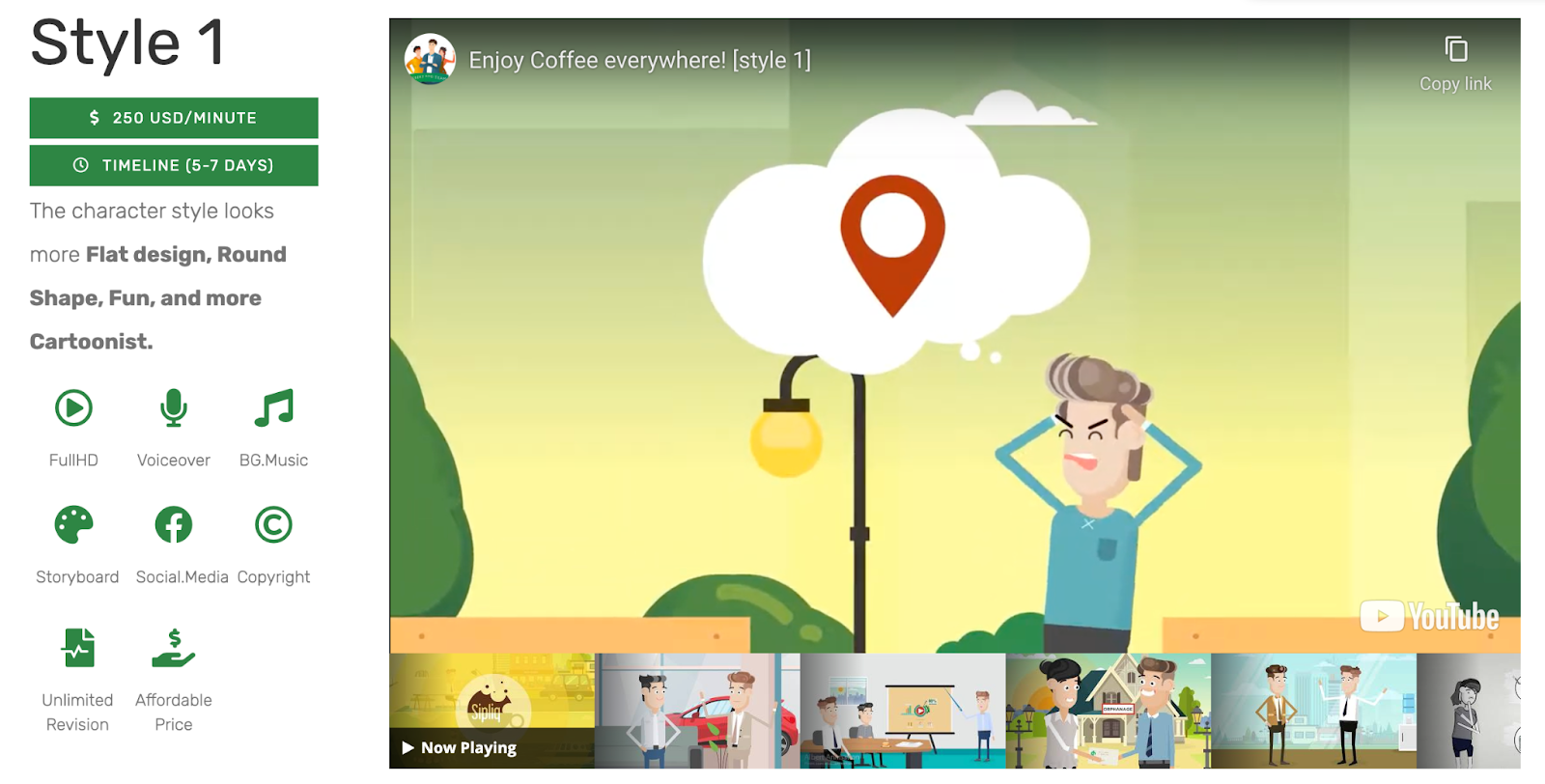
Within the studio range, Albert Animation's 2D and motion-graphics styles start at $200 to $599 a minute and its 3D styles at $500 to $900 a minute. A one-minute video in its flat-design style starts at $250 before add-ons. Other studios and agencies quote per project, so ask any vendor for a written list of what changes after delivery will cost.
Survey figures on spend vary with the year and the sample. OptinMonster's roundup of video marketing statistics (updated July 2026) reports that 42% of video marketers spend between $0 and $500 on an average video. The page mixes figures from several survey years, so check the year before you quote a number from it.
Where small animation budgets go: changes after delivery
Studio pricing rewards decisions made early. Albert Animation's add-on price list (checked October 2026) shows the pattern:
- Changing the animation style during storyboarding costs $50 a minute. Changing it during production costs 50% of the order.
- New lines in a finished video are quoted per word, because the studio has to rework and re-time scenes.
- A shorter cut, such as 30 or 15 seconds, costs $75. Each extra aspect ratio, such as 9:16 for phones, costs $100.
- A new static logo costs $30. A new human voice-over after a script change costs $50 a minute, and the studio's own advice is to finalize the script before a human recording.
- Editable source files cost $100 for 2D and $200 for 3D.
Every one of those charges comes from something baked into the video file. Before production, decide what has to be in the animation and what can sit on top of it.
How to plan an animated video that stays cheap
Write the script to length first
Narration runs at about 140 to 150 spoken words per minute, so a 60-to-90-second explainer holds roughly 140 to 210 words. With per-minute pricing, every minute of script you cut is a minute you do not pay for. Our free explainer video script generator writes a scene-by-scene draft to a target length, and the video script timer shows the runtime of your own draft at three speaking paces. For the writing itself, see how to write a script.
Keep it short
Short videos cost less per video and tend to be watched further. Across 8.07 million views of 18,315 Mindstamp videos (2018 to October 2026), the average view of a video one minute or shorter played 59.4% of the video, compared with 41.5% for videos of one to two minutes and 39.2% for videos of two to five minutes. These are Mindstamp customers' training, marketing, and sales videos, not a benchmark for all video, and many things differ between them, so treat this as a pattern, not proof. Marketers lean the same way: in Wyzowl's 2026 survey, 71% of respondents said videos between 30 seconds and 2 minutes are the most effective.
Approve a storyboard for every scene
Come to the animator with a detailed script and a storyboard, so their time goes into animation and not into working out the story. Approve the scene list, a style frame, and a voice sample before production starts, and name one person whose approval is final. Albert Animation includes the script and storyboard in every package, so use that step to settle each scene.
Keep the details that change out of the animation
Leave prices, promo codes, dates, web addresses, phone numbers, and the wording of the call to action out of the drawn scenes. End on a clean frame that holds for a few seconds, and keep one area of the frame free of important action, such as the lower third, where buttons and questions can sit later.
Our own animated promo shows what happens otherwise. We had this 34-second video made by an outside animation studio in 2021. Its last scene tells viewers to go to Mindstamp.io and start a free trial. We now use mindstamp.com, so that ending is out of date, and the only fix inside the file is a re-render. A button on an end screen would take a minute to change.
Make one animated video do more with interactive layers
Once the animation is finished, add the parts that change in an interactive video platform such as Mindstamp. The interactions sit on top of the video file, so you can reword, relink, or remove them without touching the animation. Useful layers for an animated marketing video:
- A call to action as a button or an end screen, which you can reword or point to a new page whenever the offer changes.
- A question that asks what the viewer cares about, with each answer jumping to the matching scene through video branching. One animation can then serve several audiences.
- Hotspots over the animated product that open its page or more detail.
- A personalized greeting such as "Hi {{NAME|there}}", which shows the viewer's name when you have it and "Hi there" when you do not (personalization, on supported plans).
- Chapters for a longer explainer, so viewers can jump to the part they came for.
- Translated buttons, questions, and player text, with a full AI audio dub as a separate option (translate an interactive video). A dubbed track keeps only the new voice, so that version loses the animation's music and sound effects.
Any tool that exports an MP4 works. Upload the file, or import from Synthesia or HeyGen if you use AI presenters (video sources Mindstamp accepts). If you re-render the animation later, Replace source video swaps the file and keeps your interactions, share link, and embed code (replace a video file). Check the timing afterwards and move any interaction that now lands on the wrong scene.
Because a change to the layer leaves the animation untouched, you can test it. Run two call-to-action wordings or two question placements on the same animation and keep the one that gets more clicks; testing interactive video on a budget covers how to set up a fair test, and video CTA testing shows what the report compares. In Wyzowl's 2026 survey, 31% of video marketers used interactive video and 20% rated it effective, so measure your own results before you scale up. For more low-cost ideas beyond animation, see 5 tips for interactive video marketing on a budget. If you design in Canva, how to create an interactive product quiz with Canva walks through a build like the skin care product quiz example.
Common questions
How much does a 60-second animated explainer cost?
With a do-it-yourself tool, it costs a monthly subscription plus your own hours. At Albert Animation's October 2026 list prices, one finished minute costs $200 to $900 by style, before add-ons such as rush delivery (30% to 70% more) or extra formats. Studios that quote per project will give you a single price instead.
Is a low-cost animated video good enough for marketing?
It can be, if it is clear. In Wyzowl's 2026 survey, 89% of consumers said video quality affects their trust in a brand. Spend first on what viewers notice: a tight script, a clean voice-over, and on-screen text they can read on a phone. Our guide on how to build customer trust with video covers what makes a marketing video believable.
Can I add interactions to a video made in Powtoon, Vyond, or Canva?
Yes. Export the finished video as an MP4 and upload it to Mindstamp, then add buttons, questions, and hotspots on the timeline. The file does not change.
Should I use AI to make animated video?
Many teams already do: in Wyzowl's 2026 survey, 63% of video marketers had used AI video tools to create or edit marketing videos. AI voice-overs keep revision costs down, and Albert Animation includes new AI narration after script changes at no extra charge. If an AI presenter speaks for your brand, do not present it as a customer; the trust guide above explains the US rules on fake testimonials.
A low-cost plan for your first animated video
- Write a script of about 140 to 210 words with one goal, and time it before you pay for anything.
- Choose a tool or a studio from the table, and get the price of post-delivery changes in writing.
- Approve the storyboard, style frame, and voice sample before animation starts.
- Keep the price, the link, and the call to action out of the animation, and end on a clean frame.
- Upload the MP4 to Mindstamp, add the call to action and one question, and publish.
- Read which answers and clicks come back, then change the layer, not the animation.