Brett Lindenberg
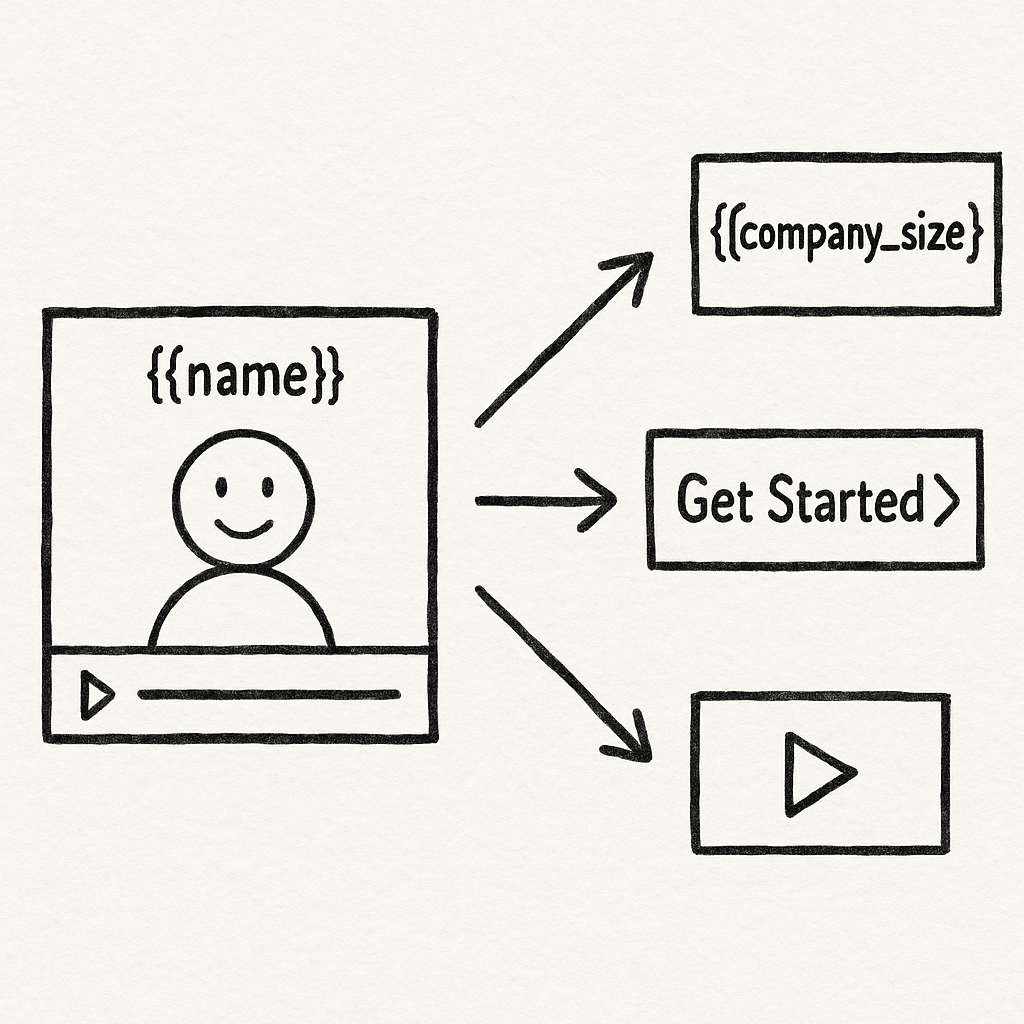
A video sales letter (VSL) is a sales pitch in video form. It names the buyer's problem, presents your product as the fix, proves it, makes an offer, and asks for one action, such as booking a call or starting a trial. A personalized video sales letter keeps that structure and changes the parts that differ from buyer to buyer: the name and company on screen, the problem the video opens with, the proof it shows, and the next step it offers. You do not need a separate recording for each buyer. One recording can show CRM fields when the video plays and let each buyer pick the problem they came with. In the 33-second demo below, you choose a payroll problem and the VSL opens the proof for that problem.
What is a video sales letter (VSL)?
HubSpot's beginner's guide to video sales letters defines a VSL as a video that pitches your product or service to a prospect. Like the printed sales letters that arrived by mail, it gets attention, speaks to the prospect's pain points, presents the product as the solution, and asks for action. "VSL," "VSL video," and "video sales letter" all mean the same thing.
A VSL is different from a product demo, which shows how the product works, and from a one-to-one video a rep records for a single contact. Every section of a VSL moves the viewer toward one offer. You will find VSLs on landing pages for ad and email traffic and in sales follow-up after a discovery call. For video at the other stages of a deal, see video for sales.
Buyers are used to learning this way. In Wyzowl's 2026 video marketing survey (266 respondents, surveyed in late 2025), 63% of consumers said a short video is how they would most like to learn about a product or service, against 5% who chose a sales call. In the same survey, 85% of people said a video had convinced them to buy a product or service.
What makes a VSL personalized?
A standard VSL gives every viewer the same opening and the same offer. That works when your traffic is uniform. When a finance lead and an operations lead land on the same page, one of them hears someone else's problem in the opening. A personalized VSL changes one or more of these parts:
- The details on screen, such as the viewer's name, company, or industry
- The problem the video opens with, chosen by the viewer or set from your data
- The proof section: the case, the numbers, or the feature that answers that buyer's objection
- The offer and the button at the end, such as a demo for one segment and a trial for another
You can produce those changes in three ways:
| Method | How it works | Best for | Limits |
|---|---|---|---|
| Record one video per buyer | A rep records a short video for each prospect | A few high-value accounts | Takes rep time for every send; the rest of the pitch is not reusable |
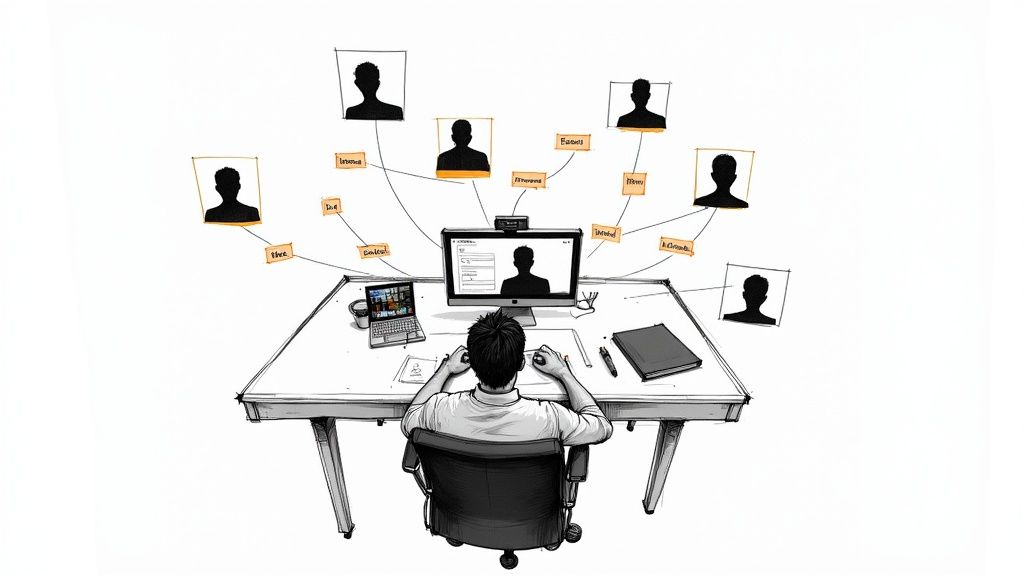
| Render one file per buyer | Software builds a separate video file for each contact from a template and a data feed | Large lists where the name or account data must appear in the footage itself | Needs a template and a render step; changes mean rendering again |
| Personalize one recording when it plays | The player shows CRM fields as on-screen text and sends each viewer down the route that fits | Sales teams and landing pages that need several segments from one recording | The narration is the same for everyone; only on-screen elements and routes change |
Mindstamp personalization works the third way. Our guide to video personalization compares these methods in more depth, including when a rendered video is the better choice.
Examples of personalized VSLs
| VSL | Who watches | What changes per buyer | Next step |
|---|---|---|---|
| Software follow-up (the payroll demo above) | Prospects after a first call | The problem route: corrections, approvals, or multi-state setup | Start a trial |
| Agency offer | Leads from several industries | The case study and terms for the lead's industry | Book a strategy call |
| Webinar follow-up | Registrants | A recap route for people who missed the session, a short offer for people who attended | Book a call |
| Account-based VSL | Contacts at named target accounts | Company name on screen and proof from the same industry | Meet the account rep |
How to write a VSL script that sells
HubSpot's guide lays out the standard script order: a hook, the product as the solution, credibility, and an incentive to act now. We add the problem and what it costs the buyer before the solution, because a solution lands only after the buyer agrees they have the problem. The table below shows each part and what you can personalize in it.
| Part | What it does | What to personalize |
|---|---|---|
| Hook | Tells the viewer this video is about their problem | Company name on screen; a choice of two or three problems |
| Problem and cost | Describes the problem in the buyer's words and what it costs them | The problem the viewer picked |
| Solution | Shows how the product fixes that problem | The feature that matches the problem |
| Proof | Gives evidence: a customer result, a number, a short demo | A case from the viewer's industry or company size |
| Offer | States what the buyer gets and what it costs in money or time | The offer that fits the segment |
| Call to action | Asks for one action | The button, calendar, or link for that segment |
Write the core script so it works for every viewer, then mark the places where a route or a variable takes over. A line such as "If approvals slow down your payroll, watch this next part" works for everyone and sets up the route. Read the script aloud with each route in turn to check that every path makes sense from start to finish. Our guide to writing video scripts covers the two-column script format and how to script branches.
What goes in the VSL offer?
The offer is the part of the VSL that tells the buyer what they get and what it will cost them. A clear offer answers four questions:
- What do I get? Name the product, plan, or deliverable, and what happens in the first week.
- What does it cost? State the price, or for a B2B sale the cost of the next step, such as "a 20-minute call with a payroll specialist."
- What is my risk? Explain the trial, the guarantee, or the cancellation terms.
- Why act now? Give a real reason, such as a pilot slot or a price that changes on a set date.
Be careful with urgency. The FTC's 2022 staff report Bringing Dark Patterns to Light lists countdown timers that reset and false limited-time messages as dark patterns that pressure people to buy. Use a deadline only if it is real.
The same caution applies to proof. Under the FTC's Endorsement Guides (16 CFR 255.2), a customer testimonial about a key result is likely to be read as a typical result. If it is not typical, the VSL should clearly disclose what buyers can generally expect. The FTC's rule on consumer reviews and testimonials (16 CFR Part 465) also prohibits testimonials that misrepresent whether the person exists, whether they used the product, or what they experienced. Use real customers and results you can document. This is general information, not legal advice.
Personalize the offer only as far as your terms allow. Two segments can see two different next steps, such as a demo for enterprise buyers and a self-serve trial for small teams. Both offers must be ones you would honor for anyone who sees them.
How to build a personalized VSL in Mindstamp
These steps follow the build behind the demo above. Mindstamp adds the interactive layer to a video you already have, so you can start from an existing pitch recording.
1. Choose one action and one audience
Decide what the viewer should do at the end, such as book a call, and who receives the VSL, such as a CRM list of trial signups. One action keeps the routes and the report easy to read.
2. Pick the fact that changes the pitch
Choose the single fact that most changes what a buyer needs to hear, usually their role or their main problem, and give it a short list of fixed values. Mindstamp stores the value in a variable, set by a button the viewer clicks, a question they answer, or a parameter in the link you send.
3. Record one core take and put personal details on screen
With play-time personalization, the narration is the same for every viewer, so do not say a name aloud. Put the name and company in on-screen text instead, for example a caption that reads "Prepared for {{company}}." If a value can be missing, add a fallback, as in "Prepared for {{company|your team}}," or show the line only when the variable exists. Leave space in the frame where that text will sit.
4. Add the routing choice after the hook
At the end of the hook, add one button for each problem. In Variables & Logic, set each button to store its value, then use Change Time to jump to the matching proof section. At the end of each proof section, a navigation jumps the viewer forward to the shared offer. The demo above uses this exact pattern: three buttons at 10.3 seconds, three proof scenes, and one closing screen. For more on route design, see video branching.
5. Match the offer and the call to action
With conditional logic, each segment sees only the button that fits it, for example "Book a call" for enterprise buyers and "Start a trial" for small teams. A Calendly or HubSpot calendar can open inside the player, so the buyer books without leaving the video. If the button opens your own page, turn on Append variables when opening links in Settings, and the landing page receives values such as the buyer's role in its link.
6. Send it with the buyer's data
There are two ways to get each buyer's details into the video (see personalizing video links from a CRM):
- A merge-field link: add parameters to the share link and fill them from your CRM or email tool, for example ?name={{ contact.firstname }}&email={{ contact.email }}&company={{ contact.company }} in a HubSpot email. Check HubSpot's documentation for its current token syntax.
- A personalized link: in Share, choose Personalize for a recipient, or upload a CSV to create many links at once. Mindstamp stores the values, the link shows only an ID, and you can set it to Inactive later.
The name, email, phone, and custom_id values also identify the viewer, so the view is reported under that buyer and lead capture skips details the link already supplied. Anyone who sees a merge-field link can read its values, so keep private data out of it. For a VSL embedded on a landing page, a short script can copy the page's parameters into the embed, including UTM values from your ads.
7. Test before you send
Open the link in a private browser window with test values, such as ?name=Test&company=Acme, take each route once, and confirm the view appears under your test name in reporting. Write a + in an email address as %2B, or the player reads it as a space. Test views count as real views, so use an address you can filter out.
Variables and personalized links are on supported plans starting with Core; conditional logic and the HubSpot integration start on Pro. The pricing page lists what each plan includes, and the 14-day free trial needs no payment card. The personalized VSL use case page shows the sales workflow in one place.
How long should a video sales letter be?
HubSpot's VSL guide does not set a length, and no study we found gives one VSL length that works for every offer. Two data points help. In Wyzowl's 2026 survey, 71% of respondents said videos between 30 seconds and 2 minutes are the most effective. HubSpot's video marketing statistics roundup cites Wistia's 2024 State of Video report: 3- to 5-minute videos averaged 43% engagement, while how-to videos of the same length averaged 74%. Content type mattered more than length in that comparison.
Our platform data points the same way for the shortest videos. Across 8.07 million views of 18,315 Mindstamp videos (2018 to October 2026), the average view played 46.5% of the video.
| Video length | Videos | Average share watched |
|---|---|---|
| 1 minute or less | 4,952 | 59.4% |
| 1 to 2 minutes | 3,013 | 41.5% |
| 2 to 5 minutes | 3,901 | 39.2% |
| 5 to 10 minutes | 1,554 | 45.8% |
| 10 to 20 minutes | 1,287 | 53.8% |
| More than 20 minutes | 3,608 | 41.7% |
Videos of one minute or less had the highest average, 59.4% of each video. Longer videos did not fall in a straight line: 10- to 20-minute videos averaged 53.8% of each video. These groups differ in more than length (a required training module and a cold sales video have different audiences), so treat the table as a pattern, not proof.
For a VSL, keep the shared part short and let routes add depth. A warm prospect after a discovery call needs the proof for their objection and the offer. Cold landing-page traffic may need more problem framing. With routes, a buyer who wants detail chooses it, and a buyer who is ready skips to the offer.
How to choose a VSL thumbnail
The thumbnail is the still image a buyer sees before pressing play, on your page and in an email or chat preview. In Mindstamp, you set it in Design, under Branding. Our help article on changing a video thumbnail gives these rules:
- Match the shape of the video, such as 16:9, and use an image at least 1,600 pixels wide.
- Use one clear subject with strong contrast; small text is hard to read in a message preview.
- Leave the corners clear, because the play button and your logo can sit on top.
- Turn off Use Looping Preview, or viewers see a short moving loop instead of the thumbnail.
Mindstamp keeps one thumbnail per video, so put the personal detail in the email or page copy around the thumbnail and in the first screen of the video.
How to put a personalized video in a sales proposal
Where the video goes depends on the format of the proposal:
- A web proposal or deal page that accepts embed code: paste the Mindstamp iframe and add the buyer's values as parameters on the iframe src. Check your proposal tool's documentation to see whether it accepts iframes.
- A PDF or slide proposal: documents do not play interactive video, so insert a thumbnail image and a text link, both pointing to the buyer's personalized link.
- The email that carries the proposal: use the same linked image, because email apps do not run interactive players. Our guide to putting video in an email covers the details.
A proposal video can also do more than introduce the document. A proposal walkthrough explains scope and pricing, opens detail on the line items the buyer selects, and puts the approval link after the explanation.
What to look for in video sales letter software
HubSpot's VSL guide lists production tools such as Biteable, Powtoon, and Camtasia (checked October 2026). Those tools make the video file. Personalization and per-viewer tracking happen in the player you publish it with. When you compare players for a personalized VSL, test these points in a trial:
| Capability | Why it matters in a VSL | How to test it |
|---|---|---|
| Personal details from a link or CRM | Shows the buyer's name or company without a new recording | Send yourself a link with test values and a blank value |
| Routes by problem or role | Lets each buyer reach the proof that answers their objection | Build two routes and take both |
| Calls to action in the player | Lets a ready buyer act before the video ends | Book a test meeting from inside the video |
| Lead capture that skips known fields | Avoids asking a buyer for details you already sent | Open a link that carries an email and check that the form stays hidden |
| Per-viewer reporting | Shows who watched, which route they chose, and what they clicked | Find your own test view in the report |
| CRM connection | Puts video activity on the contact record for follow-up | Send a test view to a test contact |
In Mindstamp, the viewer report shows how far each buyer watched, which route they took, and what they clicked. The HubSpot integration writes each view, plus the answers and clicks you choose, to the contact timeline after the viewing session ends, so allow for a delay before you follow up. Salesforce integration is quoted per account; confirm its scope with Mindstamp on the Salesforce integration page.
What to measure after you send it
In Wyzowl's 2026 survey, 67% of video marketers measured return by views and 52% by leads and clicks. For a VSL, views tell you little. Track these instead:
- Play rate by list or campaign: the share of recipients whose personalized link recorded a view
- Route choice: which problem buyers pick, which tells you what to lead with next time
- Drop-off point on each route, to find the proof section that loses people
- Call-to-action clicks and meetings booked, split by route
Compare routes before you compare videos. If buyers who choose "slow approvals" book at twice the rate of the other routes, move that proof earlier in the core script or write a separate campaign for that segment.
Common questions
What does VSL stand for?
VSL stands for video sales letter: a sales pitch delivered as a video that leads to one offer and one call to action.
How is a personalized VSL different from a personalized video message?
A VSL sells, so every part leads to an offer. A personalized video message is usually a short note to one person or group, such as a manager's welcome to a new hire. We cover that use in personalized video messages for training.