Brett Lindenberg
Interactive video marketing is marketing with videos that viewers can click, answer, and steer. Elements such as buttons, questions, and branching paths sit inside the player, so a viewer can pick a product or book a meeting without leaving the video, and you can see what each person chose. It pays off where the buyer has a decision to make: product tours, demos, product quizzes, landing pages, and campaign follow-up. In the demo below, you choose which task an expense app demo should show, and the video opens that scene.
How interactive video marketing works
An interactive video is an ordinary video file with a layer on top. The layer shows buttons, questions, or forms at the times you set. When a viewer clicks or answers, the player acts on it (opens a link, jumps to another scene, or opens a form) and records the action against that viewer. In Mindstamp, viewers don't need an account, and you add the layer to video you already have, uploaded or linked from Vimeo or Wistia.
| Standard video | Interactive video | |
|---|---|---|
| What the viewer does | Watches from start to finish | Chooses, answers, clicks, and books inside the player |
| What you measure | Plays, watch time, and drop-off | The same, plus each choice, answer, and click by viewer |
| Where the next step sits | A link under the video or on another page | Inside the video, at the moment it fits |
| Who it is for | Every viewer sees the same video | Each buyer can take a different path |
Interactive layers need a player that supports them. Social platforms play flat video files, so interactive marketing videos usually live on landing pages, product pages, emails, and share links, and social posts send people there. Ad platforms build their own versions. Amazon Ads, for example, adds clickable overlays such as "Add to cart" and "Send me more info" to streaming TV ads on Prime Video, Fire TV, and Twitch, according to its interactive video guide (checked October 2026).
You may also see "interactive" used for real-time 3D, where a game engine renders on a cloud server and streams the picture to a browser. Streampixel's overview of pixel streaming describes that approach for Unreal Engine apps. This guide covers interactive layers on recorded video. For a broader definition with non-marketing examples, see what is interactive video.
Interactive video marketing techniques
Each technique gives the viewer one kind of action. Pick the one that matches the decision you want them to make.
| Technique | What the viewer does | Use it for |
|---|---|---|
| Buttons | Clicks a labeled button | Trial sign-ups, pricing, downloads |
| Hotspots | Clicks a product or area in the frame | Shoppable video and feature tours |
| Questions and polls | Answers while the video pauses | Product quizzes, qualifying questions, opinion polls |
| Branching | Picks a path and the video jumps to that scene or to another video | Self-guided demos and offers matched to need |
| Lead capture | Enters a name, email, or phone number before, during, or after the video | Webinar replays and lead generation |
| Calendar embedding | Books a meeting in a Calendly or HubSpot calendar inside the video | Sales follow-up |
| Add to cart | Adds a Shopify product to a cart inside the player | E-commerce |
| Personalization | Sees their own name or company in the video | Account-based outreach and email campaigns |
Start with one decision and one next step. A video with a single clear choice and a matching call to action is easier to build and easier to read in the report than one with an interaction every few seconds.
Interactive video marketing strategies by funnel stage
Each of the six uses below links to a published example you can play. For full campaign plans, with audience, offer, and follow-up for each, see our interactive video marketing strategy guide.
Let buyers steer the product tour
A buyer who cares about approvals has no reason to sit through receipt capture. The expense demo at the top of this page asks which task to show and opens that scene. The buyer-stage product tour does the same by need, and the report shows which feature path each buyer picked, so sales starts the call from that. More on this use: interactive product tours.
Recommend a product with a quiz
In our skin care product quiz, each answer adjusts a score, and conditional logic (on supported plans) uses that score to recommend one moisturizer with a link to buy it. A quiz suits products where shoppers don't know which version they need.
Make the products in the frame clickable
Hotspots over the product turn a product video into a shopping page. In the packable jacket example, the shopper taps the hood, the pack pocket, or the fabric to open a close-up. With the Shopify Add to Cart action, the viewer builds a cart in the player and goes to your checkout. Carts made this way carry the Mindstamp video and interaction IDs, so Shopify shows which video and which click started the order. Our guide to interactive shoppable video covers the setup in more detail.
Ask landing page visitors why they came
One question at the start of a landing page video lets each visitor see the message written for them. The landing page intent split asks whether the visitor wants fewer payroll errors, faster setup, or a team comparison, then plays the matching scene and saves the answer. See landing page video for more patterns.
Ask for the lead after the video proves its value
A form before playback stops anyone who isn't ready to give an email address. A form after the first useful point lets the video earn the ask, and it still captures the people who want the follow-up. You choose the moment, and you can let viewers skip it. The lead capture example shows the form, and the calendar booking example takes it a step further with a meeting booked inside the video. Our guide to video for lead generation covers where to place the ask.
Turn a webinar recording into chapters viewers choose
A 50-minute webinar recording asks a lot of someone who came for one topic. Split the recording into chapters and let each viewer pick the topic they came for, then offer the next step at the end of each chapter. See webinar repurposing.
Two published customer stories show these uses in practice. HP Indonesia launched its OMEN 16 and Victus by HP gaming series with a choose-your-own-path presentation that used buttons to pick the route and multiple-choice quizzes to teach the products (HP Indonesia case study). Tyson Zahner added choices to a marketing video so each viewer reached the offer that matched their answers (Tyson Zahner case study).
Does interactive video marketing work?
The evidence is promising but mostly comes from vendors, so read it with care.
- Amazon reports that brands using interactive streaming TV ads saw 4.1 times more add-to-carts and 1.7 times more orders than streaming TV ads without interactivity, based on Amazon internal US data from October 2024 to April 2025. Amazon also cites a March 2024 Kantar study that found a 28% uplift in purchase intent against non-interactive control groups. These are Amazon's own reported results for its own ad formats.
- Across 8.07 million views of 18,315 Mindstamp videos (2018 to October 2026), 85% of views happened on videos where viewers took at least one action. Videos where viewers took more than three actions per view averaged 51.8% watched, compared with 43.9% for videos where viewers took none. Many factors differ between these videos, so treat this as a pattern, not proof that interaction causes longer viewing.
- Interactive video is still a minority tactic. In Wyzowl's 2026 video marketing survey of 266 marketers and consumers, 31% of video marketers said they use interactive video, and 20% rated it effective.
Our reading: interactive video works when the interaction answers something the viewer already wants to know, such as which product fits, what it costs, or how to book. A poll added for novelty gives the viewer a task and nothing back. It also adds data in every case: even a video that converts no better tells you what each viewer chose.
How to create an interactive marketing video
- Pick one decision and one metric. For example: "Which task should the demo show?" and "share of viewers who pick a task and then book a demo".
- Map the paths on paper before you shoot. The demos on this page use three choices each, and every path ends at the same next step, which keeps the build small.
- Shoot for the layer. Leave a few seconds of steady footage where the choice appears, keep the part of the frame where buttons go clear of faces and text, and record each path as a short segment that makes sense on its own. For vertical video, keep buttons away from the bottom of the frame, where the player controls show.
- Add the interactions. In Mindstamp you upload the file or link it from Vimeo or Wistia, then place each interaction on the timeline. YouTube links work for testing only, not for published campaigns, as our YouTube help article explains.
- Preview on a phone, publish, and place the video: embed it on the landing page, put the share link in your emails, and point social posts to it.
- After the first week of traffic, read the report and change one thing, such as the wording of the call to action or the moment it appears.
Our step-by-step guide on how to create an interactive video covers the editor in detail. If you have a transcript, the free interactive video blueprint generator drafts each interaction's wording and placement.
Metrics for interactive video marketing
Keep the standard video metrics and add the ones that only interaction can give you.
| Metric | How to calculate it | What it tells you |
|---|---|---|
| Interaction rate | Viewers who used at least one interaction ÷ all viewers | Whether viewers notice the interactions and want to use them |
| Choice split | Share of viewers who took each path | Which need or product draws the most interest |
| Call-to-action click rate | Clicks ÷ viewers who reached the call to action | Whether the ask is well placed and well worded |
| Form completion rate | Forms submitted ÷ forms shown | Whether the form asks too much or appears too early |
| Early drop-off | Viewers who left before the first interaction ÷ all viewers | Whether the first interaction comes too late |
| Outcome by path | Meetings, orders, or sign-ups for each path | Which path earns revenue |
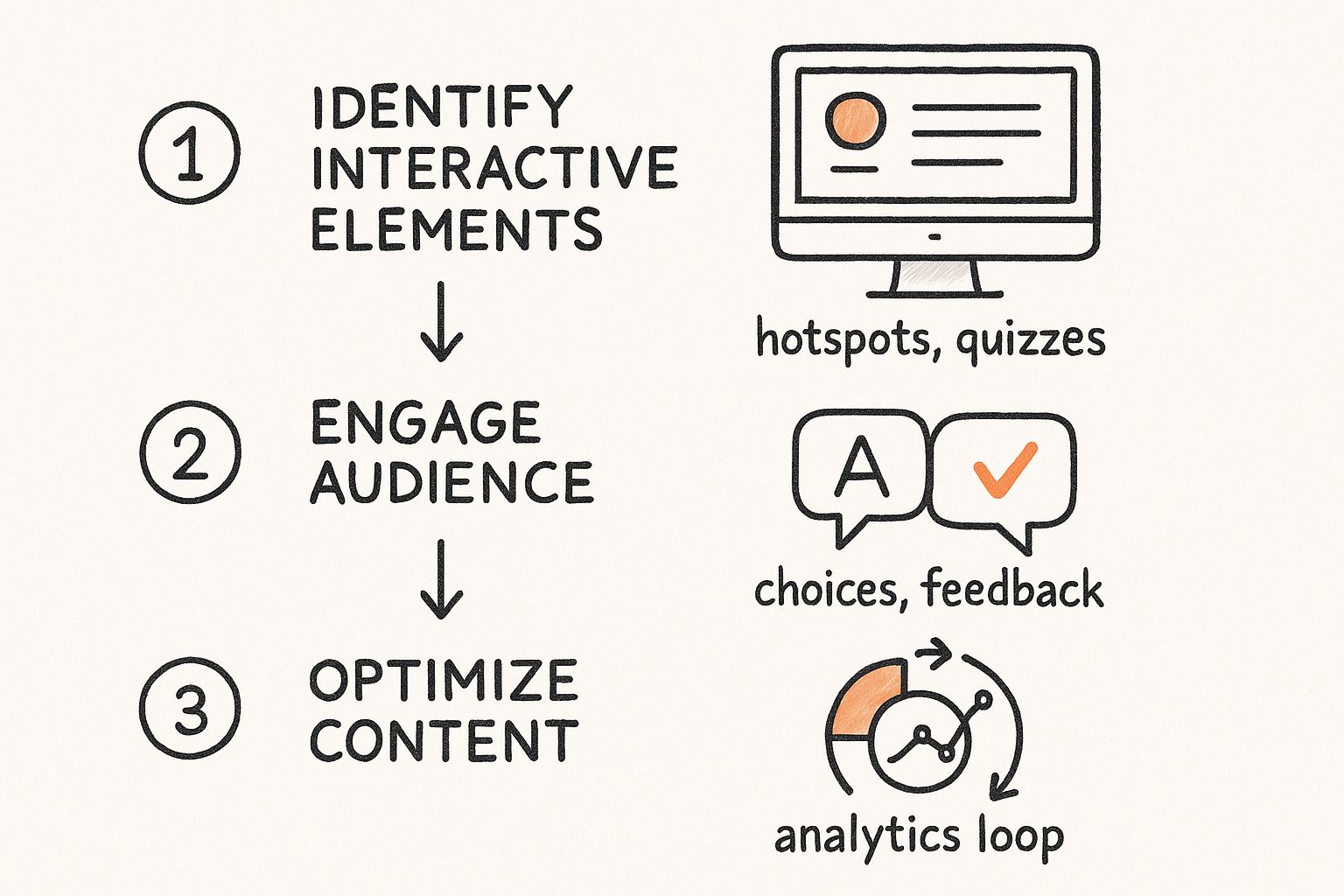
In Mindstamp, each viewer report lists the person's answers, clicks, and path with timecodes, and you can export views, viewers, and interactions as CSV. To get the data into other systems:
- The HubSpot integration (on supported plans) creates or updates the contact and adds view and answer events to its timeline.
- Webhooks send view, interaction, and lead records to your endpoint after each viewing session ends, so allow for a short delay.
- Salesforce integration is quoted per account; confirm its scope with Mindstamp.
To compare two calls to action, run both and read click rate against each one's timecode, as described on our video A/B testing page. For definitions of the standard metrics, see video engagement metrics.
For general video marketing benchmarks beyond interactive video, Renderforest keeps a list of video marketing statistics gathered from third-party surveys. Check the date and source of any figure before you reuse it.
How to scale interactive video across teams and channel partners
When regional teams, resellers, or agency clients each run the same campaign, you can end up with dozens of copies of one video, each with its own data. These habits keep it manageable:
- Build one master video and personalize it at play time instead of recording versions. Personalization variables fill in a name, company, or partner detail from the link, either through CRM merge fields or through personalized links you create one at a time or from a CSV (on supported plans). Our help article on personalizing video links from your CRM shows both methods.
- Give each team, partner, or client its own space. In Mindstamp, a group holds selected videos and has its own reporting, design, and integrations tabs. Partners you invite by email get a groups-only account that shows only their groups and does not use one of your admin seats.
- Name interactions the same way in every copy ("CTA: book demo", "Path: pricing"), so exports from different teams line up in one spreadsheet.
Agencies that build interactive video for clients can see how accounts, branding, and client reports work on our agency page.
How to choose interactive video software
Ask every platform the same questions:
- Does it work on video you already host, or do you have to move your library?
- Does it support the interactions your plan needs, such as forms, branching, or a cart?
- Does it report each viewer's choices, or only totals? Can you export the records?
- How does data reach your CRM: a native integration, Zapier, webhooks, or an API?
- Does it work on phones and with vertical video?
- How is it priced: per video, per seat, per minute watched, or per viewer? Per-viewer pricing makes a successful campaign more expensive.
For B2B demand generation, give the most weight to per-viewer reporting and the CRM connection, because sales follow-up depends on knowing who chose what. Mindstamp bills by videos, admin seats, and streaming minutes, with unlimited viewers; see pricing for current plans. The free trial lasts 14 days and needs no payment card. For side-by-side comparisons, see our comparison pages and our roundup of interactive video platforms.
Common questions
What is an example of interactive video marketing?
A product quiz is a common one. A skin care brand asks viewers about their skin inside the video, recommends one product from the answers, and links to checkout. You can play it on our product quiz example page, and see more formats in our interactive video examples.
Is interactive video worth it for a small business?
It is when the video sits on your own website or in your emails and holds the next step, such as a booking calendar, a form, or a cart. A small business should get the basics running first: short videos that answer customer questions, posted where customers look. Our guide to video marketing for small business covers that first stage.
Can I make YouTube videos interactive?
YouTube's own options are cards and end screens. An end screen can point to a video, a playlist, a subscribe button, or another channel, and only members of the YouTube Partner Program can add a link to an outside website, according to YouTube Help. For questions, forms, or branching, use a separate player. See interactive YouTube videos for what YouTube can and can't do.
How much does interactive video marketing cost?
There are two costs: the platform subscription and the video itself. If you already have product demos, webinar recordings, or customer stories, you can add interactions to those files without a reshoot. Branching videos cost more to produce because you film each path. Check Mindstamp pricing for plan details.
Do viewers need an account or an app?
No. Viewers watch in the browser through a link or an embed, with no Mindstamp account.
Your next step: take one video you already have, add one choice and one call to action, share it, and read the report to see who chose what.