Improvement
Choose How Quiz Scores Count
Quiz scores can now count every question on a video, not only the ones a viewer answered.
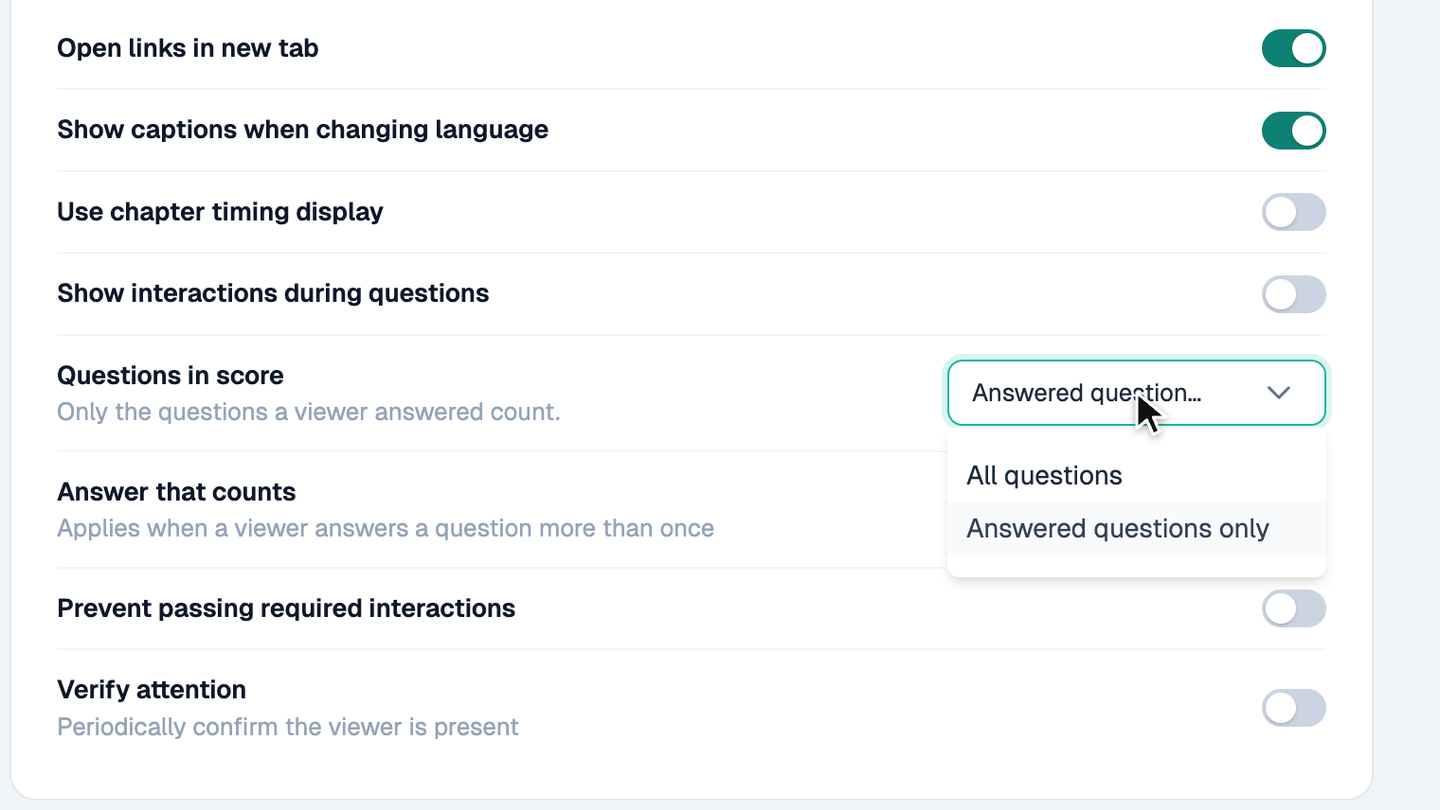
Open a video's Settings and go to Viewer experience. Under Questions in score, choose All questions to count every question that has a correct answer, so a skipped question counts as wrong. Conditional questions do not count, because some viewers never see them.
Choose Answered questions only to keep the old rule. Under Answer that counts, choose the first or the most recent answer for a question that a viewer answers more than once. With Repeat Until Correct, keep First answer, or every viewer who finishes scores 100%.
New videos count all questions. Existing videos keep answered questions only until you change the setting. On every video, each question now counts once, and scores saved for past views do not change.
The same score shows in reports, exports, emails, the API, SCORM, certificate rules, and the cScore variable.
Try it yourself
Put this in one of your videos
Add questions, branching, and a call to action to a video you already have.