Improvement
Hide a Marker on the Playbar
Choose which interactions show a marker on the playbar, one interaction at a time.
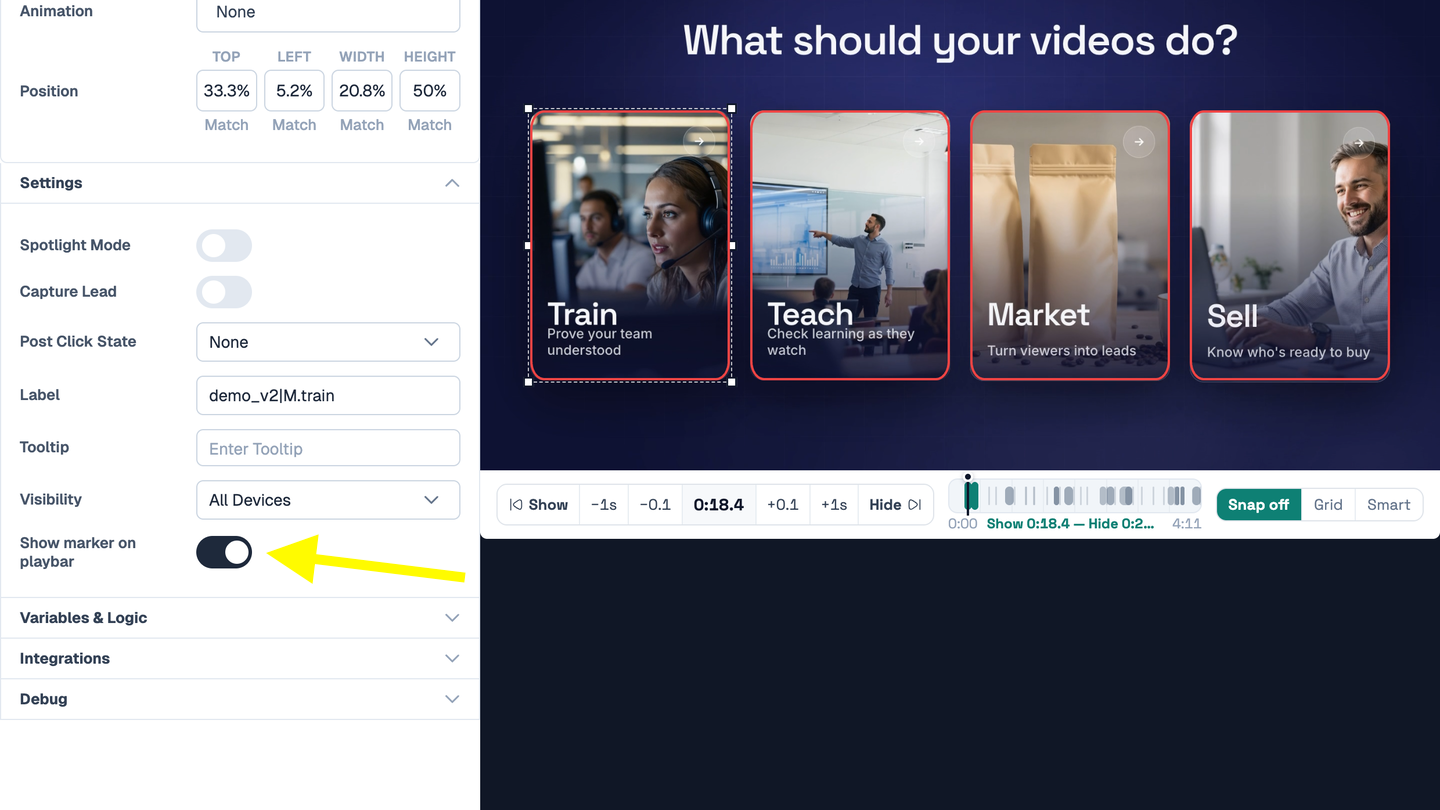
Edit any interaction, open Settings, and turn off Show marker on playbar. The interaction still shows in the video, but viewers no longer see its marker, so a surprise or a quiz answer stays hidden.
Markers show on the playbar when Show Markers is on in your design. In the editor you still see every marker.
Try it yourself
Put this in one of your videos
Add questions, branching, and a call to action to a video you already have.