What’s new
New: IconFinder Integration!
Use our new IconFinder integration to quickly find + use icons and imagery within your video!
Interactive video is about engaging with the content.
This means clicking on-screen elements, like buttons, hotspots, and images to take specific actions such as branching, changing time, or providing information.
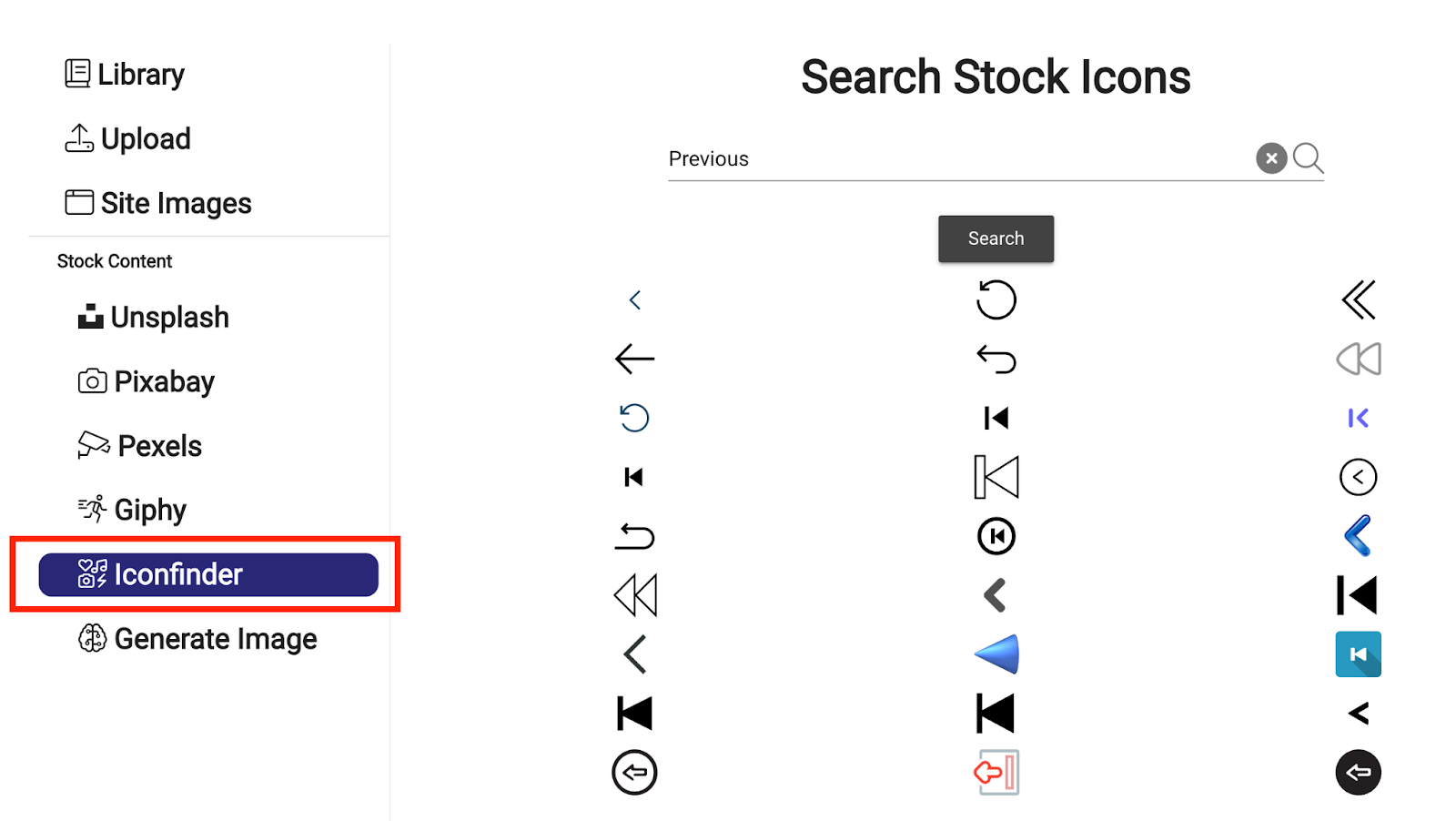
The IconFinder integration lets you search for an icon and add it as a clickable image without leaving the editor.
How does this help me?
Search and insert: Browse, preview, and insert icons from the Mindstamp editor.
Choose an icon: Find menu icons, download prompts, next and previous controls, and other interface graphics.
Guide navigation: Use familiar icons to show viewers what they can select and where it leads.
How do I start?
IconFinder is live today on all subscription plans! Simply add an image interaction, and then select the IconFinder tab from the left side to search for your desired icon:
Try the integration
Mindstamp makes it easy to create engaging, interactive content in seconds. Try it for free today.
Try it yourself
Put this in one of your videos
Add questions, branching, and a call to action to a video you already have.